SLIDE 1 02_More_Python
October 31, 2019
1 More on python
Python has many high-level builtin features, time to learn some more!
1.1 3.02 Functions
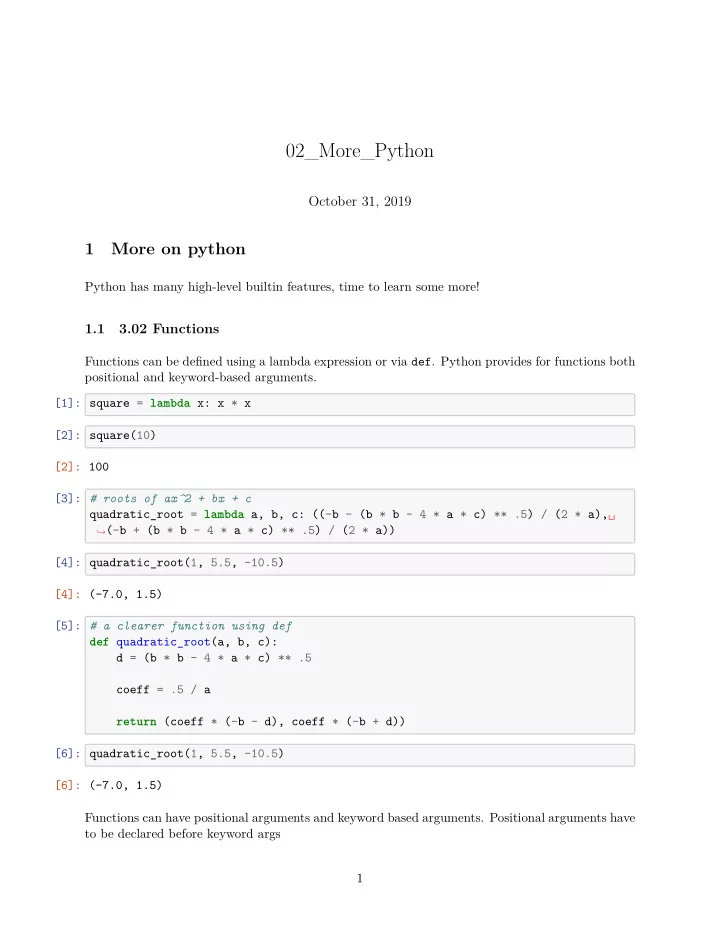
Functions can be defjned using a lambda expression or via def. Python provides for functions both positional and keyword-based arguments. [1]: square = lambda x: x * x [2]: square(10) [2]: 100 [3]: # roots of ax^2 + bx + c quadratic_root = lambda a, b, c: ((-b - (b * b - 4 * a * c) ** .5) / (2 * a),␣
֒ →(-b + (b * b - 4 * a * c) ** .5) / (2 * a))
[4]: quadratic_root(1, 5.5, -10.5) [4]: (-7.0, 1.5) [5]: # a clearer function using def def quadratic_root(a, b, c): d = (b * b - 4 * a * c) ** .5 coeff = .5 / a return (coeff * (-b - d), coeff * (-b + d)) [6]: quadratic_root(1, 5.5, -10.5) [6]: (-7.0, 1.5) Functions can have positional arguments and keyword based arguments. Positional arguments have to be declared before keyword args 1
SLIDE 2
[7]: # name is a positional argument, message a keyword argument def greet(name, message='Hello {}, how are you today?'): print(message.format(name)) [8]: greet('Tux') Hello Tux, how are you today? [9]: greet('Tux', 'Hi {}!') Hi Tux! [10]: greet('Tux', message='What\'s up {}?') What's up Tux? [11]: # this doesn't work greet(message="Hi {} !", 'Tux') File "<ipython-input-11-0f79efc3a31e>", line 2 greet(message="Hi {} !", 'Tux') ^ SyntaxError: positional argument follows keyword argument keyword arguments can be used to defjne default values [12]: import math def log(num, base=math.e): return math.log(num) / math.log(base) [13]: log(math.e) [13]: 1.0 [14]: log(10) [14]: 2.302585092994046 [15]: log(1000, 10) [15]: 2.9999999999999996 2
SLIDE 3 1.2 3.03 builtin functions, attributes
Python provides a rich standard library with many builtin functions. Also, bools/ints/fmoats/strings have many builtin methods allowing for concise code. One of the most useful builtin function is help. Call it on any object to get more information, what methods it supports. [16]: s = 'This is a test string!' print(s.lower()) print(s.upper()) print(s.startswith('This')) print('string' in s) print(s.isalnum()) this is a test string! THIS IS A TEST STRING! True True False For casting objects, python provides several functions closely related to the constructors bool, int, float, str, list, tuple, dict, ... [17]: tuple([1, 2, 3, 4]) [17]: (1, 2, 3, 4) [18]: str((1, 2, 3)) [18]: '(1, 2, 3)' [19]: str([1, 4.5]) [19]: '[1, 4.5]'
1.3 4.01 Dictionaries
Dictionaries (or associate arrays) provide a structure to lookup values based on keys. I.e. they’re a collection of k->v pairs. [20]: list(zip(['brand', 'model', 'year'], ['Ford', 'Mustang', 1964])) # creates a␣
֒ →list of tuples by "zipping" two list
[20]: [('brand', 'Ford'), ('model', 'Mustang'), ('year', 1964)] 3
SLIDE 4
[21]: # convert a list of tuples to a dictionary D = dict(zip(['brand', 'model', 'year'], ['Ford', 'Mustang', 1964])) D [21]: {'brand': 'Ford', 'model': 'Mustang', 'year': 1964} [22]: D['brand'] [22]: 'Ford' [23]: D = dict([('brand', 'Ford'), ('model', 'Mustang')]) D['model'] [23]: 'Mustang' Dictionaries can be also directly defjned using { ... : ..., ...} syntax [24]: D = {'brand' : 'Ford', 'model' : 'Mustang', 'year' : 1964} [25]: D [25]: {'brand': 'Ford', 'model': 'Mustang', 'year': 1964} [26]: # dictionaries have serval useful functions implemented # help(dict) [27]: # adding a new key D['price'] = '48k' [28]: D [28]: {'brand': 'Ford', 'model': 'Mustang', 'year': 1964, 'price': '48k'} [29]: # removing a key del D['year'] [30]: D [30]: {'brand': 'Ford', 'model': 'Mustang', 'price': '48k'} [31]: # checking whether a key exists 'brand' in D [31]: True [32]: # returning a list of keys D.keys() 4
SLIDE 5
[32]: dict_keys(['brand', 'model', 'price']) [33]: # casting to a list list(D.keys()) [33]: ['brand', 'model', 'price'] [34]: D [34]: {'brand': 'Ford', 'model': 'Mustang', 'price': '48k'} [35]: # iterating over a dictionary for k in D.keys(): print(k) brand model price [36]: for v in D.values(): print(v) Ford Mustang 48k [37]: for k, v in D.items(): print('{}: {}'.format(k, v)) brand: Ford model: Mustang price: 48k
1.4 4.02 Calling functions with tuples/dicts
Python provides two special operators * and ** to call functions with arguments specifjed through a tuple or dictionary. I.e. * unpacks a tuple into positional args, whereas ** unpacks a dictionary into keyword arguments. [38]: quadratic_root(1, 5.5, -10.5) [38]: (-7.0, 1.5) [39]: args=(1, 5.5, -10.5) quadratic_root(*args) [39]: (-7.0, 1.5) 5
SLIDE 6
[40]: args=('Tux',) # to create a tuple with one element, need to append , ! kwargs={'message' : 'Hi {}!'} greet(*args, **kwargs) Hi Tux!
1.5 4.03 Sets
python has builtin support for sets (i.e. an unordered list without duplicates). Sets can be defjned using {...}. Note: x={} defjnes an empty dictionary! To defjne an empty set, use [41]: S = set() type(S) [41]: set [42]: S = {1, 2, 3, 1, 4} S [42]: {1, 2, 3, 4} [43]: 2 in S [43]: True [44]: # casting can be used to get unique elements from a list! L = [1, 2, 3, 4, 3, 2, 5, 3, 65, 19] list(set(L)) [44]: [1, 2, 3, 4, 5, 65, 19] set difgerence via - or difference [45]: {1, 2, 3} - {2, 3}, {1, 2, 3}.difference({2, 3}) [45]: ({1}, {1}) set union via + or union [46]: {1, 2, 3} | {4, 5}, {1, 2, 3}.union({4, 5}) [46]: ({1, 2, 3, 4, 5}, {1, 2, 3, 4, 5}) set intersection via & or intersection 6
SLIDE 7 [47]: {1, 5, 3, 4} & {2, 3} [47]: {3} [48]: {1, 5, 3, 4}.intersection({2, 3}) [48]: {3}
1.6 4.04 Comprehensions
Instead of creating list, dictionaries or sets via explicit extensional declaration, you can use a comprehension expression. This is especially useful for conversions. [49]: # list comprehension L = ['apple', 'pear', 'banana', 'cherry'] [(1, x) for x in L] [49]: [(1, 'apple'), (1, 'pear'), (1, 'banana'), (1, 'cherry')] [50]: # special case: use if in comprehension for additional condition [(len(x), x) for x in L if len(x) > 5] [50]: [(6, 'banana'), (6, 'cherry')] [51]: # if else must come before for # ==> here ... if ... else ... is an expression! [(len(x), x) if len(x) % 2 == 0 else None for x in L] [51]: [None, (4, 'pear'), (6, 'banana'), (6, 'cherry')] The same works also for sets AND dictionaries. The collection to iterate over doesn’t need to be
[52]: L = ['apple', 'pear', 'banana', 'cherry'] length_dict = {k : len(k) for k in L} length_dict [52]: {'apple': 5, 'pear': 4, 'banana': 6, 'cherry': 6} [53]: import random [random.randint(0, 10) for i in range(10)] [53]: [7, 3, 2, 10, 0, 2, 3, 3, 5, 5] 7
SLIDE 8 [54]: {random.randint(0, 10) for _ in range(20)} [54]: {0, 1, 2, 3, 4, 5, 6, 7, 8, 9, 10} [55]: [(k, v) for k, v in length_dict.items()] [55]: [('apple', 5), ('pear', 4), ('banana', 6), ('cherry', 6)] [56]: # filter out elements from dict based on condition {k : v for k,v in length_dict.items() if k[0] < 'c'} [56]: {'apple': 5, 'banana': 6}
1.7 5.01 More on functions
Nested functions + decorators ==> Functions are fjrst-class citizens in python, i.e. we can return them [57]: def make_plus_one(f): def inner(x): return f(x) + 1 return inner [58]: fun = make_plus_one(lambda x: x) fun(2), fun(3), fun(4) [58]: (3, 4, 5) A more complicated function can be created to create functions to evaluate a polynomial defjned through a vectpr p = (p1, ..., pn)T f(x) =
n
∑
i=1
pixi [59]: def make_polynomial(p): def f(x): if 0 == len(p): return 0. y = 0 xq = 1 for a in p: y += a * xq xq *= x return y 8
SLIDE 9
return f [60]: poly = make_polynomial([1]) [61]: poly(2) [61]: 1 [62]: quad_poly = make_polynomial([1, 2, 1]) quad_poly(1) [62]: 4 Basic idea is that when declaring nested functions, the inner ones have access to the enclosing functions scope. When returning them, a closure is created. We can use this to change the behavior of functions by wrapping them with another! ==> we basically decorate the function with another, thus the name decorator [63]: def greet(name): return 'Hello {}!'.format(name) [64]: greet('Tux') [64]: 'Hello Tux!' Let’s say we want to shout the string, we could do: [65]: greet('Tux').upper() [65]: 'HELLO TUX!' ==> however, we would need to change this everywhere However, what if we want to apply uppercase to another function? [66]: def state_an_important_fact(): return 'The one and only answer to ... is 42!' [67]: state_an_important_fact().upper() [67]: 'THE ONE AND ONLY ANSWER TO … IS 42!' with a wrapper we could create an upper version [68]: def make_upper(f): def inner(*args, **kwargs): return f(*args, **kwargs).upper() return inner 9
SLIDE 10 [69]: GREET = make_upper(greet) STATE_AN_IMPORTANT_FACT = make_upper(state_an_important_fact) [70]: GREET('tux') [70]: 'HELLO TUX!' [71]: STATE_AN_IMPORTANT_FACT() [71]: 'THE ONE AND ONLY ANSWER TO … IS 42!' Instead of explicitly having to create the decoration via make_upper, we can also use python’s builtin support for this via the @ statement. I.e. [72]: @make_upper def say_hi(name): return 'Hi ' + name + '.' [73]: say_hi('sealion') [73]: 'HI SEALION.' It’s also possible to use multiple decorators [74]: def split(function): def wrapper(): res = function() return res.split() return wrapper [75]: @split @make_upper def state_an_important_fact(): return 'The one and only answer to ... is 42!' [76]: state_an_important_fact() [76]: ['THE', 'ONE', 'AND', 'ONLY', 'ANSWER', 'TO', '…', 'IS', '42!'] More
decorators here: https://www.datacamp.com/community/tutorials/ decorators-python. ==> Flask (the framework we’ll learn next week) uses decorators extensively, therefore they’re included here. Summary: What is a decorator? A decorator is a design pattern to add/change behavior to an individual object. In python decora- tors are typically used for functions (later: also for classes) 10
SLIDE 11
1.8 6.01 Generators
Assume we want to generate all square numbers. We could do so using a list comprehension: [77]: [x * x for x in range(10)] [77]: [0, 1, 4, 9, 16, 25, 36, 49, 64, 81] However, this will create a list of all numbers. Sometimes, we just want to consume the number. I.e. we could do this via a function [78]: square = lambda x: x * x [79]: print(square(1)) print(square(2)) print(square(3)) 1 4 9 However, what about a more complicated sequence? I.e. fjbonnaci numbers? [80]: def fib(n): if n <= 0: return 0 if n <= 1: return 1 a, b = 0, 1 for i in range(n): a, b = b, a + b return a [81]: n = 10 for i in range(n): print(fib(i)) 1 1 2 3 5 8 13 21 34 Complexity is n^2! However, with generators we can stop execution. 11
SLIDE 12 The pattern is to call basically generator.next() [82]: def fib(): a, b = 0, 1 yield a while True: a, b = b, a + b yield a [83]: fib() [83]: <generator object fib at 0x10ab3d0d0> [84]: g = fib() for i in range(5): print(next(g)) 1 1 2 3 enumerate and zip are both generator objects! [85]: L = ['a', 'b', 'c', 'd'] [86]: g = enumerate(L) print(next(g)) print(next(g)) print(next(g)) print(next(g)) # stop iteration exception will be done print(next(g)) (0, 'a') (1, 'b') (2, 'c') (3, 'd') ␣
֒ →---------------------------------------------------------------------------
StopIteration Traceback (most recent call␣
֒ →last)
<ipython-input-86-a98f42ccb1c3> in <module> 5 print(next(g)) 12
SLIDE 13 6 # stop iteration exception will be done
StopIteration: [ ]: g = range(3) g [87]: L = ['a', 'b', 'c', 'd'] i = list(range(len(L)))[::-1] g = zip(L, i) for el in g: print(el) ('a', 3) ('b', 2) ('c', 1) ('d', 0) Note: There is no hasNext in python. Use a loop with in to iterate over the full generator. [88]: for i, n in enumerate(fib()): if i > 10: break print(n) 1 1 2 3 5 8 13 21 34 55
1.9 7.01 Higher order functions
python provides two builitn higher order functions: map and filter. A higher order function is a function which takes another function as argument or returns a function (=> decorators). In python3, map and filter yield a generator object. 13
SLIDE 14
[89]: map(lambda x: x * x, range(7)) [89]: <map at 0x10ab2c650> [90]: for x in map(lambda x: x * x, range(7)): print(x) 1 4 9 16 25 36 [91]: # display squares which end with 1 list(filter(lambda x: x % 10 == 1, map(lambda x: x * x, range(25)))) [91]: [1, 81, 121, 361, 441]
1.10 8.01 Basic I/O
Python has builtin support to handle fjles [92]: f = open('file.txt', 'w') f.write('Hello world') f.close() Because a fjle needs to be closed (i.e. the fjle object destructed), python has a handy statement to deal with auto-closing/destruction: The with statement. [93]: with open('file.txt', 'r') as f: lines = f.readlines() print(lines) ['Hello world'] Again, help is useful to understand what methods a fjle object has [94]: # uncomment here to get the full help # help(f) 14
SLIDE 15
2 7.01 classes
In python you can defjne compound types using class [95]: class Animal: def __init__(self, name, weight): self.name = name self.weight = weight def print(self): print('{} ({} kg)'.format(self.name, self.weight)) def __str__(self): return '{} ({} kg)'.format(self.name, self.weight) [96]: dog = Animal('dog', 20) [97]: dog [97]: <__main__.Animal at 0x10ab9d190> [98]: print(dog) dog (20 kg) [99]: dog.print() dog (20 kg) Basic inheritance is supported in python [100]: class Elephant(Animal): def __init__(self): Animal.__init__(self, 'elephant', 1500) #alternative: # super().__init__(...) [101]: e = Elephant() [102]: print(e) elephant (1500 kg) 15
SLIDE 16
3 8.01 Modules and packages
More on this at https://docs.python.org/3.7/tutorial/modules.html. A good expla- nation of relative imports can be found here https://chrisyeh96.github.io/2017/08/08/ definitive-guide-python-imports.html. ==> Each fjle represents a module in python. One or more modules make up a package. Let’s say we want to package our quad_root function into a separate module solver [103]: !rm -r solver* rm: solver*: No such file or directory [104]: !ls 01_Intro_to_Python.ipynb LICENSE 01_Python_Introduction.ipynb README.md 02_More_Python.ipynb __pycache__ 02_More_Python_empty.ipynb file.txt [105]: %%file solver.py # a clearer function using def def quadratic_root(a, b, c): d = (b * b - 4 * a * c) ** .5 coeff = .5 / a return (coeff * (-b - d), coeff * (-b + d)) Writing solver.py [106]: !cat solver.py # a clearer function using def def quadratic_root(a, b, c): d = (b * b - 4 * a * c) ** .5 coeff = .5 / a return (coeff * (-b - d), coeff * (-b + d)) [107]: import solver [108]: solver.quadratic_root(1, 1, -2) [108]: (-2.0, 1.0) 16
SLIDE 17
Alternative is to import the name quadratic_root directly into the current scope [109]: from solver import quadratic_root [110]: quadratic_root(1, 1, -2) [110]: (-2.0, 1.0) To import everything, you can use from ... import *. To import multiple specifjc functions, use from ... import a, b. E.g. from flask import render_template, request, abort, jsonify, make_response. To organize modules in submodules, subsubmodules, … you can use folders. I.e. to import a function from a submodule, use from solver.algebraic import quadratic_root. There’s a special fjle __init__.py that is added at each level, which gets executed when import folder is run. [111]: !rm *.py [112]: !mkdir -p solver/algebraic [113]: %%file solver/__init__.py # this file we run when import solver is executed print('import solver executed!') Writing solver/__init__.py [114]: %%file solver/algebraic/__init__.py # run when import solver.algebraic is used print('import solver.algebraic executed!') Writing solver/algebraic/__init__.py [115]: %%file solver/algebraic/quadratic.py print('solver.algebraic.quadratic executed!') # a clearer function using def def quadratic_root(a, b, c): d = (b * b - 4 * a * c) ** .5 coeff = .5 / a return (coeff * (-b - d), coeff * (-b + d)) Writing solver/algebraic/quadratic.py 17
SLIDE 18
[116]: %%file test.py import solver Writing test.py [117]: !python3 test.py import solver executed! [118]: %%file test.py import solver.algebraic Overwriting test.py [119]: !python3 test.py import solver executed! import solver.algebraic executed! [120]: %%file test.py import solver.algebraic.quadratic Overwriting test.py [121]: %%file test.py import solver.algebraic.quadratic Overwriting test.py [122]: !python3 test.py import solver executed! import solver.algebraic executed! solver.algebraic.quadratic executed! [123]: %%file test.py from solver.algebraic.quadratic import * print(quadratic_root(1, 1, -2)) Overwriting test.py [124]: !python3 test.py 18
SLIDE 19
import solver executed! import solver.algebraic executed! solver.algebraic.quadratic executed! (-2.0, 1.0) One can also use relative imports to import from other fjles via . or ..! [125]: %%file solver/version.py __version__ = "1.0" Writing solver/version.py [126]: !tree solver solver __init__.py __pycache__ __init__.cpython-37.pyc algebraic __init__.py __pycache__ __init__.cpython-37.pyc quadratic.cpython-37.pyc quadratic.py version.py 3 directories, 7 files [127]: %%file solver/algebraic/quadratic.py from ..version import __version__ print('solver.algebraic.quadratic executed!') print('package version is {}'.format(__version__)) # a clearer function using def def quadratic_root(a, b, c): d = (b * b - 4 * a * c) ** .5 coeff = .5 / a return (coeff * (-b - d), coeff * (-b + d)) Overwriting solver/algebraic/quadratic.py [128]: !python3 test.py import solver executed! import solver.algebraic executed! solver.algebraic.quadratic executed! 19
SLIDE 20
package version is 1.0 (-2.0, 1.0) This can be also used to bring certain functions into scope! [129]: %%file solver/algebraic/__init__.py from .quadratic import * # use this to restrict what functions to "export" __all__ = [quadratic_root.__name__] Overwriting solver/algebraic/__init__.py [130]: %%file test.py from solver.algebraic import * print(quadratic_root(1, 1, -2)) Overwriting test.py [131]: !python3 test.py import solver executed! solver.algebraic.quadratic executed! package version is 1.0 (-2.0, 1.0) Of course there’s a lot more on how to design packages in python! However, these are the essentials you need to know. End of lecture 20