02291: System Integration Hubert Baumeister hub@imm.dtu.dk Spring - - PDF document

02291 system integration
SMART_READER_LITE
LIVE PREVIEW

02291: System Integration Hubert Baumeister hub@imm.dtu.dk Spring - - PDF document

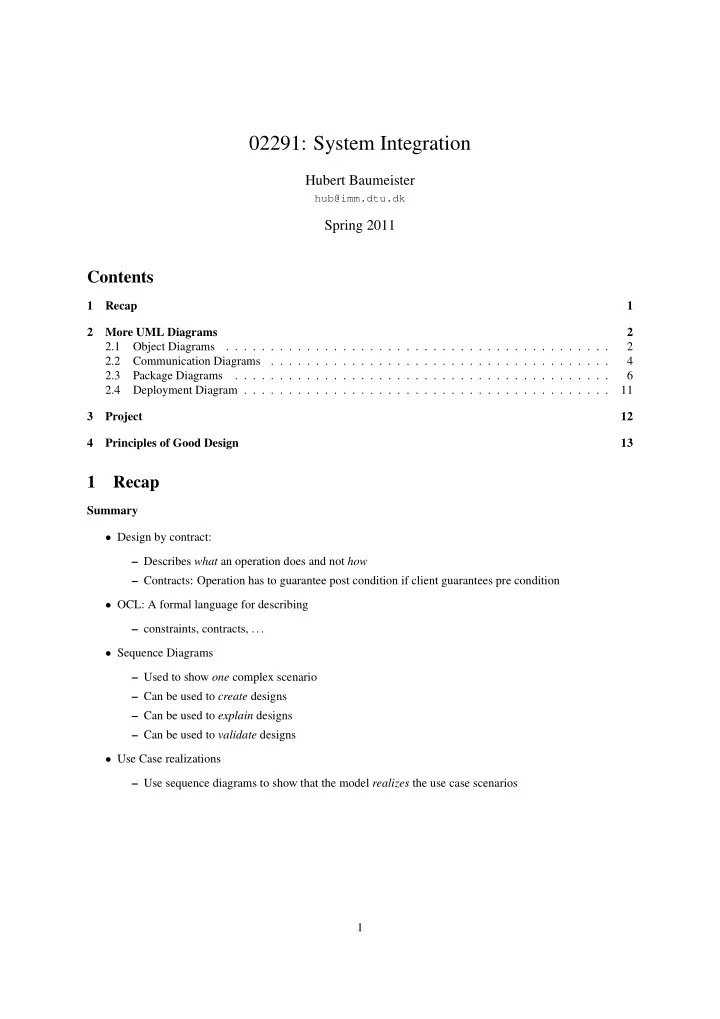
02291: System Integration Hubert Baumeister hub@imm.dtu.dk Spring 2011 Contents 1 Recap 1 2 More UML Diagrams 2 2.1 Object Diagrams . . . . . . . . . . . . . . . . . . . . . . . . . . . . . . . . . . . . . . . . . . . 2 2.2


slide-1
SLIDE 1

02291: System Integration

Hubert Baumeister

hub@imm.dtu.dk

Spring 2011

Contents

1 Recap 1 2 More UML Diagrams 2 2.1 Object Diagrams . . . . . . . . . . . . . . . . . . . . . . . . . . . . . . . . . . . . . . . . . . . 2 2.2 Communication Diagrams . . . . . . . . . . . . . . . . . . . . . . . . . . . . . . . . . . . . . . 4 2.3 Package Diagrams . . . . . . . . . . . . . . . . . . . . . . . . . . . . . . . . . . . . . . . . . . 6 2.4 Deployment Diagram . . . . . . . . . . . . . . . . . . . . . . . . . . . . . . . . . . . . . . . . . 11 3 Project 12 4 Principles of Good Design 13

1 Recap

Summary

  • Design by contract:

– Describes what an operation does and not how – Contracts: Operation has to guarantee post condition if client guarantees pre condition

  • OCL: A formal language for describing

– constraints, contracts, . . .

  • Sequence Diagrams

– Used to show one complex scenario – Can be used to create designs – Can be used to explain designs – Can be used to validate designs

  • Use Case realizations

– Use sequence diagrams to show that the model realizes the use case scenarios 1

slide-2
SLIDE 2

2 More UML Diagrams

2.1 Object Diagrams

Object Diagram Example Class Diagram Object Diagram 2

slide-3
SLIDE 3

Object Diagram Purpose

  • Describes

– Instances of classes: objects – And associations: links

  • Describes a snapshot of a running system

– e.g. visualizing the pre- and post state of an operation

  • Used as the bases for communication diagrams

Instance notation

  • Variant 1: an object with name and class
  • Variant 2: an anonymous object of a class
  • Variant 3: a named object of unknown class

Values of Attributes

  • Value Specifications
  • Slots

3

slide-4
SLIDE 4

Links

  • Links to other objects

2.2 Communication Diagrams

Communication diagrams

  • Are a form of interaction diagrams
  • Show how objects/object playing roles interact with each other

– e.g. how messages are sent between objects

  • Similar to sequence diagrams
  • In UML 1.x they were called collaboration diagrams
  • Important: while in object diagrams the name and type are underlined, one does not do this anymore with

sequence and communication diagrams!! – Reason: In interaction diagrams, the boxes denote roles objects play and not real objects Communication diagram example 4

slide-5
SLIDE 5

Nested decimal notation

  • Numbers on the same level are within the same method
  • When letters are used instead of numbers, e.g., 1.a, 1.b., . . . , then the messages are executed in parallel

Corresponding sequence diagram

  • Communication and sequence diagrams show similar information

5

slide-6
SLIDE 6

When to use communication diagrams

  • Sequence diagram

– If lifeline is important – If it is important to easily see the sequencing of messages

  • Communication diagrams

– If the link between the objects are important – Maybe easier to change on the whiteboard

2.3 Package Diagrams

Package Diagrams

  • Purpose

– Structure the model ∗ Structure should reflect the structure of the model and not model the structure of the underlying system

  • Package Diagrams group UML model elements

– mostly classes – but can contain any model element (use cases, activity diagrams, state machines ...)

  • Packages can be included in other packages
  • Packages define a namespace

– The same name for a model element can be used in different packages – Qualification with the name of the originating package may be necessary ∗ E.g. class C in package P has to be used as P::C in package Q. 6

slide-7
SLIDE 7

Examples

  • Notations for packages

Examples

  • Dependencies between packages

Examples

  • Implementing Interfaces

7

slide-8
SLIDE 8

Importing packages using imports

  • With imports, elements imported are also exported by the importing package

– Both A and B are visible in package R Importing packages using access

  • With access, elements imported are not exported by the importing package

«access» «access» B A P Q R

– A is visible in package R – B is not visible in R – B can only be used fully qualified as P::B in package R 8

slide-9
SLIDE 9

Package merging

  • The contents of two packages are combined (i.e. merged)
  • Useful for extending existing models
  • Provides some kind of aspect-oriented modelling

– Each package to merge represents some aspect of the system

  • If two model elements with the same name exists in the two packages, then these model elements are

combined to one model element

  • Rules for the combination depend on the model element and are quite complex

Example Package Merge Package Merge 9

slide-10
SLIDE 10

Meaning 10

slide-11
SLIDE 11

Summary

  • Packages are used to structure the model

– very much like packages in Java – different from modelling the structure of the system → Components

2.4 Deployment Diagram

Deployment Diagram 11

slide-12
SLIDE 12

Martin Fowler, UML Distilled

Deployment Diagram

  • Nodes represent

devices

execution environments

– can be nested

  • Artifacts being deployed on nodes

– Correspond to, e.g. jar files, html files, exe files etc. – They can manifest UML Elements like components

3 Project

Project

Goal: Create a model

  • Domain model
  • Requirements model
  • Test model
  • Design model

– Class diagram – Component diagram – Behaviour diagrams

  • Use case validation
  • Begin: 30.4. (next time) End: 4.5.

12

slide-13
SLIDE 13
  • Teams with 4–6 people

– Final teams will be formed next time, but it would be could if teams would already form now – Make sure someone of your is at the lecture next time to sign up the team. If not there won’t be any guarantees for being able to join a team

4 Principles of Good Design

DRY principle DRY principle Don’t repeat yourself: Every piece of knowledge must have a single, unambiguous, authoritative representation within a system.

  • Problem with duplication

– Consistency: Changes need to be applied to each of the duplicates – Changes won’t be executed because changes needed to be done in too many places

  • Kind of duplication

– Code duplications – Concept duplications – Code / Comments / Documentation → Self documenting code → Only document ideas, concepts, . . . that are not expressible (expressed) clearly in the code: e.g. What is the idea behind a design, what were the design decisions ∗ Example: eUML: Class diagrams == Code – . . . DRY principle

  • Techniques to avoid duplication

– Use appropriate abstractions ∗ Inheritance ∗ Classes with instance variables ∗ Methods with parameters ∗ refactor your software to remove duplications ∗ . . . to refactor software Change the structure of the software without changing its functionality

  • Use generation techniques

– generate documention from code ∗ e.g. Javadoc generates HTML documentation from Java source files ∗ e.g. http://java.sun.com/javase/6/docs/api/ – generate code from UML models ∗ most modern tools support this for class diagrams in both directions (i.e. code → diagram and diagram → code – . . . 13

slide-14
SLIDE 14

KISS principle KISS principle Keep it short and simple (sometimes also: Keep it simple, stupid)

  • Try to use the simplest solution first

– Make complex solutions only if needed

  • Strive for simplicity

– Takes time!! – refactor your software to make it simpler Antoine de Saint Exup´ ery ”It seems that perfection is reached not when there is nothing left to add, but when there is nothing left to take away”. YAGNI principle YAGNI principle You ain’t gonna needed it

  • Avoid doing something for which there is no need → KISS

– This happens a lot with design patterns and thinking to much ahead ∗ ”I am now using observer pattern because I think it provides me with the flexibility later” ∗ ”I am create a seperate interface which my class implements, because maybe later I need different implementations for that interface” → Different kind of flexibility – Make your code refactorable: e.g. with tests, using code expressing its intention – In practice both are needed: design for change and make your design changable Low Coupling Low coupling

  • An object / class is connected only to a few other classes
  • It fullfils its repsonsibility by delegating responsibility to other objects
  • High coupling: Every class is connected with every class

A B D E C F

→ Difficult to change / exchange classes: dependency to all other classes need to be considered

  • Low coupling: Classes are only connected to few other classes

A B D E C F

→ Easy to change / exchange classes 14

slide-15
SLIDE 15

High Cohesion High Cohesion

  • Groups methods / attributes / classes with a common goal / functionality

→ E.g. A class groups a set of a related methods and attributes → an object is self contained and represents an entity

  • High cohesion & low coupling are a corner stone of good design

– Low coupling reduces the dependency on other objects ∗ It is easier to change / exchange one object when it is only connected to a limited number of other

  • bjects

– High cohesion supports low coupling by grouping related functionality and data Example: High Cohesion

  • Left side violates high cohesion:

– Attributes for address details do not belong to the Person concept Law of Demeter Law of Demeter

  • ”Only talk to your immediate friends”
  • Only method calls to the following objects are allowed

– the object itself – its components – objects created by that object – parameters of methods

  • The Law of Demeter is a special case of low coupling

→ To achieve low coupling one needs to delegate functionality → leads to decentralised control 15

slide-16
SLIDE 16

Computing the price of an order 16

slide-17
SLIDE 17

Order calculate price calculate base price calculate discounts Product name price Customer name discount info OrderLine quantity * 1 1

  • Law of Demeter is violated because calculate price uses the product, but Order does not have access to the product via

a field or as a parameter to a method, only through OrderLine

  • Homework: Check if the distributed control example violates the Law of Demeter

Layered Architecture 17

slide-18
SLIDE 18
  • Low coupling between layers

– Message flow is directed from higher layers to lower layers but not vice versa – Most messages are sent to the adjacent layer

  • High cohesion within a layer

– A layer groups similar functionality, e.g. the User interface / Presentation layer Layered Architecture 18

slide-19
SLIDE 19

Eric Evans, Domain Driven Design, Addison-Wesley, 2004

  • Presentation Layer

– Translates user gestures to method calls and abstract data to textual/graphical representations; the layer is dumb, it doesn’t do any business logic

  • Application Layer

– Contains application specific logic, could be more than one on the same domain model

  • Domain Layer

– Contains the domain specific logic (applicable to all applications)

  • Database Layer

– Contains the storage logic for domain objects Example Vending Machine Two different presentation layers

  • Swing GUI

19

slide-20
SLIDE 20
  • Command line interface

Current Money: DKK 5 0) Exit 1) Input 1 DKK 2) Input 2 DKK 3) Input 5 DKK 4) Select banana 5) Select apple 6) Cancel Select a number (0-6): 5 Rest: DKK 2 Current Money: DKK 0 Dispensing: Apple Architecture 20

slide-21
SLIDE 21

Application Layer Presentation Layer VendingMachine dispensedItem: Fruit currentMoney: int totalMoney: int restMoney: int input(money: int) select(f: fruit) cancel() * VendingMachineUI «delegate» «delegate» Observer «enumeration» Fruit APPLE BANANA Observer «delegate» «delegate» Presentation Layer VendingMachineTextUI Observer «delegate» «delegate»

Application Layer

VendingMachine currentMoney: int totalMoney: int restMoney: int input(m:int) select(f:Fruit) cancel() enoughMoney(f:Fruit) hasFruit(f:Fruit) dispense(f:Fruit) priceFor(f:Fruit) «enumeration» Fruit banana apple * fruit 0..1 dispensedItem 0..1 selectedFruit {pre: enoughMoney(f) and hasFruit(f) post: itemDispensed(f,currentMoney@pre) } {body: fruit->collect(f1 | f1 = f)->size() >= 1} {body: currentMoney >= priceFor(f)} {post: currentMoney = 0 and restMoney = currentMoney@pre and selectedFruit->size() = 0 } {post: (f = banana implies result = 5) and (f= apple implies result = 3) } {post: selectedFruit = f } {pre: m > 0 post: if (selectedFruit <> null and enoughMoney(selectedFruit)) then itemDispensed(f,currentMoney@pre) else currentMoney = currentMoney@pre + m endif } {inv: currentMoney >= 0 and totalMoney >= 0 and restMoney >= 0 } {def: itemDispensed(f:Fruit, oldCm:int) = dispensedItem = f and restMoney = oldCm - priceFor(f) and currentMoney = 0 and totalMoney = totalMoney + priceFor(f) }

Application Logic Object life cycle state machine of the class VendingMachine 21

slide-22
SLIDE 22

Presentation Layer: Swing GUI

sd:buy apple

Presentation Layer: Command Line Interface 22

slide-23
SLIDE 23

sd:buy apple

Separation Presentation Layer from Application Layer

  • Presentation layer translates

– keyboard events, mouse movements . . . to messages in the application layer – application specific information as text or graphics – Reacts on events coming from the application layer ∗ e.g. via the observer pattern (e.g. update messages) ∗ also possible: use of event listeners – The presentation does not contain any business logic ∗ An ”action performed” method does not do any business relevant computations

  • Application layer

– offers an abstract interface of messages to the presentation layer ∗ e.g. input(int amount); select(Fruit fruit), getDispensedItem(), . . . – implements the business logic – Application logic does not provide any presentation logic ∗ No calling of dialogs, no returning of images etc. Advantages of the separation 1 Presentation layer can be exchanged/changed easily without compromising the business logic 2 It is easy to add different presentation layers on top of the same business logic at the same time – collaborative work: a person working on the application from a Web interface, the other from a stand- alone application 3 Automatic tests of business logic is easily possible because the application layer can be tested as any Java program 23

slide-24
SLIDE 24

Use Case: Buy Fruit name: Buy fruit description: Entering coins and buying a fruit actor: user main scenario:

  • 1. Input coins until the price for the fruit to be selected is reached
  • 2. Select a fruit
  • 3. Vending machine dispenses fruit

alternative scnearios:

  • a1. User inputs more coins than necessary
  • a2. select a fruit
  • a3. Vending machine dispenses fruit
  • a4. Vending machine returns excessive coins

– . . . Buy Fruit Fit tests

  • Main Scenario

ActionFixture start VendingMachineFixture check number of apples 5 enter input 1 enter input 2 press apple check dispensed item apple check rest money check number of apples 4

  • Alternative Scenario a

ActionFixture start VendingMachineFixture check number of apples 5 enter input 1 enter input 5 press apple check dispensed item apple check rest money 3 check number of apples 4

  • main scenario:
  • 1. Input coins until the price for the fruit to be selected is reached
  • 2. Select a fruit
  • 3. Vending machine dispenses fruit

alternative scnearios:

  • a1. User inputs more coins than necessary
  • a2. select a fruit
  • a3. Vending machine dispenses fruit
  • a4. Vending machine returns excessive coins

24

slide-25
SLIDE 25

Summary

  • Mixed diagram types

– Object diagram – Communication diagram – Package diagram – Deployment diagram

  • Principles of good design

– DRY, KISS, YAGNI, Low Cohesion and High Coupling

  • Layered architecture and automated tests
  • Next time

– Start of the Exam project ∗ Attendance is mandatory 25