1. A seminar is to be organized as part of 'Ozone day' celebrations. - - PDF document

1 a seminar is to be organized as part of ozone day
SMART_READER_LITE
LIVE PREVIEW

1. A seminar is to be organized as part of 'Ozone day' celebrations. - - PDF document

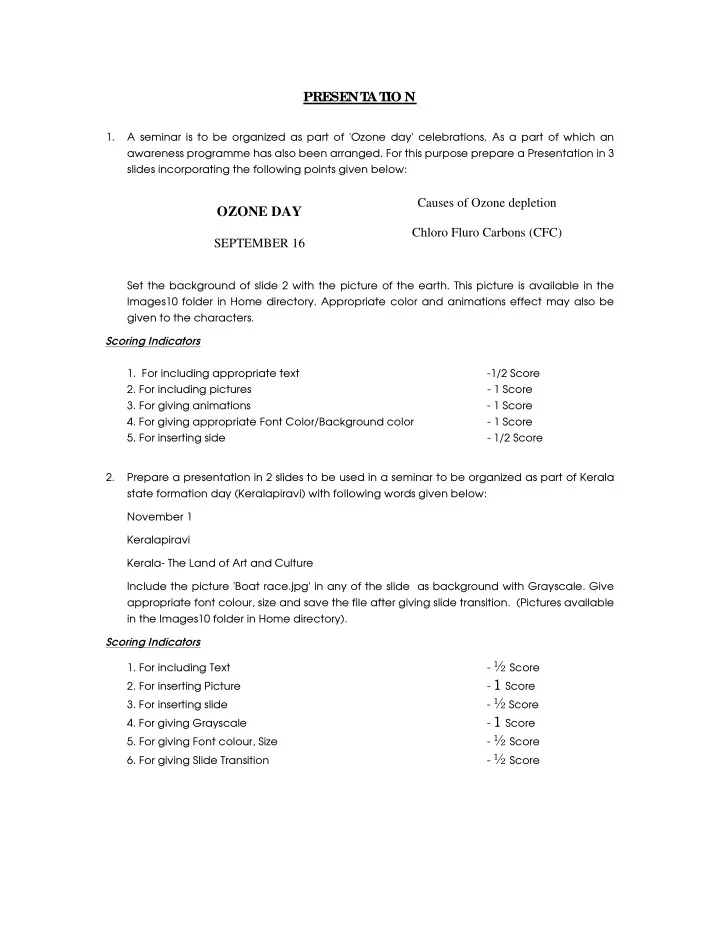
PRESENT A T IO N 1. A seminar is to be organized as part of 'Ozone day' celebrations. As a part of which an awareness programme has also been arranged. For this purpose prepare a Presentation in 3 slides incorporating the following points given


slide-1
SLIDE 1

PRESENT A T IO N

  • 1. A seminar is to be organized as part of 'Ozone day' celebrations. As a part of which an

awareness programme has also been arranged. For this purpose prepare a Presentation in 3 slides incorporating the following points given below: Set the background of slide 2 with the picture of the earth. This picture is available in the Images10 folder in Home directory. Appropriate color and animations effect may also be given to the characters. Scoring Indicators

  • 1. For including appropriate text
  • 1/2 Score
  • 2. For including pictures
  • 1 Score
  • 3. For giving animations
  • 1 Score
  • 4. For giving appropriate Font Color/Background color
  • 1 Score
  • 5. For inserting side
  • 1/2 Score
  • 2. Prepare a presentation in 2 slides to be used in a seminar to be organized as part of Kerala

state formation day (Keralapiravi) with following words given below: November 1 Keralapiravi Kerala- The Land of Art and Culture Include the picture 'Boat race.jpg' in any of the slide as background with Grayscale. Give appropriate font colour, size and save the file after giving slide transition. (Pictures available in the Images10 folder in Home directory). Scoring Indicators

  • 1. For including Text
  • ½ Score
  • 2. For inserting Picture
  • 1 Score
  • 3. For inserting slide
  • ½ Score
  • 4. For giving Grayscale
  • 1 Score
  • 5. For giving Font colour, Size
  • ½ Score
  • 6. For giving Slide Transition
  • ½ Score

Causes of Ozone depletion Chloro Fluro Carbons (CFC)

OZONE DAY

SEPTEMBER 16

slide-2
SLIDE 2
  • 3. Prepare a presentation with 2 slides as shown below to be presented in Social Science Club

as part of children's day celebration. Insert the picture of 'chachaji' in the second slide. Give appropriate background color, font color and animation effect to the characters. (Picture is available in the Images10 folder in Home directory). Scoring Indicators

  • 1. For including Text
  • 1 Score
  • 2. For inserting Picture
  • 1 Score
  • 3. For inserting slide
  • ½ Score
  • 4. For giving Font colour, Animation
  • 1 Score
  • 5. For giving Background colour
  • ½ Score
  • 4. Prepare a presentation in 2 slides, in the model as given below, to be presented in an

Educational Cultural Forum

  • Slide. 1

Slide.2 . Give appropriate background color, font size and font color. Save it after giving proper slide transition. Arrange the second slide in such a way that on clicking the word 'Kathakali' the video of 'Kathakali' is made available (The video on 'Kathakali' is in the movies and sounds folder in Home directory). Scoring Indicators

  • 1. For including Text
  • ½ Score
  • 2. For giving hyperlink
  • 1 Score
  • 3. For inserting slide
  • 1 Score
  • 4. For giving Font colour, size
  • 1 Score
  • 5. For giving slide transition
  • ½ Score

CHILDRENS' DAY November 14

Birthday of Chachaji Our former Prime Minister

Picture

Kathakali the classical art of Kerala.

VIDYARANGAM Welcomes you to Koodiyattam

slide-3
SLIDE 3
  • 5. Prepare a presentation on Chandradinam with 2 slides as in the model shown below to be

presented in the Science Club. Give appropriate background color and animation effect to the characters. In second slide, for the name Neil Armstrong, give link to the picture namely Armstrong available at the Images10 folder in Home Directory. Scoring Indicators

  • 1. For including Text
  • ½ Score
  • 2. For giving hyperlink
  • 1 Score
  • 3. For giving Animation
  • 1 Score
  • 4. For giving background colour
  • 1 Score
  • 5. For inserting slide
  • ½ Score
  • 6. Prepare 2 slides for presentation in a seminar on 'Plastic Free Campus' organized by the

school Eco-Club. In the first slide give 'PLASTIC FREE CAMPUS' as heading and 'ECO-CLUB' as the next line. Insert appropriate picture from Images10 folder in Home directory in the second slide. Type the text 'Avoid Plastics' below to the picture. Give appropriate font color and make the slide attractive. Scoring Indicators

  • 1. For including Text
  • ½ Score
  • 2. For inserting slide
  • ½Score
  • 3. For inserting picture
  • 1 Score
  • 4. For giving Animation
  • 1 Score
  • 5. For giving Animation effect
  • ½ Score
  • 6. For giving foot note to Picture
  • ½ Score
  • 7. Prepare 2 slides for presentation in a meeting convened as part of Independence Day
  • Celebrations. Insert the picture of 'Gandhiji' in the first slide from the Images10 folder in

Home directory and type 'Father of our Nation' below to it. In second slide, on clicking 'Salt Sathyagraha', the document 'Salt sathyagraha.odt' in the Documents folder in Home directory should be open. Make the slides attractive by giving suitable animation effect. Scoring Indicators

  • 1. For including Text
  • ½ Score
  • 2. For inserting slide
  • ½ Score
  • 3. For inserting picture
  • 1 Score
  • 4. For giving hyperlink
  • 1 Score
  • 5. For including Animation effect
  • 1 Score

CHANDRA DINAM JULY 21

1969 July 21, 1:48 a.m Man landed

  • n Moon. Neil Armstrong
slide-4
SLIDE 4
  • 8. Prepare a presentation in 3 slides on Rivers, as part of a campaign on 'Rivers- The wealth of

the Nation'. The titles of the slide shall be Rivers of Kerala - Bharathapuzaha, Pamba . Insert suitable pictures of river Pamba from the Images10 folder in Home directory in appropriate

  • slides. Give background color to the slides so as to make it more attractive.

Scoring Indicators

  • 1. For including Text
  • ½ Score
  • 2. For inserting slide
  • 1 Score
  • 3. For including Animation effect
  • 1 Score
  • 4. For giving Background color
  • ½ Score
  • 5. For inserting picture
  • 1 Score
  • 9. Prepare a presentation for observing 'Software Freedom Day'. Type 'SOFTWARE FREEDOM

DAY' in the first slide and 'SEPTEMBER 19' in the second slide. Insert the Picture 'tux.PNG' in 2nd slide from Images10 folder in Home directory. Make the presentation attractive by give proper background color and animation effect for words Scoring Indicators

  • 1. For including Text
  • ½ Score
  • 2. For inserting slide
  • ½Score
  • 3. For inserting picture
  • 1 Score
  • 4. For giving Background, font color
  • 1 Score
  • 5. For giving Animation effect
  • 1 Score
  • 10. You are asked to prepare a presentation showing the findings of a project on water
  • conservation. Make the first 2 slides for the presentation as given below:

Give different background colour to the slides. Insert the picture 'Watertap.jpg' in the second slide from the Images10 folder in Home directory and give appropriate animation. Scoring Indicators

  • 1. For including Text
  • ½ Score
  • 2. For inserting slide
  • ½Score
  • 3. For giving Background
  • 1 Score
  • 4. For inserting picture
  • 1 Score
  • 5. For giving Animation effect
  • 1 Score

CONSERVATION OF WATER WATER IS LIFE WATER IS PRECIOUS DO NOT WASTE WATER LET US SAVE WATER LET US SAVE LIFE

Water.jpg

slide-5
SLIDE 5
  • 11. Prepare a presentation to make the people aware on increasing road accidents. Include

the words OBEY TRAFFIC RULES, AVOID ACCIDENTS, SAVE LIFE and insert the picture 'road accident.jpg' from Images10 folder in Home directory in various slides. Make Presentation attractive by giving background color, animation effect and slide transition. Scoring Indicators

  • 1. For including Text
  • ½ Score
  • 2. For inserting slide
  • ½Score
  • 3. For inserting picture
  • 1 Score
  • 4. For giving Background color
  • ½ Score
  • 5. For giving Animation
  • 1 Score
  • 6. For giving Slide Transition
  • ½ Score
  • 12. As part of' 'We are one India is one All are one' Campaign you are asked to prepare a

presentation about India in 2 slides. Include the words 'India is my country and I love my India' in the slides. Insert picture 'Gandhiji.jpg' from the Images10 folder in Home directory n the second slide. Give suitable background color, font color and animation effect to make the presentation attractive. Scoring Indicators

  • 1. For including Text
  • ½ Score
  • 2. For inserting slide
  • ½Score
  • 3. For inserting picture
  • 1 Score
  • 4. For giving Background color
  • ½ Score
  • 5. For giving font color
  • ½ Score
  • 6. For giving Animation
  • 1 Score