1 Exception Tables Exceptions An exception is a transfer of - - PDF document

1
SMART_READER_LITE
LIVE PREVIEW

1 Exception Tables Exceptions An exception is a transfer of - - PDF document

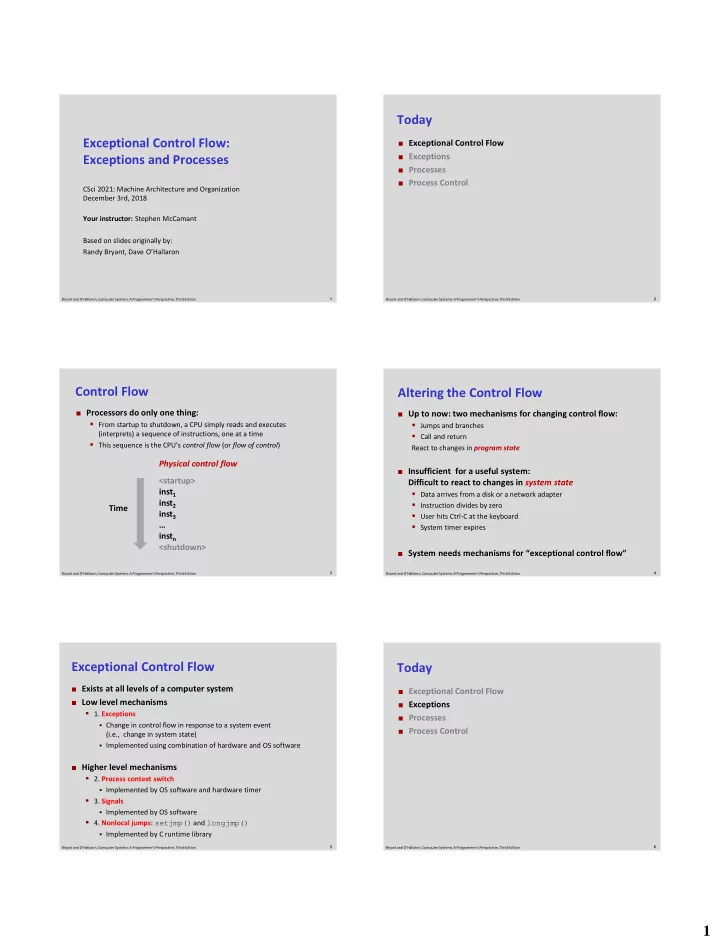
Today Exceptional Control Flow: Exceptional Control Flow Exceptions Exceptions and Processes Processes Process Control CSci 2021: Machine Architecture and Organization December 3rd, 2018 Your instructor: Stephen McCamant Based


slide-1
SLIDE 1

1

1 Bryant and O’Hallaron, Computer Systems: A Programmer’s Perspective, Third Edition

Exceptional Control Flow: Exceptions and Processes

CSci 2021: Machine Architecture and Organization December 3rd, 2018 Your instructor: Stephen McCamant Based on slides originally by: Randy Bryant, Dave O’Hallaron

2 Bryant and O’Hallaron, Computer Systems: A Programmer’s Perspective, Third Edition

Today

 Exceptional Control Flow  Exceptions  Processes  Process Control

3 Bryant and O’Hallaron, Computer Systems: A Programmer’s Perspective, Third Edition

Control Flow

<startup> inst1 inst2 inst3 … instn <shutdown>

 Processors do only one thing:

  • From startup to shutdown, a CPU simply reads and executes

(interprets) a sequence of instructions, one at a time

  • This sequence is the CPU’s control flow (or flow of control)

Physical control flow Time

4 Bryant and O’Hallaron, Computer Systems: A Programmer’s Perspective, Third Edition

Altering the Control Flow

 Up to now: two mechanisms for changing control flow:

  • Jumps and branches
  • Call and return

React to changes in program state

 Insufficient for a useful system:

Difficult to react to changes in system state

  • Data arrives from a disk or a network adapter
  • Instruction divides by zero
  • User hits Ctrl-C at the keyboard
  • System timer expires

 System needs mechanisms for “exceptional control flow”

5 Bryant and O’Hallaron, Computer Systems: A Programmer’s Perspective, Third Edition

Exceptional Control Flow

 Exists at all levels of a computer system  Low level mechanisms

  • 1. Exceptions
  • Change in control flow in response to a system event

(i.e., change in system state)

  • Implemented using combination of hardware and OS software

 Higher level mechanisms

  • 2. Process context switch
  • Implemented by OS software and hardware timer
  • 3. Signals
  • Implemented by OS software
  • 4. Nonlocal jumps: setjmp() and longjmp()
  • Implemented by C runtime library

6 Bryant and O’Hallaron, Computer Systems: A Programmer’s Perspective, Third Edition

Today

 Exceptional Control Flow  Exceptions  Processes  Process Control

slide-2
SLIDE 2

2

7 Bryant and O’Hallaron, Computer Systems: A Programmer’s Perspective, Third Edition

Exceptions

 An exception is a transfer of control to the OS kernel in response

to some event (i.e., change in processor state)

  • Kernel is the memory-resident part of the OS
  • Examples of events: Divide by 0, arithmetic overflow, page fault, I/O

request completes, typing Ctrl-C

User code Kernel code

Exception Exception processing by exception handler

  • Return to I_current
  • Return to I_next
  • Abort

Event

I_current I_next

8 Bryant and O’Hallaron, Computer Systems: A Programmer’s Perspective, Third Edition

1 2

...

n-1

Exception Tables

Each type of event has a unique exception number k

k = index into exception table (a.k.a. interrupt vector)

Handler k is called each time exception k occurs

Exception Table Code for exception handler 0 Code for exception handler 1 Code for exception handler 2 Code for exception handler n-1

...

Exception numbers

9 Bryant and O’Hallaron, Computer Systems: A Programmer’s Perspective, Third Edition

Asynchronous Exceptions (Interrupts)

 Caused by events external to the processor

  • Indicated by setting the processor’s interrupt pin
  • Handler returns to “next” instruction

 Examples:

  • Timer interrupt
  • Every few ms, an external timer chip triggers an interrupt
  • Used by the kernel to take back control from user programs
  • I/O interrupt from external device
  • Hitting Ctrl-C at the keyboard
  • Arrival of a packet from a network
  • Arrival of data from a disk

10 Bryant and O’Hallaron, Computer Systems: A Programmer’s Perspective, Third Edition

Synchronous Exceptions

 Caused by events that occur as a result of executing an

instruction:

  • Traps
  • Intentional
  • Examples: system calls, breakpoint traps, special instructions
  • Returns control to “next” instruction
  • Faults
  • Unintentional but possibly recoverable
  • Examples: page faults (recoverable), protection faults

(unrecoverable), floating point exceptions

  • Either re-executes faulting (“current”) instruction or aborts
  • Aborts
  • Unintentional and unrecoverable
  • Examples: illegal instruction, parity error, machine check
  • Aborts current program

11 Bryant and O’Hallaron, Computer Systems: A Programmer’s Perspective, Third Edition

System Calls

Number Name Description read Read file 1 write Write file 2

  • pen

Open file 3 close Close file 4 stat Get info about file 57 fork Create process 59 execve Execute a program 60 _exit Terminate process 62 kill Send signal to process

 Each x86-64 system call has a unique ID number  Examples:

12 Bryant and O’Hallaron, Computer Systems: A Programmer’s Perspective, Third Edition

System Call Example: Opening File

User calls: open(filename, options)

Calls __open function, which invokes system call instruction syscall

00000000000e5d70 <__open>: ... e5d79: b8 02 00 00 00 mov $0x2,%eax # open is syscall #2 e5d7e: 0f 05 syscall # Return value in %rax e5d80: 48 3d 01 f0 ff ff cmp $0xfffffffffffff001,%rax ... e5dfa: c3 retq

User code Kernel code

Exception Open file Returns

syscall cmp

%rax contains syscall number

Other arguments in %rdi, %rsi, %rdx, %r10, %r8, %r9

Return value in %rax

Negative value is an error corresponding to negative errno

slide-3
SLIDE 3

3

13 Bryant and O’Hallaron, Computer Systems: A Programmer’s Perspective, Third Edition

Fault Example: Page Fault

User writes to memory location

That portion (page) of user’s memory is currently on disk

int a[1000]; main () { a[500] = 13; } 80483b7: c7 05 10 9d 04 08 0d movl $0xd,0x8049d10

User code Kernel code

Exception: page fault Copy page from disk to memory Return and reexecute movl

movl

14 Bryant and O’Hallaron, Computer Systems: A Programmer’s Perspective, Third Edition

Fault Example: Invalid Memory Reference

Sends SIGSEGV signal to user process

User process exits with “segmentation fault”

int a[1000]; main () { a[5000] = 13; } 80483b7: c7 05 60 e3 04 08 0d movl $0xd,0x804e360

User code Kernel code

Exception: page fault Detect invalid address

movl

Signal process

15 Bryant and O’Hallaron, Computer Systems: A Programmer’s Perspective, Third Edition

Today

 Exceptional Control Flow  Exceptions  Processes  Process Control

16 Bryant and O’Hallaron, Computer Systems: A Programmer’s Perspective, Third Edition

Processes

 Definition: A process is an instance of a running

program.

  • One of the most profound ideas in computer science
  • Not the same as “program” or “processor”

 Process provides each program with two key

abstractions:

  • Logical control flow
  • Each program seems to have exclusive use of the CPU
  • Provided by kernel mechanism called context switching
  • Private address space
  • Each program seems to have exclusive use of main

memory.

  • Provided by kernel mechanism called virtual memory

CPU

Registers

Memory

Stack Heap Code Data

17 Bryant and O’Hallaron, Computer Systems: A Programmer’s Perspective, Third Edition

Multiprocessing: The Illusion

 Computer runs many processes simultaneously

  • Applications for one or more users
  • Web browsers, email clients, editors, …
  • Background tasks
  • Monitoring network & I/O devices

CPU

Registers

Memory

Stack Heap Code Data

CPU

Registers

Memory

Stack Heap Code Data

CPU

Registers

Memory

Stack Heap Code Data

18 Bryant and O’Hallaron, Computer Systems: A Programmer’s Perspective, Third Edition

Multiprocessing Example

 Running program “top” on Mac

  • System has 123 processes, 5 of which are active
  • Identified by Process ID (PID)
slide-4
SLIDE 4

4

19 Bryant and O’Hallaron, Computer Systems: A Programmer’s Perspective, Third Edition

Multiprocessing: The (Traditional) Reality

 Single processor executes multiple processes concurrently

  • Process executions interleaved (multitasking)
  • Address spaces managed by virtual memory system (later in course)
  • Register values for nonexecuting processes saved in memory

CPU

Registers

Memory

Stack Heap Code Data Saved registers Stack Heap Code Data Saved registers Stack Heap Code Data Saved registers

20 Bryant and O’Hallaron, Computer Systems: A Programmer’s Perspective, Third Edition

Multiprocessing: The (Traditional) Reality

 Save current registers in memory

CPU

Registers

Memory

Stack Heap Code Data Saved registers Stack Heap Code Data Saved registers Stack Heap Code Data Saved registers

21 Bryant and O’Hallaron, Computer Systems: A Programmer’s Perspective, Third Edition

Multiprocessing: The (Traditional) Reality

 Schedule next process for execution

CPU

Registers

Memory

Stack Heap Code Data Saved registers Stack Heap Code Data Saved registers Stack Heap Code Data Saved registers

22 Bryant and O’Hallaron, Computer Systems: A Programmer’s Perspective, Third Edition

Multiprocessing: The (Traditional) Reality

 Load saved registers and switch address space (context switch)

CPU

Registers

Memory

Stack Heap Code Data Saved registers Stack Heap Code Data Saved registers Stack Heap Code Data Saved registers

23 Bryant and O’Hallaron, Computer Systems: A Programmer’s Perspective, Third Edition

Multiprocessing: The (Modern) Reality

 Multicore processors

  • Multiple CPUs on single chip
  • Share main memory (and some of

the caches)

  • Each can execute a separate process
  • Scheduling of processors onto

cores done by kernel

CPU

Registers

Memory

Stack Heap Code Data Saved registers Stack Heap Code Data Saved registers Stack Heap Code Data Saved registers

CPU

Registers

24 Bryant and O’Hallaron, Computer Systems: A Programmer’s Perspective, Third Edition

Concurrent Processes

 Each process is a logical control flow.  Two processes run concurrently (are concurrent) if their

flows overlap in time

 Otherwise, they are sequential  Examples (running on single core):

  • Concurrent: A & B, A & C
  • Sequential: B & C

Process A Process B Process C

Time

slide-5
SLIDE 5

5

25 Bryant and O’Hallaron, Computer Systems: A Programmer’s Perspective, Third Edition

User View of Concurrent Processes

 Control flows for concurrent processes are physically

disjoint in time

 However, we can think of concurrent processes as

running in parallel with each other Time

Process A Process B Process C

26 Bryant and O’Hallaron, Computer Systems: A Programmer’s Perspective, Third Edition

Context Switching

 Processes are managed by a shared chunk of memory-

resident OS code called the kernel

  • Important: the kernel is not a separate process, but rather runs as part
  • f some existing process.

 Control flow passes from one process to another via a

context switch

Process A Process B

user code kernel code user code kernel code user code context switch context switch

Time

27 Bryant and O’Hallaron, Computer Systems: A Programmer’s Perspective, Third Edition

Today

 Exceptional Control Flow  Exceptions  Processes  System calls and process startup

28 Bryant and O’Hallaron, Computer Systems: A Programmer’s Perspective, Third Edition

System Call Error Handling

 On error, Linux system-level functions typically return -1 and

set global variable errno to indicate cause.

 Hard and fast rule:

  • You must check the return status of every system-level function
  • Only exception is the handful of functions that return void

 Example:

if ((pid = fork()) < 0) { fprintf(stderr, "fork error: %s\n", strerror(errno)); exit(0); }

29 Bryant and O’Hallaron, Computer Systems: A Programmer’s Perspective, Third Edition

Error-reporting functions

 Can simplify somewhat using an error-reporting function:

void unix_error(char *msg) /* Unix-style error */ { fprintf(stderr, "%s: %s\n", msg, strerror(errno)); exit(0); } if ((pid = fork()) < 0) unix_error("fork error");

30 Bryant and O’Hallaron, Computer Systems: A Programmer’s Perspective, Third Edition

Error-handling Wrappers

 We simplify the code we present to you even further by

using Stevens-style error-handling wrappers:

pid_t Fork(void) { pid_t pid; if ((pid = fork()) < 0) unix_error("Fork error"); return pid; } pid = Fork();

slide-6
SLIDE 6

6

49 Bryant and O’Hallaron, Computer Systems: A Programmer’s Perspective, Third Edition

execve: Loading and Running Programs

int execve(char *filename, char *argv[], char *envp[])

 Loads and runs in the current process:

  • Executable file filename
  • Can be object file or script file beginning with #!interpreter

(e.g., #!/bin/bash)

  • …with argument list argv
  • By convention argv[0]==filename
  • …and environment variable list envp
  • “name=value” strings (e.g., USER=droh)
  • getenv, putenv, printenv

 Overwrites code, data, and stack

  • Retains PID, open files and signal context

 Called once and never returns

  • …except if there is an error

50 Bryant and O’Hallaron, Computer Systems: A Programmer’s Perspective, Third Edition

Structure of the stack when a new program starts

Null-terminated environment variable strings Null-terminated command-line arg strings envp[n] == NULL envp[n-1]

...

envp[0] argv[argc] = NULL argv[argc-1]

...

argv[0] Future stack frame for main environ (global var) Bottom of stack Top of stack argv (in %rsi) envp (in %rdx) Stack frame for libc_start_main argc (in %rdi)

51 Bryant and O’Hallaron, Computer Systems: A Programmer’s Perspective, Third Edition

execve Example

envp[n] = NULL envp[n-1] envp[0] … myargv[argc] = NULL myargv[2] myargv[0] myargv[1] “/bin/ls” “-lt” “/usr/include” “USER=droh” “PWD=/usr/droh” environ myargv

if ((pid = Fork()) == 0) { /* Child runs program */ if (execve(myargv[0], myargv, environ) < 0) { printf("%s: Command not found.\n", myargv[0]); exit(1); } }

Executes “/bin/ls –lt /usr/include” in child process using current environment:

(argc == 3)

52 Bryant and O’Hallaron, Computer Systems: A Programmer’s Perspective, Third Edition

Summary

 Exceptions

  • Events that require nonstandard control flow
  • Generated externally (interrupts) or internally (traps and faults)

 Processes

  • At any given time, system has multiple active processes
  • Only one can execute at a time on a single core, though
  • Each process appears to have total control of

processor + private memory space