1 User-Centered Design (Gould) Focus on users and their tasks - - PDF document

1
SMART_READER_LITE
LIVE PREVIEW

1 User-Centered Design (Gould) Focus on users and their tasks - - PDF document

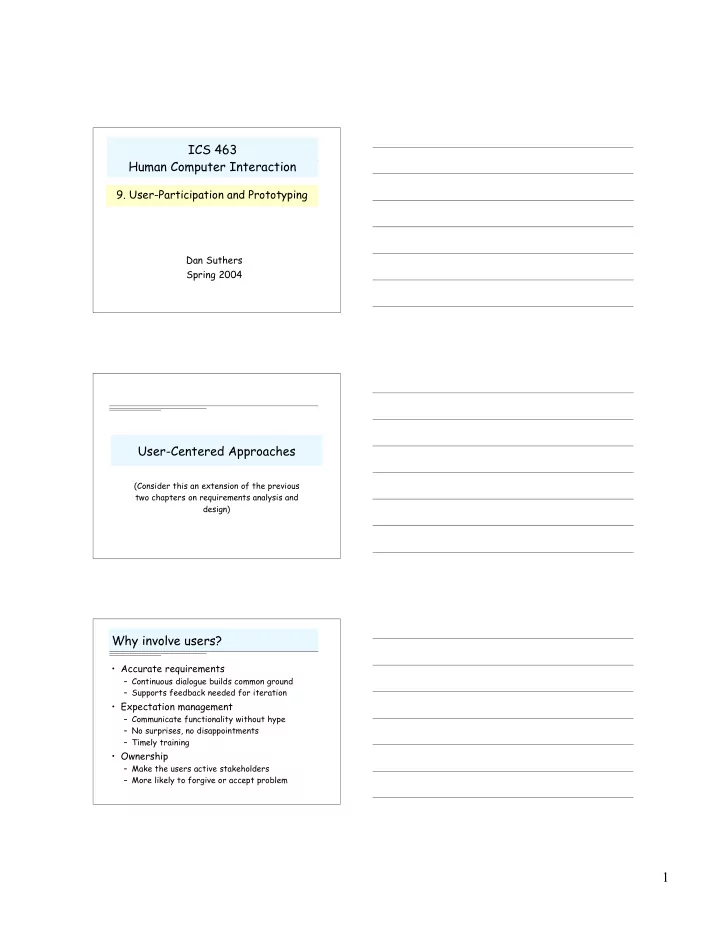
ICS 463 Human Computer Interaction 9. User-Participation and Prototyping Dan Suthers Spring 2004 User-Centered Approaches (Consider this an extension of the previous two chapters on requirements analysis and design) Why involve users?


slide-1
SLIDE 1

1

ICS 463 Human Computer Interaction

  • 9. User-Participation and Prototyping

Dan Suthers Spring 2004

User-Centered Approaches

(Consider this an extension of the previous two chapters on requirements analysis and design)

Why involve users?

  • Accurate requirements

– Continuous dialogue builds common ground – Supports feedback needed for iteration

  • Expectation management

– Communicate functionality without hype – No surprises, no disappointments – Timely training

  • Ownership

– Make the users active stakeholders – More likely to forgive or accept problem

slide-2
SLIDE 2

2

User-Centered Design (Gould)

  • Focus on users and their tasks early

and often in the design process …

(next slide)

  • Measure reactions to and

performance with prototype manuals, interfaces, simulations (next 3 weeks)

  • Design iteratively by fixing problems

and testing again

Focus on Users (Preece)

  • Users’ tasks and goals are the driving force behind

the development

  • Users’ behavior and context of use are studied

and the product is designed to support them

  • Users’ characteristics are captured & designed

for

  • Users are consulted throughout development,

from earliest phases to the latest, and their input is seriously taken into account

  • All design decisions are taken within the context
  • f the user, their work and their environment

Ways to Involve Users

  • Ask them what they need
  • Study them (in their context)
  • Have them test prototypes
  • Include them on the design team
  • Become one of them! …
slide-3
SLIDE 3

3

Ethnographic Observation

  • Spend time with stakeholders in their

work/life space, observing the activity of interest as it happens

– Be a participant-observer: help out; be an apprentice; ask questions as you learn the job – Write about your observations soon after

  • How to make sense of all that data?

– Ethnography asks that you interpret the details

  • f what you see from participants’ viewpoints,

but Design demands useful abstractions – A few approaches have been suggested …

Coherence “Viewpoints”

  • Distributed co-ordination

– distributed nature of the tasks & activities, and the means and mechanisms by which they are coordinated

  • Plans and procedures

– organizational support for the work, such as workflow models and organizational charts, and how these are used to support the work

  • Awareness of work

– how people keep themselves aware of others’ work

Coherence “Concerns”

  • Paperwork and computer work

– How each embodies and supports task

  • Skills and the user of local knowledge

– What skills and knowledge are applied

  • Spatial and temporal organization

– How organization of workspace and time reflects task

  • Organizational memory

– How people and the organization retain knowledge

slide-4
SLIDE 4

4

Contextual Inquiry

  • A form of interview, but

– at users’ workplace – 2 to 3 hours long

  • Principles:

– Context: see workplace & what happens in it – Partnership: user and developer collaborate – Interpretation: observations interpreted by user and developer together – Focus: project focus to help understand what to look for (SBD’s root concept may help here)

Too demanding? Try …

Work Modeling in Contextual Inquiry

  • Soon after the interview, team derives

models in interpretation session:

– Work flow model: people, communication and co-

  • rdination

– Sequence model: detailed steps to achieve a goal – Artifact model: the physical ‘things’ created to do the work – Cultural model: constraints on the system from

  • rganizational culture

– Physical model: physical structure, e.g. office layout

  • Consolidate these from multiple interviews

Contextual Design

  • Developed to handle data collection

and analysis from fieldwork for developing a software-based product

  • Used quite widely commercially
  • Seven parts:

– Contextual inquiry, Work modeling, Consolidation, Work redesign, User environment design, Mock-up and test with customers, Putting it into Practice

Contextual Inquiry is a part of …

slide-5
SLIDE 5

5

Participatory Design

  • Roots an Scandinavian labor movement

(worker empowerment)

  • Helps workers understand complex systems
  • Designers and users cooperatively propose

and analyze designs

  • Must overcome cultural differences,

limited viewpoints

  • How to enable users to participate on equal

status?

PICTIVE (Low-Fidelity Participatory Design)

  • Plastic Interface for Collaborative Technology Initiatives

through Video Exploration

  • Intended to empower users to act a full participants in design

by using everyday office materials and manipulable objects

Prototyping

slide-6
SLIDE 6

6

Goals of Prototyping

  • Exploring Requirements

– Participatory design – Market analysis

  • Choosing among alternatives

– Risky or critical features – Go/no-go decisions

  • Empirical usability testing
  • Evolutionary development

– Build in incremental iterative fashion

Arguments for Prototyping

  • Structured design has limitations

– Abstract notations may be hard to understand – Users may have under- or over-constrained conceptions of what is possible

  • Good fit to Scenario based Design

– Helps communicate and evaluate Information and Interaction Scenarios

  • Prototyping forms a concrete basis for

discussion and/or evaluation

Arguments Against Prototyping

  • Premature commitment to specific design
  • May be mistaken for a working product
  • May require a lot of work (resulting in

reluctance or lack of time to change and iterate)

slide-7
SLIDE 7

7

Key Tradeoffs in Prototyping

  • Quality versus premature commitment
  • Realism versus early availability or throw-

away efforts

  • Constant iteration versus radical change or

refactoring

  • Dynamic malleable platforms versus well

structured code base

  • Coverage

– Horizontal: all of interface, little or no functionality beyond navigation – Vertical: full interface and functionality only for restricted part – Chauffeured: full, but no error checking!

  • Fidelity

– Low fidelity may better support consideration of alternatives

  • Unpolished look  criticisms less inhibited
  • Ambiguity  open to interpretation and discussion

– High fidelity …

  • Good for selling the idea
  • Can expose more subtle design issues

Types of Prototyping Prototyping Methods

  • Storyboarding: sketches or screenshots illustrating key

points in a usage narrative

  • Paper Mockup: fabricated devices with simulated controls

and displays

  • Video Prototype: persons enacting one or more envisioned

tasks

  • Scenario Machine: Interactive system implementing a

specific scenario (example tool: Dreamweaver)

  • Computer Animation: screen transitions that illustrate a

scenario (example tool: Director)

  • Rapid Prototype: working system created with special

purpose tools (example tool: Visual Basic)

  • Wizard of OZ: invisible human simulates functionality
  • And of course, coding in a programming language…
slide-8
SLIDE 8

8

Tools: Be open to all possibilities

  • Paper, markers, Post-its
  • Whiteboards, Smartboards, Mimeo
  • Sketch, Painting, and Drawing tools
  • Multimedia Authoring

– Macromedia Director

  • Hypermedia Authoring

– HyperCard, Dreamweaver

  • Integrated Development Environments

– JBuilder, Kawa, etc.

  • Graphical User Interface Toolkits

– Easy to prototype but limited control

Prototyping and Design Stages

  • Product Conceptualization

– Rapid sketching of alternatives – Low fidelity paper prototypes are best

  • Screen Design

– Test comprehension and aesthetics – Transition from paper to software prototype

  • Task Level Prototyping

– Test suitability of support for specific tasks – Need full or vertical functionality – Software prototypes may be best – Need not have polished interface

Examples: Wizard of OZ

Network  My student used WOZ to prototype an automated coach for collaborative learning

slide-9
SLIDE 9

9

Examples

  • NetLearn design sketches:

– http://lilt.ics.hawaii.edu/netlearn/design/ – Paper and software (html) based – Low to medium fidelity – Mixture of horizontal and vertical functionality – Product conceptualization and screen design

  • Video Prototype: Apple’s Knowledge

Navigator

– http://www.billzarchy.com/clips/clips_apple_nav.htm

– Completely fake rather than implemented – Intended to convey vision and inspire

Mockup

This was the wrong approach!!! Ugly, too specific, hard to modify I made the mistake of starting with Canvas Fast sketches using markers worked better

slide-10
SLIDE 10

10

Web-based mockup

A more polished example was developed for discussion

HCI and Software Engineering Traditional SE Model

time or project maturity cost to change Cost of change

  • nce you are

programming is high: defer until the design is right

slide-11
SLIDE 11

11

Problems with linear models

Requirements are unclear or may change Specification gap:

  • Specs are always ambiguous, always interpreted
  • Who has the knowledge to interpret?

Solutions

  • Allow flexible movement between specification and

implementation

  • Iterative prototyping: build and throw away until

the requirements and implementation converge

  • Test and refine abstract prototypes

Iterative Models

“Plan to throw one away: you will, anyway”

  • - Brooks

W Model:

Analysis Analysis Design Implementation Design Implementation

Star Model

  • Move flexibly between aspects of design
  • Evaluation is central; prototyping important
slide-12
SLIDE 12

12

Integrating HCI with SE

Can we do a better job of integrating rather than bouncing between the two? Create tighter linkage between specification and implementation

– Is this what scenario-based design does by bringing in concrete decisions early? – Can usage-centered design achieve this linkage by testing abstract models as if they were implementations?

“Object oriented analysis and design enable simultaneous attention to user task and software design issues” -- Rosson

– The software’s objects and methods can mirror conceptual models and task requirements. Is that enough?

Integration requires that we view design as an inquiry process

Not a deterministic derivation, but rather a search in design space

Agile Methods

  • Take the idea of iterative prototyping to its

extreme: tight integration of requirements and design (the code is the design)

  • Prototype becomes the product
  • Claim that you can flatten the cost curve

time or project maturity cost to change

slide-13
SLIDE 13

13

Example: Extreme Programming

  • Begin by writing “user stories”
  • Then start coding under this discipline:

– “On-site customer” (same as a “user”?) – Start with a minimal working system, add functionality as needed – Refactor code as needed as it grows – Code Review is good, so do it continuously! Pair Programming – Integration and testing is good, so do it every few hours! (automated unit testing) – Collective ownership of code – 40 hour work week

Evaluation of Agile Methods

  • Pros

– Easier to learn – Less of a documentation/design burden – Includes practices of proven value

  • Issues

– Does it scale without a planned architecture? – Does your organization have the right culture and personalities? – Difficult to do regular (daily) testing on user interface! Hard to automate – Will users tolerate refactoring of a GUI that is in use?

Assignment

  • TBA - it will be on conceptual design,

due the Tuesday after spring break