2019/6/3 Object-oriented Analysis and Design Object-oriented - - PDF document

▶
2019 6 3
SMART_READER_LITE
LIVE PREVIEW

2019/6/3 Object-oriented Analysis and Design Object-oriented - - PDF document

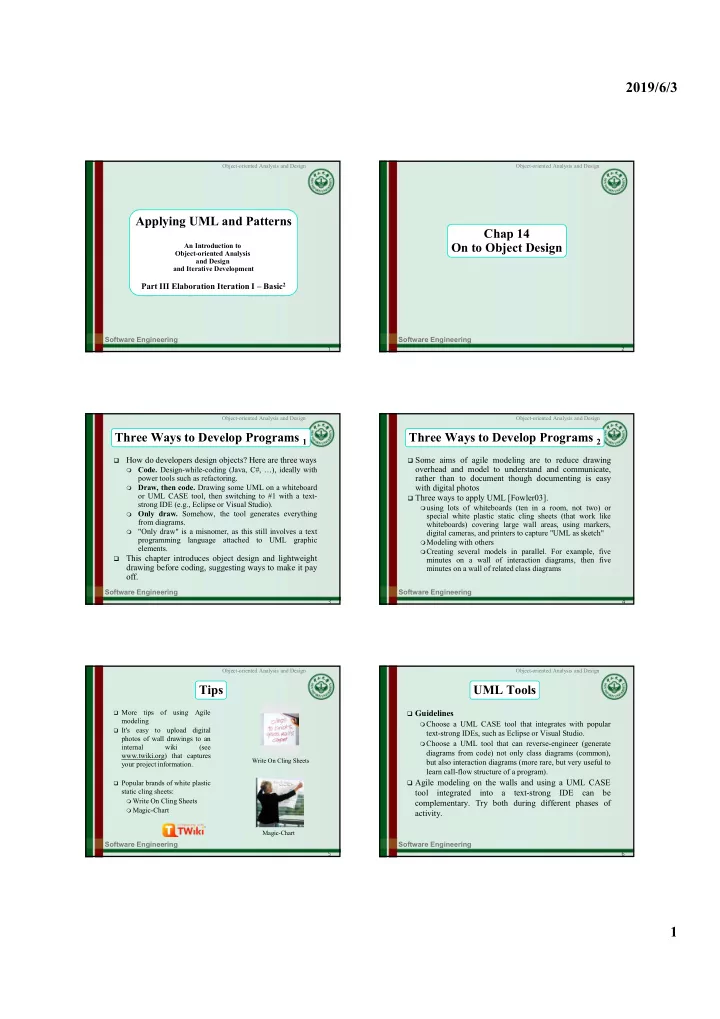
2019/6/3 Object-oriented Analysis and Design Object-oriented Analysis and Design Applying UML and Patterns Chap 14 On to Object Design An Introduction to Object-oriented Analysis and Design and Iterative Development Part III Elaboration


slide-1
SLIDE 1

2019/6/3 1

Software Engineering

1 Object-oriented Analysis and Design

Applying UML and Patterns

An Introduction to Object-oriented Analysis and Design and Iterative Development

Part III Elaboration Iteration I – Basic2

Software Engineering

2 Object-oriented Analysis and Design

Chap 14 On to Object Design

Software Engineering

3 Object-oriented Analysis and Design

Three Ways to Develop Programs 1

How do developers design objects? Here are three ways

 Code. Design-while-coding (Java, C#, …), ideally with

power tools such as refactoring.

 Draw, then code. Drawing some UML on a whiteboard

  • r UML CASE tool, then switching to #1 with a text-

strong IDE (e.g., Eclipse or Visual Studio).

 Only draw. Somehow, the tool generates everything

from diagrams.

 "Only draw" is a misnomer, as this still involves a text

programming language attached to UML graphic elements.

This chapter introduces object design and lightweight drawing before coding, suggesting ways to make it pay

  • ff.

Software Engineering

4 Object-oriented Analysis and Design

Three Ways to Develop Programs 2

 Some aims of agile modeling are to reduce drawing

  • verhead and model to understand and communicate,

rather than to document though documenting is easy with digital photos

 Three ways to apply UML [Fowler03]. using lots of whiteboards (ten in a room, not two) or

special white plastic static cling sheets (that work like whiteboards) covering large wall areas, using markers, digital cameras, and printers to capture "UML as sketch"

Modeling with others Creating several models in parallel. For example, five

minutes on a wall of interaction diagrams, then five minutes on a wall of related class diagrams

Software Engineering

5 Object-oriented Analysis and Design

Tips

 More

tips

  • f

using Agile modeling

 It's

easy to upload digital photos of wall drawings to an internal wiki (see www.twiki.org) that captures your project information.

 Popular brands of white plastic

static cling sheets:

 Write On Cling Sheets  Magic-Chart

Magic-Chart Write On Cling Sheets

Software Engineering

6 Object-oriented Analysis and Design

UML Tools

 Guidelines Choose a UML CASE tool that integrates with popular

text-strong IDEs, such as Eclipse or Visual Studio.

Choose a UML tool that can reverse-engineer (generate

diagrams from code) not only class diagrams (common), but also interaction diagrams (more rare, but very useful to learn call-flow structure of a program).

 Agile modeling on the walls and using a UML CASE

tool integrated into a text-strong IDE can be

  • complementary. Try both during different phases of

activity.

slide-2
SLIDE 2

2019/6/3 2

Software Engineering

7 Object-oriented Analysis and Design

How Much Time Spent Drawing UML Before Coding

 For a three-week timeboxed iteration, spend a few hours or at most one day (with partners)

near the start of the iteration "at the walls" (or with a UML CASE tool)

Then stop - and if sketching - perhaps take digital photos,

print the pictures, and transition to coding for the remainder of the iteration

Using the UML drawings for inspiration as a starting

point, but recognizing that the final design in code will diverge and improve.

Shorter drawing/sketching sessions may occur throughout

the iteration.

★

Software Engineering

8 Object-oriented Analysis and Design

Designing Objects

 There are two kinds of object models: dynamic and

static.

 Spend a short period of time on interaction diagrams

(dynamics), then switch to a wall of related class diagrams (statics).

★

Software Engineering

9 Object-oriented Analysis and Design

Dynamic Object Modeling

 Most of the challenging, interesting, useful design work

happens while drawing the UML dynamic-view interaction diagrams

 Spend

significant time doing interaction diagrams (sequence or communication diagrams), not just class diagrams.

 Ignoring this guideline is a very common worst-practice

with UML.

Software Engineering

10 Object-oriented Analysis and Design

Static Object Modeling

 After first covering dynamic modeling with interaction

diagrams, we then do the static object modeling

 If the developers are applying the agile modeling

practice of Create several models in parallel, they will be drawing both interaction and class diagrams concurrently.

★

Software Engineering

11 Object-oriented Analysis and Design

Object Design Skill

 The importance of object design skill is over UML notation skill  What's important is knowing how to think and design in objects,

and apply object design best-practice patterns, which is much more valuable skill than knowing UML notation

 Drawing UML is a reflection of making decisions about the

design

 While drawing a UML object diagram, we need to answer key

questions:

 What are the responsibilities of the object?  Who does it collaborate with?  What design patterns should be applied?  Far more important than knowing the difference between UML

1.4 and 2.0 notation! Therefore, the emphasis of the following chapters is on these principles and patterns in object design.

★

Software Engineering

12 Object-oriented Analysis and Design

Fundamental object design

 The object design skills are what matter, not knowing

how to draw UML. Fundamental object design requires knowledge of:

principles of responsibility assignment design patterns ★★★

slide-3
SLIDE 3

2019/6/3 3

Software Engineering

13 Object-oriented Analysis and Design

Class Responsibility Card

 A

CRC modeling session involves a group sitting around a table, discussing and writing

  • n the cards as they play "what

if" scenarios with the objects, considering what they must do and what other objects they must collaborate with.

Each card represents one class ×

Software Engineering

14 Object-oriented Analysis and Design

CRC Examples

More detailed: http://c2.com/doc/crc/draw.html ×