
SLIDE 1
41CL ROM UPDATE
PRESENTATION BY SYLVAIN CÔTÉ PC.SYLVAIN.COTE@GMAIL.COM
Slide 1
2016-09-15
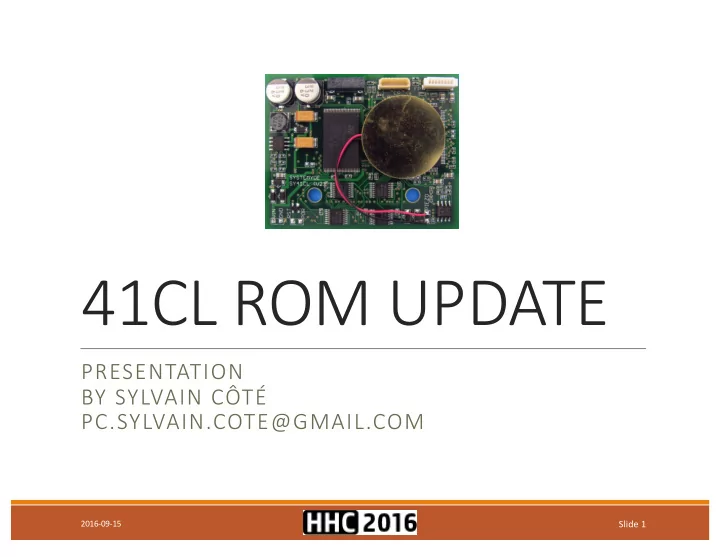
41CL ROM UPDATE PRESENTATION BY SYLVAIN CT - - PowerPoint PPT Presentation
41CL ROM UPDATE PRESENTATION BY SYLVAIN CT PC.SYLVAIN.COTE@GMAIL.COM 2016-09-15 Slide 1 Agenda Summary 41CL Update Manual Process Presentation Highlights Initialization Flash Update Process Power Cycle &
PRESENTATION BY SYLVAIN CÔTÉ PC.SYLVAIN.COTE@GMAIL.COM
Slide 1
2016-09-15
Summary
References
ROM Images - Baseline Creation
41CL Update – Manual Process
41CL Update – Semi-Automatic Process
Questions & Answers
Slide 2
2016-09-15
Slide 3
2016-09-15
Presentation review Update process overview Technical data review ROM images baselining Manual update process review Semi-automatic tools introduction Semi-automatic update process review Questions & Answers
Slide 4
2016-09-15
Track 1 • Flash Sector Update Read
Load
Erase
Write
End
Track 2 • Flash Sector Overwrite Erase
Load
Erase
Write
End
Slide 5
2016-09-15
Slide 6
2016-09-15
Monte Dalrymple for having created the 41CL, his patience and support. Ángel Martin for his relentless development of advanced HP-41 ROMs, including some great 41CL exclusives. Geir Isene for his great pc41 ruby program. Robert Prosperi and Dave Frederickson for their continuous support.
Slide 7
2016-09-15
Web Sites
www.systemyde.com/hp41/
www.hp41.org
www.hpmuseum.org
Manuals
www.systemyde.com/pdf/cl_flash.pdf
www.systemyde.com/pdf/sy41cl.pdf
www.systemyde.com/pdf/cl_memory.pdf
www.systemyde.com/pdf/cl_extreme.pdf
www.systemyde.com/pdf/mem_ref.pdf
www.systemyde.com/pdf/mem_ref_v2.pdf
Slide 8
2016-09-15
Model Details Alpha 2MB Flash (256 x 8KB Pages), 2 boards made for Monte only Beta 2MB Flash (256 x 8KB Pages), 22 boards made and sold to early adopters V2 2MB Flash (256 x 8KB Pages), sector 0x000-0x007 is linked (64KB) V3 First Batch 4MB Flash (512 x 8KB Pages), sector 0x000-0x007 is linked (64KB) V3 Later Batches 4MB Flash (512 x 8KB Pages), sector 0x000-0x007 is segmented (8 x 8KB) V4 First Batches 4MB Flash (512 x 8KB Pages), sector 0x000-0x007 is segmented (8 x 8KB) V4 Lastest Batch (2016-07) 4MB Flash (512 x 8KB Pages), sector 0x000-0x007 is linked (64KB)
Slide 9
2016-09-15
ID Page XROM Module IMDB 0x0DF n/a 41CL Image Database (ID, Page, etc) FLDB 0x0DE n/a 41CL Flash Database (YCRC values) YFNZ 0x007 15 41CL Extra Functions (with some memory buffer functions) YFNS 0x062 31 41CL Extra Functions (with some memory buffer functions) YFNP 0x00F 15 41CL Extra Functions Plus (with some image database functions) YFNX 0x00A 15 41CL Extreme Functions (advanced MMU usage) YLIB 0x00B n/a 41CL Library Functions (dynamically loaded page 4 library for YFNX) YFNF 0x167 16 41CL Memory Functions (advanced memory management)
Slide 10
2016-09-15
Slide 11
2016-09-15
Page Work area for doing sector update 0x810 Page 0 of the flash sector needing an update 0x811 Page 1 of the flash sector needing an update 0x812 Page 2 of the flash sector needing an update 0x813 Page 3 of the flash sector needing an update 0x814 Page 4 of the flash sector needing an update 0x815 Page 5 of the flash sector needing an update 0x816 Page 6 of the flash sector needing an update 0x817 Page 7 of the flash sector needing an update Page OS location when updating OS flash pages (cont.) 0x820 Copy of flash page 0x000 0x821 Copy of flash page 0x001 0x822 Copy of flash page 0x002 0x823 Copy of flash page 0x003 0x824 Copy of flash page 0x004 0x825 Copy of flash page 0x005 0x826 Copy of flash page 0x006 0x827 Copy of flash page 0x007 Page 41CL system modules copy 0x830 Copy of Flash:0x007:YFNZ assigned to Port-1L 0x831 Copy of Flash:0x167:YFNF assigned to Port-1U
Slide 12
2016-09-15
BASELINE CREATION
Slide 13
2016-09-15
Download text/CSV file
Import text/CSV file in a spreadsheet application
Slide 14
2016-09-15
FIle Management
Data Gathering
Slide 15
2016-09-15
Slide 16
2016-09-15
Slide 17
2016-09-15
Slide 18
2016-09-15
MANUAL PROCESS
Slide 19
2016-09-15
Command Configuration ON Prevent auto power off MMUDIS Deactivate MMU MMUCLR Clear MMU configuration TURBO50 Activate 50x speed up SERINI Initialize serial port BAUD48 Set baud rate to 4800 Command Remap YFNZ before doing Flash updates "007>830" YFNZ Flash address to RAM address YMCPY Copy YFNZ from FLASH:007 to RAM:830 "830-RAM" YFNZ RAM address PLUG1L Plug YFNZ:RAM:830 to Port:1L (41C page 8) Command Remap YFNF before doing Flash updates "167>831" YFNF Flash address to RAM address YMCPY Copy YFNZ from V3FLASH:167 to RAM:831 "831-RAM" YFNF RAM address PLUG1U Plug YFNF:RAM:831 to Port:1U (41C page 9) Command Activation & validation MMUEN Activate MMU configuration CAT 2 Should display: "-YFNS ??" or "-YFNZ ??" and "-YFNF ??"
Slide 20
2016-09-15
Command Power Cycle ON Prevent auto power off Command (optional) TURBO50 Activate 50x speed up MMUEN Activate MMU configuration Command Cleanup ON Prevent auto power off MMUDIS Deactivate MMU MMUCLR Clear MMU configuration Command (optional) "830000-0000" YFNZ RAM address YMCLR Clear YFNZ:RAM:830 page "831000-0000" YFNF RAM address YMCLR Clear YFNF:RAM:831 page
Slide 21
2016-09-15
Command Description PC à Start a terminal session and go to the 41CL update folder (~/temp/41CL_V3+_2016-09-05 on my setup) "0D8>810" Copy FLDB & IMDB sector from FLASH to RAM (format: source address > destination address) YMCPY8 Copy V3FLASH:0D8..0DF to RAM:810..817 "816000-0FFF" FLDB page address (RAM:816) and page length (4KWord) (4K x 16bits word or 8KB) PC à ruby tools/pc41.ru -d /dev/tty.usbserial -w 27_0x0D8-0x0DF/FLDB.ROM [ENTER] (on macOS) PC à [ENTER] (start FLDB.ROM upload) YIMP Download FLDB ROM image through serial port to RAM:816 (start FLDB download) "817000-0FFF" IMDB page address (RAM:817) and page length (4KWord) (4K 16bits word or 8KB) PC à ruby tools/pc41.ru -d /dev/tty.usbserial -w 27_0x0D8-0x0DF/IMDB.ROM [ENTER] (on macOS) PC à [ENTER] (start IMDB.ROM upload) YIMP Download IMDB ROM image through serial port to RAM:817 "0D8000" Outdated databases flash sector address (format: full address) YFERASE Erase V3FLASH:0D8..0DF "810>0D8" Copy updated FLDB & IMDB sector from RAM to V3FLASH (format: source address > destination address) YFWR8 Copy RAM:810..817 to V3FLASH:0D8..0DF "ODF" Updated IMDB:V3FLASH:0DF address FLDB? Display "0DF MATCH" if YCRC .eq. FLDB entry and put the calculated YCRC value in ALPHA
Slide 22
2016-09-15
SEMI-AUTOMATIC PROCESS
Slide 23
2016-09-15
Although doing one or two manual flash updates is acceptable, doing it for a hundred pages make no sense at several levels. To solve the issue, I have created a FOCAL program and modified the pc41 ruby program to address my need. The final result is a semi-automatic update process where the human interaction is kept as minimum as possible. Warning: this solution does not currently work with sector 0 (0x000...0x007) which must be still be updated manually. Please follow the steps written in the "Updating the 41CL Flash" document on how to do this special sector. The next step is to go fully automated. If we go this route, then it will involve creating:
Slide 24
2016-09-15
41CL Side
PC Side (Windows/macOS/Linux/etc.)
the calculation results in a file (author Monte Dalrymple)
for simpler maintenance and distribution
2016-09-15
Slide 25
Slide 26
2016-09-15
Download 1 file to RAM Download 8 files to RAM Copy RAM sector to FLASH Clear RAM sector Copy FLASH sector to RAM Validate pages by X & print Validate pages by ALPHA Activate MMU Suspend auto-off
Initialize CLUPD Update IMDB & FLDB Update YFNF Copy YNFZ/F to RAM Cleanup & Exit CLUPD
Activate TURBO50
TU TURBO50 FL FLDB DBP FL FLDB DB? MMU MMUEN ON ON CP CP-F2 F2R CL CL-RA RAM DL DL-1F 1F DL DL-8F 8F CP CP-R2 R2F IN INIT IT UP UPD-DB DB UP UPD-YF YF CP CP-ZF ZF2R EX EXIT
Key Type Overlay Description (Comment) a LBL INIT Initialize registers & MMU, execute LBL d, activate MMU (LBL "CLUPD" jump to this routine) b LBL UPD-DB Download and update CL database images (FLDB, IMDB) c LBL UPD-YF Download and update CL memory management image (YFNF) d LBL CP-ZF2R Copy YFNZ & YFNF to RAM and assign them to Port:1L & 1U e LBL EXIT Cleanup & Exit A ASN ON Suspend auto-off B ASN MMUEN Activate MMU (some actions seems to deactivate it) C ASN TURBO50 Activate Turbo 50 (some actions seems to deactivate it) D LBL FLDBP Validate page(s) specified in {X} against IMDB/FLDB and print result (ex: 0.511 or 257.262) E ASN FLDB? Validate page(s) specified in {ALPHA} against IMDB/FLDB (ex: "00D" or "008>00F") F LBL CP-F2R Copy a 64KB sector from FLASH:{ALPHA} to RAM (ex.: "160") G LBL CL-RAM Clear RAM:810..817 H LBL DL-1F Download 1 file to RAM:{ALPHA} ("810".."817", ex.: "812") I LBL DL-8F Download 8 files to RAM:810..817 J LBL CP-R2F Copy a 64KB sector from RAM to FLASH:{ALPHA} (ex.: "160")
Slide 27
2016-09-15
Slide 28
2016-09-15
Usage: pc41sc [options] (no option = print to STDOUT from the USB41 module)
Specify the device connected to the HP-41 (default=/dev/ttyUSB0 on Linux) (default=/dev/tty.usbserial on OS/X)
Read from the HP-41CL serial interface and save as FILE
Write FILE to the HP-41CL serial interface
Write the files listed in FILE to the HP-41CL serial interface
Display SHORT help text
Display LONG help text
CL Command CL Display / PC Command / Description (Initialization) XEQ "CLUPD" Goto CLUPD and execute the initialization routine (same as XEQ a) Display à "CL INIT" (init routine starting) Display à "YZ CP FL2RAM" (copy YFNZ from flash to ram) Display à "YZ MAPPED" (map RAM:YFNZ to port 1L) Display à "YF CP FL2RAM" (copy YFNF from flash to ram) Display à "YF MAPPED" (map RAM:YFNF to port 1U) Display à "CL READY" (program ready to use) Video à Playing initialization video (38s) (https://youtu.be/7AA084fhJ9U) CL Command CL Display / PC Command / Description (after each Power-Cycle) Press 'A' key ON (suspend auto-off) Press 'B' key MMUEN (MMU enable) Press 'C' key TURBO50 (set speed to 50x) CL Command CL Display / PC Command / Description (Cleanup & Exit) Press 'e' key XEQ e (execute EXIT routine) Display à "CL EXITED" (cleanup has been done and program has exited)
Slide 29
2016-09-15
CL Command CL Display / PC Command / Description (Comment) PC à Start a terminal session & go to the update folder (here: ~/temp/41CL_V3+_2016-09-05a) Press 'b' key XEQ b (execute UPD-DB routine) Display à "DB UPD START" (databases update routine starting) Display à "DB CP FL2RAM" (copying databases flash sector to ram) Display à "FLDB R/S 2DL" (ready to download FLDB) PC à ruby tools/pc41sc.ru -w 27_0x0D8-0x0DF/FLDB.ROM [ENTER] (start upload program for FLDB) R/S (start FLDB download) PC à [ENTER] (start FLDB upload) PC à Transferring to the HP-41CL ... done (file transfer successfull) Display à "IMDB R/S 2DL" (ready to download IMDB) PC à ruby tools/pc41sc.ru -w 27_0x0D8-0x0DF/IMDB.ROM [ENTER] (start upload program for IMDB) R/S (start IMDB download) PC à [ENTER] (start IMDB upload) PC à Transferring to the HP-41CL ... done (file transfer successfull) Display à "DB ERASE FL" (erasing databases flash sector) "DB CP RAM2FL" (copying ram to databases flash sector) "DB CRC CHECK" (validating IMDB YCRC with FLDB entry) "DB UPDATED" (UPD-DB has successfully updated the databases flash sector) Video à Playing databases flash sector update video (4m17s) (https://youtu.be/_7A01LmdTRI)
Slide 30
2016-09-15
CL Command CL Display / PC Command / Description (Comment) PC à Start a terminal session & go to the update folder (here: ~/temp/41CL_V3+_2016-09-05a) "???" Outdated flash sector address: v2=000..0FF & v3+=000..1FF (here: we will update page YFNS:FLASH:062 so the flash sector is "060") Press 'F' key XEQ F (execute CP-F2R routine) Display à "F8 CP FL2RAM" (copying V3FLASH:060..067 to RAM:810..817) Display à "F8 CP2R DONE" (CP-F2R has successfully copied the flash sector to ram) "81?" Image file ram page address (?=0..7) (here: "812" because YFNS:V3FLASH:062 has been copied to YFNS:RAM:812 ) Press 'H' key XEQ H (execute DL-1F routine) Display à "R/S 2DL1 81X" (here: "R/S 2DL1 812") PC à ruby tools/pc41sc.ru -w {IMAGE_FOLDER}/{IMAGE_FILENAME} [ENTER] (here: 12_0x060-0x067/YFNS-4E.ROM) R/S (start YFNS download) PC à [ENTER] (start YFNS upload) PC à Transferring to the HP-41CL ... done (file transfer successfull) "???" Flash sector address to update: v2=000..0FF & v3+=000..1FF (here: we will update page YFNS:V3FLASH:062 so the flash sector is "060") Press 'J' key XEQ J (execute CP-R2F routine) Display à "F8 ERASE FL" (erazing V3FLASH:060..067) Display à "F8 CP RAM2FL" (copying RAM:810..817 to V3FLASH:060..067) Display à "F8 CRC CHECK" (doing a sanity check by validating page V3FLASH:060) Display à "F8 CP2F DONE" (CP-R2F has successfully copied the ram sector to flash) Video à Playing flash sector update video (4m52s) (https://youtu.be/Kr47s8XeNLg)
Repeat as needed Slide 31
2016-09-15
CL Command CL Display / PC Command / Description (Comment) PC à Start a terminal session & go to the update folder (here: ~/temp/41CL_V3+_2016-09-05a) Press 'G' key XEQ G (execute CL-RAM routine) Display à "RAM CLR 810".. "RAM CLR 817" (clearing ram pages from 810 to 817) Display à "RAM CLEARED" (CL-RAM has successfully erazed the ram working area) PC à cd {IMAGE_FOLDER} [ENTER] (here: 48_0x180-0x187) PC à ruby ../tools/pc41sc.ru -b modules.txt [ENTER] (start batch file transfer) Press 'I' key XEQ I (execute DL-8F routine) Display à "R/S 2DL8 810" .. "R/S 2DL8 817" (press R/S to start download) R/S (start file download) PC à [ENTER] (start file upload) PC à Transferring to the HP-41CL ... done (file transfer successfull) Display à "DL8 DONE" (all the files has been transferred successfully) PC à cd .. [ENTER] (going back to the original folder) "???" Flash sector address to update (here: to be consistent with the above folder, the flash sector is "180") Press 'J' key XEQ J (execute CP-R2F routine) Display à "F8 ERASE FL" (erazing V3FLASH:180..187) Display à "F8 CP RAM2FL" (copying RAM:810..817 to V3FLASH:180..187) Display à "F8 CRC CHECK" (doing a sanity check by validating page V3FLASH:180) Display à "F8 CP2F DONE" (CP-R2F has successfully copied the ram sector to flash) Video à Playing flash sector overwrite video (6m25s) (https://youtu.be/RWtWCMIG1T4)
Loop 8 times Slide 32
2016-09-15
01 LBL "CLUPD" 02 XEQ 20 03 LBL 15 04 PROMPT 05 GTO 15 06 LBL a 07 XEQ 20 08 GTO 15 09 LBL b 10 XEQ 24 11 GTO 15 12 LBL c 13 XEQ 22 14 GTO 15 15 LBL d 16 XEQ 25 17 GTO 15 18 LBL e 19 GTO 99 20 LBL D 21 XEQ 30 22 GTO 15 23 LBL F 24 XEQ 26 25 GTO 15 26 LBL G 27 XEQ 21 28 GTO 15 29 LBL H 30 XEQ 28 31 GTO 15 32 LBL I 33 XEQ 29 34 GTO 15 35 LBL J 36 XEQ 27 37 GTO 15 38 LBL 20 39 "CL INIT" 40 AVIEW 41 PSE 42 RCLFLAG 43 STO 03 44 "000" 45 ASTO 01 46 "-0FFF" 47 ASTO 02 48 FIX 0 49 CF 29 50 CLKEYS 51 SF 27 52 MMUDIS 53 MMUCLR 54 TURBO50 55 "YZ CP FL2RAM" 56 AVIEW 57 "007>830" 58 YMCPY 59 "830-RAM" 60 PLUG1L 61 "YZ MAPPED" 62 AVIEW 63 PSE 64 CF 26 65 XEQ 25 66 AVIEW 67 PSE 68 SF 26 69 MMUEN 70 "ON" 71 11 72 PASN 73 "MMUEN" 74 12 75 PASN 76 "TURBO50" 77 13 78 PASN 79 "FLDB?" 80 15 81 PASN 82 "CL READY" 83 TONE 8 84 RTN 85 LBL 21 86 810.817 87 LBL 14 88 INT 89 "RAM CLR " 90 ARCL X 91 AVIEW 92 CLA 93 ARCL X 94 ARCL 01 95 ARCL 02 96 YMCLR 97 LASTX 98 ISG X 99 GTO 14 100 "RAM CLEARED" 101 TONE 8 102 RTN 103 LBL 22 104 "YF CP FL2RAM" 105 AVIEW 106 "160>810" 107 YMCPY8 108 "YFNF R/S 2DL" 109 AVIEW 110 SERINI 111 BAUD48 112 "817" 113 ARCL 01 114 ARCL 02 115 SF 25 116 STOP 117 YIMP 118 FC?C 25 119 GTO 02 120 "YF ERASE FL" 121 AVIEW 122 "160" 123 ARCL 01 124 YFERASE 125 "YF CP RAM2FL" 126 AVIEW 127 "810>160" 128 YFWR8 129 "YF CRC CHECK" 130 AVIEW 131 "167" 132 PFLDB? 133 GTO 01 134 "YF CRC ERROR" 135 TONE 1 136 RTN 137 LBL 01 138 "YF UPDATED" 139 TONE 8 140 RTN 141 LBL 02 142 XEQ 98 143 "YF DL ERROR" 144 TONE 1 145 RTN 146 LBL 24 147 "DB CP FL2RAM" 148 AVIEW 149 "0D8>810" 150 YMCPY8
Slide 33
2016-09-15
151 "FLDB R/S 2DL" 152 AVIEW 153 SERINI 154 BAUD48 155 "816" 156 ARCL 01 157 ARCL 02 158 SF 25 159 STOP 160 YIMP 161 FC?C 25 162 GTO 02 163 "IMDB R/S 2DL" 164 AVIEW 165 SERINI 166 BAUD48 167 "817" 168 ARCL 01 169 ARCL 02 170 SF 25 171 STOP 172 YIMP 173 FC?C 25 174 GTO 02 175 "DB ERASE FL" 176 AVIEW 177 "0D8" 178 ARCL 01 179 YFERASE 180 "DB CP RAM2FL" 181 AVIEW 182 "810>0D8" 183 YFWR8 184 "DB CRC CHECK" 185 AVIEW 186 "0DF" 187 PFLDB? 188 GTO 01 189 "DB CRC ERROR" 190 TONE 1 191 RTN 192 LBL 01 193 "DB UPDATED" 194 TONE 8 195 RTN 196 LBL 02 197 XEQ 98 198 "DB DL ERROR" 199 TONE 1 200 RTN 201 LBL 25 202 "YF CP FL2RAM" 203 AVIEW 204 "167>831" 205 YMCPY 206 "831-RAM" 207 PLUG1U 208 "YF MAPPED" 209 TONE 8 210 RTN 211 LBL 26 212 ASTO 04 213 "F8 CP FL2RAM" 214 AVIEW 215 CLA 216 ARCL 04 217 "├>810" 218 YMCPY8 219 "F8 CP2R DONE" 220 TONE 8 221 RTN 222 LBL 27 223 ASTO 04 224 "F8 ERASE FL" 225 AVIEW 226 CLA 227 ARCL 04 228 ARCL 01 229 YFERASE 230 "F8 CP RAM2FL" 231 AVIEW 232 "810>" 233 ARCL 04 234 YFWR8 235 "F8 CRC CHECK" 236 AVIEW 237 CLA 238 ARCL 04 239 PFLDB? 240 GTO 02 241 "F8 CRC ERROR" 242 TONE 1 243 RTN 244 LBL 02 245 "F8 CP2F DONE" 246 TONE 8 247 RTN 248 LBL 28 249 ASTO 04 250 "R/S 2DL1 " 251 ARCL 04 252 AVIEW 253 SERINI 254 BAUD48 255 CLA 256 ARCL 04 257 ARCL 01 258 ARCL 02 259 SF 25 260 STOP 261 YIMP 262 FC?C 25 263 GTO 01 264 "DL1 DONE" 265 TONE 8 266 RTN 267 LBL 01 268 XEQ 98 269 "DL1 FAILED" 270 TONE 1 271 RTN 272 LBL 29 273 810.817 274 LBL 09 275 INT 276 "R/S 2DL8 " 277 ARCL X 278 AVIEW 279 SERINI 280 BAUD48 281 CLA 282 ARCL X 283 ARCL 01 284 ARCL 02 285 LASTX 286 SF 25 287 TONE 5 288 STOP 289 YIMP 290 FC?C 25 291 GTO 01 292 ISG X 293 GTO 09 294 "DL8 DONE" 295 TONE 8 296 RTN 297 LBL 01 298 XEQ 98 299 "DL8 FAILED" 300 TONE 1
Slide 34
2016-09-15
301 RTN 302 LBL 30 303 " " 304 AVIEW 305 "ADR RES." 306 AVIEW 307 "CCDR" 308 PLUG2 309 STO 00 310 LBL 31 311 RCL 00 312 INT 313 ENTER↑ 314 ENTER↑ 315 256 316 MOD 317 X<>Y 318 LASTX 319 / 320 INT 321 CLA 322 ARCL X 323 X<>Y 324 ARCLH 325 ASTO 04 326 PFLDB? 327 GTO 01 328 CLA 329 ARCL 04 330 "├ DIFF" 331 TONE 2 332 GTO 02 333 LBL 01 334 CLA 335 ARCL 04 336 "├ ----" 337 LBL 02 338 AVIEW 339 ISG 00 340 GTO 31 341 UPLUG2 342 CLX 343 "PREND" 344 AVIEW 345 "FLDBP DONE" 346 BEEP 347 RTN 348 LBL 98 349 TURBO50 350 MMUEN 351 RTN 352 LBL 99 353 RCL 03 354 STOFLAG 355 CLX 356 MMUDIS 357 UPLUG1 358 TURBOX 359 "CL EXITED" 360 AVIEW 361 CLKEYS 362 CLA 363 FIX 4 364 END
Slide 35
2016-09-15
Slide 36
2016-09-15
END OF PRESENTATION BY SYLVAIN CÔTÉ PC.SYLVAIN.COTE@GMAIL.COM
Slide 37
2016-09-15