
SLIDE 1
6.835 Multimodal Interfaces Final Presentation
Zack Anderson
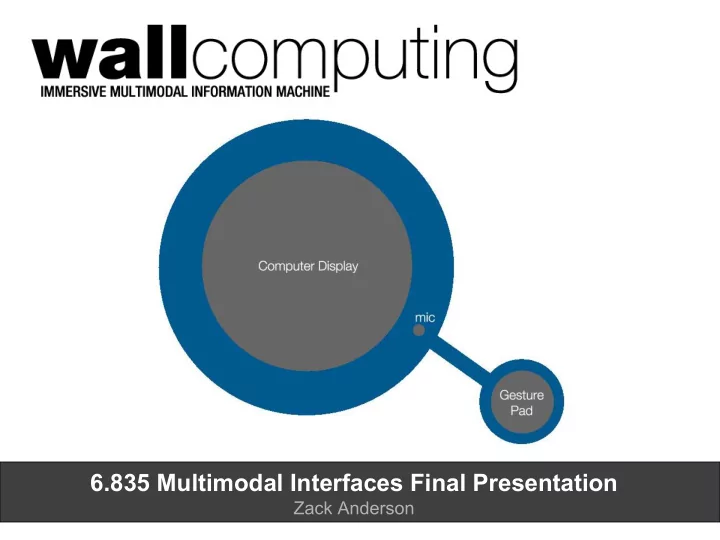
6.835 Multimodal Interfaces Final Presentation Zack Anderson - - PowerPoint PPT Presentation
6.835 Multimodal Interfaces Final Presentation Zack Anderson Contents 1 motivation 2 example 3 system architecture 4 gesture recognition engine 5 performance 6 contributions+future Motivation clock/radio weather station personal
6.835 Multimodal Interfaces Final Presentation
Zack Anderson
motivation
1
example
2
system architecture
3
gesture recognition engine
4
performance
5
contributions+future
6
clock/radio weather station calendar/planner news channel personal computer
KEY OBSERVATION:
Disconnect between two classes of devices. Single-purpose home devices are easy and efficient. PCs offer extensible interfaces to data.
CHALLENGE:
Design an easy and efficient interface to access time-sensitive data.
Live demo
User Interface Gesture Recognizer Speech Recognizer State-Machine & Contextual Booster
time mode
phrase set command gesture set command mode changes / UI updates RSS feeds, etc.
Nearest neighbors classification
Nearest neighbors classification Weighted Euclidian distance measures
Δx Δy Δx_dot Δy_dot
a b c d
Nearest neighbors classification Weighted Euclidian distance measures Dynamically-restricted gesture set for better performance
Nearest neighbors classification Weighted Euclidian distance measures Dynamically-restricted gesture set for better performance
Nearest neighbors classification Weighted Euclidian distance measures Dynamically-restricted gesture set for better performance Transforming-normalization algorithm to make temporally-similar gestures look the same
99.2% 100%
Recognition Accuracy
Per Gesture Set Size
10 5 accuracy rate restricted gesture set size
*Tests conducted on a total sample size of 300 gestures of 10 types input by 6 different
gesture.
10 Gesture Set
99.2% 100%
Recognition Accuracy
Per Gesture Set Size
99.2% 100% 98.3% 100%
Recognition Accuracy
Per Training Set Size
10 5 1 2 3 4 accuracy rate accuracy rate restricted gesture set size # of training examples
*Tests conducted on a total sample size of 300 gestures of 10 types input by 6 different
gesture.
10 Gesture Set
97.9% 97.9%
Recognition Accuracy
Per Command Set Size
2 4 8 16 32 accuracy rate restricted grammar size (# of commands)
*Tests conducted using a custom python wrapper of the Microsoft Speech SDK. Grammars are dynamically-restricted. Microsoft Speech engine was trained before testing. Where possible, restricted grammars were kept within a domain. Non-recognitions are considered false recognitions.
93.8% 96.9% 96.9%
Gestures seem to flow with the UI, making the system very intuitive.
Gestures seem to flow with the UI, making the system very intuitive.
Response time needs to be faster to make the system seem seamless.
Gestures seem to flow with the UI, making the system very intuitive.
Response time needs to be faster to make the system seem seamless.
Recognition accuracy is surprisingly good, making the wallcomputer efficient, simple to learn, and pleasing to use.
Gestures seem to flow with the UI, making the system very intuitive.
Response time needs to be faster to make the system seem seamless.
Recognition accuracy is surprisingly good, making the wallcomputer efficient, simple to learn, and pleasing to use.
System inputs are immersive and natural. It would be nice if the UI were more tactile.
Designed an accurate (>99%) gesture recognition system based on optimizations of a nearest-neighbors algorithm Demonstrated that multimodal, contextually-restricted UIs provide superior performance Presented a new paradigm of computer interaction that verges between ambient and full-PC capability Built a functional “wallcomputer”
Designed an accurate (>99%) gesture recognition system based on optimizations of a nearest-neighbors algorithm Demonstrated that multimodal, contextually-restricted UIs provide superior performance Presented a new paradigm of computer interaction that verges between ambient and full-PC capability Built a functional “wallcomputer”
future
stock quotes, etc.), integrate 3rd party APIs (i.e. gcalendar)