9/6/20 Exceptions: What to do when things go bad IO: Where things - - PDF document

9 6 20
SMART_READER_LITE
LIVE PREVIEW

9/6/20 Exceptions: What to do when things go bad IO: Where things - - PDF document

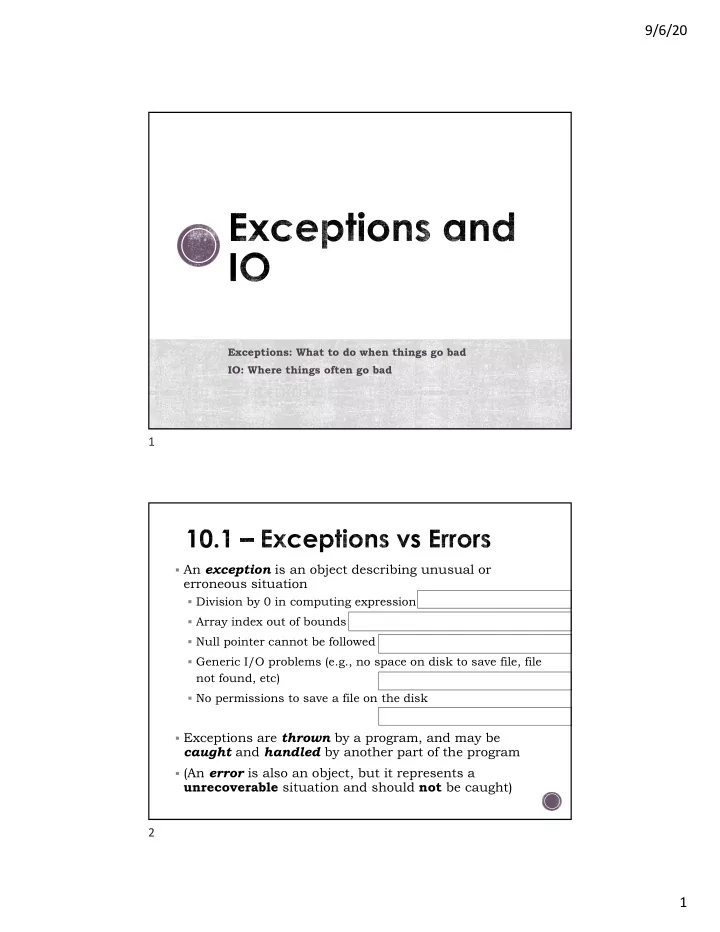
9/6/20 Exceptions: What to do when things go bad IO: Where things often go bad 1 An exception is an object describing unusual or erroneous situation Division by 0 in computing expression (ArithmeticException) Array index out of bounds


slide-1
SLIDE 1

9/6/20 1

Exceptions: What to do when things go bad IO: Where things often go bad

1

§ An exception is an object describing unusual or

erroneous situation

§ Division by 0 in computing expression (ArithmeticException) § Array index out of bounds (IndexOutOfBoundsException) § Null pointer cannot be followed (NullPointerException) § Generic I/O problems (e.g., no space on disk to save file, file

not found, etc) (IOException)

§ No permissions to save a file on the disk

(FileNotFoundException)

§ Exceptions are thrown by a program, and may be

caught and handled by another part of the program

§ (An error is also an object, but it represents a

unrecoverable situation and should not be caught) 2

slide-2
SLIDE 2

9/6/20 2

§ To handle an exception, the

line that throws the exception is executed within a try block

§ A try block is followed by one

  • r more catch clauses

§ When an exception occurs,

processing continues at the first catch clause that matches the exception type

1-3

// here is code that // here is code that // should generate no exceptions // should generate no exceptions try try { // code to monitor // code to monitor // several possible things // several possible things // that can go wrong // that can go wrong // goes here // goes here } catch catch (ExceptionTypeA ExceptionTypeA ex) { ex) { //handler for //handler for ExceptionTypeA ExceptionTypeA } catch catch (ExceptionTypeB ExceptionTypeB ex) { ex) { //handler for //handler for ExceptionTypeB ExceptionTypeB } // after a catch, continue here // after a catch, continue here

3

try { zone = code.charAt(9); district = Integer.parseInt(code.substring(3, 7)); valid++; if (zone == 'R' && district > 2000) banned++; } catch (StringIndexOutOfBoundsException exception) { System.out.println ("Improper code length: " + code); } catch (NumberFormatException exception) { System.out.println ("District is not numeric: " + code); }

// Counts the number of product codes that are entered // with a zone of R and district greater than 2000.

D I S T Z

4

slide-3
SLIDE 3

9/6/20 3

5

The throws clause

6

slide-4
SLIDE 4

9/6/20 4

§ A checked exception

requires explicit handling. It must

§ be caught by a method,

(using try-catch block)

  • r

§ be asserted in the throws

clause of any method that may throw or propagate it § The compiler will issue error

if a checked exception is not caught or asserted in a throws clause

1-7

  • An unchecked exception

does not require explicit handling (but try to catch)

  • The only unchecked Java

exceptions are objects of type

RuntimeException

(or any of its descendants)

  • Errors are

similar to RuntimeException and its descendants in the sense that

  • Errors cannot be caught
  • Errors do not require a throws

clause

7

Great resource! Learn and Reuse

8

slide-5
SLIDE 5

9/6/20 5

/* Read in lines of text from the keyboard, * and print out each line after it is read in. * Stop when the user hits CONTROL-D. */ public static void displayKeyboardInput () { // will not throw Scanner keyboardScan = new Scanner (System.in); do { String line = keyboardScan.nextLine(); System.out.println(line); } while (keyboardScan.hasNext()); }

9

/* Read in the contents of a file line by line, * and print out each line after it is read in. * Stop when the end of the file is reached. */ public static void displayFile (String inFileName) { try { Scanner fileScan = new Scanner (new File(inFileName)); while (fileScan.hasNext()) { String line = fileScan.nextLine(); System.out.println(line); } } catch (IOException ex) { System.out.println(ex); } }

10

slide-6
SLIDE 6

9/6/20 6

/* Read in the contents of a web page line by line, * and print out each line after it is read in. * Stop when the end of the web page is reached. */ public static void displayWebPage (String urlName) { try { URL u = new URL(urlName); Scanner urlScan = new Scanner( u.openStream() ); while (urlScan.hasNext()) { String line = urlScan.nextLine(); System.out.println(line); } } catch (IOException ex) { System.out.println(ex); } }

11

/* Copies an input file to an output file. Displays an * error message if the output file cannot be created. */ public static void copyFile(String inFileName, String outFileName){ try{ Scanner reader = new Scanner (new File(inFileName)); PrintWriter writer = new PrintWriter (new File(outFileName)); while (reader.hasNext()) { // Read and write line to output file writer.println(reader.nextLine()); } }catch (IOException ex) { System.out.println(ex); // Handle file-not-found } }

12

slide-7
SLIDE 7

9/6/20 7

13

Write a method that takes the name of a file as input and prints out the number of characters in the file and the number of lines in the file.

public static void countCharsAndLines(String filename) { }

14

slide-8
SLIDE 8

9/6/20 8

/* * Reads in a files and stores the contents in a String. This method is * inefficient because it uses a String concatenation rather than a * StringBuilder to collect the lines of the files */ public static String fileToString_inefficient (String inFileName) { try { Scanner reader = new Scanner(new File(inFileName)); String linesFromFile = ""; //Var for accumulating String from file while (reader.hasNext()) { //Continue until reach end of input file linesFromFile = linesFromFile + reader.nextLine() + "\n"; //nextLine() omits the newline character, so add back in } reader.close(); // Close the file reader return linesFromFile; } catch (FileNotFoundException ex) { System.out.println(ex); // Handle FNF by displaying message return ""; // Return the empty string if file not found } }

15

/* Reads in a file and stores the contents in a StringBuffer. * This method is more efficient because it uses a * StringBuilder rather than String concatenation to collect * the lines of the files. */ public static String fileToString (String inFileName) { try { Scanner reader = new Scanner(new File(inFileName)); //Accumulate lines in StringBuilder StringBuilder builder = new StringBuilder(); while (reader.hasNext()) { // Continue until EOF builder.append(reader.nextLine()); builder.append(“\n”); // nextLine() omits newline, re-add } reader.close(); // Close the file reader return builder.toString(); } catch (FileNotFoundException ex) { System.out.println(ex); // Handle FNF by displaying message return ""; // Return the empty string if file not found } }

16