A better picture Many applications Application One Operating - - PDF document

a better picture
SMART_READER_LITE
LIVE PREVIEW

A better picture Many applications Application One Operating - - PDF document

Introduction Operating Systems Spring 2003 OS Spring03 What is Operating System? It is a program! It is the first piece of software to run after boot It coordinates the execution of all other software User programs It


slide-1
SLIDE 1

OS Spring’03

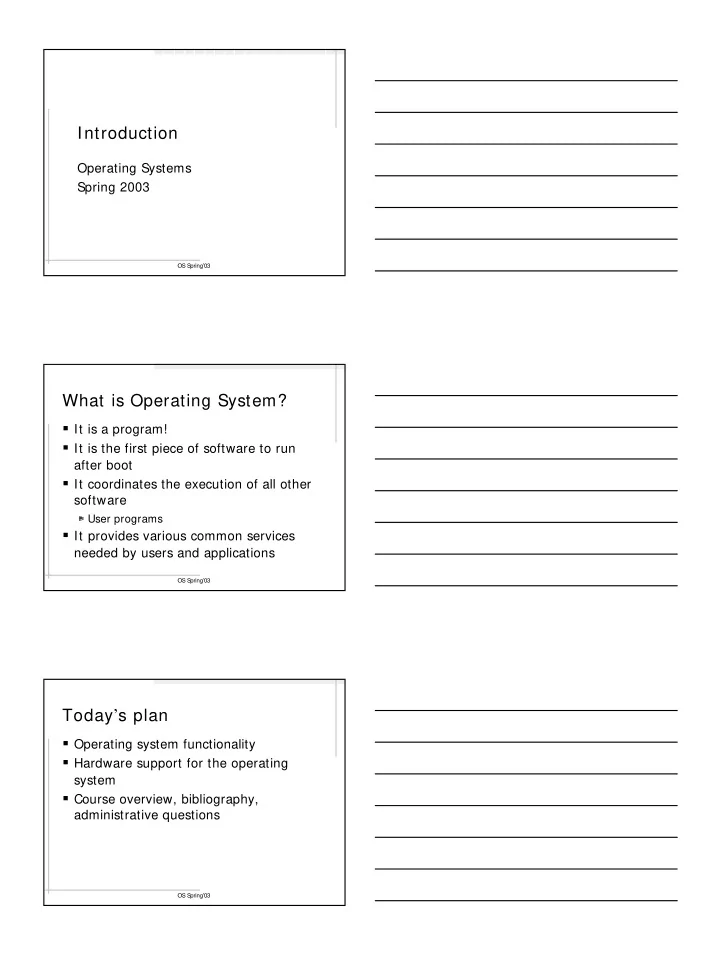
Introduction

Operating Systems Spring 2003

OS Spring’03

What is Operating System?

It is a program! It is the first piece of software to run

after boot

It coordinates the execution of all other

software

User programs

It provides various common services

needed by users and applications

OS Spring’03

Today’s plan

Operating system functionality Hardware support for the operating

system

Course overview, bibliography,

administrative questions

slide-2
SLIDE 2

OS Spring’03

The Operating System controls the machine

User Application Operating System Hardware

OS Kernel

Hard ware gcc gdb emacs vi date grep xterm netscape diff

OS Spring’03

A better picture

Hardware Operating System

Privileged instructions System calls Machine instructions

Application One Hardware One Operating System Many applications

OS Spring’03

The OS is a reactive program

It is idly waiting for events When an event happens, the OS reacts

It handles the event

E.g., schedules another application to run

The event handling must take as little

time as possible

Event types

Interrupts and system calls

slide-3
SLIDE 3

OS Spring’03

A typical scenario

  • 1. OS executes and chooses (schedules)

an application to run 2. Application runs

  • CPU executes app’s instructions
  • OS is not involved
  • 3. The system clock interrupts the CPU
  • Clock interrupt handler is executed
  • The handler is an OS function

OS Spring’03

A typical scenario (continued)

  • 4. In handler: OS may choose another

application to run

Context switch

  • 5. The chosen application runs directly on

the hardware

  • 6. The app. performs a system call to read

from a file

OS Spring’03

A typical scenario (continued)

  • 7. The sys. call causes a trap into the OS
  • OS sets up the things for I/ O and puts the

application to sleep

  • OS schedules another application to run
  • 8. The third application runs

Note: At any given time only one

program is running:

OS or a user application

slide-4
SLIDE 4

OS Spring’03

The running application state diagram

Application code runs

OS runs Sleep Ready To run Interrupt/ System call Wait for I/O completion I/O completed Schedule Resume execution

  • f the app. code

OS Spring’03

A question

The operating system gets an input,

performs a computation, produces an

  • utput, and quits

Yes or no? The answer: No

The operating system is a

reactive program

OS Spring’03

The OS performs Resource Management

Resources for user programs

CPU, main memory, disk space

OS internal resources

Disk space for paging memory (swap space) Entries in system tables

Process table, open file table

Statically allocated

slide-5
SLIDE 5

OS Spring’03

CPU management

How to share one CPU among many

processes

Time slicing:

Each process is run for a short while and then preempted

Scheduling:

The decision about which application to run next

OS Spring’03

Memory management

Programs need main memory frames to store

their code, data and stack

The total amount of memory used by currently

running programs usually exceed the available main memory

Solution: paging

Temporarily unused pages are stored on disk (swapped out) When they are needed again, they are brought back into the memory (swapped in)

OS Spring’03

The OS supports abstractions

Creates an illusion that each application

got the whole machine to run on

In reality: an application can be preempted, wait for I/O, have its pages being swapped

  • ut, etc…

File and file system

Data on disks are stored in blocks Disk controllers can only write/read blocks

slide-6
SLIDE 6

OS Spring’03

Hardware support for OS

Support for executing certain instructions

in a protected mode

Support for interrupts Support for handling interrupts Support for system calls Support for other services

OS Spring’03

CPU execution modes

CPU supports (at least) 2 execution

modes:

User mode

The code of the user programs

Kernel (supervisor, privileged, monitor,

system) mode

The code of OS

The execution mode is indicated by a bit

in the processor status word (PSW)

OS Spring’03

Kernel Mode

Almost unrestricted control of the

hardware:

Special CPU instructions Unrestricted access to memory, disk, etc…

slide-7
SLIDE 7

OS Spring’03

Instructions available only in the Kernel mode

To load/store special CPU registers

E.g., registers used to define the accessible memory addresses

isolate simultaneously active applications from one

another

To map memory pages to the address

space of a specific process

Instructions to set the interrupt priority

level

Instructions to activate I/O devices

OS Spring’03

Protecting Kernel mode

OS code executes in the Kernel mode

Interrupt, system call

Only the OS code is allowed to be

executed in the Kernel mode

The user code must never be executed in

the Kernel mode

The program counter (PC) is set to point to the OS code when the CPU goes to the Kernel mode

OS Spring’03

Switching to the Kernel mode

Change the bit in the PSW Set PC to point to the appropriate OS

code

The interrupt handler code The system call code

slide-8
SLIDE 8

OS Spring’03

Interrupts

Interrupts is the way by which hardware

informs OS of special conditions that require OS’ attention

Interrupt causes the CPU not to execute

the next instruction

Instead, the control is passed to OS

OS Spring’03

Handling interrupts

Interrupt handler is a piece of the OS

code intended to do something about the condition which caused the interrupt

Pointers to the interrupt handlers are stored in the interrupt vector The interrupt vector is stored at a pre- defined memory location

OS Spring’03

Handling Interrupts (II)

When an interrupt occurs:

The CPU enters kernel mode, and Passes control to the appropriate interrupt handler The handler address is found using the interrupt number as an index into the interrupt vector:

Jump &int[interrupt# ]

slide-9
SLIDE 9

OS Spring’03

Interrupt vector

The interrupt vector address and the

interrupt numbering is a part of the hardware specification

Operating system loads handler

addresses into the interrupt vector during the boot

OS Spring’03

Interrupt types

Asynchronous interrupts are generated

by external devices at unpredictable times

Internal (synchronous) interrupts are

generated synchronously by CPU as a result of an exceptional condition

An error condition A temporary problem

OS Spring’03

System calls

Used to request a service from the OS

A collection of the system calls is the OS API Packaged as a library

Typical system calls

Open/read/write/close the file Get the current time Create a new process Request more memory

slide-10
SLIDE 10

OS Spring’03

Handling system calls

An application executes a special trap

(syscall) instruction

Causes the CPU to enter kernel mode and set PC to a special system entry point (gate routine)

The gate routine address is typically stored

in a predefined interrupt vector entry

Intel architecture: int[80] A single entry serves all system calls (why?)

OS Spring’03

An example

  • pen(“/tmp/foo”):

store the system call number and the parameters in a predefined kernel memory location; trap(); retrieve the response from a predefined kernel memory location; return the response to the calling application; trap(): jump & int[80]; // transfer control to the gate routine Gate routine: switch(sys_call_num) { case OPEN: … } USER: KERNEL:

OS Spring’03

Other hardware support

Memory management unit (MMU):

Translating virtual address into a physical address Support for “used” (“reference”) bit for memory pages

Direct memory access (DMA)

Frees the CPU from handling I/O

slide-11
SLIDE 11

OS Spring’03

The course plan

Preliminaries

Introduction and computer architecture background Performance evaluation

Basic OS services

Process management Memory management File system

OS Spring’03

The course plan (continued)

Advanced OS services and topics

Communication and networking Distributed systems Security (?) New storage architectures

OS Spring’03

Bibliography

Notes by Dror Feitelson

Will be published weekly

Operating System Concepts, by

  • A. Silberschatz, P. Galvin, G. Gagne

Operating Systems Internals and Design

Principles, by W. Stallings

See the notes for more references

slide-12
SLIDE 12

OS Spring’03

Next:

Performance evaluation