Add picture Swarm here Bret Fisher DevOps Consultant Docker - - PowerPoint PPT Presentation

add picture
SMART_READER_LITE
LIVE PREVIEW

Add picture Swarm here Bret Fisher DevOps Consultant Docker - - PowerPoint PPT Presentation

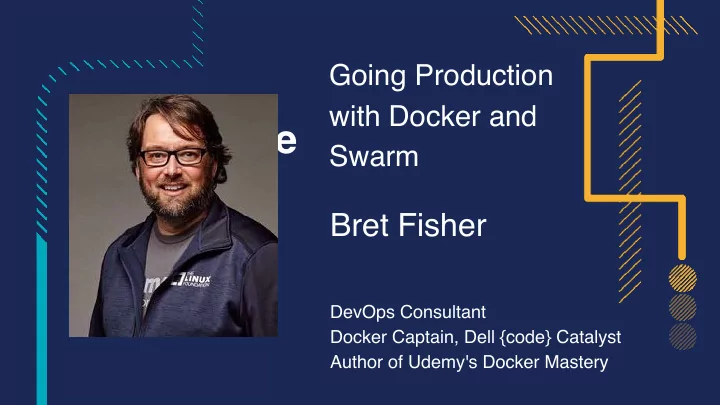
Going Production with Docker and Add picture Swarm here Bret Fisher DevOps Consultant Docker Captain, Dell {code} Catalyst Author of Udemy's Docker Mastery Slides! bretfisher.com/slides Add picture here Tweets!

slide-1
SLIDE 1

Going Production with Docker and Swarm

Bret Fisher

DevOps Consultant
 Docker Captain, Dell {code} Catalyst
 Author of Udemy's Docker Mastery

Add picture here

slide-2
SLIDE 2

Slides!

Tweets!

twitter.com/bretfisher

Add picture here

bretfisher.com/slides

DevOps Consultant
 Docker Captain, Dell {code} Catalyst
 Author of Udemy's Docker Mastery

  • r #qconsf #dockerprod
slide-3
SLIDE 3

Why Are We Here?

  • Want Docker in production
  • Want to orchestrate containers
  • Need to make educated project decisions
  • Learn which requirements could be optional
  • Learn 80's/90's video games
  • Hear bad analogies relating retro games to Docker
slide-4
SLIDE 4

A Bit About Me

  • Geek since 5th Grade
  • IT Sysadmin+Dev since 1994
  • Currently Container Fanboy, Consultant/Trainer
  • Owned *REAL* Atari 2600, NES, SNES, Sega

Genesis, Sinclair, TRS-80, Packard Bell 386

  • Likes Geek Trivia. Lets Have Some!
slide-5
SLIDE 5
slide-6
SLIDE 6
slide-7
SLIDE 7
slide-8
SLIDE 8

Project Docker

Super Project Advice Special Turbo Champion Edition

slide-9
SLIDE 9

Limit Your Simultaneous Innovation

  • Many initial container projects are too big in scope
  • Solutions you maybe don't need day one:

○ Fully automatic CI/CD ○ Dynamic performance scaling ○ Containerizing all or nothing ○ Starting with persistent data

slide-10
SLIDE 10

Legacy Apps Work In Containers Too

  • Microservice conversion isn't required
  • 12 Factor is a horizon we're always chasing
  • Don't let these ideals delay containerization
slide-11
SLIDE 11
slide-12
SLIDE 12

Dockerfile Power-Ups

slide-13
SLIDE 13

What To Focus On First: Dockerfiles

  • More important than fancy orchestration
  • It's your new build documentation
  • Study Dockerfile/Entrypoint of Hub Officials
  • Use FROM Official distros that are most familiar
slide-14
SLIDE 14

Dockerfile Maturity Model

  • Make it start
  • Make it log all things to stdout/stderr
  • Make it documented in file
  • Make it work for others
  • Make it lean
  • Make it scale
slide-15
SLIDE 15
slide-16
SLIDE 16
slide-17
SLIDE 17
slide-18
SLIDE 18

Dockerfile Anti-patterns

slide-19
SLIDE 19

Dockerfile Anti-pattern: Trapping Data

  • Problem: Storing unique data in container
  • Solution: Define VOLUME for each location
slide-20
SLIDE 20

Dockerfile Anti-pattern: Using Latest

  • Latest = Image builds will be ¯\_(ツ)_/¯
  • Problem: Image builds pull FROM

latest

  • Solution: Use specific FROM tags
  • Problem: Image builds install latest

packages

  • Solution: Specify version for critical

apt/yum/apk packages

slide-21
SLIDE 21

Dockerfile Anti-pattern: Leaving Default Config

  • Problem: Not changing app defaults, or blindly copying VM conf

○ e.g. php.ini, mysql.conf.d, java memory

  • Solution: Update default configs via ENV, RUN, and ENTRYPOINT
slide-22
SLIDE 22

Dockerfile Anti-pattern: Environment Specific

  • Problem: Copy in environment config at image build
  • Solution: Single Dockerfile with default ENV's, and
  • verwrite per-environment with ENTRYPOINT script
slide-23
SLIDE 23
slide-24
SLIDE 24
slide-25
SLIDE 25
slide-26
SLIDE 26

Lets Slay Some Infrastructure Dragons

The Big 3 Decisions

slide-27
SLIDE 27

Containers-on-VM or Container-on-Bare-Metal

  • Do either, or both. Lots of pros/cons to either
  • Stick with what you know at first
  • Do some basic performance testing. You will learn lots!
  • 2017 Docker Inc. and HPE whitepaper on MySQL benchmark

○(authored by yours truly, and others) ○bretfisher.com/qconsf17

slide-28
SLIDE 28

OS Linux Distribution/Kernel Matters

  • Docker is very kernel and storage driver dependent
  • Innovations/fixes are still happening here
  • "Minimum" version != "best" version
  • No pre-existing opinion? Ubuntu 16.04 LTS

○ Popular, well-tested with Docker ○ 4.x Kernel and wide storage driver support

  • Or InfraKit and LinuxKit!
  • Get correct Docker for your distro from store.docker.com
slide-29
SLIDE 29

Container Base Distribution: Which One?

  • Which FROM image should you use?
  • Don't make a decision based on image size (remember it's Single

Instance Storage)

  • At first: match your existing deployment process
  • Consider changing to Alpine later, maybe much later
slide-30
SLIDE 30
slide-31
SLIDE 31

Build Your Empire Swarm

slide-32
SLIDE 32

Good Defaults: Swarm Architectures

  • Simple sizing guidelines based off:

○ Docker internal testing ○ Docker reference architectures ○ Real world deployments ○ Swarm3k lessons learned

slide-33
SLIDE 33

Baby Swarm: 1-Node

  • "docker swarm init" done!
  • Solo VM's do it, so can

Swarm

  • Gives you more features

then docker run

slide-34
SLIDE 34

HA Swarm: 3-Node

  • Minimum for HA
  • All Managers
  • One node can fail
  • Use when very small budget
  • Pet projects or Test/CI
slide-35
SLIDE 35

Biz Swarm: 5-Node

  • Better high-availability
  • All Managers
  • Two nodes can fail
  • My minimum for uptime that

affects $$$

slide-36
SLIDE 36

Flexy Swarm: 10+ Nodes

  • 5 dedicated Managers
  • Workers in DMZ
  • Anything beyond 5 nodes, stick with 5

Managers and rest Workers

  • Control container placement with labels

+ constraints

slide-37
SLIDE 37

Swole Swarm: 100+ Nodes

  • 5 dedicated managers
  • Resize Managers as you grow
  • Multiple Worker subnets on Private/

DMZ

  • Control container placement with

labels + constraints

slide-38
SLIDE 38

Don't Turn Cattle into Pets

  • Assume nodes will be replaced
  • Assume containers will be recreated
  • Docker for (AWS/Azure) does this
  • LinuxKit and InfraKit expect it
slide-39
SLIDE 39

Reasons for Multiple Swarms

Bad Reasons

  • Different hardware

configurations (or OS!)

  • Different subnets or

security groups

  • Different availability zones
  • Security boundaries for

compliance

Good Reasons

  • Learning: Run Stuff on Test

Swarm

  • Geographical boundaries
  • Management boundaries

using Docker API (or Docker EE RBAC, or other auth plugin)

slide-40
SLIDE 40

What About Windows Server 2016 Swarm?

  • Hard to be "Windows Only Swarm", mix with Linux nodes
  • Much of those tools are Linux only
  • Windows = Less choice, but easier path
  • My recommendation:

○Managers on Linux ○Reserve Windows for Windows-exclusive workloads

slide-41
SLIDE 41
slide-42
SLIDE 42
slide-43
SLIDE 43

Bring In Reinforcements

slide-44
SLIDE 44

Outsource Well-Defined Plumbing

  • Beware the "not implemented here" syndrome
  • My formula for "Do we use SaaS/Commercial"?

○If it's a challenge to implement and maintain ○+ SaaS/commercial market is mature ○= Opportunities for outsourcing

slide-45
SLIDE 45

Outsourcing: For Your Consideration

  • Image registry
  • Logs
  • Monitoring and alerting
  • Big Tools/Projects: github.com/cncf/landscape
  • All The Things: github.com/veggiemonk/awesome-docker
slide-46
SLIDE 46

Tech Stacks

Designs for a full-featured cluster

slide-47
SLIDE 47

Pure Open Source Self-Hosted Tech Stack

Swarm GUI Portainer Central Monitoring Prometheus + Grafana Central Logging ELK Layer 7 Proxy Flow-Proxy Traefik Registry Docker Distribution + Portus CI/CD Jenkins Storage REX-Ray Networking Docker Swarm Orchestration Docker Swarm Runtime Docker HW / OS InfraKit Terraform Also Functions As A Service: OpenFaaS Kubernetes???

slide-48
SLIDE 48

Docker for X: Cheap and Easy Tech Stack

Swarm GUI Portainer Central Monitoring Librato Sysdig Central Logging Docker for AWS/Azure Layer 7 Proxy Flow-Proxy Traefik Registry Docker Hub Quay CI/CD Codeship TravisCI Storage Docker for AWS/Azure Networking Docker Swarm Orchestration Docker Swarm Runtime Docker HW / OS Docker for AWS/Azure/Ggl

slide-49
SLIDE 49

Docker Enterprise Edition + Docker for X

Swarm GUI Docker EE (UCP) Central Monitoring Librato Sysdig Central Logging Docker for AWS/Azure Layer 7 Proxy Docker EE (UCP) Registry Docker EE (DTR) CI/CD Codeship TravisCI Storage Docker for AWS/Azure Networking Docker Swarm Orchestration Docker Swarm Runtime Docker EE HW / OS Docker for AWS/Azure/Ggl Also Image Security Scanning Role-Based Access Cont Image Promotion Content Trust Kubernetes

slide-50
SLIDE 50
slide-51
SLIDE 51
slide-52
SLIDE 52

4 Can Co-Op, But 1 Plays
 Just Fine

slide-53
SLIDE 53

Must We Have An Orchestrator?

  • Let's accelerate your docker migration even more
  • Already have good infrastructure automation?
  • Maybe you have great VM autoscale?
  • Like the security boundary of the VM OS?
slide-54
SLIDE 54

One Container Per VM

  • Why don't we talk about this more?
  • Least amount of infrastructure change but also:

○ Run on Dockerfile recipes rather then Puppet etc. ○ Improve your Docker management skills ○ Simplify your VM OS build

slide-55
SLIDE 55

One Container Per VM: Not New

  • Windows is doing it with Hyper-V Containers
  • Linux is doing it with Intel Clear Containers
  • LinuxKit will make this easier: Immutable OS
  • Watch out for Windows "LCOW" using LinuxKit
slide-56
SLIDE 56
slide-57
SLIDE 57
slide-58
SLIDE 58
slide-59
SLIDE 59
slide-60
SLIDE 60

Summary

  • Trim the optional requirements at first
  • First, focus on Dockerfile/docker-compose.yml
  • Watch out for Dockerfile anti-patterns
  • Stick with familiar OS and FROM images
  • Grow Swarm as you grow
  • Find ways to outsource plumbing
  • Realize parts of your tech stack may change, stay flexible
slide-61
SLIDE 61

Give Me A Green Eval!

  • Help me come back next year

😭

slide-62
SLIDE 62

Thank You!


Slides: bretfisher.com/qconsf17 


  • 90% Off My Bestselling Docker Mastery Course

○bretfisher.com/dockermastery ○Swarm Production Course Coming Soon!

slide-63
SLIDE 63

Honorable Mentions

  • Metroid ('83 NES)
  • Mega Man ('87 NES)
  • Wolfenstein 3D ('92 PC)
  • Homeworld ('99 PC)
  • Legend Of Zelda ('86 NES)
  • Mortal Kombat ('92)
  • Doom/Quake ('93 PC)
  • Contra/Castlevania ('86 NES)
  • Hitchhiker's GTTG ('84 TRS-80)
  • Zenophobe ('87 Arcade)
  • Battlezone ('80 Arcade)
  • Joust/Dig Dug ('82 Arcade)