
SLIDE 1
Adding Interaction
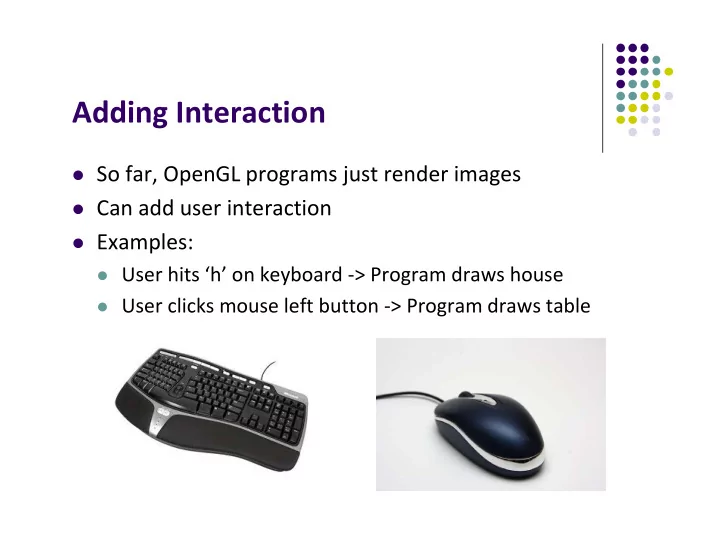
So far, OpenGL programs just render images Can add user interaction Examples:
User hits ‘h’ on keyboard ‐> Program draws house User clicks mouse left button ‐> Program draws table
Adding Interaction So far, OpenGL programs just render images Can - - PowerPoint PPT Presentation
Adding Interaction So far, OpenGL programs just render images Can add user interaction Examples: User hits h on keyboard > Program draws house User clicks mouse left button > Program draws table Types of Input
So far, OpenGL programs just render images Can add user interaction Examples:
User hits ‘h’ on keyboard ‐> Program draws house User clicks mouse left button ‐> Program draws table
String: produces string of
Locator: User points to
Valuator: generates number
Pick: User selects location
Example: User hits ‘h’ on keyboard ‐> Program draws house
Keyboard handler Function Programmer needs to write keyboard handler function ‘h’ key
void main(int argc, char** argv){ // First initialize toolkit, set display mode and create window glutInit(&argc, argv); // initialize toolkit glutInitDisplayMode(GLUT_SINGLE | GLUT_RGB); glutInitWindowSize(640, 480); glutInitWindowPosition(100, 150); glutCreateWindow(“my first attempt”); glewInit( ); // … now register callback functions glutDisplayFunc(myDisplay); glutReshapeFunc(myReshape); glutMouseFunc(myMouse); glutKeyboardFunc(myKeyboard); myInit( ); glutMainLoop( ); }
void myKeyboard(char key, int x, int y ) { // put keyboard stuff here ………. switch(key){ // check which key case ‘f’: // do stuff break; case ‘k’: // do other stuff break; } …………… }
keyboard function
ASCII character
x,y location
Note: Backspace, delete, escape keys checked using their ASCI I codes
glutSpecialFunc (specialKeyFcn); …… Void specialKeyFcn (Glint specialKey, GLint, xMouse, Glint yMouse)
Example: if (specialKey == GLUT_KEY_F1)// F1 key pressed
GLUT_KEY_F1, GLUT_KEY_F12, …. for function keys
GLUT_KEY_UP, GLUT_KEY_RIGHT, …. for arrow keys keys
GLUT_KEY_PAGE_DOWN, GLUT_KEY_HOME, …. for page up, home keys
Example: User clicks on (x,y) location in drawing window ‐>
Mouse handler Function Programmer needs to write keyboard handler function
void main(int argc, char** argv){ // First initialize toolkit, set display mode and create window glutInit(&argc, argv); // initialize toolkit glutInitDisplayMode(GLUT_SINGLE | GLUT_RGB); glutInitWindowSize(640, 480); glutInitWindowPosition(100, 150); glutCreateWindow(“my first attempt”); glewInit( ); // … now register callback functions glutDisplayFunc(myDisplay); glutReshapeFunc(myReshape); glutMouseFunc(myMouse); glutKeyboardFunc(myKeyboard); myInit( ); glutMainLoop( ); }
void myMouse(int button, int state, int x, int y) { // put mouse stuff here …………… }
myMouse(int button, int state, int x, int y)
myMovedMouse
glutMouseFunc(myMouse): mouse button pressed
glutMotionFunc(myMovedMouse): mouse moves with button pressed
glutPassiveMotionFunc(myMovedMouse): mouse moves with no buttons pressed
GLUT_LEFT_BUTTON, GLUT_MIDDLE_BUTTON, GLUT_RIGHT_BUTTON
GLUT_UP, GLUT_DOWN
x,y coordinates of mouse location
Convert GLUT (0,0) to GLUT (0,0)? How?
GLUT (0,0) OpenGL (0,0)
Example: draw (or select ) rectangle on screen
Each mouse click generates separate events
Store click points in global or static variable in mouse function
void myMouse(int button, int state, int x, int y) { static GLintPoint corner[2]; static int numCorners = 0; // initial value is 0 if(button == GLUT_LEFT_BUTTON && state == GLUT_DOWN) { corner[numCorners].x = x; corner[numCorners].y = screenHeight – y; //flip y coord numCorners++; Screenheight is height of draw ing w indow
if(numCorners == 2) { // draw rectangle or do whatever you planned to do Point3 points[4] = corner[0].x, corner[0].y, //1 corner[1].x, corner[0].y, //2 corner[1].x, corner[1].y, //3 corner[0].x, corner[1].y); //4 glDrawArrays(GL_QUADS, 0, 4); numCorners == 0; } else if(button == GLUT_RIGHT_BUTTON && state == GLUT_DOWN) glClear(GL_COLOR_BUFFER_BIT); // clear the window glFlush( ); }
Corner[0] Corner[1] 1 2 3 4
1.
Create menu using glutCreateMenu(myMenu);
2.
Use glutAddMenuEntry adds entries to menu
3.
Attach menu to mouse button (left, right, middle) using glutAttachMenu
glutCreateMenu(myMenu); glutAddMenuEntry(“Clear Screen”, 1); glutAddMenuEntry(“Exit”, 2); glutAttachMenu(GLUT_RIGHT_BUTTON); …. void mymenu(int value){ if(value == 1){ glClear(GL_COLOR_BUFFER_BIT); glFlush( ); } if (value == 2) exit(0); } Shows on menu Checked in mymenu
Clear Screen Exit
1 2
glutTabletButton (tabletFcn); ….. void tabletFcn(Glint tabletButton, Glint action, Glint xTablet, Glint yTablet)
glUniform3f glUniform2i glUniform3dv
C++ OpenGL Signed char GLByte Short GLShort Int GLInt Float GLFloat Double GLDouble Unsigned char GLubyte Unsigned short GLushort Unsigned int GLuint Example: Integer is 32‐bits on 32‐bit machine but 64‐bits on a 64‐bit machine
glutInitDisplayMode(GLUT_SINGLE | GLUT_RGB);
Drawing may not be drawn to screen until call to glFlush( ) void mydisplay(void){ glClear(GL_COLOR_BUFFER_BIT); // clear screen glDrawArrays(GL_POINTS, 0, N); glFlush( ); }
Drawing sent to screen
Single Frame buffer
glutInitDisplayMode(GLUT_DOUBLE | GLUT_RGB);
Front buffer displayed on screen, back buffers not displayed Drawing into back buffers (not displayed) until swapped in using
void mydisplay(void){ glClear(GL_COLOR_BUFFER_BIT); // clear screen glDrawArrays(GL_POINTS, 0, N); glutSwapBuffers( ); }
Back buffer draw ing sw apped in, becom es visible here
Double Frame buffer
Front Back
void main(int argc, char** argv){ glutInit(&argc, argv); // initialize toolkit glutInitDisplayMode(GLUT_SINGLE | GLUT_RGB); glutInitWindowSize(640, 480); glutInitWindowPosition(100, 150); glutCreateWindow(“my first attempt”); glewInit( ); // … now register callback functions glutDisplayFunc(myDisplay); glutReshapeFunc(myReshape); glutMouseFunc(myMouse); glutKeyboardFunc(myKeyboard); glewInit( ); generateGeometry( ); initGPUBuffers( ); void shaderSetup( ); glutMainLoop( ); }
void shaderSetup( void ) { // Load shaders and use the resulting shader program program = InitShader( "vshader1.glsl", "fshader1.glsl" ); glUseProgram( program ); // Initialize vertex position attribute from vertex shader GLuint loc = glGetAttribLocation( program, "vPosition" ); glEnableVertexAttribArray( loc ); glVertexAttribPointer( loc, 2, GL_FLOAT, GL_FALSE, 0, BUFFER_OFFSET(0) ); // sets white as color used to clear screen glClearColor( 1.0, 1.0, 1.0, 1.0 ); }
initShader( ): our homegrown shader initialization
Gluint = program; GLuint program = InitShader( "vshader1.glsl", "fshader1.glsl" ); glUseProgram(program);
Main Program Fragment Shader Vertex shader
What’s inside initShader?? Next! example.cpp vshader1.glsl fshader1.glsl
Vertex attributes Uniform variables
Can contain multiple shaders, other GLSL functions
GLuint myProgObj; myProgObj = glCreateProgram(); Create container called Program Object
Main Program
Shaders compiled and added to program object Shader file code passed in as null‐terminated string using the
Shaders in files (vshader.glsl, fshader.glsl), write function
readShaderSource String of entire shader code Shader file name (e.g. vshader.glsl) Main Program Fragment Shader Vertex shader
example.cpp vshader1.glsl Fshader1.glsl Passed in as string Passed in as string
#include <stdio.h> static char* readShaderSource(const char* shaderFile) { FILE* fp = fopen(shaderFile, "r"); if ( fp == NULL ) { return NULL; } fseek(fp, 0L, SEEK_END); long size = ftell(fp); fseek(fp, 0L, SEEK_SET); char* buf = new char[size + 1]; fread(buf, 1, size, fp); buf[size] = '\0'; fclose(fp); return buf; }
readShaderSource Shader file name (e.g. vshader.glsl) String of entire shader code
GLuint myVertexObj; Gluint myFragmentObj; GLchar* vSource = readShaderSource(“vshader1.glsl”); GLchar* fSource = readShaderSource(“fshader1.glsl”); myVertexObj = glCreateShader(GL_VERTEX_SHADER); myFragmentObj = glCreateShader(GL_FRAGMENT_SHADER);
Main Program Fragment Shader Vertex shader
example.cpp vshader1.glsl fshader1.glsl Declare shader object (container for shader) Read shader files, Convert code to string Create empty Shader objects
glShaderSource(myVertexObj, 1, vSource, NULL); glShaderSource(myFragmentObj, 1, fSource, NULL); glCompileShader(myVertexObj); glCompileShader(myFragmentObj); glAttachShader(myProgObj, myVertexObj); glAttachShader(myProgObj, myFragmentObj); glLinkProgram(myProgObj);
Main Program Fragment Shader Vertex shader
example.cpp vshader1.glsl fshader1.glsl Read shader code strings into shader objects Compile shader objects Attach shader objects to program object Link Program Attach shader objects to program object
Example: bounding box of a primitive
Bounding Box
Sometimes want to connect uniform variable in OpenGL
Example?
Check “elapsed time” variable (etime) in OpenGL application Use elapsed time variable (time) in shader for calculations
etime time
OpenGL application Shader application
First declare etime variable in OpenGL application, get time
Need to connect etime in application and time in shader!!
Elapsed time since program started
Linker forms table of shader variables, each with an index Application can get index from table, tie it to application variable In application, find location of shader time variable in linker table Connect: location of shader variable time to etime!
Application variable, etime Location of shader variable time time 423 etime 423