Announcements Announcements Reading for Wednesday(Sep 21) The - - PowerPoint PPT Presentation

announcements announcements
SMART_READER_LITE
LIVE PREVIEW

Announcements Announcements Reading for Wednesday(Sep 21) The - - PowerPoint PPT Presentation

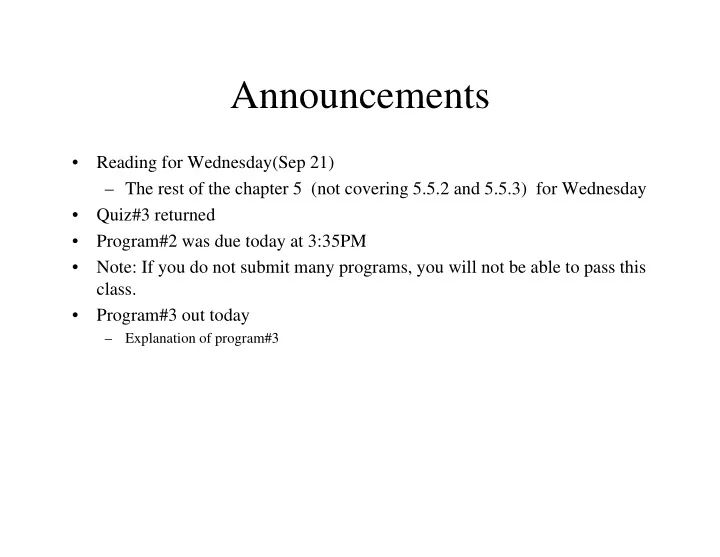
Announcements Announcements Reading for Wednesday(Sep 21) The rest of the chapter 5 (not covering 5.5.2 and 5.5.3) for Wednesday Quiz#3 returned Program#2 was due today at 3:35PM Program#2 was due today at 3:35PM


slide-1
SLIDE 1

Announcements Announcements

  • Reading for Wednesday(Sep 21)

– The rest of the chapter 5 (not covering 5.5.2 and 5.5.3) for Wednesday

  • Quiz#3 returned
  • Program#2 was due today at 3:35PM

Program#2 was due today at 3:35PM

  • Note: If you do not submit many programs, you will not be able to pass this

class.

  • Program#3 out today
  • Program#3 out today

– Explanation of program#3

slide-2
SLIDE 2

Reminder: grade Reminder: grade

  • 2-Midterm exams 20%
  • Lab Final 10%
  • Written Final

15%

  • Lab activities (14 weeks) 20%

Lab activities (14 weeks) 20%

  • Programs ( 8+ programs) 25%
  • Homework, quizzes, and class participation 10%

T t l 100% Total 100%

slide-3
SLIDE 3

Review: Queries Review: Queries

  • Used to answer questions

Used to answer questions

– Return boolean value – true or false Return numeric value int or double – Return numeric value – int or double – Return String data Return other object data – Return other object data

Q

  • Predicates are Queries which return

boolean values

slide-4
SLIDE 4

Review: Robot Predicates Review: Robot Predicates

  • canPickThing() Determine whether
  • canPickThing() Determine whether

this robot is on the same intersection as a thing it can pick up thing it can pick up.

  • frontIsClear() Can this robot move

forward to the next intersection safely?

Copy this to the whiteboard…

slide-5
SLIDE 5

Review: RobotSE Predicates Review: RobotSE Predicates

  • isFacingEast() Determine whether the

isFacingEast() Determine whether the robot is facing east.

  • isFacingNorth() Determine whether
  • isFacingNorth() Determine whether

the robot is facing north. i i S th() D t i h th

  • isFacingSouth() Determine whether

the robot is facing south.

  • isFacingWest() Determine whether the

robot is facing west.

slide-6
SLIDE 6

Review: Other Robot Queries Review: Other Robot Queries

  • int countThingsInBackpack() How many

g p y things are in this robot's backpack?

  • int getAvenue() Which avenue is this robot
  • n?
  • n?
  • int getStreet() Which street is this robot
  • n?
  • Direction getDirection() Which direction

is this robot facing?

  • double getSpeed() How many milliseconds
  • double getSpeed() How many milliseconds

will this robot take for the next move or turnLeft instruction? St i t St i () E ll d d l

  • String toString() Every well coded class

has a toString method.

slide-7
SLIDE 7

Review: IF that uses a predicate Review: IF that uses a predicate

if(this.frontIsClear()) if(this.frontIsClear()) { this.move(); this.move(); } if(!this.frontIsClear()) { this.turnLeft(); }

slide-8
SLIDE 8

review: IF that uses the calling object and a di t non-predicate query

public void faceWest() { if(this.getDirection() == Direction.NORTH) { this.turnLeft(); } if(this.getDirection() == Direction.EAST) { this.turnAround(); } if(this getDirection() == Direction SOUTH) if(this.getDirection() == Direction.SOUTH) { this.turnRight(); } }

slide-9
SLIDE 9

Review: IF-ELSE example Review: IF ELSE example

if(this.frontIsClear()) if(this.frontIsClear()) { this move(); this.move(); } else { this.turnLeft(); }

slide-10
SLIDE 10

Review: Comparison Operators Review: Comparison Operators

  • ==

==

  • !=
  • <
  • >
  • <=
  • >=

>

slide-11
SLIDE 11

Review: Pattern for WHILE statement

while( «test» ) while( «test» ) { t t t t t «statements to repeat» }

  • braces surround the statements to repeat

and line up with while p

  • the statements to repeat are indented

uniformly uniformly

slide-12
SLIDE 12

Four Steps to Building a WHILE Loop Four Steps to Building a WHILE Loop

  • Identify the one test that must be true

Identify the one test that must be true when the looping should stop

  • Use the opposite form of the test identified
  • Use the opposite form of the test identified

in step 1 as the loop «test». Withi th hil k t d

  • Within the while, make progress toward

completion of the while.

  • Do whatever is required before or after the

while statement is executed to ensure that we solve the given problem.

slide-13
SLIDE 13

WHILE loop examples WHILE loop examples

while(this.countThingsInBackpack() != 0) { this.putThing(); } while(!this.isFacingWest()) { this.turnLeft(); }

slide-14
SLIDE 14

Writing Predicates Writing Predicates

  • If you are writing a predicate you do not

If you are writing a predicate, you do not always need an if statement

  • The Robot class provides a predicate
  • The Robot class provides a predicate

frontIsClear()

  • Suppose we write a new predicate

frontIsBlocked()

slide-15
SLIDE 15

Running Hurdles Running Hurdles

slide-16
SLIDE 16

Problem Problem

  • Write a method to make a Robot go

Write a method to make a Robot go completely around the inside of a box created by walls created by walls.

slide-17
SLIDE 17

More Decision Making More Decision Making

Robots Learning to Program with Java Learning to Program with Java Byron Weber Becker

h 5 chapter 5

slide-18
SLIDE 18

Chapter Objectives Chapter Objectives

  • Designing while-loops

Designing while loops

  • Avoiding common errors

U i t i bl

  • Using temporary variables
  • Nested loops
  • Introducing for-loops
slide-19
SLIDE 19

Common Errors Common Errors

  • Endless or infinite loops are the most

Endless or infinite loops are the most common error type

  • Omission errors are common on problems
  • Omission errors are common on problems

like the fence post problem

Th fi t d l t iti t i ll h – The first and last positions are typically where

  • mission errors occur

Attempting to fix an omission error can cause – Attempting to fix an omission error can cause an overrun error Use the loop and a half pattern – Use the loop and a half pattern

slide-20
SLIDE 20

Infinite Loop Infinite Loop

  • What is wrong with this loop?

What is wrong with this loop?

while(this isFacingNorth()) while(this.isFacingNorth()) { this pickThing(); this.pickThing(); this.move(); }

slide-21
SLIDE 21

Another Infinite Loop Another Infinite Loop

  • What is wrong with this loop?

What is wrong with this loop? int count = 10; hil ( t 0) while(count > 0) { this.putThing(); this.move(); this.move(); count++; }

slide-22
SLIDE 22

Sample Problem Sample Problem

  • Use a loop to move a robot along a wall

Use a loop to move a robot along a wall, ending just past the end

  • The wall is of an unknown length
  • The wall is of an unknown length
slide-23
SLIDE 23

Writing a Predicate Writing a Predicate

  • Predicates return a boolean value

Predicates return a boolean value

  • Used in conditional statements

if( diti ) – if(condition) – while(condition)

  • Can be negated

– if(!condition) – while(!condition)

slide-24
SLIDE 24

Write a Predicate Write a Predicate

  • Write a predicate that could be used to

Write a predicate that could be used to solve this problem called wallOnRight

  • Recode the solution
  • Recode the solution
slide-25
SLIDE 25

Temporary Variables Temporary Variables

  • Declare all* variables at the top of the

Declare all variables at the top of the method

  • Avoid declaring variables inside control

Avoid declaring variables inside control structure bodies

  • Use clear, meaningful names

Use clear, meaningful names

  • Do not use one-letter* or letter-digit

variable names variable names * One exception is the counter variable that One exception is the counter variable that controls for-loops

slide-26
SLIDE 26

Sample Problem Sample Problem

  • Somewhere in front of your robot is an

Somewhere in front of your robot is an intersection with an unknown number of things

  • Write code to count the number of things on the

g intersection

– Display the number being picked up on a label using setLabel(String)

  • Repeat this (move to the next intersection with

thi t th di l i th b f things, count them, displaying the number of things being picked up) until the robot reaches a wall wall

slide-27
SLIDE 27

Tracing code with variables Tracing code with variables

  • What is stored in value at the end of this

What is stored in value at the end of this loop? int value = 1; int value 1; int count = 0; while(count < 5) while(count < 5)

{

l l *2 value += value*2; count++; }