Applet Class Applets are Java programs that can be invoked in web - - PDF document

applet class
SMART_READER_LITE
LIVE PREVIEW

Applet Class Applets are Java programs that can be invoked in web - - PDF document

Applet Class Applets are Java programs that can be invoked in web pages. To run an applet, Java creates an instance of the applet class. Graphics Certain methods run automatically: init() start() stop() paint() As with all methods, we can


slide-1
SLIDE 1

T - 1

Graphics

T - 2

Applet Class

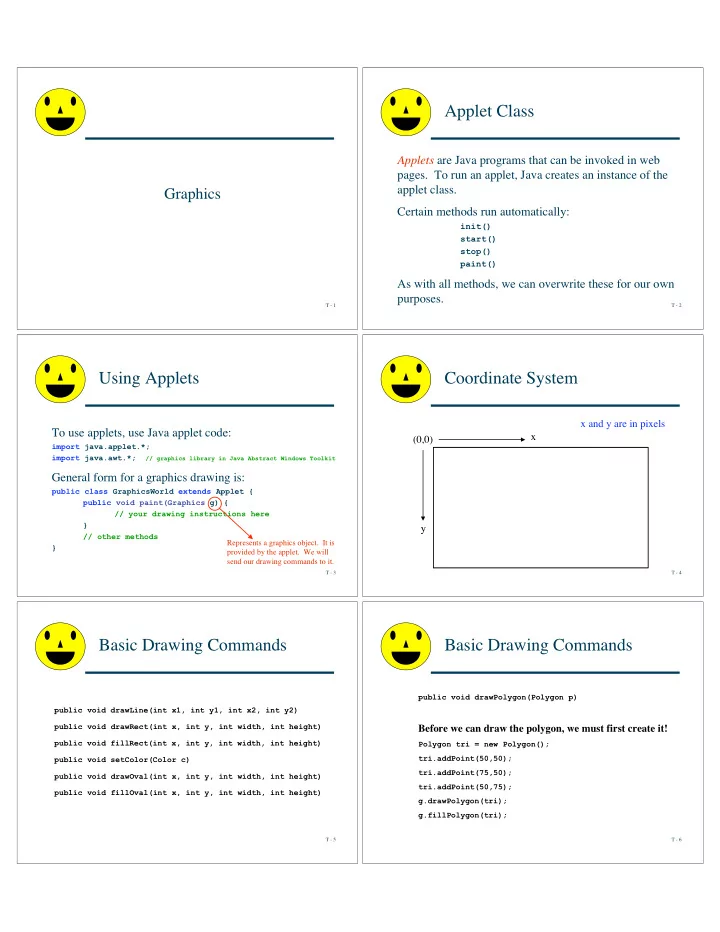
Applets are Java programs that can be invoked in web

  • pages. To run an applet, Java creates an instance of the

applet class. Certain methods run automatically:

init() start() stop() paint()

As with all methods, we can overwrite these for our own purposes.

T - 3

Using Applets

To use applets, use Java applet code:

import java.applet.*; import java.awt.*; // graphics library in Java Abstract Windows Toolkit

General form for a graphics drawing is:

public class GraphicsWorld extends Applet { public void paint(Graphics g) { // your drawing instructions here } // other methods } Represents a graphics object. It is provided by the applet. We will send our drawing commands to it.

T - 4

Coordinate System

(0,0) x y x and y are in pixels

T - 5

Basic Drawing Commands

public void drawLine(int x1, int y1, int x2, int y2) public void drawRect(int x, int y, int width, int height) public void fillRect(int x, int y, int width, int height) public void setColor(Color c) public void drawOval(int x, int y, int width, int height) public void fillOval(int x, int y, int width, int height)

T - 6

Basic Drawing Commands

public void drawPolygon(Polygon p)

Before we can draw the polygon, we must first create it!

Polygon tri = new Polygon(); tri.addPoint(50,50); tri.addPoint(75,50); tri.addPoint(50,75); g.drawPolygon(tri); g.fillPolygon(tri);

slide-2
SLIDE 2

T - 7

TinMan

g.setColor(Color.red); g.drawOval(100,100,50,50); // Head Polygon hat = new Polygon(); hat.addPoint(100,100); hat.addPoint(125,70); hat.addPoint(150,100); g.fillPolygon(hat); g.drawString("If I only had a brain", 80, 60); g.fillRect(100,150,50,80); // Body g.fillRect(105,230,15,50); // Leg g.fillRect(130,230,15,50); // Leg g.fillRect(75,175,100,20); // Arms

If I only had a brain

T - 8

Example2

g.setColor(Color.blue); g.drawOval(10,20,100,50); Polygon tri1 = new Polygon(); tri1.addPoint(10,150); tri1.addPoint(50,100); tri1.addPoint(90,150); g.drawPolygon(tri1); g.drawRect(10,170,100,50); g.drawRoundRect(10,240,100,50,15,15); g.drawArc(10,320,100,50,45,180); g.setColor(Color.green); g.fillOval(150,20,100,50); Polygon tri2 = new Polygon(); tri2.addPoint(150,150); tri2.addPoint(190,100); tri2.addPoint(230,150); g.fillPolygon(tri2); g.fillRect(150,170,100,50); g.fillRoundRect(150,240,100,50,15,15); g.fillArc(150,320,100,50,45,180); g.setColor(Color.red); g.drawLine(10,10,250,10); g.drawString("Random graphics", 10, 390);

T - 9

Example3

g.setColor(Color.cyan); for (int i=1; i<=10; i++) g.drawOval(300+(10*i),20,25,50);

T - 10

Example4

g.setColor(Color.magenta); for (int i=1; i<=10; i++) g.fillOval(300+(15*i),100+(10*i),25-(2*i),25-(2*i));

T - 11

Example5

Color [] rainbow = {Color.red, Color.orange, Color.yellow, Color.green, Color.blue, Color.magenta}; g.setColor(Color.blue); for (int j=0; j<=5; j++) { for (int i=1; i<=8; i++) { g.setColor(rainbow[j]); g.fillOval(300+(15*i),150+(10*(2*(i+j))),25-(3*i),25-(3*j)); } }

T - 12

Our Very Own Rectangle Class

LLpt (x,y)

height width

200 100

width height LLpt

Rectangle object Point object

50 150 x y

slide-3
SLIDE 3

T - 13

Our Very Own Rectangle Class

public class Rectangle { // instance variables ... // constructors ... // instance methods ... }

T - 14

Our Very Own Rectangle Class

public class Rectangle { // instance variables private Point LLpt; private int width; private int height; // constructors ... // instance methods ... }

T - 15

Our Very Own Rectangle Class

public class Rectangle { // instance variables ... // constructors public Rectangle(Point p,int w,int h) {} public Rectangle(int LLx,int LLy,int URx,int URy) {} // instance methods ... }

T - 16

Our Very Own Rectangle Class

public class Rectangle { // instance variables ... // constructors ... // instance methods public int getLLx() {} public int getLLy() {} public Point getLLPt() {} public int getWidth() {} public int getHeight() {} public int getURx() {} public Point getURPt() {} public int area() {} public int perimeter() {} }

T - 17

Our Very Own Rectangle Class

LLpt (x,y)

LLpt

Point object

50 150 x y

URpt (x,y)

URpt 250 50 x y

Rectangle

  • bject

Point object

T - 18

Our Very Own Rectangle Class

public class Rectangle { // instance variables ... // constructors ... // instance methods ... }

slide-4
SLIDE 4

T - 19

Our Very Own Rectangle Class

public class Rectangle { // instance variables private Point LLpt; private Point URpt; // constructors ... // instance methods ... }

T - 20

Our Very Own Rectangle Class

public class Rectangle { // instance variables ... // constructors public Rectangle(Point p, int w, int h) {} public Rectangle(int LLx,int LLy,int URx,int URy) {} // instance methods ... }

T - 21

Our Very Own Rectangle Class

public class Rectangle { // instance variables ... // constructors ... // instance methods public int getLLx() {} public int getLLy() {} public Point getLLPt() {} public int getWidth() {} public int getHeight() {} public int getURx() {} public Point getURPt() {} public int area() {} public int perimeter() {} }

T - 22

Data Abstraction

Black Box method or

  • bject

When given a black box method, the user (client) doesn’t know or care how it works, she just wants to use it. The details of the implementation are hidden. This is DATA ABSTRACTION!!! Implementer User/Client Contract describes rules for use (literally separates the interface from the implementation)

T - 23

Data Abstraction

  • How the state of an object is represented is ENTIRELY up to

the programmer (implementer)

  • The client (user) doesn’t care how the object is represented

(e.g., width & height vs. URpt), as long as the contract is preserved and the client can use the object as specified

  • Why hide the details of implementation?

– Things change, programs evolve. By separating clients and implementers, we can limit the scope of future change – By limiting the capability of clients, we can avoid certain kinds of errors, i.e., protection

T - 24

Drawing Bagels in BuggleWorld

public void drawBagel(Point p, Color background) { int inset = 1; double holeFactor = 0.35; Rectangle cellRect = cellRectangle(p); int bagelX = cellRect.x + inset; int bagelY = cellRect.y + inset; int bagelWidth = cellRect.width - (2*inset); int bagelHeight = cellRect.height - (2*inset); int holeWidth = (int) (holeFactor*bagelWidth); int holeHeight = (int) (holeFactor*bagelHeight); int holeX = bagelX + ((bagelWidth - holeWidth)/2); int holeY = bagelY + ((bagelHeight - holeHeight)/2); // Graphics gfx = this.getGraphics(); // The -1s below account for discrete nature of coordinate system. gfx.setColor(bagelColor); gfx.fillOval(bagelX, bagelY, bagelWidth, bagelHeight); gfx.setColor(background); gfx.fillOval(holeX , holeY, holeWidth, holeHeight); gfx.setColor(Color.black); gfx.drawOval(bagelX, bagelY, bagelWidth - 1, bagelHeight - 1); gfx.drawOval(holeX , holeY, holeWidth - 1, holeHeight - 1); }