
SLIDE 1
Are there seats for everyone in your strategic planning and execution?
Leadership track: Women Advance IT Leadership conference
November 5-6, 2019
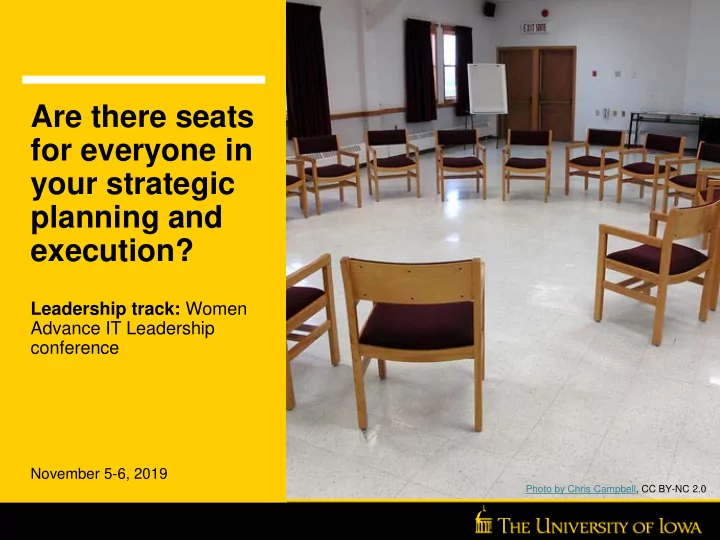
Photo by Chris Campbell, CC BY-NC 2.0
Are there seats for everyone in your strategic planning and - - PowerPoint PPT Presentation
Are there seats for everyone in your strategic planning and execution? Leadership track: Women Advance IT Leadership conference November 5-6, 2019 Photo by Chris Campbell, CC BY-NC 2.0 Land Acknowledgement In Iowa City where we prepared
Leadership track: Women Advance IT Leadership conference
November 5-6, 2019
Photo by Chris Campbell, CC BY-NC 2.0
In Iowa City where we prepared this presentation, we did so on the ancestral land of the Báxoje Máyaⁿ (Ioway),
people, and the and the Očeti Šakówiŋ (Sioux). Here in Lincoln, we are on the ancestral lands of the Paariru (Pawnee) and the Očeti Šakówiŋ (Sioux). To learn more about these people and what we owe to them, we recommend your look for indigenous authors such as Walter Echo Hawk of the Pawnee nation, who writes about the law, justice, and shares novelized accounts of the people of the plains.
José Jiménez (he/him/his) Director, Research Information Systems Administrative Information Systems jose-jimenez@uiowa.edu Rachel Napoli (she/her/hers) Chief of Staff, Office of the Chief Information Officer rachel-napoli@uiowa.edu
Literature in the U.S.
200 distributed; 300 central IT; 350 healthcare
established
formalized, including central IT
administrative units
OneIT and healthcare IT initiated
2018:1st OneIT strategic plan published IT leaders were primary work group Stakeholder and IT community input throughout Fast cycle process Five workshops total; three in
Pre-work and homework between workshops assigned Writing team developed initial plan Nine strategic goals developed
Read the wording of Goal 8 (Gold card). Take a white card. This is the strategy you will be bringing forward to your group. Consider for yourself (no discussion yet!):
Talk about the strategy you have in front of you with your group. Select the top three strategies at your table. Prioritize the top three in order. You will have about 10 minutes to do this.
Make sure people know what work is being done at the session before it starts. Make sure everyone knows if and how things might change after the feedback. Listen to others, amplify ideas with merit, even if they aren’t yours If you are facilitating, make sure you invite all participants to participate. Think about how you prioritize, not what, but how.
Step 1: Choose a strategy to work on Step 2: Initiate a project to move the strategy forward Step 3: Get people to help! “Ensure the skills of the university’s IT workforce meet current and future institutional needs” Develop a job shadowing and job rotation program for IT staff
Criteria
P a s t s u c c e s s E a s y t
k w i t h L i k e m i n d e d / a g r e e a b l e P
i t i c a l l y s a v v y A v a i l a b l e R a i s e d h a n d ( w i l l i n g )
Proposed members
Employee A Employee B Employee C Employee D Employee E Employee F Employee G Employee H Employee I
count (out of 9) percentage 0% 0% 0% 0% 0% 0%
What are our guiding principles? What are the intended outcomes of the project? Who are the stakeholders and beneficiaries? What attributes are important for the members of this team? What message will the makeup of this team send, and how will we explain who was selected?
Effective Broadly representative Diverse - multiple dimensions Institutional knowledge HR expertise
C r i t e r i a M a n a g e r I n d i v i d u a l C
t r i b u t
C e n t r a l I T
g H e a l t h c a r e I T
g D i s t r i b u t e d I T
g E a r l y C a r e e r M i d
a r e e r S e n i
S i g n i f i c a n t e x p e r i e n c e
t h i s c a m p u s P r
e s s i
a l e x p e r i e n c e
t s i d e c a m p u s H R E x p e r t i s e P r i
i n v
v e m e n t i n i n i t i a t i v e Proposed members Employee A 1 1 1 1 1 1 Employee B 1 1 1 1 ? Employee C 1 1 1 1 Employee D 1 1 1 1 ? Employee E 1 1 1 1 ? 1 Employee F 1 1 1 1 ? Employee G 1 1 1 1 1 Employee H 1 1 1 1 1 ? ? Employee I 1 1 1 1 1 ? ? 1 count (out of 9) 5 4 6 3 2 4 5 9 2 2 1 percentage 56% 44% 67% 33% 22% 0% 44% 56% 100% 22% 22% 11%
What it does:
What it doesn’t do
picked last time
Guiding principles Don’t be afraid of selection Criteria before people; a broader pool is a better Make this common practice It’s about the intentionality, not the tool Selections impact everyone Be prepared to make mistakes Create an inclusive environment
Native Lands Map Walter Echo Hawk books University of Iowa OneIT Strategic Plan Decision making using the ladder of inference Consensus Decision Making Team selection matrix Meeting best practices poster