BACKING UP YOUR DIGITAL IMAGES By Dave Emery SUMMARY Have a backup - - PDF document

backing up your digital images
SMART_READER_LITE
LIVE PREVIEW

BACKING UP YOUR DIGITAL IMAGES By Dave Emery SUMMARY Have a backup - - PDF document

BACKING UP YOUR DIGITAL IMAGES By Dave Emery SUMMARY Have a backup plan Use multiple media Practice offsite storage THE PROBLEM People have been trying to save their images for posterity for eons. No one wants to lose there


slide-1
SLIDE 1

4/28/08

BACKING UP YOUR DIGITAL IMAGES

By Dave Emery

SUMMARY

  • Have a backup plan
  • Use multiple media
  • Practice offsite storage

THE PROBLEM

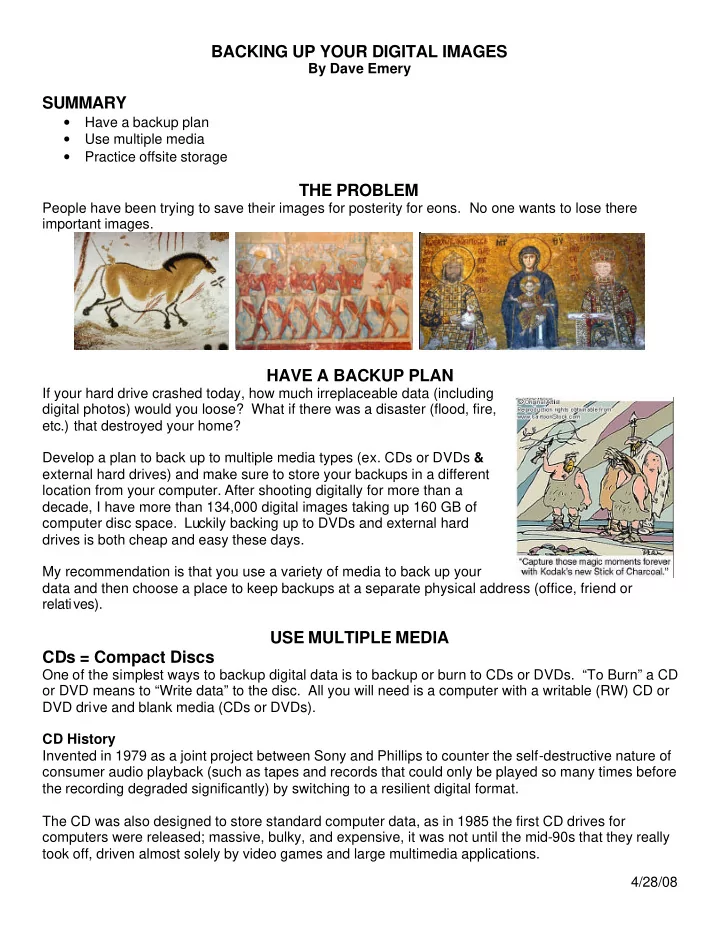
People have been trying to save their images for posterity for eons. No one wants to lose there important images.

HAVE A BACKUP PLAN

If your hard drive crashed today, how much irreplaceable data (including digital photos) would you loose? What if there was a disaster (flood, fire, etc.) that destroyed your home? Develop a plan to back up to multiple media types (ex. CDs or DVDs & external hard drives) and make sure to store your backups in a different location from your computer. After shooting digitally for more than a decade, I have more than 134,000 digital images taking up 160 GB of computer disc space. Luckily backing up to DVDs and external hard drives is both cheap and easy these days. My recommendation is that you use a variety of media to back up your data and then choose a place to keep backups at a separate physical address (office, friend or relatives).

USE MULTIPLE MEDIA CDs = Compact Discs

One of the simplest ways to backup digital data is to backup or burn to CDs or DVDs. “To Burn” a CD

  • r DVD means to “Write data” to the disc. All you will need is a computer with a writable (RW) CD or

DVD drive and blank media (CDs or DVDs). CD History Invented in 1979 as a joint project between Sony and Phillips to counter the self-destructive nature of consumer audio playback (such as tapes and records that could only be played so many times before the recording degraded significantly) by switching to a resilient digital format. The CD was also designed to store standard computer data, as in 1985 the first CD drives for computers were released; massive, bulky, and expensive, it was not until the mid-90s that they really took off, driven almost solely by video games and large multimedia applications.

slide-2
SLIDE 2

4/28/08 In 1990, Sony and Phillips went back to the drawing table, and then came

  • ut with the CD-R, a record-once medium. Yet again, the first CD burners

were large, expensive, and bulky, but by the late 90s having a CD burner was the new ‘in’. By 2007, 200 billion CDs had been sold worldwide. Compact Disc is still the de facto standard for audio recordings. How CDs work The cyanine & phthalocyanine dyes used in CD-Recordable discs are photosensitive organic compounds, similar to that used in making photographs (which explains why companies like Kodak and Fuji are in this business.) When a CD-R is recorded the dye is heated by the writing laser and becomes opaque (or absorptive) through a chemical reaction to the heat. CD-Rewritable uses a different kind of data-bearing layer from that in ordinary CD-Recordable, one which uses a phase change process to alter its state from a reflective state to a light absorbing state rather than an irreversible chemical change as in cyanine- based CD-R. This phase change CAN be reversed to make the area erasable and reusable.

DVDs = Digital Video Discs

A DVD is very similar to a CD, but it has a much larger data capacity. A standard single-sided, single-layer DVD holds about seven times more data than a CD does. A large part of this increase comes from the pits and tracks being smaller on DVDs. DVD Media DVD-R and DVD+R can be written once and then function as a DVD-ROM, and DVD-RAM. DVD-RW or DVD+RW hold data that can be erased and thus re-written multiple times. DVD History In 1995, the first DVD specification was ratified by over a dozen companies including Sony and Phillips, as well as Thompson, Pioneer, and Mitsubishi. The first DVD player hit the market in March 1997. By 2000, at least half the homes in the US and Japan had DVD players. DVD+R vs DVD-R Early in the history of DVDs, DVD+Rs and DVD-Rs were different standards. As of June 2006, there is no physical difference between a DVD-R/-RW disc and a DVD+R/+RW disc. How long do they last? One study suggests that optical recordable media (CDs and DVDs) will last 50 to 200 years. This

  • bservation is backed by quite a number of studies that I have seen done both by the media makers

and others. However, some storage experts suggest numbers more in line with your question, for example the expert in this report suggests a life of only 2 to 5 years. One user reported that very

slide-3
SLIDE 3

4/28/08 inexpensive CD-Rs deteriorated in a mere six weeks, despite careful storage. Some discs are better than others. CD-RWs are expected to last about 25 years under ideal conditions (i.e. you write it once and then leave it alone). Repeated rewrites will accelerate this. In general, CD-RW media isn't recommended for long-term backups or archives of valuable data. Unlike pressed CDs/DVDs, ‘burnt’ CDs/DVDs can eventually ‘fade’, due to five things that effect the quality of CD media: Sealing method, reflective layer, organic dye makeup, where it was manufactured, and your storage practices (please keep all media out of direct sunlight, in a nice cool dry dark place, in acid-free plastic containers; this will triple the lifetime of any media). The silver and aluminum alloys used in virtually all blank CD/DVD media has one major issue, requiring the manufacturer to lacquer a protective seal over the entire disc: silver and aluminum

  • xidize when they hit air, turning the normally reflective layer into silver or aluminum rust. Some (very

expensive) media uses gold instead which doesn’t oxidize. And, finally, I would be remiss if I did not mention one other factor which is really huge: Eraseable “RW” media is FAR less stable than one-time (“R”) media and should absolutely not be used for any permanent recordings of any kind whatsoever. There is no question that RW media can and does “fade”. Although I’ve never seen failure of “R” media that I could attribute with absolute certainty to dye instability, I routinely see “RW” recordings that are unreadable after periods of months to a year

  • r two when there is really no other explanation for the failure. I see this both on CD-RW and DVD+/-

RW media, and I advise people in the strongest possible terms not to use “RW” media for anything that they want to consider permanent. DVD's do get damaged - scratches and dirt and spills can cause damage to your DVD. NEVER touch the surface of your DVD Never set your DVD down on its surface. Never wipe the surface of your

  • DVD. You should treat DVDs like a pair of plastic eye Glasses.

Another study showed that, unlike pressed original CDs, burned CDs have a relatively short life span

  • f between two to five years, depending on the quality of the CD.

Pressed vs burned Factory-pressed CDs are totally different from recordable CDs. In a pressed CD, the data is literally "molded into" (actually pressed into) the media and will not disappear unless the CD is physically

  • damaged. Recordable CDs use a dye that changes color or reflectivity when heated. There are

different dye types commonly used in recordable CDs--phthalocyanine, azo, and cyanine, in particular--and they do not all have the same life expectancy and stability. Storage conditions for CDs & DVDs Keep them in a cool, dark, dry place. Exposing the disc to excessive heat, humidity, or to direct sunlight will greatly reduce the lifetime. In general, CD-Rs are far less tolerant of environmental conditions than pressed CDs, and should be treated with greater care. The easiest way to make a CD-R unusable is to scratch the top surface. Find a CD-R you don't want anymore, and try to scratch the top (label side) with your fingernail, a ballpoint pen, a paper clip, and anything else you have

  • handy. The results may surprise you.

Do

  • Handle discs by the outer edge or the center hole
  • Use a non solvent-based felt-tip permanent marker to mark the label side of the disc
slide-4
SLIDE 4

4/28/08

  • Keep dirt or other foreign matter from the disc
  • Store discs upright (book style) in original jewel cases that are specified for CDs and DVDs
  • Return discs to their jewel cases immediately after use
  • Leave discs in their spindle or jewel case to minimize the effects of environmental changes
  • Remove the shrink wrap only when you are ready to record data on the disc
  • Store in a cool, dry, dark environment in which the air is clean -- relative humidity should be in

the range 20% - 50% (RH) and temperature should be in the range 4°C - 20°C

  • Remove dirt, foreign material, fingerprints, smudges, and liquids by wiping with a clean cotton

fabric in a straight line from the center of the disc toward the outer edge

  • Use deionized (best), distilled or soft tap water to clean your discs. For tough problems use

diluted dish detergent or rubbing alcohol. Rinse and dry thoroughly with a lint-free cloth or photo lens tissue

  • Check the disc surface before recording

Do not

  • Touch the surface of the disc
  • Bend the disc
  • Store discs horizontally for a long time (years)
  • Open a recordable optical disc package if you are not ready to record
  • Expose discs to extreme heat or high humidity
  • Expose discs to extreme rapid temperature or humidity changes
  • Expose recordable discs to prolonged sunlight or other sources of UV light
  • Write or mark in the data area of the disc (area where the laser "reads")
  • Clean in a circular direction around the disc.

Recording speed Fast burns (52X) are probably less stable than somewhat slower burns (say 16x to 32x), but you can burn media too slowly also. Quality of media The manufacturers claim 75 years (cyanine dye, used in "green" discs), 100 years (phthalocyanine dye, used in "gold" discs), or even 200 years ("advanced" phthalocyanine dye, used in "platinum" discs) once the disc has been written. The shelf life of an unrecorded disc has been estimated at between 5 and 10 years. There is no standard agreed-upon way to test discs for lifetime viability. Accelerated aging tests have been done, but they may not provide a meaningful analogue to real- world aging. Quality of burner A borderline defective burner can “under expose” the media to the laser beam, producing a seemingly good recording (at the time of burning) that will “fade” over time (failing weeks, months, years or decades sooner than it should have had the laser beam intensity been correct) Computer Hardware = Optical Drives CD-ROM Reads CDs only - Compact Disc Read only Memory CD-RW Reads and writes CDs CD-RW/DVD Reads and writes CDs, Reads DVDs DVD-RW Reads and writes CDs & DVDs The standard on new computers. DVD+R DL Hardware is not the standard yet.

slide-5
SLIDE 5

4/28/08 COMPARISON OF BACKUP MEDIA

Media CD-R CD-RW DVD+R DVD-R DVD-RW DVD-DL External Hard Drive Read/Write Capability Write

  • nce

Read- Write Write once Write once Read- Write Write once Read- Write Capacity MB/GB 700 MB 700 MB 4.7 GB 4.7 GB 4.7 GB 7.95 GB 500GB Capacity Music/Movies 80 minutes music 80 minutes music 2 hour movie 2 hour movie 2 hour movie 4 hour movie Capacity # of 2 MB JPEG photos 350 350 2,350 2,350 2,350 3,975 250,000 Capacity # of 5 MB JPEG photos 140 140 940 940 940 1,590 100,000 Price in Canada 30 for $18 Plus .21/CD* 50 for $20 same as +R 5 for $10 3 for $15 $140 Price Per GB CAD $1.16 $0.09 same as +R $0.43 $0.63 $0.28 Price in USD 100 for $20 25 for $15 50 for $20 same as +R 25 for $20 50 for $65 $100 Price Per GB USD $0.29 $0.86 $0.09 same as +R $0.17 $0.16 $0.20

External Hard Drives

With USB connections, external hard drives backing up digital data fast and

  • easy. Using a hard drive for back up is certainly faster and more convenient

than backing up to CD or DVD, but if you store the backup hard drive in the same location as your PC, you are only being protected from disk failure. A hard drive is still susceptible to failure, viruses, theft and/or natural disaster. Industry analysts report that the average lifespan of a computer hard drive is 600,000 hours or 3.1 years.

Thumb Drives

With the small portable USB thumb drives, you can easily and quickly backup up to 8 GB of data. The down side is that they have the same susceptibilities as External Hard Drives and are easily lost.

PRACTICE OFFSITE STORAGE

Keep copies of your backup off site - At the office, or at a friend or relative’s house.

Online Storage

There are many services that offer cheap or free online storage. Just to a Google search for “online storage” or “free online storage” Xdrive (www.xdrive.com) is an example of a website that

  • ffers 5 GB of free online storage.
slide-6
SLIDE 6

4/28/08

Software:

CD burning software– Jet Audio Basic (free) http://www.download.com/JetAudio-Basic/3000-2167_4-10013740.html?tag=lst-2 BurnAware (free) http://www.download.com/BurnAware-Free-Edition/3000-2646_4-10784718.html?tag=lst-1&cdlPid=10817987 Nero ($82 USD) - http://www.nero.com/enu/downloads.html Data synchronizing software – Good Sync (free) http://www.download.com/GoodSync/3000-2248_4-10508799.html?cdlpid=10827486 Folder Clone ($29.95 USD) http://www.saltybrine.com/

References:

http://www.osta.org/technology/cdqa13.htm http://www.webblink.com/dvd/faq5.htm http://www.itl.nist.gov/div895/gipwog/StabilityStudy.pdf

http://forums.cnet.com/5208-10149_102-0.html?forumID=7&threadID=152618&messageID=1698511

http://www.videohelp.com/dvd http://en.wikipedia.org/wiki/Dvd http://en.wikipedia.org/wiki/Compact_Disc http://adterrasperaspera.com/blog/2006/10/30/how-to-choose-cddvd-archival-media http://graphicssoft.about.com/od/pselementscourse/a/pse205backup.htm http://electronics.howstuffworks.com/dvd3.htm http://www.cd-info.com/CDIC/Technology/CD-R/Media/CD-R_works.html http://www.microsoft.com/windowsxp/using/digitalphotography/printit/archive.mspx http://www.sciencedaily.com/releases/2004/03/040304073454.htm http://www.infoworld.com/article/06/01/10/73755_HNcdlifespan_1.html

slide-7
SLIDE 7

4/28/08

BACKING UP YOUR DIGITAL IMAGES - HANDOUT

By Dave Emery

HAVE A BACKUP PLAN

If your hard drive crashed today, how much irreplaceable data (including digital photos) would you loose? What if there was a disaster (flood, fire, etc.) that destroyed your home? My recommendation is that you use a variety of media to back up your data and then choose a place to keep backups at a separate physical address (office, friend

  • r relatives).

USE MULTIPLE MEDIA CDs = Compact Discs

One of the simplest ways to backup digital data is to backup or burn to CDs or DVDs. “To Burn” a CD or DVD means to “Write data” to the disc. All you will need is a computer with a writable (RW) CD or DVD drive and blank media (CDs or DVDs).

DVDs = Digital Video Discs

A DVD is very similar to a CD, but it has a much larger data capacity. A standard single-sided, single-layer DVD holds about seven times more data than a CD does. A large part of this increase comes from the pits and tracks being smaller on DVDs.

DVD+R vs DVD-R

Early in the history of DVDs, DVD+Rs and DVD-Rs were different standards. As of June 2006, there is no physical difference between a DVD-R/-RW disc and a DVD+R/+RW disc.

How long do they last?

One study suggests that optical recordable media (CDs and DVDs) will last 50 to 200 years. However, some storage experts suggest numbers more in line with your question, for example the expert in this report suggests a life of only 2 to 5 years. One user reported that very inexpensive CD-Rs deteriorated in a mere six weeks, despite careful storage. Some discs are better than others. CD-RWs are expected to last about 25 years under ideal conditions (i.e. you write it once and then leave it alone). Repeated rewrites will accelerate this. In general, CD-RW media isn't recommended for long-term backups or archives of valuable data.

Pressed vs burned

Factory-pressed CDs are totally different from recordable CDs. In a pressed CD, the data is literally "molded into" (actually pressed into) the media and will not disappear unless the CD is physically damaged. Recordable CDs use a dye that changes color or reflectivity when heated.

Storage conditions for CDs & DVDs

Keep them in a cool, dark, dry place. Exposing the disc to excessive heat, humidity, or to direct sunlight will greatly reduce the lifetime. In general, CD-Rs/DVD-Rs are far less tolerant of environmental conditions than pressed CDs/DVDs, and should be treated with greater care. The easiest way to make a DVD/CD unusable is to scratch the top surface. DVD's do get damaged - scratches and dirt and spills can cause damage to your CD/DVD. NEVER touch the surface of your CD/DVD. Never set your CD/DVD down on its surface. Never wipe the surface of your CD/DVD. You should treat CDs/DVDs like a pair of plastic eye Glasses.

slide-8
SLIDE 8

4/28/08 Computer Hardware = Optical Drives

CD-ROM Reads CDs only - Compact Disc Read only Memory CD-RW Reads and writes CDs CD-RW/DVD Reads and writes CDs, Reads DVDs DVD-RW Reads and writes CDs & DVDs The standard on new computers. DVD+R DL Hardware is not the standard yet.

COMPARISON OF BACKUP MEDIA

Media CD-R CD-RW DVD+R DVD-R DVD-RW DVD-DL External Hard Drive Read/Write Capability Write

  • nce

Read- Write Write once Write once Read- Write Write once Read- Write Capacity MB/GB 700 MB 700 MB 4.7 GB 4.7 GB 4.7 GB 7.95 GB 500GB Capacity Music/Movies 80 minutes music 80 minutes music 2 hour movie 2 hour movie 2 hour movie 4 hour movie Capacity # of 2 MB JPEG photos 350 350 2,350 2,350 2,350 3,975 250,000 Capacity # of 5 MB JPEG photos 140 140 940 940 940 1,590 100,000 Price in Canada 30 for $18 Plus .21/CD* 50 for $20 same as +R 5 for $10 3 for $15 $140 Price Per GB CAD $1.16 $0.09 same as +R $0.43 $0.63 $0.28 Price in USD 100 for $20 25 for $15 50 for $20 same as +R 25 for $20 50 for $65 $100 Price Per GB USD $0.29 $0.86 $0.09 same as +R $0.17 $0.16 $0.20

External Hard Drives

With USB connections, external hard drives backing up digital data fast and easy. Using a hard drive for back up is certainly faster and more convenient than backing up to CD or DVD, but if you store the backup hard drive in the same location as your PC, you are only being protected from disk failure. A hard drive is still susceptible to failure, viruses, theft and/or natural disaster.

Thumb Drives

With the small portable USB thumb drives, you can easily and quickly backup up to 8 GB of data. The down side is that they have the same susceptibilities as External Hard Drives and are easily lost.

PRACTICE OFFSITE STORAGE

Keep copies of your backup off site

At the office, or at a friend or relative’s house.

Online Storage - There are many services that offer cheap or free online storage. Just to a Google

search for “online storage” or “free online storage” Xdrive (www.xdrive.com) is an example of a website that

  • ffers 5 GB of free online storage.

Software:

CD burning software– Jet Audio Basic (free), BurnAware (free) Nero ($82 USD) Data synchronizing software – Good Sync (free), Folder Clone ($29.95 USD)