Basics of Intrusion Detection Watch whats going on in the system - - PowerPoint PPT Presentation

basics of intrusion detection
SMART_READER_LITE
LIVE PREVIEW

Basics of Intrusion Detection Watch whats going on in the system - - PowerPoint PPT Presentation

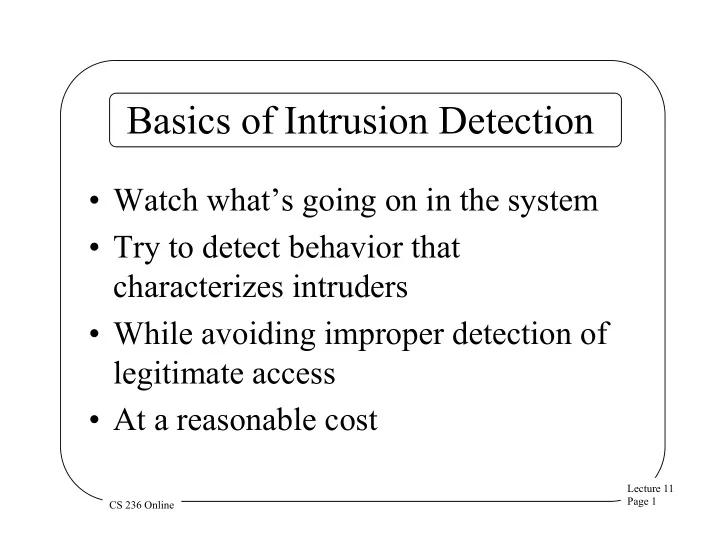
Basics of Intrusion Detection Watch whats going on in the system Try to detect behavior that characterizes intruders While avoiding improper detection of legitimate access At a reasonable cost Lecture 11 Page 1 CS 236 Online


slide-1
SLIDE 1

Lecture 11 Page 1 CS 236 Online

Basics of Intrusion Detection

  • Watch what’s going on in the system
  • Try to detect behavior that

characterizes intruders

  • While avoiding improper detection of

legitimate access

  • At a reasonable cost
slide-2
SLIDE 2

Lecture 11 Page 2 CS 236 Online

Intrusion Detection and Logging

  • A natural match
  • The intrusion detection system

examines the log – Which is being kept, anyway

  • Secondary benefits of using the

intrusion detection system to reduce the log

slide-3
SLIDE 3

Lecture 11 Page 3 CS 236 Online

On-Line Vs. Off-Line Intrusion Detection

  • Intrusion detection mechanisms can be

complicated and heavy-weight

  • Perhaps better to run them off-line

– E.g., at nighttime

  • Disadvantage is that you don’t catch

intrusions as they happen

slide-4
SLIDE 4

Lecture 11 Page 4 CS 236 Online

Failures In Intrusion Detection

  • False positives

– Legitimate activity identified as an intrusion

  • False negatives

– An intrusion not noticed

  • Subversion errors

– Attacks on the intrusion detection system

slide-5
SLIDE 5

Lecture 11 Page 5 CS 236 Online

Desired Characteristics in Intrusion Detection

  • Continuously running
  • Fault tolerant
  • Subversion resistant
  • Minimal overhead
  • Must observe deviations
  • Easily tailorable
  • Evolving
  • Difficult to fool
slide-6
SLIDE 6

Lecture 11 Page 6 CS 236 Online

Host Intrusion Detection

  • Run the intrusion detection system on a

single computer

  • Look for problems only on that

computer

  • Often by examining the logs of the

computer

slide-7
SLIDE 7

Lecture 11 Page 7 CS 236 Online

Advantages of the Host Approach

  • Lots of information to work with
  • Only need to deal with problems on
  • ne machine
  • Can get information in readily

understandable form

slide-8
SLIDE 8

Lecture 11 Page 8 CS 236 Online

Network Intrusion Detection

  • Do the same for a local (or wide) area

network

  • Either by using distributed systems

techniques

  • Or (more commonly) by sniffing

network traffic

slide-9
SLIDE 9

Lecture 11 Page 9 CS 236 Online

Advantages of Network Approach

  • Need not use up any resources on

users’ machines

  • Easier to properly configure for large

installations

  • Can observe things affecting multiple

machines

slide-10
SLIDE 10

Lecture 11 Page 10 CS 236 Online

Network Intrusion Detection and Data Volume

  • Lots of information passes on the

network

  • If you grab it all, you will produce vast

amounts of data

  • Which will require vast amounts of

time to process

slide-11
SLIDE 11

Lecture 11 Page 11 CS 236 Online

Network Intrusion Detection and Sensors

  • Use programs called sensors to grab only

relevant data

  • Sensors quickly examine network traffic

– Record the relevant stuff – Discard the rest

  • If you design sensors right, greatly reduces

the problem of data volume

slide-12
SLIDE 12

Lecture 11 Page 12 CS 236 Online

Wireless IDS

  • Observe behavior of wireless network

– Generally 802.11

  • Look for problems specific to that

environment – E.g., attempts to crack WEP keys

  • Usually doesn’t understand higher

network protocol layers – And attacks on them

slide-13
SLIDE 13

Lecture 11 Page 13 CS 236 Online

Application-Specific IDS

  • An IDS system tuned to one application or

protocol – E.g., SQL

  • Can be either host or network
  • Typically used for machines with

specialized functions – Web servers, database servers, etc.

  • Possibly much lower overheads than

general IDS systems