By/Mohamed Elsayed Mohamed Content Introduction Arduino IDE Code - - PowerPoint PPT Presentation

by mohamed elsayed mohamed content
SMART_READER_LITE
LIVE PREVIEW

By/Mohamed Elsayed Mohamed Content Introduction Arduino IDE Code - - PowerPoint PPT Presentation

By/Mohamed Elsayed Mohamed Content Introduction Arduino IDE Code Structure Variables Declaration Arithmetic Operators Control Statements Loops Functions I/O Instructions Serial Instructions Tasks


slide-1
SLIDE 1

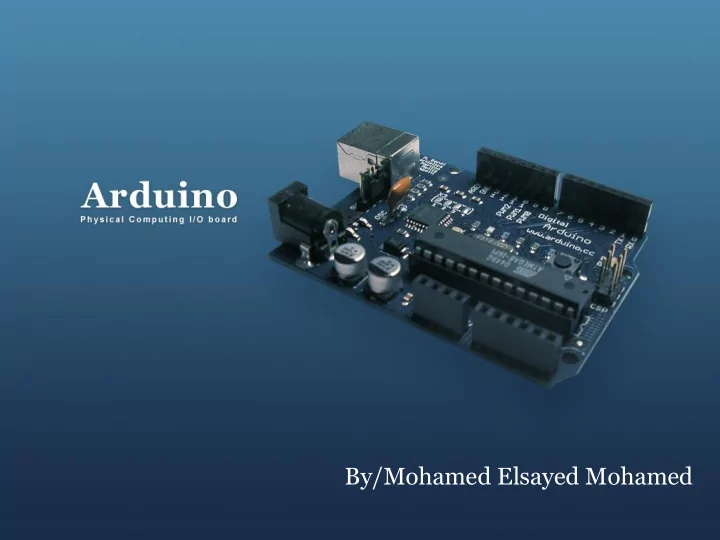
By/Mohamed Elsayed Mohamed
slide-2
SLIDE 2

Content

  • Introduction
  • Arduino IDE
  • Code Structure
  • Variables Declaration
  • Arithmetic Operators
  • Control Statements
  • Loops
  • Functions
  • I/O Instructions
  • Serial Instructions
  • Tasks
slide-3
SLIDE 3

Introduction

  • Arduino is an open-source computing platform based on

a simple i/o board and a software development environment .

  • Arduino can be used to develop embedded systems or

prototypes of embedded systems so fast and easily.

What is Arduino?

slide-4
SLIDE 4

Introduction Arduino boards

slide-5
SLIDE 5

Introduction Arduino UNO

slide-6
SLIDE 6

Arduino IDE

slide-7
SLIDE 7

Code Structure: Header

Header provides information

slide-8
SLIDE 8

Code Structure: setup function

setup function is executed

  • nly once at the start
slide-9
SLIDE 9

Code Structure: loop function

loop function is repeated indefinitely

slide-10
SLIDE 10

Code Structure

  • Curly braces { }
  • Semicolon ;

Define the beginning and the end of function and statement blocks forgetting to end a line with a semicolon will lead to compilation error !!!

slide-11
SLIDE 11

Variable Declaration

Integer: used with integer variables Ex: int x=1200; Character: used with single character, represent value from - 127 to 128.

  • Ex. char c=‘r’;

Long: Long variables are extended size variables for number storage, and store 32 bits (4 bytes), from -2,147,483,648 to 2,147,483,647.

  • Ex. long u=199203;

Floating-point numbers can be as large as 3.4028235E+38 and as low as -3.4028235E+38. They are stored as 32 bits (4 bytes) of information.

  • Ex. float num=1.291;

[The same as double type]

slide-12
SLIDE 12

Variable Scope

Global variable Local variable

slide-13
SLIDE 13

Arithmetic Operators

slide-14
SLIDE 14

Compound Assignment

slide-15
SLIDE 15

Comparison Operators

slide-16
SLIDE 16

Logical Operators

slide-17
SLIDE 17

Control statements

  • If statement

If(x=10) If(x==10)

slide-18
SLIDE 18

Control statements

  • If….else statement
slide-19
SLIDE 19

Control statements

  • If….else statement
slide-20
SLIDE 20

Loop statements

  • For Loop
slide-21
SLIDE 21

Loop statements

  • While Loop
slide-22
SLIDE 22

Loop statements

  • do…while Loop
slide-23
SLIDE 23

Functions

slide-24
SLIDE 24

Digital I/O instructions

  • pinMode(pin,mode)
  • digitalRead(pin)
  • digitalWrite(pin,value)
slide-25
SLIDE 25

Analog I/O instructions

  • analogRead(pin)
  • analogWrite(pin,value)

The resulting value range from 0 to 1023 Analog pins don’t need to be declared as INPUT or OUTPUT Writing an analog value using (PWM) to PWM pins 3,5,6,9,10 The value can be between 0-255

slide-26
SLIDE 26

Serial instructions

  • Serial.begin(rate)
  • Serial.println(data)
slide-27
SLIDE 27

Delay instructions

  • delay(ms)
  • millis()
slide-28
SLIDE 28

Functions

slide-29
SLIDE 29

Functions

slide-30
SLIDE 30

Functions

slide-31
SLIDE 31

Tasks

1) Execute an Arduino sketch to simply turn a led on and off, the led is connected to pin 13 and is blinked every second. 2) Execute an Arduino sketch to simply read a switch connected to pin 2 to control a led connected to pin 13. 3) Execute an Arduino sketch to simply brighten and dim a led connected to any PWM pins. 4) Execute an Arduino sketch that model traffic lightening system using red, yellow, and green leds . 5) Execute an Arduino sketch that use LDR sensor to control the lighting of a led connected to pin 13.

slide-32
SLIDE 32

References

  • Evans, B. (2011). Beginning Arduino Programming, Apress
  • https://www.slideshare.net/avikdhupar/intro-to-arduino
  • https://www.slideshare.net/xxahmedsakrxx/introduction-to-

arduino

  • www.Arduino.com
slide-33
SLIDE 33

Thank you 