CISC323: Introduction to Software developing software that organizes - - PowerPoint PPT Presentation

▶
cisc323 introduction to software
SMART_READER_LITE
LIVE PREVIEW

CISC323: Introduction to Software developing software that organizes - - PowerPoint PPT Presentation

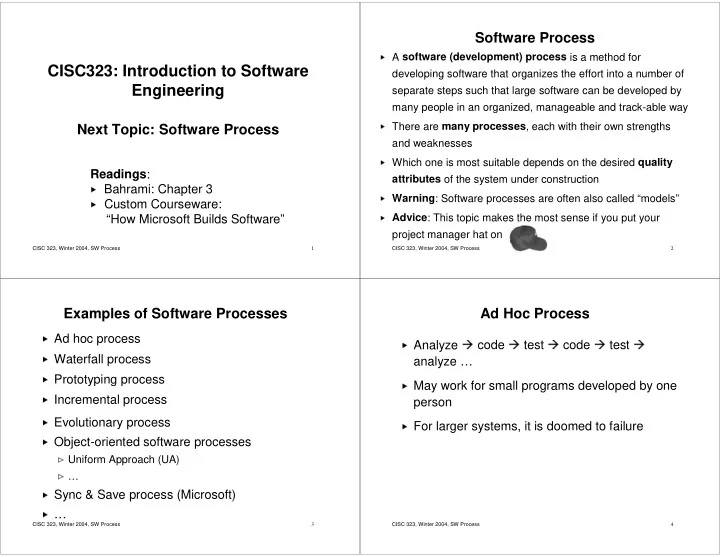
Software Process A software (development) process is a method for CISC323: Introduction to Software developing software


slide-1
SLIDE 1

CISC 323, Winter 2004, SW Process 1

CISC323: Introduction to Software Engineering

Next Topic: Software Process

Readings:

  • Bahrami: Chapter 3
  • Custom Courseware:

“How Microsoft Builds Software”

CISC 323, Winter 2004, SW Process 2

Software Process

✁

A software (development) process is a method for developing software that organizes the effort into a number of separate steps such that large software can be developed by many people in an organized, manageable and track-able way

✁

There are many processes, each with their own strengths and weaknesses

✁

Which one is most suitable depends on the desired quality attributes of the system under construction

✁

Warning: Software processes are often also called “models”

✁

Advice: This topic makes the most sense if you put your project manager hat on

CISC 323, Winter 2004, SW Process 3

Examples of Software Processes

✂

Ad hoc process

✂

Waterfall process

✂

Prototyping process

✂

Incremental process

✂

Evolutionary process

✂

Object-oriented software processes

✄

Uniform Approach (UA)

✄

…

☎

Sync & Save process (Microsoft)

☎

…

CISC 323, Winter 2004, SW Process 4

Ad Hoc Process

✆

Analyze

✝

code

✝

test

✝

code

✝

test

✝

analyze …

✞

May work for small programs developed by one person

✞

For larger systems, it is doomed to failure

slide-2
SLIDE 2

CISC 323, Winter 2004, SW Process 5

Waterfall Process

✟

Note that subprocesses for each phase left unspecified. Free to choose. Could have, for instance, implementation carried out in parallel

✟

Original version, others exist

Requirements Analysis System and Software Design Implementation and Unit Testing Integration and System Testing Operation and maintenance

✟

First explicit process (Royce, 1970)

✟

Cascade of phases, carried

  • ut in fixed order with sign-off
  • f each, before proceeding to

the next

CISC 323, Winter 2004, SW Process 6

Waterfall Process (Cont’d)

Requirements Analysis System and Software Design Implementation and Unit Testing Integration and System Testing Operation and maintenance

  • Describes what software is

supposed to do

  • Describes functional and non-

functional requirements (e.g., performance, usability, availability)

  • Typically expressed from user’s

point of view

  • Defines what it means for the

software to work “properly” For example, for Course Marks program, functional requirements are:

  • Students can specify course he/she is

enrolled in and request grades for that course

  • The student’s grades recorded for that

course will be displayed

  • …

CISC 323, Winter 2004, SW Process 7

Waterfall Process (Cont’d)

Requirements Analysis System and Software Design Implementation and Unit Testing Integration and System Testing Operation and maintenance

  • Partitions system into

hardware and software subsystems

  • Establishes overall system and

software architecture

  • Includes, e.g., component

architecture, component interfaces, data model, high- level data structures and algorithms, protocols (how components communicate with each other) Does not describe aspects

  • f the implementation,

e.g., lower-level data structures, algorithms

CISC 323, Winter 2004, SW Process 8

Waterfall Process (Cont’d)

Requirements Analysis System and Software Design Implementation and Unit Testing Integration and System Testing Operation and maintenance

  • Realize design as a set of programs and program

units (components). Includes:

  • Choose implementation language
  • Design and implement data structures,

algorithms, procedures, etc

  • Check that individual code units (e.g., classes,

modules, packages) work properly (unit testing)

slide-3
SLIDE 3

CISC 323, Winter 2004, SW Process 9

Waterfall Process (Cont’d)

Requirements Analysis System and Software Design Implementation and Unit Testing Integration and System Testing Operation and maintenance

  • Check that units work properly in

conjunction with other units (integration testing)

  • Check that whole system works

properly (system testing)

CISC 323, Winter 2004, SW Process 10

Waterfall Process (Cont’d)

Requirements Analysis System and Software Design Implementation and Unit Testing Integration and System Testing Operation and maintenance

  • Software is delivered, installed and

possibly integrated into existing system

  • Typically revisions are needed to

address bugs, changed or new requirements

CISC 323, Winter 2004, SW Process 11

Iterative Waterfall Process

✠

More realistic

✠

After last phase, can revisit earlier phase

✠

Still one phase at a time and cascade to next when done

Requirements Analysis System and Software Design Implementation and Unit Testing Integration and System Testing Operation and maintenance

Source: I. Sommerville. Software Engineering. 2001

CISC 323, Winter 2004, SW Process 12

Weaknesses of Waterfall Process

✡

Consequences of design decisions may not be known until completion of the last phase

☛

May be costly to change early bad design decisions

☛

Design problems may just be “worked around” rather than fixed

☛

User may get badly designed system

☞

Changing requirements may render large parts of the development and the artifacts it yielded useless

☛

Costly to change requirements

☛

User may not get what she really wanted

☞

Don’t use waterfall when

☛

Development team inexperienced, or

☛

Requirements likely to change (e.g., software is highly interactive, for inexperienced, undecided users, or uses new technology)

slide-4
SLIDE 4

CISC 323, Winter 2004, SW Process 13

Strengths of Waterfall Process

✌

Easy to understand, follow, and manage

✌

Most widely used software development process

✌

Reflects standard engineering practice

✌

Use waterfall when

✍

development team experienced, and

✍

requirements very unlikely to change

CISC 323, Winter 2004, SW Process 14

The Importance of Being Right Early

✎

The cost of fixing a problem increases exponentially the earlier it was introduced

1-5 2-10 5-15 Impleme ntation and test

  • 1

2 Design

  • 1

Require ments Implem entation Design Require ments

time introduced time detected

Source:

  • R. Dunn. Software Defect Removal. 1984

Source:

  • S. McConnell. Code Complete. 1993,

CISC 323, Winter 2004, SW Process 15

The Power of Prototypes

✏

Goal: Get the requirements right as early as possible

✏

Problem:

✑

Customers often don’t exactly know what they want

✑

“Maybe that’s what I said, but it’s not what I meant!”

✏

Solution:

✑

Show customer partial implementation of system that has relevant external interfaces and behaviour but not others (prototype)

✑

Customers can refine their expectations and change their expectations without invalidating a complete development effort

✑

Final prototype forms basis of final product

CISC 323, Winter 2004, SW Process 16

Prototyping Process

✒

Full development preceded by sequence of prototypes

✒

Use each prototype to improve requirements and/or design

✒

When customers satisfied, move on to full development Initial Requirements Analysis and Design Customer Evaluation Build Prototype Refine Requirements and/or Design Full Scale Development

slide-5
SLIDE 5

CISC 323, Winter 2004, SW Process 17

Prototyping Process (Cont’d)

  • 1. Initial Requirements Analysis and Design
✓

As in Waterfall, but less rigorous

  • 2. Build Prototype
✓

Quick implementation showing relevant features

  • 3. Customer Evaluation
✓

Customers use prototype, report misunderstandings, shortcomings, additional desired features etc

  • 4. Refine Requirements and Design
✓

Incorporate customer feedback appropriately

  • 5. Full Scale Development
✓

Remaining stages of Waterfall process

CISC 323, Winter 2004, SW Process 18

Prototyping Process (Cont’d)

✔

Strengths:

✕

Prototypes provide early feedback allowing for requirements and design to be developed and refined over time, rather than having to get them right the first time

✕

Customer more likely to get what she wants

✔

Weaknesses:

✕

Wasted work possible

✖

Prototypes often are of substandard quality

✖

So, even if prototypes passes customer evaluation it may have to be throw away

✗

Too many iterations

✖

Easy for customers to require more iterations even if current requirements and design are sufficient

CISC 323, Winter 2004, SW Process 19

The Incremental Process

✘

Requirements analysis as before

✘

However, customer also ranks aspects of the requirements (e.g., program features, services) in the

  • rder of importance
✘

These aspects are then assigned to development increments

✘

Requirements for first increment developed in detail

✘

First increment is designed, implemented and evaluated

✙

using appropriate process

✙

customer possibly revises requirements relating to subsequent increments while development of current increment is going on

✘

Once increment complete, it is integrated with existing increments and resulting system is evaluated

✙

System functionality improves with each iteration

CISC 323, Winter 2004, SW Process 20

Incremental Process (Cont’d)

✚

Strengths:

✛

customer may gain value from system early

✛

Increments provide early feedback allowing for requirements and design to be developed and refined over time, rather than having to get them right the first time

✛

Risk of complete project failure reduced

✛

Most important features receive most testing and evaluation

✚

Weaknesses:

✛

May be difficult to map requirements to appropriately sized increments

✛

May be difficult to identify common/shared services/structures and design system accordingly Initial Requirements Analysis Rank requirements and assign them to increments Design system architecture Design, implement and validate increment Validate system Integrate increment

slide-6
SLIDE 6

CISC 323, Winter 2004, SW Process 21

Evolutionary Development Process

✜

Avoid wasting work by smoothly evolving initial implementation into final product

✜

Analysis, design, implementation, and validation are carried out concurrently with rapid feedback across them

Initial Description Implementation Analysis and Design Validation Initial version Intermediate versions Final version

Concurrent activities

Source:I. Sommerville. Software Engineering. 2001.

CISC 323, Winter 2004, SW Process 22

Evolutionary Development Process (Cont’d)

✢

Strengths:

✣

Same as with prototyping, but also avoids wasting effort

✢

Weaknesses:

✣

Poor progress measurement

✤

Hard for project manager to measure progress, because it is not cost-effective to produce documents which reflect every version of the system

✥

Poor system structure

✤

Continual change tends to corrupt the software structure

✤

Incorporating software changes becomes increasingly difficult and costly

CISC 323, Winter 2004, SW Process 23

Object-Oriented Software Process

✦

Implementation language is object-oriented

✦

Encourages

✧

viewing system as cooperating, communicating “real-world

  • bjects”
✧

modularity

✧

information hiding

✧

reuse

✦

Lots of different versions exist

✦

3 main parts:

✧

Object-oriented analysis (OOA)

✧

Object-oriented development (OOD)

✧

Implementation

CISC 323, Winter 2004, SW Process 24

Object-Oriented Software Process (Cont’d)

Build a Use-Cases Model Object Analysis Validate/Test OO Analysis Write OO code User satisfaction, usability & QA tests Design classes, define attributes and methods Build object and dynamic model Design and prototype user interface Testing: user satisfaction, usability, quality Implementation OO Design

Source: Bahrami

slide-7
SLIDE 7

CISC 323, Winter 2004, SW Process 25

Object-Oriented Analysis

★

Build a Use-Cases Model:

✩

identify actors (who’s using the system?)

✩

identify scenarios (how are they using the system?)

★

Object Analysis:

✩

identify the main objects/classes, their attributes, behaviours and relationships in the problem domain (what are the main objects and how do they collaborate?)

★

Validate/Test:

✩

As much as possible

★

Example: Library system

✩

actors: librarian, library user, administator

✩

scenarios: check out book, return book, reserve, …

✩

classes, attributes, behaviours, relationships: Book, User, id, lastName, checkOut, …

Think in terms of user and problem domain

CISC 323, Winter 2004, SW Process 26

Object-Oriented Design

✪

Design class structure of code

✫

Start with classes, attributes, behaviours, relationships identified in analysis stage

✫

Find main classes, attributes, behaviours, and relationships in implementation domain that will support implementation of requirements

✪

Validate design through prototypes

✪

Example: Library system

✫
  • rganize library index as balanced search tree
✫

store index permanently in data base

✫

design GUIs for different actors

✫

backups, authentication, communication between multiple terminals, …

Think in terms

  • f programmer

and implementation (but only

  • n high-level)

CISC 323, Winter 2004, SW Process 27

Implementation

✬

Write actual code in OO language

✭

Start with classes, attributes, behaviours, relationships identified in design stage

✭

Find and implement classes, attributes, and methods necessary to implement classes and behaviours identified during design

✬

Validate code through testing and user feedback

Think in terms

  • f programmer

and implementation (on low-level)

CISC 323, Winter 2004, SW Process 28

OO Software Process

✮

Strengths:

✯

Encourages

✰

viewing program as cooperating, communicating “real- world objects”

✰

modularity

✰

information hiding

✰

reuse

✮

Weaknesses:

✯

Several competing and sometimes contradictory versions exist

✯

Seems to work well on small projects, but scalability to larger projects not yet proven

slide-8
SLIDE 8

CISC 323, Winter 2004, SW Process 29

Summary of Software Processes

✱

So far:

✲

Ad Hoc

✲

Waterfall

✲

Prototyping

✲

Incremental

✲

Evolutionary

✲

Object-oriented

✱

One more:

✲

Sync & Save (Microsoft)

✱

Sources for slides 1-28

✲
  • I. Sommerville. Software Engineering. 2001.
✲
  • J. Cordy. Course Notes for CISC327. 2002.
✲
  • A. Baharami. Object-Oriented Systems Development. 1999.

CISC 323, Winter 2004, SW Process 30

The Microsoft Process

✳

Required reading: First paper in custom courseware

✴

How Microsoft Builds Software; Cusumano and Selby, Communications of the ACM, June 1997

✴

Condensed from full-length book: Microsoft Secrets; Cusumano, Selby, Simon & Schuster Inc., 1995

CISC 323, Winter 2004, SW Process 31

Interesting Numbers

✵

Windows 95

✶

contains > 11 million lines of code

✶

more than 200 programmers & testers

✶

management of a project of this size is a major challenge – in addition to the technical challenges

✵

Windows XP

✶

contains > 45 million lines of code

CISC 323, Winter 2004, SW Process 32

The Microsoft Triangle

Decision making focuses on following three dimensions of quality in the end product:

  • 1. Functions supported
✷

allow for evolving requirements, work from vision statement

  • 2. Time to Market
✷

rapid development, daily builds

✷

well established plans and schedules

  • 3. Implementation defects remaining
✷

small number of bugs acceptable

✷

heavy reliance on testing, multiple testing strategies, “testing buddies”

slide-9
SLIDE 9

CISC 323, Winter 2004, SW Process 33

Background

✸

Microsoft started as small group of "hackers"

✸

Old meaning of "hacker": "long-haired, unkempt technical wizards" hacking away at coding. Creative, very good at getting code up and running quickly.

✸

As Microsoft grew, needed more structure without stifling creativity and talent

✸

Two problems with waterfall model:

✹

too rigid when user requirements constantly evolving

✹

not enough freedom for creative, talented employees

✸

Dilemma: provide maximum freedom for employees without allowing for chaos

CISC 323, Winter 2004, SW Process 34

Microsoft's Solution: "Synch-and- Save"

✺

Large project groups divided into many small groups

✺

Each group responsible for subset of features of project

✺

Groups work fairly independently in parallel, subject to some basic ground rules Central master copy of project code

private copy

  • f part of

code in use by one team private copy

  • f part of

code in use by another team

check out check in check out check in

CISC 323, Winter 2004, SW Process 35

Daily Build Process (1)

  • 1. Check Out
✻

private copies of source code from centralized master version

✻

multiple developers can check out same code at same time

  • 2. Implement Feature
✻

developer implements his/her own changes

✻

could take a few hours to several days

  • 3. Build Private Release
✻

developer builds own private copy of the product with newly implemented features

  • 4. Test Private Release
✻

developer tests own copy of product

CISC 323, Winter 2004, SW Process 36

Daily Build Process (2)

  • 5. Synch Code Changes
✼

compare private copies of source files back to master version

✼
  • ther developers may have made changes in the

mean time

  • 6. Merge Code Changes
✼

update private copies of source files to include any changes from other developers

  • 7. Build Private Release
✼

developer builds own copy of product with both

  • wn changes and changes of other developers
  • 8. Test Private Release
✼

test to make sure newly implemented code still works with others’ changes

slide-10
SLIDE 10

CISC 323, Winter 2004, SW Process 37

Daily Build Process (3)

  • 9. Execute Quick Test
✽

done on private release

✽

highly automated

✽

makes sure new changes do not interfere with basic functionality of product

✽

does not test new feature directly

✽

e.g., quick test on EXCEL takes 30 minutes

✽

also called regression test

  • 10. Check in
✽

developer officially checks his private copies into the master version

✽

has to synch and merge again in case of further changes

✽

if conflicts, may have to withdraw changes

✽

deadline for check in

✽

e.g., for EXCEL: 2PM

CISC 323, Winter 2004, SW Process 38

Daily Build Process (4)

  • 11. Complete build of master version
✾

every day after check-in deadline

✾

project's build master generates complete build of product from master version:

✿

compiles all code in master version to create executable program

✿

called daily build

✿

after successful build:

❀

executes series of automated tests

❀

assures basic functionality works correctly

❀

makes daily build available to all project staff

❁

after unsuccessful build or tests fail:

❀

developer who "broke" the build must fix immediately!

CISC 323, Winter 2004, SW Process 39

Microsoft Process

  • 1. Planning phase:
❂

create "vision statement"

❂

divide project into 3-4 sub-projects

❂

first sub-project contains most critical features

  • 2. Development phase:
❂

for each sub-project: design, code, test and debug

❂

pair up developers with testers (“buddy testing”)

❂

each sub-project fairly stable before moving on to next

❂

substantial buffer time

  • 3. Stabilization phase:
❂

no new features are added

❂

additional, comprehensive internal and external testing

CISC 323, Winter 2004, SW Process 40

Microsoft Process

Planning (3-12 months) Stabilization (3-8 months) Development (6-12 months) Stabilization (3-8 months) Milestone 0 Subproject 1 Subproject 2 Subproject 3 Feature Complete: All features implemented, some bugs & performance issues may remain Release Code Complete Visual Freeze: no more changes to user interface

slide-11
SLIDE 11

CISC 323, Winter 2004, SW Process 41

Microsoft Process

Release Planning (3-12 months) Stabilization (3-8 months) Development (6-12 months) Stabilization (3-8 months) Milestone 0 Subproject 1 Subproject 2 Subproject 3 Code, test,

  • ptimize, stabilize

(6-10 weeks) Integration test, debug (2-5 weeks) Buffer time (2-5 weeks)

CISC 323, Winter 2004, SW Process 42

Planning Phase (3-12 months)

❃

Develop vision statement in collaboration with Marketing department using customer input

❃

Create initial, preliminary specification of design goals

❄

20 to 30% changes from start to end of project

❄

project managers keep it up-to-date

❄

answers questions such as

❅

What is the point of this feature?

❅

What does the user want to use this feature for?

❃

Project managers do extensive prototyping

❄

with Visual Basic

❄

from user’s viewpoint

CISC 323, Winter 2004, SW Process 43

Development Phase (6-12 months)

❆

3 or 4 major milestone releases

❇

pretend these will be shipped

❆

Specialization:

❇

Developers write code and fix errors continuously as testers find them

❇

Testers write test suites (buddy testing)

❇

User education staff write draft documentation

❆

1/3 of total development phase is “buffer” time

CISC 323, Winter 2004, SW Process 44

Stabilization Phase (3-8 months)

❈

1/3 of total time in project

❈

Extensive testing & debugging

❈

No new features added

❈

“Zero bug release”

❉

no more high-severity bugs have been found

❉

decision to postpone fixing all remaining bugs until next release

slide-12
SLIDE 12

CISC 323, Winter 2004, SW Process 45

Principles (1)

❊

Manage by milestones

❋

Set intended ship date

❋

Define milestones backwards from target ship date

❋

Start with most difficult things first

❊

Assume change will happen

❋

Don’t write complete specification up front

❋

“Vision Statement” is not a rigid specification

❋

Build in substantial buffer time for unforeseen delays

❊

Focus on customer problems, not on technologies or processes

CISC 323, Winter 2004, SW Process 46

Principles (2)

  • Hire the smartest people
❍

A good programmer is substantially more productive than a bad one

❍

Sackman, Erikson, and Grant (1968):

■

ratio of initial coding time between best and worst programmers: 20 to 1

■

ratio of debugging time: >25 to 1

  • Establish small teams with functional specialties
❍

But no separate maintenance group (fixes included in next release)

  • “Fix” project resources
❍

Number of people

❍

Amount of time

CISC 323, Winter 2004, SW Process 47

Role of Program Managers

❏

In typical companies:

❑

managers make all design decisions: structure of code and how to divide tasks

❑

developers follow instructions & turn design into code

❏

At Microsoft:

❑

developers involved in design

❑

manager organizes, keeps records, makes sure decisions get made

❑

success depends on personalities

CISC 323, Winter 2004, SW Process 48

How the Management Supports Testing

▲

Almost equal number of testers and developers

▲

Weekly test releases

▼

to testing group for thorough testing

▼

use highly structured scripts

▼

“guerrilla testing” tries to “break” the product

▲

More on testing at end of course

slide-13
SLIDE 13

CISC 323, Winter 2004, SW Process 49

How the Process Supports Testing

Different kinds of testing in several different places:

◆

regression testing

◆

buddy testing

❖

tester works side by side with developer

❖

developer shares private release with testing buddy

❖

do private release testing before code goes to daily build

◆

tests during daily build

◆

comprehensive internal and external tests during stabilization phase

◆

usability testing

❖

user interfaces tested

❖

lab with users “off the street” development phase

CISC 323, Winter 2004, SW Process 50

How the Programmers Support Testing

P

Developers create debug versions of code using debug flags

◗

Two debug levels (on, off):

❘

debugging turned on (debug=true):

❙

can view internal data structures and intermediate results

❚

debugging turned off (debug=false):

❙

improve memory usage and execution speed

❯

Can have more than two debug levels each with different amounts of debug information being generated

❱

Use run-time assertions

❯

check assumptions about data, intermediate results etc

❯

in Java 1.4:

assert(b); // if b false, exception is thrown

❱

Code is instrumented for user testing

❯

add code that captures e.g. which commands users select and which corresponding source code statements get executed

CISC 323, Winter 2004, SW Process 51

Observations From Book (1)

❲

"Synch and save" makes it easier to react to customer feedback

❲

Works well for some kinds of applications (Word, Excel)

❲

Little architectural documentation

❳

source code is one main document

❳

try to keep code as simple as possible

❳

compartmentalize code

❲

Very few code comments

❳

half life of source code is as little as 18 months

CISC 323, Winter 2004, SW Process 52

Observations From Book (2)

Authors recommend:

❨

Formal design and code reviews

❩

intensive code inspections

❩

detect and fix problems before incorporated into product

❩

refine product architecture

❩

more education for junior developers

❨

Better planning for tightly coupled software

❩

Some software is difficult to break into independent parts

❩

Examples: Operating systems, interactive video applications

❩

These products would benefit from more up-front planning