Clicker 1 static Methods and What is the name of the method that is - - PowerPoint PPT Presentation

clicker 1
SMART_READER_LITE
LIVE PREVIEW

Clicker 1 static Methods and What is the name of the method that is - - PowerPoint PPT Presentation

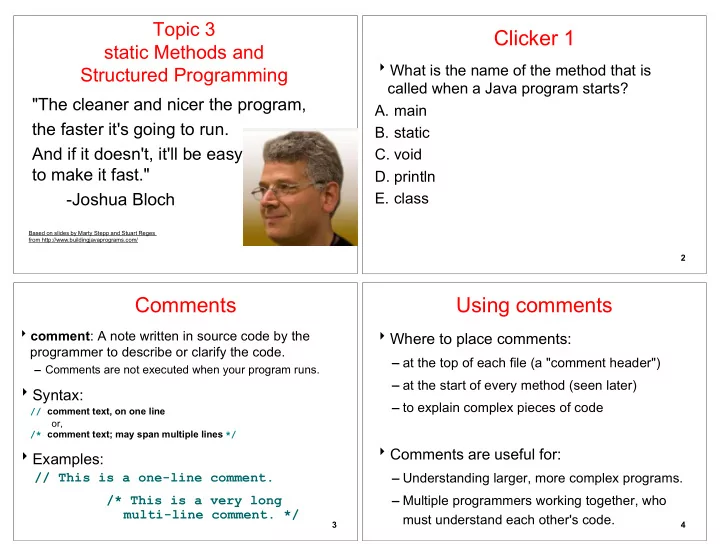
Topic 3 Clicker 1 static Methods and What is the name of the method that is Structured Programming called when a Java program starts? "The cleaner and nicer the program, A. main the faster it's going to run. B. static And if it


slide-1
SLIDE 1

Topic 3 static Methods and Structured Programming

"The cleaner and nicer the program, the faster it's going to run. And if it doesn't, it'll be easy to make it fast."

  • Joshua Bloch

Based on slides by Marty Stepp and Stuart Reges from http://www.buildingjavaprograms.com/

Clicker 1

What is the name of the method that is called when a Java program starts?

  • A. main
  • B. static
  • C. void
  • D. println
  • E. class

2

Comments

comment: A note written in source code by the programmer to describe or clarify the code.

Comments are not executed when your program runs.

Syntax:

// comment text, on one line

  • r,

/* comment text; may span multiple lines */

Examples:

// This is a one-line comment. /* This is a very long multi-line comment. */

3

Using comments

Where to place comments:

at the top of each file (a "comment header") at the start of every method (seen later) to explain complex pieces of code

Comments are useful for:

Understanding larger, more complex programs. Multiple programmers working together, who must understand each other's code.

4

slide-2
SLIDE 2

Comments example

/* Suzy Student, CS 101, Fall 2019 This program prints lyrics about ... something. */ public class BaWitDaBa { public static void main(String[] args) { // first verse System.out.println("Bawitdaba"); System.out.println("da bang a dang diggy diggy"); System.out.println(); // second verse System.out.println("diggy said the boogy"); System.out.println("said up jump the boogy"); } } 5

Program Hygiene - a.ka. Style

Provide a structure to the program Eliminate redundant code Use spaces judiciously and consistently Indent properly Follow the naming conventions Use comments to describe code behavior Follow a brace style Good software follows a style guide

See links on assignment page

6

Google C++ Style Guide

7

http://code.google.com/p/google-styleguide/

Google C++ Style Guide

8

slide-3
SLIDE 3

Why Worry About Program Hygiene ?

Computer Scientists and Software developers spend as much time maintaining code as they do creating new code

You should spend time on thinking and coding. You should NOT be wasting time looking for that missing closing brace. "Code is read more often than it is written."

  • Guido Van Rossum (Creator of the Python Language)

Algorithms

algorithm: A list of steps for solving a problem. Example algorithm: "Bake sugar cookies"

Mix the dry ingredients. Cream the butter and sugar. Beat in the eggs. Stir in the dry ingredients. Set the oven temperature. Set the timer. Place the cookies into the oven. Allow the cookies to bake. Mix ingredients for frosting. ...

10

Problems with algorithms

lack of structure: Many small steps; tough to remember. redundancy: Consider making a double batch...

Mix the dry ingredients. Cream the butter and sugar. Beat in the eggs. Stir in the dry ingredients. Set the oven temperature. Set the timer. Place the first batch of cookies into the oven. Allow the cookies to bake. Set the oven temperature. Set the timer. Place the second batch of cookies into the oven. Allow the cookies to bake. Mix ingredients for frosting. ...

11

Structured algorithms

structured algorithm: Split solution into coherent tasks.

1 Make the cookie batter. Mix the dry ingredients. Cream the butter and sugar. Beat in the eggs. Stir in the dry ingredients. 2 Bake the cookies. Set the oven temperature. Set the timer. Place the cookies into the oven. Allow the cookies to bake. 3 Add frosting and sprinkles. Mix the ingredients for the frosting. Spread frosting and sprinkles onto the cookies. ... 12

slide-4
SLIDE 4

Removing redundancy

A well-structured algorithm can describe repeated tasks with less redundancy.

1 Make the cookie batter. Mix the dry ingredients. ... 2a Bake the cookies (first batch). Set the oven temperature. Set the timer. ... 2b Bake the cookies (second batch). 3 Decorate the cookies. ...

13

A program with redundancy

// This program displays a delicious recipe for baking cookies. public class BakeCookies { public static void main(String[] args) { System.out.println("Mix the dry ingredients."); System.out.println("Cream the butter and sugar."); System.out.println("Beat in the eggs."); System.out.println("Stir in the dry ingredients."); System.out.println("Set the oven temperature."); System.out.println("Set the timer."); System.out.println("Place a batch of cookies into the oven."); System.out.println("Allow the cookies to bake."); System.out.println("Set the oven temperature."); System.out.println("Set the timer."); System.out.println("Place a batch of cookies into the oven."); System.out.println("Allow the cookies to bake."); System.out.println("Mix ingredients for frosting."); System.out.println("Spread frosting and sprinkles."); } }

14

Static methods

static method: A named group of statements.

denotes the structure of a program eliminates redundancy by code reuse

procedural decomposition: dividing a problem into methods

a way to manage complexity

Writing a static method is like adding a new command to Java.

class method A statement statement statement method B statement statement method C statement statement statement

15

http://spectrum.ieee.org/computing/software/why-software-fails

16

Building complex systems is hard Some of the most complex systems are software systems

slide-5
SLIDE 5

Using static methods

  • 1. Design the algorithm.

Look at the structure, and which commands are repeated. Decide what are the important overall tasks. Good programmers do this BEFORE writing any code

  • 2. Declare (write down) the methods.

Arrange statements into groups and give each group a name.

  • 3. Call (run) the methods.

The program's main method executes the other methods to perform the overall task.

17

Design of an algorithm

// This program displays a delicious recipe for baking cookies. public class BakeCookies2 { public static void main(String[] args) { // Step 1: Make the cake batter. System.out.println("Mix the dry ingredients."); System.out.println("Cream the butter and sugar."); System.out.println("Beat in the eggs."); System.out.println("Stir in the dry ingredients."); // Step 2a: Bake cookies (first batch). System.out.println("Set the oven temperature."); System.out.println("Set the timer."); System.out.println("Place a batch of cookies into the oven."); System.out.println("Allow the cookies to bake."); // Step 2b: Bake cookies (second batch). System.out.println("Set the oven temperature."); System.out.println("Set the timer."); System.out.println("Place a batch of cookies into the oven."); System.out.println("Allow the cookies to bake."); // Step 3: Decorate the cookies. System.out.println("Mix ingredients for frosting."); System.out.println("Spread frosting and sprinkles."); } }

18

Gives your method a name so it can be executed Syntax:

public static void <name>() { <statement>; <statement>; ... <statement>; }

Example:

public static void printWarning() {

System.out.println("This product causes cancer"); System.out.println("in lab rats and humans.");

}

Declaring a method

19

Calling a method

Executes the method's code Syntax:

<name>(); You can call the same method many times if you like.

Example:

printWarning(); Output: This product causes cancer in lab rats and humans.

20

slide-6
SLIDE 6

Program with static method

public class FreshPrince { public static void main(String[] args) { rap(); // Calling (running) the rap method System.out.println(); rap(); // Calling the rap method again } // This method prints the lyrics to my favorite song. public static void rap() { System.out.println("Now this is the story all about how"); System.out.println("My life got flipped turned upside-down"); } }

Output:

Now this is the story all about how My life got flipped turned upside-down Now this is the story all about how My life got flipped turned upside-down

21

Final cookie program

// This program displays a delicious recipe for baking cookies. public class BakeCookies3 { public static void main(String[] args) { makeBatter(); bake(); // 1st batch bake(); // 2nd batch decorate(); } // Step 1: Make the cookie batter. public static void makeBatter() { System.out.println("Mix the dry ingredients."); System.out.println("Cream the butter and sugar."); System.out.println("Beat in the eggs."); System.out.println("Stir in the dry ingredients."); } // Step 2: Bake a batch of cookies. public static void bake() { System.out.println("Set the oven temperature."); System.out.println("Set the timer."); System.out.println("Place a batch of cookies into the oven."); System.out.println("Allow the cookies to bake."); } // Step 3: Decorate the cookies. public static void decorate() { System.out.println("Mix ingredients for frosting."); System.out.println("Spread frosting and sprinkles."); } }

22

Makes code easier to read by capturing the structure of the program

main should be a good summary of the program

public static void main(String[] args) { }

Note: necessarily mean worse code!!!

Summary: Why methods?

public static void main(String[] args) { } public static ... (...) { } public static ... (...) { }

23

Eliminate redundancy

public static void main(String[] args) { }

Summary: Why methods?

public static void main(String[] args) { } public static ... (...) { }

24

slide-7
SLIDE 7

Methods calling methods

public class MethodsExample { public static void main(String[] args) { message1(); message2(); System.out.println("Done with main."); } public static void message1() { System.out.println("This is message1."); } public static void message2() { System.out.println("This is message2."); message1(); System.out.println("Done with message2."); } }

Output:

This is message1. This is message2. This is message1. Done with message2. Done with main. 25

When a method is called, the program's execution...

"jumps" into that method, executing its statements, then "jumps" back to the point where the method was called.

public class MethodsExample { public static void main(String[] args) { message1(); message2(); System.out.println("Done with main."); } ... }

public static void message1() { System.out.println("This is message1."); } public static void message2() { System.out.println("This is message2."); message1(); System.out.println("Done with message2."); } public static void message1() { System.out.println("This is message1."); }

Control flow

26

Clicker 2 - How many lines of output with visible characters does the following program produce?

  • A. 3 B. 4 C. 8 D. 12 E. 20
  • A. 3 B. 4 C. 8 D. 12 E. 20

27

Drawing complex figures with static methods

reading: 1.5 (Ch. 1 Case Study: DrawFigures)

slide-8
SLIDE 8

Static methods question

Write a program to print these figures.

______ / \ / \ \ / \______/ \ / \______/ +--------+ ______ / \ / \ | STOP | \ / \______/ ______ / \ / \ +--------+

29

Development strategy

______ / \ / \ \ / \______/ \ / \______/ +--------+ ______ / \ / \ | STOP | \ / \______/ ______ / \ / \ +--------+

First version (unstructured): Create an empty program and main method. Copy the expected output into it, surrounding each line with System.out.println syntax. Run it to verify the output. Clicker 3 - Are there repeated sections of

  • utput for this program?
  • A. No
  • B. Yes

30

Program version 1

public class Figures1 { public static void main(String[] args) { System.out.println(" ______"); System.out.println(" / \\"); System.out.println("/ \\"); System.out.println("\\ /"); System.out.println(" \\______/"); System.out.println(); System.out.println("\\ /"); System.out.println(" \\______/"); System.out.println("+--------+"); System.out.println(); System.out.println(" ______"); System.out.println(" / \\"); System.out.println("/ \\"); System.out.println("| STOP |"); System.out.println("\\ /"); System.out.println(" \\______/"); System.out.println(); System.out.println(" ______"); System.out.println(" / \\"); System.out.println("/ \\"); System.out.println("+--------+"); } }

31

Development strategy 2

______ / \ / \ \ / \______/ \ / \______/ +--------+ ______ / \ / \ | STOP | \ / \______/ ______ / \ / \ +--------+

Second version (structured, with redundancy): Identify the structure of the output. Divide the main method into static methods based on this structure.

32

slide-9
SLIDE 9

Output structure

______ / \ / \ \ / \______/ \ / \______/ +--------+ ______ / \ / \ | STOP | \ / \______/ ______ / \ / \ +--------+

The structure of the output: initial "egg" figure second "teacup" figure third "stop sign" figure fourth "hat" figure This structure can be represented by methods: egg teaCup stopSign hat

33

Program version 2

public class Figures2 { public static void main(String[] args) { egg(); teaCup(); stopSign(); hat(); } public static void egg() { System.out.println(" ______"); System.out.println(" / \\"); System.out.println("/ \\"); System.out.println("\\ /"); System.out.println(" \\______/"); System.out.println(); } public static void teaCup() { System.out.println("\\ /"); System.out.println(" \\______/"); System.out.println("+--------+"); System.out.println(); } ...

34

Program version 2, cont'd.

... public static void stopSign() { System.out.println(" ______"); System.out.println(" / \\"); System.out.println("/ \\"); System.out.println("| STOP |"); System.out.println("\\ /"); System.out.println(" \\______/"); System.out.println(); } public static void hat() { System.out.println(" ______"); System.out.println(" / \\"); System.out.println("/ \\"); System.out.println("+--------+"); } }

35

Development strategy 3

______ / \ / \ \ / \______/ \ / \______/ +--------+ ______ / \ / \ | STOP | \ / \______/ ______ / \ / \ +--------+

Third version (structured, without redundancy): Identify redundancy in the output, and create methods to eliminate as much as possible. Add comments to the program.

36

slide-10
SLIDE 10

Output redundancy

The redundancy in the output: egg top: reused on stop sign, hat egg bottom: reused on teacup, stop sign divider line: used on teacup, hat This redundancy can be fixed by methods: eggTop eggBottom line

______ / \ / \ \ / \______/ \ / \______/ +--------+ ______ / \ / \ | STOP | \ / \______/ ______ / \ / \ +--------+

37

Program version 3

// Suzy Student, CSE 138, Spring 2094 // Prints several figures, with methods for structure and redundancy. public class Figures3 { public static void main(String[] args) { egg(); teaCup(); stopSign(); hat(); } // Draws the top half of an an egg figure. public static void eggTop() { System.out.println(" ______"); System.out.println(" / \\"); System.out.println("/ \\"); } // Draws the bottom half of an egg figure. public static void eggBottom() { System.out.println("\\ /"); System.out.println(" \\______/"); } // Draws a complete egg figure. public static void egg() { eggTop(); eggBottom(); System.out.println(); } ...

38

Program version 3, cont'd.

... // Draws a teacup figure. public static void teaCup() { eggBottom(); line(); System.out.println(); } // Draws a stop sign figure. public static void stopSign() { eggTop(); System.out.println("| STOP |"); eggBottom(); System.out.println(); } // Draws a figure that looks sort of like a hat. public static void hat() { eggTop(); line(); } // Draws a line of dashes. public static void line() { System.out.println("+--------+"); } }

39