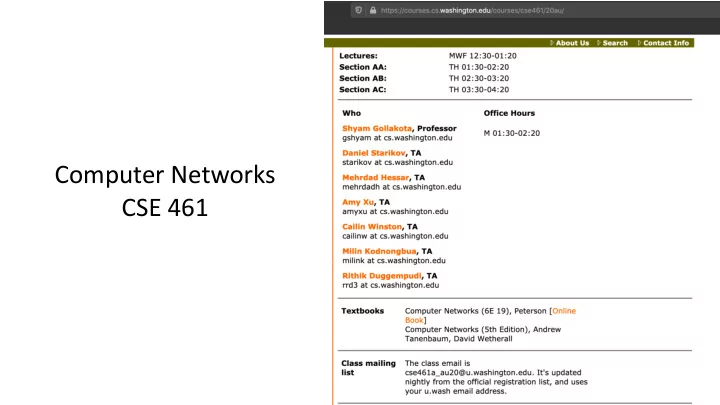
Computer Networks CSE 461 3 Projects (10+15+15%) Group of 3 Can - - PowerPoint PPT Presentation
Computer Networks CSE 461 3 Projects (10+15+15%) Group of 3 Can be same or different Individual assignments (20%) Mid term (20%) Final (20%) The Main Point 1. To learn how the Internet works What really happens when you
3 Projects (10+15+15%)
- Group of 3
- Can be same or different
Individual assignments (20%) Mid term (20%) Final (20%)
The Main Point
- 1. To learn how the Internet works »
– What really happens when you “browse the web”? – What are TCP/IP, DNS, HTTP, NAT, VPNs, 802.11 etc. anyway?
- 2. To learn the fundamentals of
computer networks
Computer Networks 3
Computer Networks 4
Why learn about the Internet?
- 1. Curiosity »
- 2. Impact on our world »
- 3. Job prospects!
From this experimental network …
Computer Networks 5
ARPANET ~1970
(a) Dec. 1969. (b) July 1970. (c) March 1971.
Computer Networks 6
- An everyday institution
used at work, home, and on-the-go
- Visualization contains
millions of links
Attribution: By The Opte Project [CC-BY-2.5], via Wikimedia Commons
Internet ~2005
Internet – Societal Impact
- An enabler of societal change
– Easy access to knowledge – Electronic commerce – Personal relationships – Discussion without censorship
Computer Networks 7
Internet – Economic impact
- An engine of economic growth
– Advertising-sponsored search – “Long tail” online stores – Online marketplaces – Crowdsourcing
Computer Networks 8
The Main Point (2)
- 1. To learn how the Internet works
- 2. To learn the fundamentals of
computer networks
– What hard problems must they solve? – What design strategies have proven valuable?
Computer Networks 9
Computer Networks 10
Why learn the Fundamentals?
- 1. Apply to all computer
networks
- 2. Intellectual interest »
- 3. Change / reinvention »
Computer Networks 11
Fundamentals – Intellectual Interest
- Example key problem: Reliability!
– Any part of the Internet might fail – Messages might be corrupted – So how do we provide reliability?
- Reliability solutions
– Codes to detect/correct errors – Routing around failures ...
Fundamentals – Intellectual Interest (2)
Computer Networks 12
Key problem Example solutions Reliability despite failures Codes for error detection/correction Routing around failures Network growth and evolution Addressing and naming Protocol layering Allocation of resources like bandwidth Multiple access Congestion control Security against various threats Confidentiality of messages Authentication of communicating parties
Fundamentals – Reinvention
- The Internet is constantly being re-invented!
– Growth over time and technology trends drive upheavals in Internet design and usage »
- Today’s Internet is different from yesterday’s
– And tomorrow’s will be different again – But the fundamentals remain the same
Computer Networks 13
Computer Networks 14
Fundamentals – Reinvention (2)
- At least a billion
Internet hosts and growing …
Fundamentals – Reinvention (3)
- Examples of upheavals in the past 1-2 decades
Computer Networks 15
Growth / Tech Driver Upheaval Emergence of the web Content Distribution Networks Digital songs/videos Peer-to-peer file sharing Falling cost/bit Voice-over-IP calling Many Internet hosts IPv6 Wireless advances Mobile devices
Computer Networks 16
Not a Course Goal
- To learn IT job skills
– How to configure equipment
- e.g., Cisco certifications
– But course material is relevant, and we use hands-on tools
Computer Networks 17
Example Uses of Networks
- Work:
– Email, file sharing, printing, …
- Home:
– Movies / songs, news, calls / video / messaging, e-commerce, …
- Mobile:
– Calls / texts, games, videos, maps, information access …
Computer Networks 18
Example Uses of Networks
- Work:
– Email, file sharing, printing, …
- Home:
– Movies / songs, news, calls / video / messaging, e-commerce, …
- Mobile:
– Calls / texts, games, videos, maps, information access …
What do these uses tell us about why we build networks?
Computer Networks 19
For User Communication
- From the telephone onwards:
– VoIP (voice-over-IP) – Video conferencing – Instant messaging – Social networking
→Enables remote communication
– Need low latency for interactivity
Computer Networks 20
For Resource Sharing
- Many users may access the
same underlying resource
– E.g., 3D printer, search index, machines in the cloud
Computer Networks 21
For Computer Communication
- To let computers interact with
- ther computers
– E.g., e-commerce, reservations
→Enables automated information processing across different parties
Computer Networks 22
To Connect Computers to the Physical World
- For gathering sensor data, and for
manipulating the world
– E.g., webcams, location on mobile phones, door locks, …
- This is a rich, emerging usage
Parts of a Network (2)
Computer Networks 23
node app link
Parts of a Network (3)
Computer Networks 24
host app link router
Component Names
Computer Networks 25
Component Function Example Application, or app, user Uses the network Skype, iTunes, Amazon Host, or end-system, edge device, node, source, sink Supports apps Laptop, mobile, desktop Router, or switch, node, hub, intermediate system Relays messages between links Access point, cable/DSL modem Link, or channel Connects nodes Wires, wireless
Computer Networks 26
Types of Links
- Full-duplex
– Bidirectional
- Half-duplex
– Bidirectional
- Simplex
– unidirectional
Computer Networks 27
Wireless Links
- Message is broadcast
– Received by all nodes in range – Not a good fit with our model
Computer Networks 28
Wireless Links (2)
- Often show logical links
– Not all possible connectivity
Computer Networks 29
A Small Network
- Connect a couple of computers
- Next, a large network …
Source: Internet2
Computer Networks 31
Example Networks (2)
- WiFi (802.11)
- Enterprise / Ethernet
- ISP (Internet Service Provider)
- Cable / DSL
- Mobile phone / cellular (2G, 3G, 4G)
- Bluetooth
- Telephone
- Satellite ...
Network names by scale
Computer Networks 32
Scale Type Example Vicinity PAN (Personal Area Network) Bluetooth (e.g., headset) Building LAN (Local Area Network) WiFi, Ethernet City MAN (Metropolitan Area Network) Cable, DSL Country WAN (Wide Area Network) Large ISP Planet The Internet (network of all networks) The Internet!
Computer Networks 33
Internetworks
- An internetwork, or internet,
is what you get when you join networks together
– Just another network
- The Internet (capital “I”) is the
internet we all use
Computer Networks 34
Key Interfaces
- Between (1) apps and network,
and (2) network components
– More formal treatment later on
host app
Computer Networks 35
Key Interfaces (2)
- 1. Network-application interfaces
define how apps use the network
– Sockets are widely used in practice
host app
Computer Networks 36
- 2. Network-network interfaces
define how nodes work together
– Traceroute can peek in the network
Key Interfaces (3)
host app
Computer Networks 37
Network-Application Interface
- Defines how apps use the network
– Lets apps talk to each other via hosts; hides the details of the network
host app app host
Computer Networks 38
Motivating Application
- Simple client-server setup
request reply
Computer Networks 39
Motivating Application (2)
- Simple client-server setup
– Client app sends a request to server app – Server app returns a (longer) reply
- This is the basis for many apps!
– File transfer: send name, get file (§6.1.4) – Web browsing: send URL, get page – Echo: send message, get it back
- Let’s see how to write this app …
Computer Networks 40
Socket API
- Simple abstraction to use the network
– The network service API used to write all Internet applications – Part of all major OSes and languages;
- riginally Berkeley (Unix) ~1983
- Supports two kinds of network services
– Streams: reliably send a stream of bytes » – Datagrams: unreliably send separate
- messages. (Ignore for now.)
Computer Networks 41
Socket API (2)
- Sockets let apps attach to the
local network at different ports
Socket, Port #1 Socket, Port #2
Computer Networks 42
Network Service API Hides Details
- Apps talk to other apps with no real
idea of what is inside the network
– This is good! But you may be curious …
host app app host
???
Computer Networks 43
Traceroute
- Widely used command-line tool to
let hosts peek inside the network
– On all OSes (tracert on Windows) – Developed by Van Jacobson ~1987 – Uses a network-network interface (IP) in ways we will explain later
: Credit: Wikipedia (public domain)
Van Jacobson
Traceroute (2)
- Probes successive hops to find network path
Computer Networks 44
. . . Local Host Remote Host
Traceroute (3)
Computer Networks 45
. . . Local Host Remote Host 1 hop 2 hops 3 hops N-1 hops N hops
Using Traceroute
Computer Networks 46
Using Traceroute (2)
- ISP names and places are educated guesses
Computer Networks 47
. . . My computer www.uw.edu (www1.cac.washington.edu) tde 3 hops Telefonica 4 hops Level3 6 hops pnw-gigapop 1 hop UW 3 hops NYC San Jose Seattle UW Home 1 hop 100 ms 180 ms >200 ms