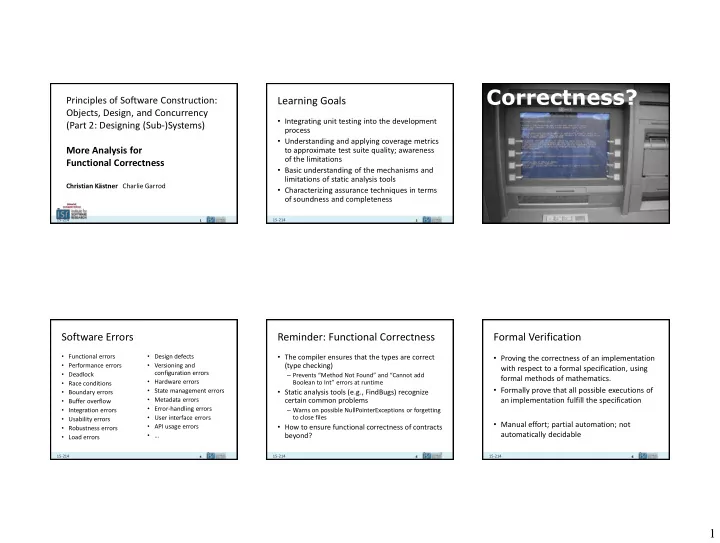
Correctness? Principles of Software Construction: Learning Goals - - PowerPoint PPT Presentation

correctness
SMART_READER_LITE
LIVE PREVIEW

Correctness? Principles of Software Construction: Learning Goals - - PowerPoint PPT Presentation

Correctness? Principles of Software Construction: Learning Goals Objects, Design, and Concurrency Integrating unit testing into the development (Part 2: Designing (Sub-)Systems) process Understanding and applying coverage metrics More


slide-1
SLIDE 1

1

1

15-214

School of Computer Science

Principles of Software Construction: Objects, Design, and Concurrency (Part 2: Designing (Sub-)Systems) More Analysis for Functional Correctness

Christian Kästner Charlie Garrod

2

15-214

Learning Goals

  • Integrating unit testing into the development

process

  • Understanding and applying coverage metrics

to approximate test suite quality; awareness

  • f the limitations
  • Basic understanding of the mechanisms and

limitations of static analysis tools

  • Characterizing assurance techniques in terms
  • f soundness and completeness

3

15-214

Correctness?

4

15-214

Software Errors

  • Functional errors
  • Performance errors
  • Deadlock
  • Race conditions
  • Boundary errors
  • Buffer overflow
  • Integration errors
  • Usability errors
  • Robustness errors
  • Load errors
  • Design defects
  • Versioning and

configuration errors

  • Hardware errors
  • State management errors
  • Metadata errors
  • Error-handling errors
  • User interface errors
  • API usage errors

5

15-214

Reminder: Functional Correctness

  • The compiler ensures that the types are correct

(type checking)

– Prevents “Method Not Found” and “Cannot add Boolean to Int” errors at runtime

  • Static analysis tools (e.g., FindBugs) recognize

certain common problems

– Warns on possible NullPointerExceptions or forgetting to close files

  • How to ensure functional correctness of contracts

beyond?

5 6

15-214

Formal Verification

  • Proving the correctness of an implementation

with respect to a formal specification, using formal methods of mathematics.

  • Formally prove that all possible executions of

an implementation fulfill the specification

  • Manual effort; partial automation; not

automatically decidable

slide-2
SLIDE 2

2

7

15-214

Testing

  • Executing the program with selected inputs in

a controlled environment (dynamic analysis)

  • Goals:

– Reveal bugs (main goal) – Assess quality (hard to quantify) – Clarify the specification, documentation – Verify contracts

"Testing shows the presence, not the absence of bugs Edsger W. Dijkstra 1969

8

15-214

Testing Decisions

  • Who tests?

– Developers – Other Developers – Separate Quality Assurance Team – Customers

  • When to test?

– Before development – During development – After milestones – Before shipping

  • When to stop testing?

(More in 15-313)

9

15-214

TEST-DRIVEN DEVELOPMENT

9 10

15-214

Test Driven Development

  • Tests first!
  • Popular

agile technique

  • Write tests as

specifications before code

  • Never write code without

a failing test

  • Claims:
  • Design approach toward testable design
  • Think about interfaces first
  • Avoid writing unneeded code
  • Higher product quality (e.g. better code, less defects)
  • Higher test suite quality
  • Higher overall productivity
(CC BY-SA 3.0) Excirial

11

15-214

Discussion: Testing in Practice

11 12

15-214

TEST COVERAGE

slide-3
SLIDE 3

3

13

15-214

How much testing?

  • Cannot test all inputs

– too many, usually infinite

  • What makes a good test suite?
  • When to stop testing?
  • How much to invest in testing?

14

15-214

Blackbox: Random Inputs

  • Try random inputs, many of them

– Observe whether system crashes (exceptions, assertions) – Try more random inputs, many more

  • Successful in certain domains (parsers, network

issues, …)

– But, many tests execute similar paths – But, often finds only superficial errors – Can be improved by guiding random selection with additional information (domain knowledge or extracted from source)

15

15-214

Blackbox: Covering Specifications

  • Looking at specifications, not code:
  • Test representative case
  • Test boundary condition
  • Test exception conditions
  • (Test invalid case)

16

15-214

Textual Specification

public int read(byte[] b, int off, int len) throws IOException

  • Reads up to len bytes of data from the input stream into an array of bytes. An

attempt is made to read as many as len bytes, but a smaller number may be read. The number of bytes actually read is returned as an integer. This method blocks until input data is available, end of file is detected, or an exception is thrown.

  • If len is zero, then no bytes are read and 0 is returned; otherwise, there is an

attempt to read at least one byte. If no byte is available because the stream is at end of file, the value -1 is returned; otherwise, at least one byte is read and stored into b.

  • The first byte read is stored into element b[off], the next one into b[off+1], and so
  • n. The number of bytes read is, at most, equal to len. Let k be the number of

bytes actually read; these bytes will be stored in elements b[off] throughb[off+k- 1], leaving elements b[off+k] through b[off+len-1] unaffected.

  • In every case, elements b[0] through b[off] and

elements b[off+len] through b[b.length-1] are unaffected.  Throws:

  • IOException - If the first byte cannot be read for any reason other than end of file,
  • r if the input stream has been closed, or if some other I/O error occurs.
  • NullPointerException - If b is null.
  • IndexOutOfBoundsException - If off is negative, len is negative, or len is greater

than b.length - off

17

15-214

Structural Analysis of System under Test

– Organized according to program decision structure

17

public static int binsrch (int[] a, int key) { int low = 0; int high = a.length - 1; while (true) { if ( low > high ) return -(low+1); int mid = (low+high) / 2; if ( a[mid] < key ) low = mid + 1; else if ( a[mid] > key ) high = mid - 1; else return mid; } }

  • Will this statement get executed in a test?
  • Does it return the correct result?
  • Could this array index be out of bounds?
  • Does this return statement ever get reached?

18

15-214

Method Coverage

  • Trying to execute each method as part of at least
  • ne test
  • Does this guarantee correctness?
slide-4
SLIDE 4

4

19

15-214

Statement Coverage

  • Trying to test all parts of the implementation
  • Execute every statement in at least one test
  • Does this guarantee correctness?

20

15-214

Structure of Code Fragment to Test

20

Flow chart diagram for junit.samples.money.Money.equals

21

15-214

Statement Coverage

  • Statement coverage

– What portion of program statements (nodes) are touched by test cases

  • Advantages

– Test suite size linear in size of code – Coverage easily assessed

  • Issues

– Dead code is not reached – May require some sophistication to select input sets – Fault-tolerant error-handling code may be difficult to “touch” – Metric: Could create incentive to remove error handlers!

21 22

15-214

Branch Coverage

  • Branch coverage

– What portion of condition branches are covered by test cases? – Or: What portion of relational expressions and values are covered by test cases?

  • Condition testing (Tai)

– Multicondition coverage – all boolean combinations of tests are covered

  • Advantages

– Test suite size and content derived from structure of boolean expressions – Coverage easily assessed

  • Issues

– Dead code is not reached – Fault-tolerant error-handling code may be difficult to “touch”

22 23

15-214

Path Coverage

  • Path coverage

– What portion of all possible paths through the program are covered by tests? – Loop testing: Consider representative and edge cases:

  • Zero, one, two iterations
  • If there is a bound n: n-1, n, n+1 iterations
  • Nested loops/conditionals from inside out
  • Advantages

– Better coverage of logical flows

  • Disadvantages

– Infinite number of paths – Not all paths are possible, or necessary

  • What are the significant paths?

– Combinatorial explosion in cases unless careful choices are made

  • E.g., sequence of n if tests can yield

up to 2^n possible paths – Assumption that program structure is basically sound 23

24

15-214

Test Coverage Tooling

  • Coverage assessment tools

– Track execution of code by test cases

  • Count visits to statements

– Develop reports with respect to specific coverage criteria – Instruction coverage, line coverage, branch coverage

  • Example: Cobertura and

EclEmma for JUnit tests

24

slide-5
SLIDE 5

5

25

15-214

25 26

15-214

Check your understanding

  • Write test cases to achieve 100% line coverage

but not 100% branch coverage

void foo(int a, int b) { if (a == b) a = a * 2; if (a + b > 10) return a - b; return a + b; }

27

15-214

“Coverage” is useful but also dangerous

  • Examples of what coverage analysis could miss

– Unusual paths – Missing code – Incorrect boundary values – Timing problems – Configuration issues – Data/memory corruption bugs – Usability problems – Customer requirements issues

  • Coverage is not a good adequacy criterion

– Instead, use to find places where testing is inadequate

27 28

15-214

Test coverage – Ideal and Real

  • An Ideal Test Suite

– Uncovers all errors in code – Uncovers all errors that requirements capture

  • All scenarios covered
  • Non-functional attributes: performance, code safety, security, etc.

– Minimum size and complexity – Uncovers errors early in the process

  • A Real Test Suite

– Uncovers some portion of errors in code – Has errors of its own – Assists in exploratory testing for validation – Does not help very much with respect to non-functional attributes – Includes many tests inserted after errors are repaired to ensure they won’t reappear

28 29

15-214

STATIC ANALYSIS

29 30

15-214

Stupid Bugs

public class CartesianPoint { private int x, y; int getX() { return this.x; } int getY() { return this.y; } public boolean equals(CartesianPoint that) { return (this.getX()==that.getX()) && (this.getY() == that.getY()); } }

slide-6
SLIDE 6

6

31

15-214

FindBugs

32

15-214

Stupid Subtle Bugs

public class Object { public boolean equals(Object other) { … } // other methods… } public class CartesianPoint extends Object { private int x, y; int getX() { return this.x; } int getY() { return this.y; } public boolean equals(CartesianPoint that) { return (this.getX()==that.getX()) && (this.getY() == that.getY()); } }

classes with no explicit superclass implicitly extend Object can’t change argument type when overriding This defines a different equals method, rather than overriding Object.equals()

33

15-214

Fixing the Bug

public class CartesianPoint { private int x, y; int getX() { return this.x; } int getY() { return this.y; } @Override public boolean equals(Object o) { if (!(o instanceof CartesianPoint) return false; CartesianPoint that = (CartesianPoint) o; return (this.getX()==that.getX()) && (this.getY() == that.getY()); } }

Declare our intent to override; Compiler checks that we did it Use the same argument type as the method we are overriding Check if the argument is a CartesianPoint. Correctly returns false if o is null Create a variable

  • f the right type,

initializing it with a cast

34

15-214

FindBugs

35

15-214

CheckStyle

36

15-214

Static Analysis

  • Analyzing code without executing it (automated inspection)
  • Looks for bug patterns
  • Attempts to formally verify specific aspects
  • Point out typical bugs or style violations

– NullPointerExceptions – Incorrect API use – Forgetting to close a file/connection – Concurrency issues – And many, many more (over 250 in FindBugs)

  • Integrated into IDE or build process
  • FindBugs and CheckStyle open source, many commercial

products exist

slide-7
SLIDE 7

7

37

15-214

Example FindBugs Bug Patterns

  • Correct equals()
  • Use of ==
  • Closing streams
  • Illegal casts
  • Null pointer dereference
  • Infinite loops
  • Encapsulation problems
  • Inconsistent synchronization
  • Inefficient String use
  • Dead store to variable

38

15-214

Bug finding

39

15-214

Improving Bug Finding Accuracy with Annotations

  • @NonNull
  • @Nullable
  • @CheckForNull
  • @CheckReturnValue

39 40

15-214

Abstract Interpretation

  • Static program analysis is the systematic

examination of an abstraction of a program’s state space

  • Abstraction

– Don’t track everything! (That’s normal interpretation) – Track an important abstraction

  • Systematic

– Ensure everything is checked in the same way

Details on how this works in 15-313

41

15-214

COMPARING QUALITY ASSURANCE STRATEGIES

42

15-214 Error exists No error exists Error Reported True positive (correct analysis result) False positive (annoying noise) No Error Reported False negative (false confidence) True negative (correct analysis result)

How does testing relate? And formal verification?

Sound Analysis: reports all defects

  • > no false negatives

typically overapproximated Complete Analysis: every reported defect is an actual defect

  • > no false positives

typically underapproximated

slide-8
SLIDE 8

8

43

15-214

Defects reported by Sound Analysis All Defects Defects reported by Complete Analysis

Unsound and Incomplete Analysis

44

15-214

The Bad News: Rice's Theorem

  • Every static analysis is necessarily incomplete or

unsound or undecidable (or multiple of these)

  • Each approach has different tradeoffs

"Any nontrivial property about the language recognized by a Turing machine is undecidable.“ Henry Gordon Rice, 1953

45

15-214

Soundness / Completeness / Performance Tradeoffs

  • Type checking does catch a specific class of problems

(sound), but does not find all problems

  • Compiler optimizations must err on the safe side (only

perform optimizations when sure it's correct; -> complete)

  • Many practical bug-finding tools analyses are unsound and

incomplete

– Catch typical problems – May report warnings even for correct code – May not detect all problems

  • Overwhelming amounts of false negatives make analysis

useless

  • Not all "bugs" need to be fixed

46

15-214

Testing, Static Analysis, and Proofs

  • Testing

– Observable properties – Verify program for one execution – Manual development with automated regression – Most practical approach now – Does not find all problems (unsound)

  • Static Analysis

– Analysis of all possible executions – Specific issues only with conservative approx. and bug patterns – Tools available, useful for bug finding – Automated, but unsound and/or incomplete

  • Proofs (Formal Verification)

– Any program property – Verify program for all executions – Manual development with automated proof checkers – Practical for small programs, may scale up in the future – Sound and complete, but not automatically decidable

What strategy to use in your project?

47

15-214

Take-Home Messages

  • There are many forms of quality assurance
  • Testing should be integrated into development

– possibly even test first

  • Various coverage metrics can more or less

approximate test suite quality

  • Static analysis tools can detect certain

patterns of problems

  • Soundness and completeness to characterize

analyses