CPSC 410/611: File Management What is a file? Elements of file - - PDF document

cpsc 410 611 file management
SMART_READER_LITE
LIVE PREVIEW

CPSC 410/611: File Management What is a file? Elements of file - - PDF document

CPSC 410 / 611 : Operating Systems File Management CPSC 410/611: File Management What is a file? Elements of file management File organization Directories File allocation Reading: Silberschatz,


slide-1
SLIDE 1

CPSC 410 / 611 : Operating Systems File Management 1

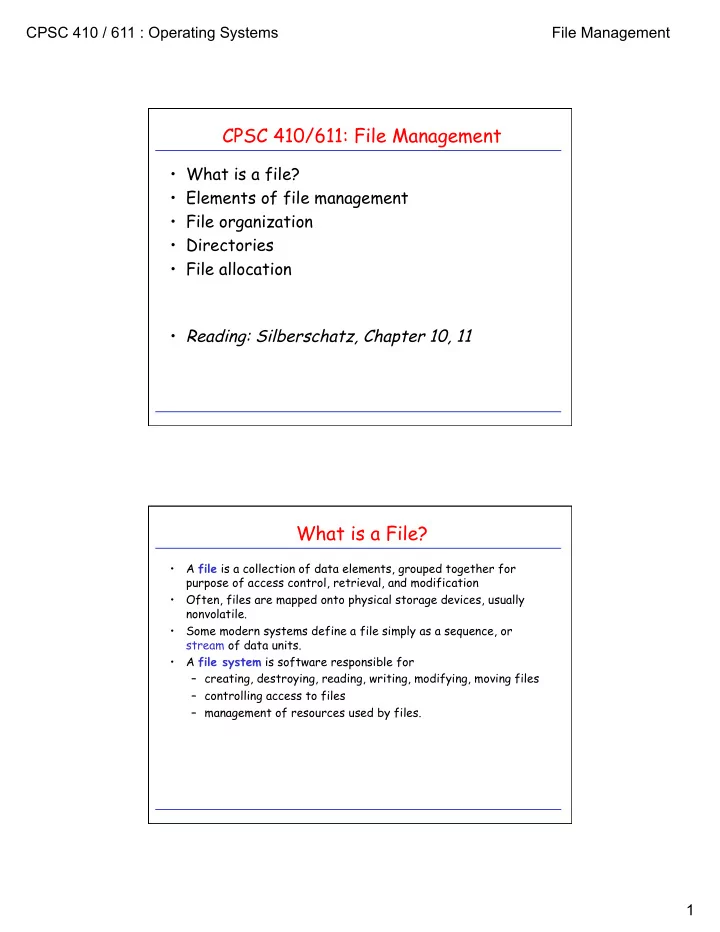
CPSC 410/611: File Management

  • What is a file?
  • Elements of file management
  • File organization
  • Directories
  • File allocation
  • Reading: Silberschatz, Chapter 10, 11

What is a File?

  • A file is a collection of data elements, grouped together for

purpose of access control, retrieval, and modification

  • Often, files are mapped onto physical storage devices, usually

nonvolatile.

  • Some modern systems define a file simply as a sequence, or

stream of data units.

  • A file system is software responsible for

– creating, destroying, reading, writing, modifying, moving files – controlling access to files – management of resources used by files.

slide-2
SLIDE 2

CPSC 410 / 611 : Operating Systems File Management 2

The Logical View of File Management

user

  • directory management
  • access control
  • access method

records file structure physical blocks in memory physical blocks on disk

  • blocking
  • disk scheduling
  • file allocation

Logical Organization of a File

  • A file is perceived as an ordered collection of records, R0, R1, ...,

Rn.

  • A record is a contiguous block of information transferred during

a logical read/write operation.

  • Records can be of fixed or variable length.
  • Organizations:

– Pile – Sequential File – Indexed Sequential File – Indexed File – Direct/Hashed File

slide-3
SLIDE 3

CPSC 410 / 611 : Operating Systems File Management 3

Pile

  • Variable-length records
  • Chronological order
  • Random access to record by

search of whole file.

  • What about modifying records?

Pile File

Sequential File

  • Fixed-format records
  • Records often stored in order
  • f key field.
  • Good for applications that

process all records.

  • No adequate support for random

access.

  • What about adding new record?
  • Separate pile file keeps log file
  • r transaction file.

key field

Sequential File

slide-4
SLIDE 4

CPSC 410 / 611 : Operating Systems File Management 4

Indexed Sequential File

  • Similar to sequential file,

with two additions. – Index to file supports random access. – Overflow file indexed from main file.

  • Record is added by

appending it to overflow file and providing link from predecessor.

index

main file

  • verflow file

Indexed Sequential File

Indexed File

  • Multiple indexes
  • Variable-length records
  • Exhaustive index vs. partial

index

index index partial index

slide-5
SLIDE 5

CPSC 410 / 611 : Operating Systems File Management 5

File Management

  • What is a file?
  • Elements of file management
  • File organization
  • Directories
  • File allocation
  • UNIX file system

user

  • directory management
  • access control
  • access method

records file structure physical blocks in memory physical blocks on disk

  • blocking
  • disk scheduling
  • file allocation

Directories

  • Large amounts of data: Partition and structure for easier access.
  • High-level structure:

– partitions in MS-DOS – minidisks in MVS/VM – file systems in UNIX.

  • Directories: Map file name to directory entry (basically a symbol

table).

  • Operations on directories:

– search for file – create/delete file – rename file

slide-6
SLIDE 6

CPSC 410 / 611 : Operating Systems File Management 6

Directory Structures

  • Single-level directory:
  • Problems:
  • limited-length file names
  • multiple users

directory file

user3 user4 user2 user1

  • Path names
  • Location of system files
  • special directory
  • search path

master directory user directories file

Two-Level Directories

slide-7
SLIDE 7

CPSC 410 / 611 : Operating Systems File Management 7

  • create subdirectories
  • current directory
  • path names: complete vs. relative

xterm xmh xman xinit ... include demo bin

  • penw

netsc mail bin pub bin user cp ls count find xmt gdb gcc ... user3 user2 user1

Tree-Structured Directories Generalized Tree Structures

  • Links: File name that, when referred, affects file to which it was
  • linked. (hard links, symbolic links)
  • Problems:
  • consistency, deletion
  • Why links to directories only allowed for system managers?

– share directories and files – keep them easily accessible xterm xmh xman xinit ... incl demo bin netsc

  • pwin

mail bin pub bin user cp ls count find xmt gdb gcc ... user3 user2 user1 xman xinit

slide-8
SLIDE 8

CPSC 410 / 611 : Operating Systems File Management 8

UNIX Directory Navigation: current directory

#include <unistd.h> char * getcwd(char * buf, size_t size); /* get current working directory */ Example: void main(void) { char mycwd[PATH_MAX]; if (getcwd(mycwd, PATH_MAX) == NULL) { perror (“Failed to get current working directory”); return 1; } printf(“Current working directory: %s\n”, mycwd); return 0; }

UNIX Directory Navigation: directory traversal

#include <dirent.h> DIR * opendir(const char * dirname); /* returns pointer to directory object */ struct dirent * readdir(DIR * dirp); /* read successive entries in directory ‘dirp’ */ int closedir(DIR *dirp); /* close directory stream */ void rewinddir(DIR * dirp); /* reposition pointer to beginning of directory */

slide-9
SLIDE 9

CPSC 410 / 611 : Operating Systems File Management 9

Directory Traversal: Example

#include <dirent.h> int main(int argc, char * argv[]) { struct dirent * direntp; DIR * dirp; if (argc != 2) { fprintf(stderr, “Usage: %s directory_name\n”, argv[0]); return 1; } if ((dirp = opendir(argv[1])) == NULL) { perror(“Failed to open directory”); return 1; } while ((dirent = readdir(dirp)) != NULL) printf(%s\n”, direntp->d_name); while((closedir(dirp) == -1) && (errno == EINTR)); return 0; }

Unix File System Implementation: inodes

single indirect double indirect triple indirect 9 10 11 12 direct

multilevel indexed allocation table

file information:

  • size (in bytes)
  • owner UID and GID
  • relevant times (3)
  • link and block counts
  • permissions

inode

multilevel allocation table

slide-10
SLIDE 10

CPSC 410 / 611 : Operating Systems File Management 10

Directory Implementation

file information:

  • size (in bytes)
  • owner UID and GID
  • relevant times (3)
  • link and block counts
  • permissions

inode

Where is the filename?!

Name information is contained in separate Directory File, which contains entries of type: (name of file , inode1 number of file)

1 More precisely: Number of block that contains inode. myfile.txt 12345 name inode … 23567 … 1 … inode 12345

block 23567 “some text in the file…”

Hard Links

shell command ln /dirA/name1 /dirB/name2 is typically implemented using the link system call: #include <stdio.h> #include<unistd.h> if (link(“/dirA/name1”, “/dirB/name2”) == -1) perror(“failed to make new link in /dirB”);

name1 12345 name inode … 23567 … 1 … inode 12345

block 23567 “some text in the file…”

directory entry in /dirA

name2 12345 name inode

directory entry in /dirB

2

slide-11
SLIDE 11

CPSC 410 / 611 : Operating Systems File Management 11

Hard Links: unlink

#include <stdio.h> #include<unistd.h> if (unlink(“/dirA/name1”) == -1) perror(“failed to delete link in /dirA”);

… 23567 … 2 … inode 12345

block 23567 “some text in the file…”

name1 12345 name inode

directory entry in /dirA

name2 12345 name inode

directory entry in /dirB

1 if (unlink(“/dirB/name2”) == -1) perror(“failed to delete link in /dirB”);

Symbolic (Soft) Links

shell command ln -s /dirA/name1 /dirB/name2 is typically implemented using the symlink system call: #include <stdio.h> #include<unistd.h> if (symlink(“/dirA/name1”, “/dirB/name2”) == -1) perror(“failed to create symbolic link in /dirB”);

name1 12345 name inode … 23567 … 1 … inode 12345

block 23567 “some text in the file…”

directory entry in /dirA

name2 13579 name inode

directory entry in /dirB

… 3546 … 1 … inode 13579

block 3546 “/dirA/ name1”

slide-12
SLIDE 12

CPSC 410 / 611 : Operating Systems File Management 12

  • Open file system call: cache information about file in kernel

memory: – location of file on disk – file pointer for read/write – blocking information

  • Single-user system:
  • Multi-user system:

Bookkeeping

process open-file table file1 file2 file pos file pos system open-file table

  • pen cnt
  • pen cnt

file pos ... ... file pos

  • pen-file table

file1 file2 file pos file location file location file pos

Errors: EACCESS: <various forms of access denied> EEXIST O_CREAT and O_EXCL set, and file exists already. EINTR: signal caught during open EISDIR: file is a directory and O_WRONLY or O_RDWR in flags ELOOP: there is a loop in the path EMFILE: to many files open in calling process ENAMETOOLONG: … ENFILE: to many files open in system …

Opening/Closing Files

#include <fcntl.h> #include <sys/stat.h> int open(const char * path, int oflag, …); /* returns open file descriptor */ Flags: O_RDONLY, O_WRONLY, O_RDWR O_APPEND, O_CREAT, O_EXCL, O_NOCCTY O_NONBLOCK, O_TRUNC

slide-13
SLIDE 13

CPSC 410 / 611 : Operating Systems File Management 13

Opening/Closing Files

#include <unistd.h> int close(int fildes); Errors: EBADF: fildes is not valid file descriptor EINTR: signal caught during close Example: int r_close(int fd) { int retval; while (retval = close(fd), ((retval == -1) && (errno == EINTR))); return retval; }

Multiplexing: select()

#include <sys/select.h> int select(int nfds, fd_set * readfds, fd_set * writefds, fd_set * errorfds, struct timeval timeout); /* timeout is relative */ void FD_CLR (int fd, fd_set * fdset); int FD_ISSET(int fd, fd_set * fdset); void FD_SET (int fd, fd_set * fdset); void FD_ZERO (fd_set * fdset); Errors: EBADF: fildes is not valid for one

  • r more file descriptors

EINVAL: <some error in parameters> EINTR: signal caught during select before timeout or selected event

slide-14
SLIDE 14

CPSC 410 / 611 : Operating Systems File Management 14

select() Example: Reading from multiple fd’s

while (!done) { numready = select(maxfd, &readset, NULL, NULL, NULL); if ((numready == -1) && (errno == EINTR)) /* interrupted by signal; continue monitoring */ continue; else if (numready == -1) /* a real error happened; abort monitoring */ break; for (int i = 0; i < numfds; i++) { if (FD_ISSET(fd[i], &readset)) { /* this descriptor is ready*/ bytesread = read(fd[i], buf, BUFSIZE); done = TRUE; } } FD_ZERO(&readset); maxfd = 0; for (int i = 0; i < numfds; i++) { /* we skip all the necessary error checking */ FD_SET(fd[i], &readset); maxfd = MAX(fd[i], maxfd); }

select() Example: Timed Waiting on I/O

int waitfdtimed(int fd, struct timeval end) { fd_set readset; int retval; struct timeval timeout; FD_ZERO(&readset); FDSET(fd, &readset); if (abs2reltime(end, &timeout) == -1) return -1; while (((retval = select(fd+1,&readset,NULL,NULL,&timeout)) == -1) && (errno == EINTR)) { if (abs2reltime(end, &timeout) == -1) return -1; FD_ZERO(&readset); FDSET(fd, &readset); } if (retval == 0) {errno = ETIME; return -1;} if (retval == -1) {return -1;} return 0; }

slide-15
SLIDE 15

CPSC 410 / 611 : Operating Systems File Management 15

File Representation to User

3 file descriptor table

UNIX File Descriptors: int myfd; myfd = open(“myfile.txt”, O_RDONLY);

myfd system file table in-memory inode table

[0] [1] [2] [3] [4] user space kernel space

file descriptor table myfp

[0] [1] [2] [3] [4] user space kernel space

ISO C File Pointers: FILE *myfp; myfp = fopen(“myfile.txt”, “w”);

file structure 3

File Descriptors and fork()

  • With fork(), child inherits

content of parent’s address space, including most of parent’s state: – scheduling parameters – file descriptor table – signal state – environment – etc.

parent’s file desc table child’s file desc table [0] [1] [2] [3] [4] [5] [0] [1] [2] [3] [4] [5] A(SFT) B(SFT) C(SFT) D(SFT) A(SFT) B(SFT) C(SFT) D(SFT) A B C D (“myf.txt”) system file table (SFT)

slide-16
SLIDE 16

CPSC 410 / 611 : Operating Systems File Management 16

File Descriptors and fork() (II)

parent’s file desc table child’s file desc table [0] [1] [2] [3] [4] [5] [0] [1] [2] [3] [4] [5] A(SFT) B(SFT) C(SFT) D(SFT) A(SFT) B(SFT) C(SFT) D(SFT) A B C D (“myf.txt”) system file table (SFT)

int main(void) { char c = ‘!’; int myfd; myfd = open(‘myf.txt’, O_RDONLY); fork(); read(myfd, &c, 1); printf(‘Process %ld got %c\n’, (long)getpid(), c); return 0; }

File Descriptors and fork() (III)

parent’s file desc table child’s file desc table [0] [1] [2] [3] [4] [5] [0] [1] [2] [3] [4] [5] A(SFT) B(SFT) C(SFT) D(SFT) A(SFT) B(SFT) C(SFT) E(SFT) A B C D (“myf.txt”) system file table (SFT)

int main(void) { char c = ‘!’; int myfd; fork(); myfd = open(‘myf.txt’, O_RDONLY); read(myfd, &c, 1); printf(‘Process %ld got %c\n’, (long)getpid(), c); return 0; }

E (“myf.txt”)

slide-17
SLIDE 17

CPSC 410 / 611 : Operating Systems File Management 17

Duplicating File Descriptors: dup2()

  • Want to redirect I/O from well-known file descriptor to

descriptor associated with some other file? – e.g. stdout to file?

#include <unistd.h> int dup2(int fildes, int fildes2); Example: redirect standard output to file. int main(void) { int fd = open(‘my.file’, <some_flags>, <some_mode>); dup2(fd, STDOUT_FILENO); close(fd); write(STDOUT_FILENO, ‘OK’, 2); } Errors: EBADF: fildes or fildes2 is not valid EINTR: dup2 interrupted by signal

Duplicating File Descriptors: dup2() (II)

  • Want to redirect I/O from well-known file descriptor to

descriptor associated with some other file? – e.g. stdout to file?

#include <unistd.h> int dup2(int fildes, int fildes2); Errors: EBADF: fildes or fildes2 is not valid EINTR: dup2 interrupted by signal after open file descriptor table [0] standard input [1] standard output [2] standard error [3] write to file.txt after dup2 file descriptor table [0] standard input [1] write to file.txt [2] standard error [3] write to file.txt after close file descriptor table [0] standard input [1] write to file.txt [2] standard error

slide-18
SLIDE 18

CPSC 410 / 611 : Operating Systems File Management 18

File System Architecture: Virtual File System

system call layer (file system interface) virtual file system layer (v-n

  • node

des) local UNIX file system (i-n i-node des)

Example: Lin Linux ux Vir irtua tual Fil l File Sys e System em (VFS)

  • Provides generic file-system interface (separates

from implementation)

  • Provides support for network-wide identifiers

for files (needed for network file systems). Objects in VFS:

  • in

inode obje de objects ts (individual files)

  • fil

file obje e objects ts (open files)

  • su

superbl rblock obje k objects ts (file systems)

  • den

dentr try obje y objects ts (individual directory entries)

File System Architecture: Virtual File System

system call layer (file system interface) virtual file system layer (v-n

  • node

des) local UNIX file system (i-n i-node des)

Example: Lin Linux ux Vir irtua tual Fil l File Sys e System em (VFS)

  • Provides generic file-system interface (separates

from implementation)

  • Provides support for network-wide identifiers

for files (needed for network file systems). Objects in VFS:

  • in

inode obje de objects ts (individual files)

  • fil

file obje e objects ts (open files)

  • su

superbl rblock obje k objects ts (file systems)

  • den

dentr try obje y objects ts (individual directory entries)

NFS client (r-nodes)

RPC client stub

slide-19
SLIDE 19

CPSC 410 / 611 : Operating Systems File Management 19

File System Architecture: Virtual File System

system call layer (file system interface) virtual file system layer (v-n

  • node

des) local UNIX file system (i-n i-node des)

Example: Lin Linux ux Vir irtua tual Fil l File Sys e System em (VFS)

  • Provides generic file-system interface (separates

from implementation)

  • Provides support for network-wide identifiers

for files (needed for network file systems). Objects in VFS:

  • in

inode obje de objects ts (individual files)

  • fil

file obje e objects ts (open files)

  • su

superbl rblock obje k objects ts (file systems)

  • den

dentr try obje y objects ts (individual directory entries)

Flash Memory File system

Sun’s Network File System (NFS)

  • Architecture:

– NFS as collection of protocols the provide clients with a distributed file system. – Remote Access Model (as opposed to Upload/Download Model) – Every machine can be both a client and a server. – Servers export directories for access by remote clients (defined in the /etc/exports file). – Clients access exported directories by mounting them remotely.

  • Protocols:

– file and directory access

  • Servers are stateless (no OPEN/CLOSE calls)
slide-20
SLIDE 20

CPSC 410 / 611 : Operating Systems File Management 20

NFS: Basic Architecture

system call layer virtual file system layer (v-nodes) virtual file system layer NFS client (r-nodes) local operating system (i-nodes) RPC client stub RPC server stub NFS server local file system interface

client server

system call layer

NFS Implementation: Issues

  • File handles:

– specify filesystem and i-node number of file – sufficient?

  • Integration:

– where to put NFS on client? – on server?

  • Server caching:

– read-ahead – write-delayed with periodic sync vs. write-through

  • Client caching:

– timestamps with validity checks

slide-21
SLIDE 21

CPSC 410 / 611 : Operating Systems File Management 21

NFS: File System Model

  • File system model similar to UNIX file system model

– Files as uninterpreted sequences of bytes – Hierarchically organized into naming graph – NSF supports hard links and symbolic links – Named files, but access happens through file handles.

  • File system operations

– NFS Version 3 aims at statelessness of server – NFS Version 4 is more relaxed about this

  • Lots of details at http://nfs.sourceforge.net/

NFS: Client Caching

  • Potential for inconsistent versions at different clients.
  • Solution approach:

– Whenever file cached, timestamp of last modification on server is cached as well. – Validation: Client requests latest timestamp from server (getattributes), and compares against local timestamp. If fails, all blocks are invalidated.

  • Validation check:

– at file open – whenever server contacted to get new block – after timeout (3s for file blocks, 30s for directories)

  • Writes:

– block marked dirty and scheduled for flushing. – flushing: when file is closed, or a sync occurs at client.

  • Time lag for change to propagate from one client to other:

– delay between write and flush – time to next cache validation

slide-22
SLIDE 22

CPSC 410 / 611 : Operating Systems File Management 22

File Management

  • What is a file?
  • Elements of file management
  • File organization
  • Directories
  • File allocation
  • UNIX file system

user

  • directory management
  • access control
  • access method

records file structure physical blocks in memory physical blocks on disk

  • blocking
  • disk scheduling
  • file allocation

Allocation Methods

  • File systems manage disk resources
  • Must allocate space so that

– space on disk utilized effectively – file can be accessed quickly

  • Typical allocation methods:

– contiguous – linked – indexed

  • Suitability of particular method depends on

– storage device technology – access/usage patterns

slide-23
SLIDE 23

CPSC 410 / 611 : Operating Systems File Management 23

file start length

Contiguous Allocation

  • Logical file mapped onto a sequence of adjacent

physical blocks.

  • Advantages:

– minimizes head movements – simplicity of both sequential and direct access. – Particularly applicable to applications where entire files are scanned.

  • Disadvantages:

– Inserting/Deleting records, or changing length of records difficult. – Size of file must be known a priori. (Solution: copy file to larger hole if exceeds allocated size.) – External fragmentation – Pre-allocation causes internal fragmentation

1 2 3 4 5 6 7 8 9 10 11 12 13 14 15 16 17 18 19 20 21 22 23 24 25 26 27 file1 5 file2 10 2 file3 16 10 file start end

Linked Allocation

  • Scatter logical blocks throughout secondary

storage.

  • Link each block to next one by forward pointer.
  • May need a backward pointer for backspacing.
  • Advantages:

– blocks can be easily inserted or deleted – no upper limit on file size necessary a priori – size of individual records can easily change over time.

  • Disadvantages:

– direct access difficult and expensive – overhead required for pointers in blocks – reliability

1 2 3 4 5 6 7 8 9 10 11 12 13 14 15 16 17 18 19 20 21 22 23 24 25 26 27

file 1 9 23 … … … … … …

slide-24
SLIDE 24

CPSC 410 / 611 : Operating Systems File Management 24

Variations of Linked Allocation

  • Maintain all pointers as a separate linked list, preferably in main

memory.

file start end 1 2 3 4 5 6 7 8 9 10 11 12 13 14 15 16 17 18 19 20 21 22 23 24 25 26 27 file1 9 23 ... ... ... ... ... ... 24 10

  • 1

10 26 16 9 16 10 23 26 24

  • Example: File-Allocation Tables (FAT)

in MS-DOS, OS/2.

file index block

Indexed Allocation

  • Keep all pointers to blocks in one location:

index block (one index block per file)

1 2 3 4 5 6 7 8 9 10 11 12 13 14 15 16 17 18 19 20 21 22 23 24 25 26 27 file1 7 ... ... ... ...

9 0 16 24 26 10 23 -1 -1 -1

  • Advantages:

– supports direct access – no external fragmentation – therefore: combines best of continuous and linked allocation.

  • Disadvantages:

– internal fragmentation in index blocks

  • Problem:

– what is a good size for index block? – fragmentation vs. file length

slide-25
SLIDE 25

CPSC 410 / 611 : Operating Systems File Management 25

Solutions for the Index-Block-Size Dilemma

  • Linked index blocks:
  • Multilevel index scheme:

Index Block Scheme in UNIX

single indirect double indirect triple indirect

9 10 11 12 direct

slide-26
SLIDE 26

CPSC 410 / 611 : Operating Systems File Management 26

UNIX (System V) Allocation Scheme

367 9156 8 11

Example: block size: 1kB access byte offset 9000 access byte offset 350000

367 808 331 3333 816 3333 331 75 9156

Free Space Management

  • Must keep track where unused blocks are.
  • Can keep information for free space management in

unused blocks.

  • Bit vector:
  • Linked list: Each free block contains pointer to next

free block.

  • Variations:
  • Grouping: Each block has more than on pointer to

empty blocks.

  • Counting: Keep pointer of first free block and

number of contiguous free blocks following it.

free used #1 #2 used #3 used #4 free #5 used #6 free #7 free #8 ... used #