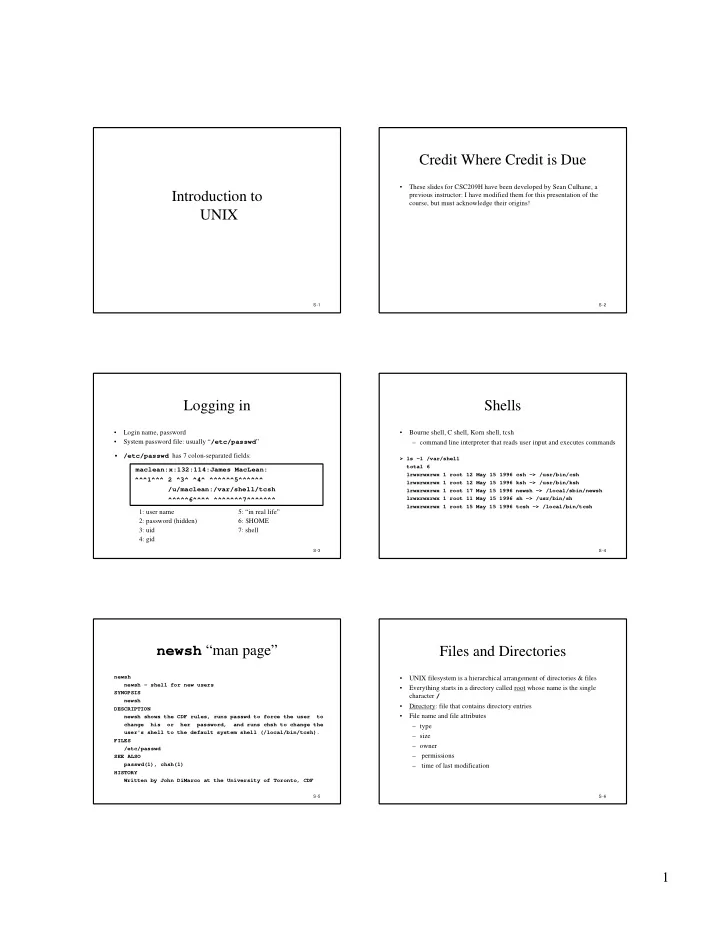
Credit Where Credit is Due These slides for CSC209H have been - - PDF document

credit where credit is due
SMART_READER_LITE
LIVE PREVIEW

Credit Where Credit is Due These slides for CSC209H have been - - PDF document

Credit Where Credit is Due These slides for CSC209H have been developed by Sean Culhane, a Introduction to previous instructor: I have modified them for this presentation of the course, but must acknowledge their origins! UNIX S -1 S -2


slide-1
SLIDE 1

1

S -1

Introduction to UNIX

S -2

Credit Where Credit is Due

  • These slides for CSC209H have been developed by Sean Culhane, a

previous instructor: I have modified them for this presentation of the course, but must acknowledge their origins!

S -3

Logging in

  • Login name, password
  • System password file: usually “/etc/passwd”
  • /etc/passwd has 7 colon-separated fields:

maclean:x:132:114:James MacLean:

^^^1^^^ 2 ^3^ ^4^ ^^^^^^5^^^^^^ /u/maclean:/var/shell/tcsh ^^^^^6^^^^ ^^^^^^^7^^^^^^^ 1: user name 5: “in real life” 2: password (hidden) 6: $HOME 3: uid 7: shell 4: gid

S -4

Shells

  • Bourne shell, C shell, Korn shell, tcsh

– command line interpreter that reads user input and executes commands

> ls -l /var/shell total 6 lrwxrwxrwx 1 root 12 May 15 1996 csh -> /usr/bin/csh lrwxrwxrwx 1 root 12 May 15 1996 ksh -> /usr/bin/ksh lrwxrwxrwx 1 root 17 May 15 1996 newsh -> /local/sbin/newsh lrwxrwxrwx 1 root 11 May 15 1996 sh -> /usr/bin/sh lrwxrwxrwx 1 root 15 May 15 1996 tcsh -> /local/bin/tcsh

S -5

newsh “man page”

newsh newsh - shell for new users SYNOPSIS newsh DESCRIPTION newsh shows the CDF rules, runs passwd to force the user to change his or her password, and runs chsh to change the user's shell to the default system shell (/local/bin/tcsh). FILES /etc/passwd SEE ALSO passwd(1), chsh(1) HISTORY Written by John DiMarco at the University of Toronto, CDF

S -6

Files and Directories

  • UNIX filesystem is a hierarchical arrangement of directories & files
  • Everything starts in a directory called root whose name is the single

character /

  • Directory: file that contains directory entries
  • File name and file attributes

– type – size – owner – permissions – time of last modification

slide-2
SLIDE 2

2

S -7

Files: an example

> stat /u/maclean File: "/u/maclean" -> "/homes/u1/maclean"

Size: 17 Allocated Blocks: 0 Filetype: Symbolic Link Mode: (0777/lrwxrwxrwx) Uid: ( 0/ root) Gid: ( 1/ other) Device: 0/1 Inode: 221 Links: 1 Device type: 0/0 Access: Sun Sep 13 18:32:37 1998 Modify: Fri Aug 28 15:42:09 1998 Change: Fri Aug 28 15:42:09 1998 S -8

Directories and Pathnames

  • Command to create a directory: mkdir
  • Two file names automatically created:

– current directory (“.”) – parent directory (“..”)

  • A pathname is a sequence of 0 or more file names, separated by /,
  • ptionally starting with a /

– absolute pathnames: begins with a / – relative pathnames: otherwise

S -9

Working directory

  • Current working directory (cwd)

– directory from which all relative pathnames are interpreted

  • Change working directory with the command: cd or chdir
  • Print the current directory with the command: pwd
  • Home directory: working directory when we log in

– obtained from field 6 in /etc/passwd

  • Can refer to home directory as ~maclean or $HOME

S -10

Permissions

  • When a file is created, the UID and GID of the creator are remembered
  • Every named file has associated with it a set of permissions in the form
  • f a string of bits:

rwxs rwxs rwx

  • wner group others

mode regular directory r read list contents w write create and remove x execute search s setuid/gid n/a

  • setuid/gid executes program with user/group ID of file’s owner
  • Use chmod to change permissions

S -11

Input and Output

  • File descriptor

– a small non-negative integer used by kernel to identify a file

  • A shell opens 3 descriptors whenever a new program is run:

– standard input (normally connected to terminal) – standard output – standard error

  • Re-direction:

ls >file.list

S -12

Basic UNIX Tools

man ("man -k", "man man") (1.13) ls -la ("hidden files") cd pwd du, df chmod cp, mv, rm (in cshrc: "alias rm rm -i" ... ) mkdir, rmdir (rm -rf) diff grep sort

slide-3
SLIDE 3

3

S -13

More Basic UNIX Tools

more, less, cat head, tail, wc compress, uncompress, gzip, gunzip, zcat lpr, lpq, lprm quota -v a209xxxx pquota -v a209xxxx logout, exit mail, mh, rn, trn, nn who, finger date, password

S -14

C Shell Commands

which echo bg, fg, jobs, kill, nice alias, unalias dirs, popd, pushd exit source rehash set/unset

S -15

Additional Commands

arch cal ps hostname clear tar uptime xdvi gs, ghostview setenv, printenv

S -16

Introduction to the C Shell

S -17

What is the Shell?

  • A command-line interpreter program that is the interface between the

user and the Operating System.

  • The shell:

– analyzes each command – determines what actions to be performed – performs the actions

  • Example:

wc -l file1 > file2

S -18

csh Shell Facilities

  • Automatic command searching (6.2)
  • Input-output redirection (6.3)
  • Pipelining commands (6.3)
  • Command aliasing (6.5)
  • Job control (6.4)
  • Command history (6.5)
  • Shell script files (Ch.7)
slide-4
SLIDE 4

4

S -19

I/O Redirection

  • stdin (fd=0), stdout (fd=1), stderr (fd=2)
  • Redirection examples: ( <, >, >>, >&, >!, >&! )

fmt fmt < personal_letter fmt > new_file fmt < personal_letter > new_file fmt >> personal letter fmt < personal_letter >& new_file fmt >! new_file fmt >&! new_file

S -20

Pipes

  • Examples:

who | wc -l ls /u/csc209h |& sort -r

  • For a pipeline, the standard output of the first process is connected to

the standard input of the second process

S -21

Filename Expansion

  • Examples:

ls *.c rm file[1-6].? cd ~/bin ls ~culhane * Matches any string (including null) ? Matches any single character [...] Matches any one of the enclosed characters [.-.] Matches any character lexically between the pair [!...] Matches any character not enclosed

S -22

Command Aliases

  • Examples:

alias md mkdir alias lc ls -F alias rm rm -i \rm *.o unalias rm alias alias md alias cd 'cd \!*; pwd'

S -23

Job Control

  • A job is a program whose execution has been initiated by the user
  • At any moment, a job can be running or stopped (suspended)
  • Foreground job:

– a program which has control of the terminal

  • Background job:

– runs concurrently with the parent shell and does not take control of the keyboard

  • Initiate a background job by appending the “&” metacharacter
  • Commands: jobs, fg, bg, kill, stop

S -24

Some Examples

a | b | c – connects standard output of one program to standard input of another – shell runs the entire set of processes in the foreground – prompt appears after c completes a & b & c – executes a and b in the background and c in the foreground – prompt appears after c completes a & b & c & – executes all three in the background – prompt appears immediately a | b | c & – same as first example, except it runs in the background and prompt appears immediately

slide-5
SLIDE 5

5

S -25

The History Mechanism

  • Example session:

alias grep grep -i grep a209 /etc/passwd >! ~/list history cat ~/list !! !2 !-4 !c !c > newlist grpe a270 /etc/passed | wc -l ^pe^ep

S -26

Shell Variables

(setting)

  • Examples:

set V set V = abc set V = (123 def ghi) set V[2] = xxxx set unset V

S -27

Shell Variables

(referencing and testing)

  • Examples:

echo $term echo ${term} echo $V[1] echo $V[2-3] echo $V[2-] set W = ${V[3]} set V = (abc def ghi 123) set N = $#V echo $?name echo ${?V}

S -28

Shell Control Variables

filec a given with tcsh prompt my favourite: set prompt = “%m:%~%#” ignoreeof disables Ctrl-D logout history number of previous commands retained mail how often to check for new mail path list of directories where csh will look for commands (†) noclobber protects from accidentally overwriting files in redirection noglob turns off file name expansion

  • Shell variables should not to be confused with Environment variables.

S -29

Variable Expressions

  • Examples:

set list1 = (abc def) set list2 = ghi set m = ($list2 $list1) @ i = 10 # could be done with “set i = 10” @ j = $i * 2 + 5 @ i++

  • comparison operators: ==, !=, <, <=, >, >=, =~, !~

S -30

File-oriented Expressions

Usage:

  • option filename

where 1 (true) is returned if selected option is true, and 0 (false) otherwise

  • r filename Test if filename can be read
  • e filename Test if filename exists
  • d filename Test if filename is a directory
  • w filename Test if filename can be written to
  • x filename Test if filename can be executed
  • o filename Test if you are the owner of filename
  • See Wang, table 7.2 (page 199) for more
slide-6
SLIDE 6

6

S -31

csh

S -32

csh Script Execution

  • Several ways to execute a script:

1) /usr/bin/csh script-file 2) chmod u+x script-file, then: a) make first line a comment, starting with “#” – (this will make your default shell run the script-file) b) make first line “#!/usr/bin/csh” – (this will ensure csh runs the script-file, preferred!)

  • Useful for debugging your script files:

“#!/usr/bin/csh -x” or “#!/usr/bin/csh -v”

  • Another favourite:

“#!/usr/bin/csh -f”

S -33

if Command

  • Syntax:

if ( test-expression ) command

  • Example:

if ( -w $file2 ) mv $file1 $file2

  • Syntax:

if ( test-expression ) then shell commands else shell commands endif

S -34

if Command (cont.)

  • Syntax:

if ( test-expression ) then shell commands else if ( test-expression ) then shell commands else shell commands endif

S -35

foreach Command

  • Syntax:

foreach item ( list-of-items ) shell commands end

  • Example:

foreach item ( ‘ls *.c’ ) cp $item ~/.backup/$item end

  • Special statements:

break causes control to exit the loop continue causes control to transfer to the test at the top

S -36

while Command

  • Syntax:

while ( expression ) shell commands end

  • Example:

set count = 0 set limit = 7 while ( $count != $limit ) echo “Hello, ${USER}” @ count++ end

  • break and continue have same effects as in foreach
slide-7
SLIDE 7

7

S -37

switch Command

  • Syntax:

switch ( test-string ) case pattern1: shell commands breaksw case pattern2: shell commands breaksw default: shell commands breaksw end

S -38

goto Command

  • Syntax:

goto label ...

  • ther shell commands

... label: shell commands

S -39

repeat Command

  • Syntax:

repeat count command

  • Example:

repeat 10 echo “hello”

S -40

Standard Variables

$0 ⇒ calling function name $N ⇒ Nth command line argument value $argv[N] ⇒ same as above $* ⇒ all the command line arguments $argv ⇒ same as above $# ⇒ the number of command line arguments $< ⇒ an input line, read from stdin of the shell $$ ⇒ process number (PID) of the current process $! ⇒ process number (PID) of the last background process $? ⇒ exit status of the last task

S -41

Other Shell Commands

source file shift shift variable rehash

  • Other commands … see Wang, Appendix 7

S -42

Example: ls2

# Usage: ls2 # produces listing that separately lists files and dirs set dirs = `ls -F | grep '/'` set files = `ls -F | grep -v '/'` echo "Directories:" foreach dir ($dirs) echo " " $dir end echo "Files:" foreach file ($files) echo " " $file end

slide-8
SLIDE 8

8

S -43

Example: components

#!/usr/bin/csh -f set test = a/b/c.d echo "the full string is:" $test echo "extension (:e) is: " $test:e echo "head (:h) is: " $test:h echo "root (:r) is: " $test:r echo "tail (:t) is: " $test:t ### output: # the full string is: a/b/c.d # extension (:e) is: d # head (:h) is: a/b # root (:r) is: a/b/c # tail (:t) is: c.d

S -44

Example: debug

#!/usr/bin/csh -x while ( $#argv ) echo $argv[1] shift end # while ( 2 ) ⇒ ⇒ output of "debug a b" # echo a # a # shift # end # while ( 1 ) # echo b # b # shift # end # while ( 0 )

S -45

Example: newcopy

#!/usr/bin/csh -f ### An old exam question: # Write a csh script “newcopy <dir>” that copies files # from the directory <dir> to the current directory. # Only the two most recent files having the name progN.c # are to be copied, however, where N can be any of 1, 2, # 3, or 4. The script can be written in 3 to 5 lines: set currdir = $cwd cd $argv[1] set list = (`ls -t -1 prog[1-4].c | head -2 | awk '{print $8}'`) foreach file ($list) cp $file $currdir/. end

S -46

Basic UNIX Concepts

S -47

What is UNIX good for?

  • Supports many users running many programs at the same time, all

sharing (transparently) the same computer system

  • Promotes information sharing
  • More than just used for running software … geared towards facilitating

the job of creating new programs. So UNIX is “expert friendly”

  • Got a bad reputation in business because of this aspect

S -48

History (Introduction)

  • Ken Thompson working at Bell Labs in 1969 wanted a small

MULTICS for his DEC PDP-7

  • He wrote UNIX which was initially written in assembler and could

handle only one user at a time

  • Dennis Ritchie and Ken Thompson ported an enhanced UNIX to a

PDP-11/20 in 1970

  • Ritchie ported the language BCPL to UNIX in 1970, cutting it down to

fit and calling the result “B”

  • In 1973 Ritchie and Thompson rewrote UNIX in “C” and enhanced it

some more

  • Since then it has been enhanced and enhanced and enhanced and …
  • See Wang, page 1 for a brief discussion of UNIX variations
  • POSIX (portable operating system interface) - IEEE, ANSI
slide-9
SLIDE 9

9

S -49

Some Terminology

  • Program: executable file on disk
  • Process: executing instance of a program
  • Process ID: unique, non-negative integer identifier (a handle by which

to refer to a process)

  • UNIX kernel: a C program that implements a general interface to a

computer to be used for writing programs

  • System call: well-defined entry point into kernel, to request a service
  • UNIX technique: for each system call, have a function of same name in

the standard C library – user process calls this function – function invokes appropriate kernel service

S -50

Concurrency

  • Most modern developments in computer systems & applications rely on:

– communication: the conveying of info by one entity to another – concurrency: the sharing of resources in the same time frame note: concurrency can exist in a single processor system as well as in a multiprocessor system.

  • Managing concurrency is difficult, as execution behaviour (e.g. relative
  • rder of execution) is not always reproducible
  • More details on this in the last 1/3 or the course

S -51

Fork

  • The fork system call is used to create a duplicate of the currently

running program

  • The duplicate (child process) and the original (parent process) both

proceed from the point of the fork with exactly the same data

  • The only difference between the two processes is the fork return value,

i.e. (… see next slide)

process A process A #1 process A #2 fork

S -52

Fork example

int i, pid; i = 5; printf( “%d\n”, i ); pid = fork(); if ( pid != 0 ) i = 6; /* only the parent gets to here */ else i = 4; /* only the child gets to here */ printf( “%d\n”, i );

S -53

Exec

  • The exec system call replaces the program being run by a process by a

different one

  • The new program starts executing from its beginning
  • Variations on exec: execl(), execv(), etc. which will be

discussed later in the course

  • On success, exec never returns; on failure, exec returns with value -1

process A running program X process A running program Y exec(“Y”)

S -54

Exec example

PROGRAM X int i; i = 5; printf( “%d\n”, i ); exec( “Y” ); i = 6; printf( “%d\n”, i ); PROGRAM Y printf( “hello” );

slide-10
SLIDE 10

10

S -55

Processes and File Descriptors

  • File descriptors (11.1) belong to processes, not programs
  • They are a process’ link to the outside world

process A 1 2 3 4 5

S -56

PIDs and FDs across an exec

  • File descriptors are maintained across exec calls:

process A running program X 3 process A running program Y 3

exec(“Y”) /u/culhane/file /u/culhane/file

S -57

PIDs and FDs across a fork

  • File descriptors are maintained across fork calls:

process A #2 3 process A #1 3

/u/culhane/file fork

S -58

More UNIX Concepts

S -59

Initializing UNIX

  • The first UNIX program to be run is called “/etc/init”
  • It forks and then execs one “/etc/getty” per terminal
  • getty sets up the terminal properly, prompts for a login name, and then

execs “/bin/login”

  • login prompts for a password, encrypts a constant string using the

password as the key, and compares the results against the entry in the file “/etc/passwd”

  • If they match, “/usr/bin/csh” (or whatever is specified in the

passwd file as being that user’s shell) is exec’d

  • When the user exits from their shell, the process dies. Init finds out

about it (wait system call), and forks another process for that terminal

S -60

Initializing UNIX

  • See “top”, “ps -aux”, etc. to see what’s running at any given time
  • The only way to create a new process is to duplicate an existing

process, therefore the ancestor of ALL processes is init, with pid=1

init init init init getty init login init csh

slide-11
SLIDE 11

11

S -61

How csh runs commands

> date Sun May 25 23:11:12 EDT 1997

  • When a command is typed csh forks and then execs the typed command:
  • After the fork and exec, file descriptors 0, 1, and 2 still refer to the

standard input, output, and error in the new process

  • By UNIX programmer convention, the executed program will use these

descriptors appropriately

csh csh csh csh date csh

S -62

duplicate: fork()

How csh runs (cont.)

parent process running shell, PID 34, waiting for child child process running shell, PID 35 parent process running shell, PID 34, awakens wait for child: wait() process running shell, PID 34 child process running utility, PID 35 child process terminates PID 35 terminate: exit() signal differentiate: exec()

S -63

Fork: PIDs and PPIDs

  • System call: int fork()
  • If fork() succeeds, it returns the child PID to the parent and returns

0 to the child; if it fails, it returns -1 to the parent (no child is created)

  • System call: int getpid()

int getppid()

  • getpid() returns the PID of the current process, and getppid()

returns the PID of the parent process (note: ppid of 1 is 1)

  • example (see next slide …)

S -64

PID/PPID example

#include <stdio.h> int main( void ) { int pid; printf( "ORIGINAL: PID=%d PPID=%d\n", getpid(), getppid() ); pid = fork(); if( pid != 0 ) printf( "PARENT: PID=%d PPID=%d child=%d\n", getpid(), getppid(), pid ); else printf( "CHILD: PID=%d PPID=%d\n", getpid(), getppid() ); printf( "PID %d terminates.\n\n", getpid() ); return( 1 ); }

S -65

Concurrency Example

Program a: Program b: #!/usr/bin/csh -f #!/usr/bin/csh -f @ count = 0 @ count = 0 while( $count < 200 ) while( $count < 200 ) @ count++ @ count++ echo -n "a" echo -n "b" end end

  • When run sequentially (a;b) output is as expected
  • When run concurrently (a&;b&) output is interspersed, and re-running

it may produce different output

S -66

Producer/Consumer Problem

  • Simple example:

who | wc -l

  • Both the writing process (who) and the reading process (wc) of a

pipeline execute concurrently

  • A pipe is usually implemented as an internal OS buffer
  • It is a resource that is concurrently accessed by the reader and by the

writer, so it must be managed carefully

slide-12
SLIDE 12

12

S -67

Producer/Consumer (cont.)

  • consumer should be blocked when buffer is empty
  • producer should be blocked when buffer is full
  • producer and consumer should run independently so far as the buffer

capacity and contents permit

  • producer and consumer should never both be updating the buffer at the

same instant (otherwise, data integrity cannot be guaranteed)

  • producer/consumer is a harder problem if there is more than one

consumer and/or more than one producer

S -68

Machine Language

  • CPU interprets machine language programs:

1100101 11111111 11100110 00000000 1010001 00000010 01011101 00000000 1100101 00000000 11111111 00100100

  • Assembly language instructions bear a one-to-one correspondence

with machine language instructions MOVE FFFFDC00, D0 % b = a * 2 MUL #2, D0 MOVE D0, FFFDC04

S -69

Compilation

  • High Level Language (HLL) is a language for expressing algorithms

whose meaning is (for the most part) independent of the particular computer system being used

  • A compiler translates a high-level language into object files (machine

language modules).

  • A linker translates object files into a machine language program (an

executable)

  • Example:

– create object file “fork.o” from C program “fork.c”: gcc -c fork.c -o fork.o – create executable file “fork” from object file “fork.o”: gcc fork.o -o fork

S -70

UNIX system services UNIX kernel in C

Tools and Applications

computer csh (or any other shell) vi cat more date gcc gdb …

S -71

UNIX system services UNIX kernel in C

C and libc

computer C Application Programs libc - C Interface to UNIX system services

S -72

Miscellaneous

  • We haven’t gone over these in any detail yet:

– ln (symbolic links) – chmod (permissions) – man -k fork and man 2 fork (ie: viewing specific pages) – du (disk space usage) – quota -v username and pquota -v username – noglob – … any others ?????

slide-13
SLIDE 13

13

S -73

Still more UNIX

S -74

Core Functionality of Shells

  • built-in commands
  • variables
  • wildcards (file name expansion)
  • background processing
  • scripts
  • redirection
  • pipes
  • subshells
  • command substitution

S -75

Executables vs. Built-ins

  • Most UNIX commands invoke utility programs that are stored as

executable files in the directory hierarchy

  • Shells also contains several built-in commands, which it executes

internally

  • Type man shell_builtins for a partial listing
  • Built-in commands execute as subroutines, and do not spawn a child-

shell via fork() – Expect built-in (e.g. cd) to be faster than external (e.g. ls)

Built-In: cd, echo, jobs, fg, bg Non-Built-In: ls, cp, more

S -76

Variables

  • Two kinds of variables:

– local – environment

  • Both hold data in a string format
  • Main difference: when a shell invokes another shell, the child shell

gets a copy of its parent’s environment variables, but not its local shell variables

  • Any local shell variables which have corresponding environment

variables (term, path, user, etc.) are automatically inherited by subshells

S -77

Variables (cont.)

  • Local (shell) variables:

– Simple variable: holds one value – List variable: holds one or more values – Use set and unset to define, delete, and list values

  • Environment variables:

– Use setenv and printenv to set and list values – All environment variables are simple (ie: no list variables … compare shell variable $path to enviroment variable $PATH )

S -78

Startup Files

  • Every time csh is invoked, $HOME/.cshrc is read, and contents of

the file are executed

  • If a given csh invocation is the login shell, $HOME/.login will also

be read and its contents executed

  • csh -f starts a shell without reading initialization files
  • pening a new xterm -ls under X-windows will open a new login shell
slide-14
SLIDE 14

14

S -79

Sourcing files

  • Assume you create a file called “my_aliases”
  • Typing csh my_aliases executes the lines in this file, but it
  • ccurs in the forked csh, so it will have no lasting effect on the

interactive parent shell

  • Correct method is to use the source command:

source my_aliases

  • Common setup:

– put all aliases in a file called $HOME/.alias – add the line “source .alias” to the last line of $HOME/.cshrc

S -80

Input Processing

  • When a input is typed, it is processed as follows:

– history substitution – alias substitution – variable substitution – command substitution – file name expansion

S -81

Command Substitution

  • Can substitute the output from a command into the text string of a

command

set dir = `pwd` set name = `pwd`/test.c set x = `/bin/ls -l $file`

S -82

UNIX Systems Programming

S -83

System Calls

  • System calls:

– perform a subroutine call directly to the UNIX kernel

  • 3 main categories:

– file management – process management – error handling

S -84

Error Handling

  • All system calls return -1 if an error occurs
  • errno:

– global variable that holds the numeric code of the last system call

  • perror():

– a subroutine that describes system call errors

  • Every process has errno initialized to zero at process creation time
  • When a system call error occurs, errno is set
  • See /usr/include/sys/errno.h
  • A successful system call never affects the current value of errno
  • An unsuccessful system call always overwrites the current value of

errno

slide-15
SLIDE 15

15

S -85

perror()

  • Library routine:

void perror( char *str )

  • perror displays str, then a colon (:), then an english description of

the last system call error, as defined in the header file /usr/include/sys/errno.h

  • Protocol:

– check system calls for a return value of -1 – call perror() for an error description during debugging (see example on next slide)

S -86

perror() example

#include <stdio.h> #include <errno.h> int main( void ) { int returnVal; printf( "x2 before the execlp, pid=%d\n", getpid() ); returnVal = execlp( "nonexistent_file", (char *) 0 ); if( returnVal == -1 ) perror( "x2 failed" ); return( 1 ); }

S -87

Processes Termination

  • Orphan process

– a process whose parent is the init process (pid 1) because its

  • riginal parent died before it did
  • Terminating a process: exit()
  • System call:

int exit( int status )

  • Every normal process is a child of some parent, a terminating process

sends its parent a SIGCHLD signal and waits for its termination code status to be accepted

  • The C shell stores the termination code of the last command in the

local shell variable status

S -88

Zombies

  • Zombie process:

– a process that is “waiting” for its parent to accept its return code – a parent accepts a child’s return code by executing wait() – shows up with 'Z' in ps -a

  • A terminating process may be a (multiple) parent; the kernel ensures

all of its children are orphaned and adopted by init

S -89

wait()

  • Waiting for a child: system call is

int wait( int *status )

  • A process that calls wait() can:

– block (if all of its children are still running) – return immediately with the termination status of a child (if a child has terminated and is waiting for its termination status to be fetched) – return immediately with an error (it it doesn’t have any child processes)

  • More details in a few weeks, when we cover Chapter 11 of Wang

S -90

Signals

  • Unexpected/unpredictable events:

– floating point error – interval timer expiration (alarm clock) – death of a child – control-C (termination request) – control-Z (suspend request)

  • Events are called interrupts
  • When the kernel recognizes such an event, it sends the corresponding

process a signal

  • Normal processes may send other processes a signal, with permission

(useful for synchronization)

  • Again, we’ll cover this in much more detail in a few weeks
slide-16
SLIDE 16

16

S -91

Race conditions

  • A race condition occurs when multiple processes are trying to do

something with shared data and the final outcome depends on the order in which the processes run

  • This is a situation when using forks: if any code after the fork

explicitly or implicitly depends on whether or not the parent or child runs first after the fork

  • A parent process can call wait() for a child to terminate (may block)
  • A child process can wait for the parent to terminate by polling it

(wasteful)

  • Standard solution is to use signals

S -92

Example: Race Condition

#!/usr/bin/csh -f set count = 0 while( $count < 50 ) set sharedData = `cat shareVal` @ sharedData++ echo $sharedData >! shareVal @ count++ end

  • Create two identical copies, “a” and “b”
  • Run as: ./a&; ./b&

S -93

Miscellaneous

  • From Wang:

– rlogin – rsh – rcp – telnet – ftp – finger

S -94

C: Primer and Advanced Topics

S -95

Style

  • Basics:

– comments – white space – modularity

  • Naming conventions:

– variableNames ("Hungarian Notation": m_pMyInt, bDone) – FunctionNames – tTypeDefinitions – CONSTANTS

S -96

Brace Styles

  • K&R:

if (total > 0) { printf( “Pay up!” ); total = 0; } else { printf( “Goodbye” ); }

  • non-K&R:

if (total > 0) { printf("Pay up!"); total = 0 ; } else { printf("Goodbye"); }

slide-17
SLIDE 17

17

S -97

Variables and Storage

  • Syntax:

<type> <varName> [= initValue];

  • Types (incomplete list):

– char – short – int – long – float – double – all can be: signed (default) or unsigned

S -98

Operators

  • Arithmetic Operators:

*, /, +, -, %

  • Relational Operators:

<, <=, >, >=, ==, !=

  • Assignment Operators:

=, +=, -=, *=, /=, ++, -- – don’t abuse these, ie: o = --o - o--;

  • Logic Operators:

&&, ||, !

  • Bitwise Operators:

&, |, ~, >>, <<

S -99

Arrays

  • Arrays start at ZERO! (a mistake you will make often, trust me)
  • Arrays of int, float, etc. are pretty intuitive

int months[12]; float scores[30];

  • Strings are arrays of char (C’s treatment of strings is not so intuitive)

– see Wang, Appendix 12 for string handling functions

  • Multi-dimensional arrays:

int matrix[2][4]; (not matrix[2,4])

S -100

Decision and Control

if( condition ) statement; else statement; while( condition ) statement for( initial; condition; iteration ) statement; do statement; while( condition )

  • break and continue useful inside loops

S -101

Decision and Control (cont)

switch ( expression ) case constant1: statement; break; case constant2: statement; break; default: statement; break;

S -102

Scope

  • Scopes are delimited with curly braces

“{” <scope> “}”

  • New scopes can be added in existing scopes
  • Child scopes inherit visibility from parent scope
  • Parent scope cannot see into child scopes
  • Outermost scopes are all functions
  • These scope rules are all similar to those of Turing and other common

programming languages

slide-18
SLIDE 18

18

S -103

Functions

  • Definition:

<type> <functionName> ( [type paramName], ... )

  • No “procedures” in C … only functions
  • Every function should have a prototype
  • Example:

float area( float width, float height ); float area( float width, float height ) { return( width * height ); }

S -104

Preprocessor

#include (<file.h> versus “file.h”) #define (constants as well as macros) #ifdef (useful for debugging and multi-platform code) statements #else statements #endif

S -105

Structs

struct [<structureName>] { <fieldType> <fieldName>; } [<variableName>];

  • structureName and variableName are optional, but should always have

at least one, otherwise it’s useless (can’t ever be referenced)

  • Example: struct

{ int quantity; char name[80]; } inventoryData;

S -106

Typedefs and Enumerated Types

typedef <typeDeclaration>;

  • Example:

typedef int tBoolean; tBoolean flag; enum <enumName> { tag1, tag2, ... } <variableName>

  • Example:

enum days { SUN, MON, TUE, WED, THU, FRI, SAT }; enum days today = MON;

  • r

typedef enum { SUN, MON, TUE } tDay; tDay today = MON;

S -107

Pointers

  • A pointer is a type that points to another type in memory
  • Pointers are typed: a pointer to an int is different than a pointer to a long
  • An asterisk before a variable name in its declaration makes it a pointer

– i.e.: int *currPointer; (pointer to an integer) – i.e.: char *names[10]; (an array of char pointers)

  • An ampersand (&) gives the address of a pointer

– i.e.: currPtr = &value; (makes currPtr point to value)

  • An asterisk can also be used to de-reference a pointer

– i.e.: currValue = *currPtr;

S -108

Pointers (cont)

  • Use brackets to avoid confusion:

– ie: *(currPtr++); is very different from (*currPtr)++;

  • Using ++ on a pointer will increment the pointer’s address by the size
  • f the type pointed to
  • You can use pointers as if they were arrays (in fact, arrays are

implemented a pointers)

slide-19
SLIDE 19

19

S -109

Command Line Arguments

int main( int argc, char *argv[] ) { . . .

  • argc is the number of arguments on the command line, including the

program name

  • The array argv contains the actual arguments
  • Example:

if( argc == 3 ) printf( “file1:%s file2:%s\n”, argv[1], argv[2] );

S -110

Casting

  • You can force one type to be interpreted as another type through

casting, ie: someSignedInt = (signed int) someUnsignedInt;

  • Be careful, as C has no type checking, so you can mess things up if

you’re not careful

  • NULL pointer should always be cast, ie:

– (char *) NULL, (int *) NULL, etc.

S -111

Library Functions for I/O

S -112

Opening and Closing Files

FILE *fp; fp = fopen( fileName, “r” ); fclose( fp );

  • fp is of type “FILE*” (defined in stdio.h)
  • fopen returns a pointer (or NULL if unsuccessful) to the specified

fileName with the given permissions: – “r” read – “w” write (create new, or wipe out existing fileName) – “a” append (create new, or append to existing fileName) – “r+” read and write

S -113

Character-by-Character I/O

fgetc( fp ) # returns next character from files referenced by fp getc( fp ) # same as fgetc, but implemented as a macro getchar() # same as getc( stdin )

  • These return the constant “EOF” when the end-of-file is reached

fputc( c, fp ) # outputs character c to file referenced by fp putc( c, fp ) # same as fputc, but implemented as a macro putchar( c ) # same as putc( c, stdout )

S -114

Line-by-Line Input

fgets( data, size, fp ) # read next line from fp (up to size) gets( data ) # read next line from stdin

  • fgets() is preferable to gets()
  • Returns address of data array (or NULL if EOF or other error occurred)
  • Example:

#define MAX_LENGTH 256 char inputData[MAX_LENGTH]; FILE *fp; fp = fopen( argv[1], “r” ); fgets( inputData, MAX_LENGTH, fp );

slide-20
SLIDE 20

20

S -115

Line-by-Line Output

fputs( data, fp ) # prints string “data” on stream referenced by fp puts( data ) # same as fputs( data, stdout ) except a newline is automatically appended

S -116

Formatted Output

printf( fmt, args ... ) fprintf( fp, fmt, args ... ) sprintf( string, fmt, args ... )

  • Examples:

fprintf( stderr, “Can’t open %s\n”, argv[1] ); sprintf( fileName, “%s”, argv[1] );

  • sprintf example above better achieved with “strcpy()” function
  • K&R book or man pages for all the details

S -117

Formatted Input

scanf( fmt, *args ... ) fscanf( fp, fmt, *args ... ) sscanf( string, fmt, *args ... )

  • Examples:

fscanf( fp, “%s %s”, firstName, lastname ); sscanf( argv[1], “%d %d”, &int1, &int2 );

  • Returns number of successful args matched … be careful, scanf should
  • nly be used in limited cases where exact format is know in advance
  • See K&R book or man pages for all the details

S -118

Binary I/O

fread( buf, size, numItems, fp ) fwrite( buf, size, numItems, fp )

  • Examples:

fread( readBuf, sizeof( char ), 80, stdin ); fwrite( writeBuf, sizeof(struct utmpx), 1, fp );

  • Returns number of successful items read or written
  • Other functions:

rewind(fp); fseek(fp, offset, kind); ftell(fp);

S -119

Library Functions

S -120

Standard Libraries

  • Any system call is not part of the C language definition
  • Such system calls are defined in libraries, identified with the suffix .a
  • Libraries typically contain many .o object files
  • To create your own library archive file:

ar crv mylib.a *.o

  • Disregard “ranlib” command (no longer needed)
  • Look in /usr/lib and /usr/local/lib for most system libraries
  • Can list all .o files in an archive use “ar t /usr/lib/libc.a”
  • More useful to see all the function names:

/usr/ccs/bin/nm /usr/lib/libc.a | grep FUNC

slide-21
SLIDE 21

21

S -121

Standard Libraries (cont)

  • By default, gcc links /usr/lib/libc.a to all executables
  • Typing “man 3 intro” will give a list of most of the standard library

functions

  • Any other libraries must be explicitly linked by referring to the absolute

pathname of the library, or preferably by using the “-l” gcc switch: gcc *.o /usr/lib/libm.a -o mathExamples gcc *.o -lm -o mathExamples

  • These .a files are also sometimes referred to as static libraries
  • Often you will find for each system .a file a corresponding .so file,

referred to as a shared object (not needed for this course)

  • Advantage of shared objects: smaller executable files (library functions

loaded at run time)

S -122

Standard Libraries: Example

#include <stdio.h> /* #include <math.h> */ int main( void ) { printf( “Square root of 2 is %f\n”, sqrt(2) ); return( 0 ); }

  • May get various problems/errors when you compile with:

1) gcc example.c -o example 2) gcc example.c -lm -o example 3) gcc example.c -lm -o example # with math.h included

S -123

Files and Directories

  • Disk drives divided into partitions
  • Each partition contains a filesystem (type df for a listing of

filesystems mounted on any given computer)

  • Filesystems are mounted onto existing filenames
  • Each filesystem has a boot block, a super block, an ilist containing

inodes (short for index nodes), directory blocks, and data blocks

  • An inode contains all the information about a file: type, time of last

modification/write/access, uid/gid of creator, size, permissions, etc.

  • Directories are just lists of inodes (2 files automatically created with

mkdir: “.” (inode of directory) and “..” (inode of parent directory)

S -124

Example: argc/argv

#include <stdio.h> #include <sys/stat.h> int main( int argc, char *argv[]) { if( argc == 2 ) { struct stat buf; if( stat( argv[1], &buf ) != -1 ) printf( “file %s has size %d\n”, argv[1], buf.st_size ); } return( 0 ); }

S -125

Miscellaneous

  • fopen/fread/fwrite/fclose, etc. are implemented in terms of

low-level non-standard i/o functions open/read/write/close, etc.

  • There are 3 types of buffering:

– fully buffered (or block buffered):

  • actual physical i/o takes place only when buffer is filled

– line buffered:

  • actual i/o takes place when a newline (\n) is encountered

– unbuffered:

  • output as soon as possible
  • All files are normally block buffered, except stdout (line buffered only

if it refers to a terminal), and stderr (always unbuffered)

  • Can use fflush() to force a buffer to be cleared

S -126

Advanced Library Functions

slide-22
SLIDE 22

22

S -127

String/Character Handling

  • All “str” functions require input strings be terminated with a null byte
  • Some of the most common ones:

strlen, strcpy, strcmp, strcat

  • strtok used for extracting "tokens" from strings
  • memcpy not just for strings!
  • strncmp allows limits to be placed on length of strings, other n string

function

  • Some function for testing/converting single characters:

isalpha, isdigit, isspace toupper, tolower atoi, atol

S -128

Storage Allocation

  • Dynamic memory allocation (very important for many C programs):

malloc, calloc, free, realloc

  • An (incomplete) example:

#include <stdio.h> #include <stdlib.h> struct xx *sp; sp = (struct xx *) malloc( 5 * sizeof(struct xx) ); if( sp == (struct xx *) NULL ) { fprintf( stderr, “out of storage\n” ); exit( -1 ); }

S -129

Date and Time Functions

  • clock_t, clock(), time_t, time()
  • Most UNIX time functions have evolved from various sources, and are

sometimes inconsistent, referring to time as one of: – the number of seconds since Jan 1, 1970 (or Jan 1, 1900) – the number of clock ticks since Jan 1, 1970 (or Jan 1, 1900) – the broken down structure “struct tm” (see /usr/include/time.h) – the broken down structure “struct timeval” (see /usr/include/sys/time.h)

  • Some are intended for time/date, whereas others are intended for

measuring elapsed time

S -130

Variable Arguments

  • An under-used but very powerful feature
  • printf() is an example where the number and types of arguments

can differ from invocation to invocation

  • /usr/include/stdarg.h provides definitions of:

– a special type named va_list – three macros to implement variable arguments:

  • va_start
  • va_end
  • va_arg
  • Another useful function is “vfprintf”, as shown in the next slide

S -131

Variable Arguments

  • A very useful example:

#include <stdarg.h> void Abort( char *fmt, ... ) { va_list args; va_start( args, fmt ); fprintf( stderr, "\n\t" ); vfprintf( stderr, fmt, args ); fprintf( stderr, "\n\n" ); va_end( args ); exit( -1 ); }

S -132

Environment Interfacing

  • Reading environment variables:

getenv( “PATH” );

  • Executing a “$SHELL” shell command:

fflush( stdout ); system( “ls -atl” );

  • Can also execute a system call and have its output sent to a pipe

instead of stdout: (we’ll talk more about pipes in chapter 12) FILE *pipe; pipe = popen( “ls -atl”, “r” ); ... pclose( pipe );

slide-23
SLIDE 23

23

S -133

Processes

S -134

wait and waitpid

  • Recall from a previous slide: pid_t wait( int *status )
  • wait() can: (a) block; (b) return with status; (c) return with error
  • If there is more than one child, wait() returns on termination of any

children

  • waitpid can be used to wait for a specific child pid
  • waitpid also has an option to block or not to block

pid_t waitpid( pid, &status, option ); pid == -1 waits for any child

  • ption == NOHANG

non-blocking

  • ption == 0

blocking waitpid(-1, &status, 0) equivalent to wait(&status)

S -135

example: wait.c

#include <sys/types.h> #include <sys/wait.h> void main( void ) { int status; if( fork() == 0 ) exit( 7 ); /* normal exit */ wait( &status ); prExit( status ); if( fork() == 0 ) abort(); /* generates SIGABRT */ wait( &status ); prExit( status ); if( fork() == 0 ) status /= 0; /* generates SIGFPE */ wait( &status ); prExit( status ); }

S -136

prExit.c

#include <sys/types.h> #include <sys/wait.h> void prExit( int status ) { if( WIFEXITED( status ) ) printf( "normal termination, exit status = %d\n", WEXITSTATUS( status )); else if( WIFSIGNALED( status ) ) printf( "abnormal termination, signal number = %d\n", WTERMSIG( status )); else if( WIFSTOPPED( status ) ) printf( "child stopped, signal number = %d\n", WSTOPSIG( status )); }

S -137

exec

  • Six versions of exec:

execl( char *pathname, char *arg0, ... , (char*) 0 ); execv( char *pathname, char *argv[] ); execle( char *pathname, char *arg0, ..., (char*) 0, char *envp[] ); execve( char *pathname, char *argv[], char *envp[] ); execlp( char *filename, char *arg0, ..., (char*) 0 ); execvp( char *filename, char *argv[] );

S -138

Memory Layout of a C program

text heap stack initialized data uninitialized data read from program file by exec initialized to zero by exec command-line arguments and environment variables low address high address

  • dynamically allocated memory

appears in the heap

  • function invocations and local

variables appear in the stack grow & shrink as needed

slide-24
SLIDE 24

24

S -139

Miscellaneous: permissions

  • Read permissions for a directory and execute permissions for it are not

the same: – Read: read directory, obtain a list of filenames – Execute: lets users pass through the directory when it is a component of a pathname being accessed

  • Cannot create a new file in a directory unless user has write

permissions and execute permission in that directory

  • To delete an existing file, the user needs write and execute permissions

in the directory containing the file, but does not need read or write permission for file itself (!!!)

S -140

Miscellaneous: buffering control

int setbuffer(FILE *fp, char *buf, int size) – specifies that “buf” should be used instead of the default system- allocated buffer, and sets the buffer size to “size” – if “buf” is NULL, i/o will be unbuffered – used after stream is opened, but before it is read or written int setlinebuf( FILE *fp ) – used to change stdout or stderr to line buffered – can be called anytime

  • A stream can be changed from unbuffered or line buffered to block

buffered by using freopen(). A stream can be changed from block buffered or line buffered to unbuffered by using freopen() followed by setbuf() with a buffer argument of NULL.

S -141

Signals

S -142

Motivation for Signals

  • When a program forks into 2 or more processes, rarely do they execute

independently of each other

  • The processes usually require some form of synchronization, and this

is typically handled using signals

  • Data usually needs to be passed between processes also, and this is

typically handled using pipes and sockets, which we’ll discuss in detail in a week or two

  • Signals are usually generated by

– machine interrupts – the program itself, other programs, or the user (e.g. from the keyboard)

S -143

Introduction

  • <sys/signal.h> lists the signal types on cdf. signal(5) gives

a list of some signal types and their default actions

  • When a C program receives a signal, control is immediately passed to

a function called a signal handler

  • The signal handler function can execute some C statements and exit in

three different ways: – return control to the place in the program which was executing when the signal occurred – return control to some other point in the program – terminate the program by calling the exit (or _exit) function

S -144

signal()

  • A default action is provided for each kind of signal, such as terminate,

stop, or ignore

  • For nearly all signal types, the default action can be changed using the

signal() function. The exceptions are SIGKILL and SIGSTOP

  • Usage: signal(int sig, void (*disp)(int))
  • For each process, UNIX maintains a table of actions that should be

performed for each kind of signal. The signal() function changes the table entry for the signal named as the first argument to the value provided as the second argument

  • The second argument can be SIG_IGN (ignore the signal), SIG_DFL

(perform default action), or a pointer to a signal handler function

slide-25
SLIDE 25

25

S -145

signal() example

#include <stdio.h> #include <stdlib.h> #include <sys/signal.h> int i = 0; void quit( int code ) { fprintf( stderr, "\nInterrupt (code=%d, i=%d)\n", code, i ); exit( 123 ); } void main( void ) { if (signal( SIGINT , quit ) == -1) exit( 1 ); if (signal( SIGTERM, quit ) == -1) exit( 2 ); if (signal( SIGQUIT, quit ) == -1) exit( 3 ); if (signal( SIGKILL, quit ) == -1) print("Can't touch this!\n); for(;;) if( i++ % 5000000 == 0 ) putc( '.', stderr ); }

S -146

Checking the return value

  • The data type that signal() returns is int
  • can also use sigset(), returns

void (*oldhandler)(int)

  • It is possible for a child process to accept signals that are being ignored

by the parent, which more than likely is undesirable

  • Thus, another method of installing a new signal handler is:
  • ldhandler = sigset( SIGHUP, SIG_IGN );

if( oldhandler != SIG_IGN ) sigset( SIGHUP, newhandler );

S -147

Signalling between processes

  • One process can send a signal to another process using the

misleadingly named function call kill( int pid, int sig )

  • This call sends the signal “sig” to the process “pid”
  • Signalling between processes can be used for many purposes:

– kill errant processes – temporarily suspend execution of a process – make processes aware of the passage of time – synchronize the actions of processes

S -148

Timer signals

  • Three interval timers are maintained for each process:

– SIGALRM (real-time alarm, like a stopwatch) – SIGVTALRM (virtual-time alarm, measuring CPU time) – SIGPROF (used for profilers, which we’ll cover later)

  • Useful functions to set and get timer info are:

– setitimer(), getitimer() – alarm() (simpler version: only sets SIGALRM) – pause() (suspend until next signal arrives) – sleep() (caused calling process to suspend) – usleep() (like sleep(), but with finer granularity) Note: sleep() and usleep() are interruptible by other signals

S -149

Pipes

S -150

Inter-Process Communication (IPC)

  • Data exchange techniques between processes:

– message passing: files, pipes, sockets – shared-memory model (not the default … but we’ll still cover in this, in a few weeks)

  • Limitations of files for inter-process data exchange:

– slow!

  • Limitations of pipes:

– two processes must be running on the same machine – two processes communicating must be “related”

  • Sockets overcome these limitations (we’ll cover sockets in the next

lecture)

slide-26
SLIDE 26

26

S -151

File Descriptors Revisited

  • Used by low-level I/O

– open(), close(), read(), write()

  • declared as an integer

int fd ;

  • Not the same as a "file stream", FILE *fp
  • streams and file descriptors are related (see following slides)

S -152

Pipes and File Descriptors

  • A fork’d child inherits file descriptors from its parent
  • It’s possible to alter these using fclose() and fopen():

fclose( stdin ); FILE *fp = fopen( “/tmp/junk”, “r” );

  • One could exchange two entries in the fd table by closing and

reopening both streams, but there’s a more efficient way, using dup()

  • r dup2() (…see next slide)

S -153

dup() and dup2()

newFD = dup( oldFD ); if( newFD < 0 ) { perror(“dup”); exit(1); }

  • r, to force the newFD to have a specific number:

returnCode = dup2( oldFD, newFD ); if(returnCode < 0) { perror(“dup2”); exit(1);}

  • In both cases, oldFD and newFD now refer to the same file
  • For dup2(), if newFD is open, it is first automatically closed
  • Note that dup() and dup2() refer to fd’s and not streams

– A useful system call to convert a stream to a fd is int fileno( FILE *fp );

S -154

pipe()

  • The pipe() system call creates an internal system buffer and two file

descriptors: one for reading and one for writing

  • With a pipe, typically want the stdout of one process to be connected

to the stdin of another process … this is where dup2() becomes useful (see next slide and figure 12-2 for examples)

  • Usage:

int fd[2]; pipe( fd ); /* fd[0] for reading; fd[1] for writing */

S -155

pipe()/dup2() example

/* equivalent to “sort < file1 | uniq” */ int fd[2]; FILE *fp = fopen( “file1”, “r” ); dup2( fileno(fp), fileno(stdin) ); fclose( fp ); pipe( fd ); if( fork() == 0 ) { dup2( fd[1], fileno(stdout) ); close( fd[0] ); close( fd[1] ); execl( “/usr/bin/sort”, “sort”, (char *) 0 ); exit( 2 ); } else { dup2( fd[0], fileno(stdin) ); close( fd[0] ); close( fd[1] ); execl( “/usr/bin/uniq”, “uniq”, (char *) 0 ); exit( 3 ); }

S -156

popen() and pclose()

  • popen() simplifies the sequence of:

– generating a pipe – forking a child process – duplicating file descriptors – passing command execution via an exec()

  • Usage:

FILE *popen( const char *command, const char *type );

  • Example:

FILE *pipeFP; pipeFP = popen( “/usr/bin/ls *.c”, “r” );

slide-27
SLIDE 27

27

S -157

Sockets

S -158

What are sockets?

  • Sockets are an extension of pipes, with the advantages that the

processes don’t need to be related, or even on the same machine

  • A socket is like the end point of a pipe -- in fact, the UNIX kernel

implements pipes as a pair of sockets

  • Two (or more) sockets must be connected before they can be used to

transfer data

  • Two main categories of socket types … we’ll talk about both:

– the UNIX domain: both processes on same machine – the INET domain: processes on different machines

  • Three main types of sockets: SOCK_STREAM, SOCK_DGRAM, and

SOCK_RAW … we’ll only talk about SOCK_STREAM

S -159

Connection-Oriented Paradigm

Create a socket socket() Assign a name to the socket bind() Establish a queue for connections listen() Extract a connection from the queue accept() SERVER read() write() CLIENT Create a socket socket() Initiate a connection connect() write() read()

established S -160

Example: server.c

  • FILE “server.c” … highlights:

socket( AF_UNIX, SOCK_STREAM, 0 ); serv_adr.sun_family = AF_UNIX; strcpy( serv_adr.sun_path, NAME ); bind( orig_sock, &serv_adr, size ); listen( orig_sock, 1 ); accept( orig_sock, &clnt_adr, &clnt_len ); read( new_sock, buf, sizeof(buf) ); close( sd ); unlink( the_file );

S -161

Example: client.c

  • FILE “client.c” … highlights:

socket( AF_UNIX, SOCK_STREAM, 0 ); serv_adr.sun_family = AF_UNIX; strcpy( serv_adr.sun_path, NAME ); connect(orig_sock, &serv_adr, size ); write( new_sock, buf, sizeof(buf) ); close( sd );

  • Note: server.c and client.c need to be linked with the

libsocket.a library (ie: gcc -lsocket)

S -162

The INET domain

  • The main difference is the bind() command … in the UNIX domain,

the socket name is a filename, but in the INET domain, the socket name is a machine name and port number: static struct sockaddr_in serv_adr; memset( &serv_adr, 0, sizeof(serv_adr) ); serv_adr.sin_family = AF_INET; serv_adr.sin_addr.s_addr = htonl(INADDR_ANY); serv_adr.sin_port = htons( 6789 );

  • Need to open socket with AF_INET instead of AF_UNIX
  • Also need to include <netdb.h> and <netinet/in.h>
slide-28
SLIDE 28

28

S -163

The INET domain (cont.)

  • The client needs to know the machine name and port of the server

struct hostent *host; host = gethostbyname( “eddie.cdf” );

  • Note: need to link with libnsl.a to resolve gethostbyname()
  • see Wang for:

– server.c, client.c UNIX domain example – iserver.c, iclient.c, INET domain example

S -164

Multiplexed I/O

S -165

Motivation

  • Consider a process that reads from multiple sources without knowing

in advance which source will provide some input first

  • Three solutions:

– alternate non-blocking reads on input sources (wasteful of CPU) – fork a process for each input source, and each child can block on

  • ne specific input source (can be hard to coordinate/synchronize)

– use the select() system call … (see next slide)

S -166

select()

  • Usage:

#include <sys/time.h> #include <sys/types.h> int select( int nfds, fd_set *readfds, fd_set *writefds, fd_set *exceptfds, struct timeval *timeout );

  • where the three fd_set variables are file descriptor masks
  • fd_set is defined in <sys/select.h>, which is included by

<sys/types.h>

S -167

Details

  • The first argument (nfds) represents the number of bits in the masks

that will be processed. Typically, this is 1 + the value of the highest fd

  • The three fd_set arguments are bit masks … their manipulation is

discussed on the next slide

  • The last argument specifies the amount of time the select call should

wait before completing its action and returning: – if NULL, select will wait (block) indefinitely until one of the file descriptors is ready for i/o – if tv_sec and tv_usec are zero, select will return immediately – if timeval members are non-zero, the system will wait the specified time or until a file descriptor is ready for i/o

  • select() returns the number or file descriptors ready for i/o

S -168

“FD_” macros

  • Useful macros defined in <sys/select.h> to manage the masks:

void FD_ZERO( fd_set &fdset ); void FD_SET( int fd, fd_set &fdset ); void FD_CLR( int fd, fd_set &fdset ); int FD_ISSET( int fd, fd_set &fdset );

  • Note that each macro is passed the address of the file descriptor mask
slide-29
SLIDE 29

29

S -169

Example

#include <sys/types.h> fd_set rmask; int fd; /* a socket or file descriptor */ FD_ZERO( &rmask ); FD_SET( fd, &rmask ); FD_SET( fileno(stdin), &rmask ); for(;;) { select( fd+1, &rmask, NULL, NULL, NULL ); if( FD_ISSET( fileno(stdin, &rmask ) ) /* read from stdin */ if( FD_ISSET( fd, &rmask ) ) /* read from descriptor fd */ FD_SET( fd, &rmask); FD_SET( fileno(stdin), &rmask ); }

S -170

Shared Memory

S -171

Motivation

  • Shared memory allows two or more processes to share a given region
  • f memory -- this is the fastest form of IPC because the data does not

need to be copied between the client and server

  • The only trick in using shared memory is synchronizing access to a

given region among multiple processes -- if the server is placing data into a shared memory region, the client shouldn’t try to access it until the server is done

  • Often, semaphores are used to synchronize shared memory access

( … semaphores will be covered a few lectures from now)

  • not covered in Wang, lookup in Stevens (APUE)

S -172

shmget()

  • shmget() is used to obtain a shared memory identifier:

#include <sys/types.h> #include <sys/ipc.h> #include <sys/shm.h> int shmget( key_t key, int size, int flag );

  • shmget() returns a shared memory ID if OK, -1 on error
  • key is typically the constant “IPC_PRIVATE”, which lets the kernel

choose a new key -- keys are non-negative integer identifiers, but unlike fds they are system-wide, and their value continually increases to a maximum value, where it then wraps around to zero

  • size is the size of the shared memory segment, in bytes
  • flag can be “SHM_R”, “SHM_W”, or “SHM_R|SHM_W”

S -173

shmat()

  • Once a shared memory segment has been created, a process attaches it to

its address space by calling shmat(): void *shmat( int shmid, void *addr, int flag );

  • shmat() returns pointer to shared memory segment if OK, -1 on error
  • The recommended technique is to set addr and flag to zero, i.e.:

char *buf = (char *) shmat( shmid, 0, 0 );

  • The UNIX commands “ipcs” and “ipcrm” are used to list and remove

shared memory segments on the current machine

  • The default action is for a shared memory segments to remain in the

system even after the process dies -- a better technique is to use shmctl() to set up a shared memory segment to remove itself once the process dies ( … see next slide)

S -174

shmctl()

  • shmctl() performs various shared memory operations:

int shmctl( int shmid, int cmd, struct shmid_ds *buf );

  • cmd can be one of IPC_STAT, IPC_SET, or IPC_RMID:

– IPC_STAT fills the buf data structure (see <sys/shm.h>) – IPC_SET can change the uid, gid, and mode of the shmid – IPC_RMID sets up the shared memory segment to be removed from the system once the last process using the segment terminates

  • r detached from it — a process detaches a shared memory

segment using shmdt( void *addr ), which is similar to free()

  • shmctl() returns 0 if OK, -1 on error
slide-30
SLIDE 30

30

S -175

Shared Memory Example

char *ShareMalloc( int size ) { int shmId; char *returnPtr; if( (shmId=shmget( IPC_PRIVATE, size, (SHM_R|SHM_W) )) < 0 ) Abort( "Failure on shmget {size is %d}\n", size ); if( (returnPtr=(char*) shmat( shmId, 0, 0 )) == (void*) -1 ) Abort( "Failure on Shared Mem (shmat)" ); shmctl( shmId, IPC_RMID, (struct shmid_ds *) NULL ); return( returnPtr ); }

S -176

mmap()

  • An alternative to shared memory is memory mapped i/o, which maps a

file on disk into a buffer in memory, so that when bytes are fetched from the buffer the corresponding bytes of the file are read

  • One advantage is that the contents of files are non-volatile
  • Usage:

caddr_t mmap( caddr_t addr, size_t len, int prot, int flag, int filedes, off_t off ); – addr and off should be set to zero, – len is the number of bytes to allocate – prot is the file protection, typically (PROT_READ|PROT_WRITE) – flag should be set to MAP_SHARED to emulate shared memory – filedes is a file descriptor that should be opened previously

S -177

Memory Mapped I/O Example

char *ShareMalloc( int size ) { int fd; char *returnPtr; if( (fd = open( "/tmp/mmap", O_CREAT | O_RDWR, 0666 )) < 0 ) Abort( "Failure on open" ); if( lseek( fd, size-1, SEEK_SET ) == -1 ) Abort( "Failure on lseek" ); if( write( fd, "", 1 ) != 1 ) Abort( "Failure on write" ); if( (returnPtr = (char *) mmap(0, size, PROT_READ|PROT_WRITE, MAP_SHARED, fd, 0 )) == (caddr_t) -1 ) Abort( "Failure on mmap" ); return( returnPtr ); }

S -178

Semaphores

S -179

Motivation

  • Programs that manage shared resources must execute portions of code

called critical sections in a mutually exclusive manner. A common method of protecting critical sections is to use semaphores

  • Code that modifies shared data usually has the following parts:

Entry Section: The code that requests permission to modify the shared data. Critical Section: The code that modifies the shared variable. Exit Section: The code that releases access to the shared data. Remainder Section: The remaining code.

S -180

The Critical Section Problem

  • The critical section problem refers to the problem of executing critical

sections in a fair, symmetric manner. Solutions to the critical section problem must satisfy each of the following: Mutual Exclusion: At most one process is in its critical section at any time. Progress: If no process is executing its critical section, a process that wishes to enter can get in. Bounded Waiting: No process is postponed indefinitely.

  • An atomic operation is an operation that, once started, completes in a

logical indivisible way. Most solutions to the critical section problem rely on the existence of certain atomic operations

slide-31
SLIDE 31

31

S -181

Semaphores

  • A semaphore is an integer variable with two atomic operations: wait and
  • signal. Other names for wait are down, P, and lock. Other names for

signal are up, V, unlock, and post.

  • A process that executes a wait on a semaphore variable S cannot

proceed until the value of S is positive. It then decrements the value of

  • S. The signal operation increments the value of the semaphore variable.
  • Some (flawed) pseudocode:

void wait( int *s ) void signal( int *s ) { { while( *s <= 0 ) ; (*s)++; (*s)--; } }

S -182

Semaphores (cont.)

  • Three problems with the previous slide’s wait() and signal():

– busy waiting is inefficient – doesn’t guarantee bounded waiting – “++” and “--” operations aren’t necessarily atomic!

  • Solution: use system calls semget() and semop() (… see next slide)
  • The following pseudocode protects a critical section:

wait( &s ); /* critical section */ signal( &s ); /* remainder section */

  • What happens if S is initially 0? What happens if S is initially 8?

S -183

semget()

  • Usage:

#include <sys/types.h> #include <sys/ipc.h> #include <sys/sem.h> #include <sys/stat.h> int semget( key_t key, int nsems, int semflg );

  • Creates a semaphore set and initializes each element to zero
  • Example:

int semID = semget( IPC_PRIVATE, 1, S_IRUSR | S_IWUSR );

  • Like shared memory, icps and ipcrm can list and remove semaphores

S -184

semop()

  • Usage: int semop( int semid, struct sembuf *sops,

int nsops );

  • Increment, decrement, or test semaphores elements for a zero value.
  • From <sys/sem.h>:

sops->sem_num, sops->sem_op, sops->sem_flg;

  • If sem_op is positive, semop() adds value to semaphore element and

awakens processes waiting for the element to increase

  • if sem_op is negative, semop() adds the value to the semaphore

element and if < 0, semop() sets to 0 and blocks until it increases

  • if sem_op is zero and the semaphore element value is not zero,

semop() blocks the calling process until the value becomes zero

  • if semop() is interrupted by a signal, it returns -1 with errno = EINTR

S -185

Example

struct sembuf semWait[1] = { 0, -1, 0 }, semSignal[1] = { 0, 1, 0 }; int semID; semop( semID, semSignal, 1 ); /* init to 1 */ while( (semop( semID, semWait, 1 ) == -1) && (errno == EINTR) ) ; { /* critical section */ } while( (semop( semID, semSignal, 1 ) == -1) && (errno == EINTR) ) ;

S -186

Posix Threads

slide-32
SLIDE 32

32

S -187

Thread Concepts

  • Threads are "lightweight processes"

– 10 to 100 times faster than fork()

  • Threads share:

– process instructions, most data, file descriptors, signal handlers/dispositions, current working directory, user/group Ids

  • Each thread has its own:

– thread ID, set of registers (incl. Program counter and stack pointer), stack (local vars, return addresses), errno, signal mask, priority

  • Posix threads will (we think) be the new UNIX thread standard

S -188

Creating a PThread

#include <pthread.h> int pthread_create(pthread_t *tid, pthread_attr_t *attr, void *(*func)(void *), void *arg)

  • tid is unique within a process, returned by function
  • attr

– sets priority, initial stack size, daemon status – can specify as NULL

  • func

– function to call to start thread – accepts one void * argument, returns one void *

  • arg is the argument to pass to func

S -189

Creating a Pthread [cont'd]

  • pthread_create() returns 0 if successful, a +ve error code if not
  • does not set errno, but returns compatible codes
  • can use strerror() to print error messages

Thread Termination

#include <pthread.h> int pthread_join(pthread_t tid, void **status)

  • tid

– the thread ID of the thread to wait for – cannot wait for any thread (cf. wait())

S -190

Thread Termination [cont'd]

  • status, if not NULL, returns the void * returned by the thread when

it terminates

  • a thread can terminate by

– returning from func() – the main() function exiting – pthread_exit() #include <pthread.h> void pthread_exit(void *status);

  • a second way to exit, returns status explicitly
  • status must not point to an object local to thread, as these disappear

when the thread terminates

S -191

"Detaching" Threads

#include <pthread.h> int pthread_detach(pthread_t tid);

  • threads are either joinable or detachable
  • if a thread is detached, its termination cannot be tracked with

pthread_join() - it becomes a daemon thread #include <pthread.h> pthread_t pthread_self(void);

  • returns the thread ID of the thread which calls it
  • ften see pthread_detach(pthread_self());

S -192

Passing Arguments to Threads

pthread_t thread_ID; int fd, result ; result = pthread_create(&thread_ID, (pthread_attr_t *)NULL, myThreadFcn, (void *)&fd); if (result != 0) printf("Error: %s\n", strerror(result));

  • we can pass any variable (including a structure or array) to our thread

function; assumes thread function knows what type it is

slide-33
SLIDE 33

33

S -193

Thread-Safe Functions

  • Not all functions can be called from threads (e.g. strtok())

– many use global/static variables – new versions of UNIX have thread-safe replacements, like strtok_r()

  • Safe:

– ctime_r(), gmtime_r(), localtime_r(), rand_r(), strtok_r()

  • Not Safe:

– ctime(), gmtime(), localtime(), rand(), strtok(), gethostXXX(), inet_toa()

  • could use semaphores to protect access

S -194

PThread Semaphores

#include <pthread.h> int pthread_mutex_init(pthread_mutex_t *name, const pthread_mutexattr_t *attr); int pthread_mutex_destroy(pthread_mutex_t *name); int pthread_mutex_lock(pthread_mutex_t *name); int pthread_mutex_trylock(pthread_mutex_t *name); int pthread_mutex_unlock(pthread_mutex_t *name);

  • pthread semaphores are easier to use than semget() and semop()
  • all mutexes must be global
  • nly the thread that locks a mutex can unlock it

S -195

PThread Semaphores [cont'd]

pthread_mutex_t myMutex ; int status ; status = pthread_mutex_init(&myMutex, NULL) ; if (status != 0) printf("Error: %s\n", strerror(status)); pthread_mutex_lock(&myMutex); /* critical section here */ pthread_mutex_unlock(&myMutex); status = pthread_mutex_destroy(&myMutex); if (status != 0) printf("Error: %s\n", strerror(status));

S -196

Concurrency Concepts

S -197

Non-determinism

  • A process is deterministic when it always produces the same result

when presented with the same data; otherwise a process is called non-deterministic j = 10 print j j = 100 exit

  • Evaluation proceeds non-deterministically in one of two ways,

producing an output of 10 or 100

  • Race conditions lead to non-determinism, and are generally undesirable

S -198

Deadlocks

  • A concurrent program is in deadlock if all processes are waiting for

some event that will never occur

  • Typical deadlock pattern:

Process 1 is holding resource X, waiting for Y Process 2 is holding resource Y, waiting for X Process 1 will not get Y until Process 2 releases it Process 2 will not release Y until it gets X, which Process 1 is holding, waiting for …

slide-34
SLIDE 34

34

S -199

Dining Philosophers

  • N philosophers are seated

in a circle, one chopstick between each adjacent pair

  • Each philosopher needs two

chopsticks to eat, a left chopstick and a right chopstick

  • A typical philosopher

process alternates between eating and thinking (see next slide)

S -200

Philosopher Process

loop <get one chopstick> <get other chopstick> <eat> <release one chopstick> <release other chopstick> <think> endloop

S -201

Deadlock Example

  • For N=2, call philosophers P1 and P2, and chopsticks C1 and C2
  • Deadlocking sequence:

P1 requests; gets C1 P2 requests; gets C2 P1 requests; WAITS for C2 P2 requests; WAITS for C1 ** DEADLOCK **

  • Can avoid deadlock if the philosopher processes request both chopsticks

at once, and then they get both or wait until both are available

S -202

Comments on Deadlock

  • In practice, deadlocks can arise when waiting for some reusable
  • resources. For example, an operating system may be handling several

executing jobs, none of which has enough room to finish (and free up memory for the others)

  • Operating systems may detect/avoid deadlocks by:

– checking continuously on requests for resources – refusing to allocate resources if allocation would lead to a deadlock – terminating a process that is responsible for deadlock

  • One can have a process that sits and watches, and can break a deadlock

if necessary. This process may be invoked: – on a timed interrupt basis – when a process wants to queue for a resource – when deadlock is suspected (i.e.: CPU utilization has dropped to 0)

S -203

Indefinite Postponement

  • Indefinite postponement occurs when a process is blocked waiting for

an even that can, but will not occur in some future execution sequence

  • This may arise because other processes are “ganging up” on a process

to “starve” it

  • During indefinite postponement, the overall system does not grind to a

halt, but treats some of its processes unfairly

  • Indefinite postponement can be avoided by having priority queues

which serve concurrent processes on a first-come, first-served basis

  • UNIX semaphores do this, using a FIFO (first-in, first-out) queue for

all requests

S -204

Dekker's Algorithm

/* other, me are threadID's with values 0, 1 */ int turn ; int need[2] = { FALSE, FALSE }; void wait() { need(me) = TRUE ; turn = other ; while (need[other] && (turn != me)); } void signal() { need(me) = FALSE ; }

slide-35
SLIDE 35

35

S -205

Project Management

S -206

Dependencies

include.h proto.h globals.h xserver.c iserver.c

. . .

<stdio.h>

. .

S -207

Makefile

OBJS = iserver.o xserver.o CC = gcc CFLAGS = -g .c.o: $(CC) $(CFLAGS) -c $< IServer: $(OBJS) $(CC) $(CFLAGS) $(OBJS) -o $@ iserver.o: include.h globals.h proto.h xserver.o: include.h globals.h proto.h clean: rm -f *.o IServer

S -208

Makefile Macros

<NAME> = <STRING> ${<NAME>}

  • used to simplify makefiles
  • example: CFLAGS = -g -DDEBUG -DANSI, then can use

${CFLAGS} in all targets

  • can omit {} if <NAME> is only one letter
  • Special macros:

– $@ evaluates to current target – $? evaluates to a list of prerequisites that are newer than the current target e.g. libops : interact.o sched.o gen.o ar r $@ $?

S -209

Suffix Rules

  • Unix has many "standard" suffixes (.c .f .o .s .a .so)
  • can specify the same make rule for all files with a given suffix,

.SUFFIXES : .o .c .s .c.o : ${CC} ${CFLAGS} -c $< .s.o : ${AS} ${ASFLAGS} -o $@ $<

  • the macro $< is just like $?, except only for suffix rules
  • $* evaluates to a filename (without suffix) of the prerequisite

cp $< $*.tmp if main.c is the prerequisite, then this evaluates to cp main.c main.tmp

S -210

Multiply-defined globals

#include <stdio.h> #include "proto.h" #include "globals.h" #include "include.h" void main( void ) { X_ServerPid++; PrintPid(); } #include "include.h" void PrintPid() { printf( "X_ServerPid:%d\n", X_ServerPid ); } void PrintPid(); int X_ServerPid = 14; iserver.c: xserver.c: include.h: proto.h: globals.h:

slide-36
SLIDE 36

36

S -211

Two Solutions

#ifdef _MAIN int X_ServerPid = 14; #else extern X_ServerPid; #endif globals.h: #ifdef _MAIN #define EXTERN #else #define EXTERN extern #endif EXTERN X_ServerPid; /* set in Init()*/ globals.h: for initialized globals: for uninitialized globals: #define _MAIN #include "include.h" iserver.c:

S -212

Miscellanea

S -213

gzip, compress

  • Usage: gzip [filename]: compress specified filename

gunzip [filename]: uncompress specified filename

  • Examples:

gzip file1 creates file1.gz gunzip <file2.gz | more leaves file2.gz intact cat file3 | gzip > newFile.gz leaves file3 intact

  • compress behaves like gzip, using a different (less efficient)

compression algorithm is used (resulting files have .Z extension).

  • Similarly, uncompress behaves like gunzip

S -214

tar

  • Traditionally, tar (short for Tape ARchive) was used for backups to

tape drives

  • It’s also useful to create archive files on disk.
  • Example: creating an archive of a directory structure:

tar fcvp dir1.tar dir1

  • Example: uncompressing and extracting a tar file:

gunzip < dir2.tar.gz | tar fxvp -

  • Example: copying a directory structure:

tar fcvp - dir1 | ( cd newloc; tar fxvp - )

  • Advantage over “cp -rp”: preserves symbolic links

S -215

nice, nohup

  • nice (csh built-in) sets the priority level of a command. The higher

the priority number, the slower it will run.

  • Usage: nice [ + n | - n ] command
  • Example:

nice +20 emacs & nice -20 importantJob only root can give negative value

  • nohup (csh built-in) makes a process immune to hangup conditions
  • Usage: nohup command
  • Example:

nohup bigJob &

  • in ~/.logout: /usr/bin/kill -HUP -1 >& /dev/null

S -216

Named pipes: mknod()

#include <stdio.h> #include <sys/types.h> #include <sys/stat.h> #include <fcntl.h> int main() { unlink( “namedPipe” ); mknod( “namedPipe”, S_IFIFO, 0 ); chmod( “namedPipe”, 0600 ); if( fork() == 0 ) { int fd = open( “namedPipe”, O_WRONLY ); dup2( fd, fileno(stdout) ); close( fd ); execlp( "ruptime", "ruptime", (char *) 0 ); } else { int fd = open( “namedPipe”, O_RDONLY ); dup2( fd, fileno(stdin) ); close( fd ); execlp( "sort", "sort", "-r", (char *) 0 ); } }

slide-37
SLIDE 37

37

S -217

vfork()

  • The typical fork()/exec() sequence is inefficient because

fork() creates a copy of the data, heap, and stack area of the original process, which is then immediately discarded when exec() is called.

  • vfork()is intended to create a new process when the purpose of the

new process is to exec() a new program. vfork() has the same calling sequence and the same return values as fork().

  • vfork() creates the new process, just like fork(), without fully

copying the address space of the parent into the child, since the child won’t reference that address space -- the child just calls exec() right after the vfork().

  • Another difference between vfork() and fork() is that vfork()

guarantees that the child runs first, until the child calls exec() or exit().

S -218

system()

  • It is sometimes convenient to execute a command string from within a

program.

  • For example, to put a time and date stamp into a certain file, one could:

– use time(), and ctime() to get and format the time, then open a file for writing and write the resulting string. – use system( “date > file” ); (much simpler)

  • system() is typically implemented by calling fork(), exec(),

and waitpid()

S -219

lint

  • lint is a useful utility that checks programs more thoroughly that

gcc or other compilers

  • Usage:

lint file1 [file2] ... % cat main.c #include <stdio.h> void main() { int i; printf("Hello\n"); } % lint main.c variable unused in function: (5) i in main function returns value which is always ignored: printf