CS 4495 Computer Vision N-Views (1) Homographies and Projection - - PowerPoint PPT Presentation

cs 4495 computer vision n views 1 homographies and
SMART_READER_LITE
LIVE PREVIEW

CS 4495 Computer Vision N-Views (1) Homographies and Projection - - PowerPoint PPT Presentation

Two Views Part 1: 2D transforms and CS 4495 Computer Vision A. Bobick Projective Geometry CS 4495 Computer Vision N-Views (1) Homographies and Projection Aaron Bobick School of Interactive Computing Two Views Part 1: 2D transforms


slide-1
SLIDE 1

Two Views Part 1: 2D transforms and Projective Geometry CS 4495 Computer Vision – A. Bobick
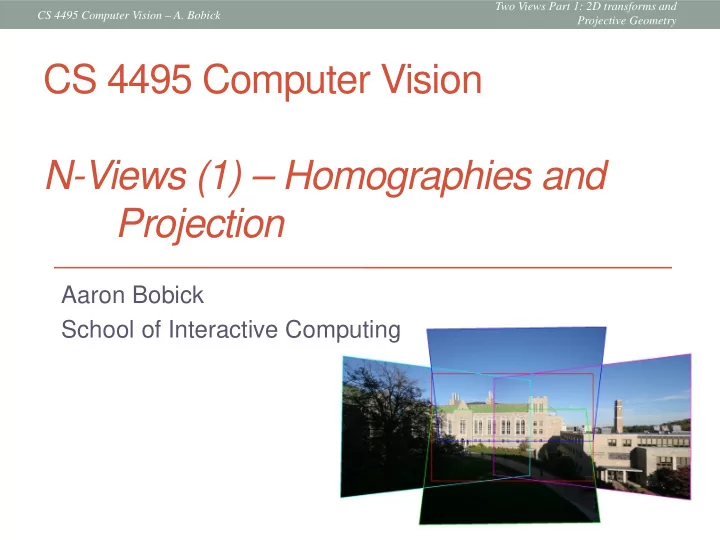
Aaron Bobick School of Interactive Computing

CS 4495 Computer Vision N-Views (1) – Homographies and Projection

slide-2
SLIDE 2

Two Views Part 1: 2D transforms and Projective Geometry CS 4495 Computer Vision – A. Bobick

Administrivia

  • PS 2:
  • Get SDD and Normalized Correlation working for a given windows

size – say 5x5. Then try on a few window sizes.

  • If too slow, resize the images (imresize) and get your code working.

Then try on full images (which are reduced already!).

  • Results not perfect on even test images? Should they be?
  • Yes you can use normxcorr2 (it did say this!)
  • Some loops are OK. For SSD you might have 3 nested loops (row,

col, disp) but shouldn’t be looping over pixels.

  • Now: Multiple-views
  • FP 7.1, 8 (all)
  • Today: First half of 2-Views …
slide-3
SLIDE 3

Two Views Part 1: 2D transforms and Projective Geometry CS 4495 Computer Vision – A. Bobick

Two views…and two lectures

  • Projective transforms from image to image
  • Some more projective geometry
  • Points and lines and planes
  • Two arbitrary views of the same scene
  • Calibrated – “Essential Matrix”
  • Two uncalibrated cameras “Fundamental Matrix”
  • Gives epipolar lines
slide-4
SLIDE 4

Two Views Part 1: 2D transforms and Projective Geometry CS 4495 Computer Vision – A. Bobick

2D Transformations

slide-5
SLIDE 5

Two Views Part 1: 2D transforms and Projective Geometry CS 4495 Computer Vision – A. Bobick

2D Transformations

tx ty

= + Example: translation

slide-6
SLIDE 6

Two Views Part 1: 2D transforms and Projective Geometry CS 4495 Computer Vision – A. Bobick

2D Transformations

tx ty

= +

1

=

1 tx 1 ty .

Example: translation

slide-7
SLIDE 7

Two Views Part 1: 2D transforms and Projective Geometry CS 4495 Computer Vision – A. Bobick

2D Transformations

tx ty

= +

1

=

1 tx 1 ty .

=

1 tx 1 ty 1

. Example: translation [ BTW: Now we can chain transformations ] Homogenous vector

slide-8
SLIDE 8

Two Views Part 1: 2D transforms and Projective Geometry CS 4495 Computer Vision – A. Bobick

Projective Transformations

  • Projective transformations: for 2D images it’s a 3x3 matrix

applied to homogenous coordinates

                =         w y x i h g f e d c b a w y x ' ' '

slide-9
SLIDE 9

Two Views Part 1: 2D transforms and Projective Geometry CS 4495 Computer Vision – A. Bobick

Special Projective Transformations

  • Translation
  • Preserves:
  • Lengths/Areas
  • Angles
  • Orientation
  • Lines

' 1 ' 1 1 1 1

x y

x t x y t y             =                  

R R

slide-10
SLIDE 10

Two Views Part 1: 2D transforms and Projective Geometry CS 4495 Computer Vision – A. Bobick

Special Projective Transformations

  • Euclidean (Rigid body)
  • Preserves:
  • Lengths/Areas
  • Angles
  • Lines

' cos( ) sin( ) ' sin( ) cos( ) 1 1 1

x y

x t x y t y θ θ θ θ −             =                  

R

slide-11
SLIDE 11

Two Views Part 1: 2D transforms and Projective Geometry CS 4495 Computer Vision – A. Bobick

Special Projective Transformations

  • Similarity (trans, rot, scale) transform
  • Preserves:
  • Ratios of Areas
  • Angles
  • Lines

' cos( ) sin( ) ' sin( ) cos( ) 1 1 1

x y

x a a t x y a a t y θ θ θ θ −             =                  

R

slide-12
SLIDE 12

Two Views Part 1: 2D transforms and Projective Geometry CS 4495 Computer Vision – A. Bobick

Special Projective Transformations

  • Affine transform
  • Preserves:
  • Parallel lines
  • Ratio of Areas
  • Lines

' ' 1 1 1 x a b c x y d e f y             =                  

R

slide-13
SLIDE 13

Two Views Part 1: 2D transforms and Projective Geometry CS 4495 Computer Vision – A. Bobick

Projective Transformations

  • Remember, these are homogeneous coordinates

' ' ' ' 1 1 x sx a b c x y sy d e f y s s                 =                         

slide-14
SLIDE 14

Two Views Part 1: 2D transforms and Projective Geometry CS 4495 Computer Vision – A. Bobick

Projective Transformations

  • General projective transform (or Homography)
  • Preserves:
  • Lines
  • Also cross ratios

(maybe later)

R

' ' ' ' 1 ' x x a b c x y y d e f y w g h i w                 =                         

slide-15
SLIDE 15

Two Views Part 1: 2D transforms and Projective Geometry CS 4495 Computer Vision – A. Bobick

The projective plane

  • What is the geometric intuition of using homogenous

coordinates ?

  • a point in the image is a ray in projective space
  • Each point (x,y) on the plane (at z=1) is

represented by a ray (sx,sy,s)

– all points on the ray are equivalent: (x, y, 1) ≅ (sx, sy, s)

(0,0,0)

(sx,sy,s) image plane (x,y,1)

  • y

x

  • z
slide-16
SLIDE 16

Two Views Part 1: 2D transforms and Projective Geometry CS 4495 Computer Vision – A. Bobick

Image reprojection

  • Basic question
  • How to relate two images from the same camera center?
  • how to map a pixel from projective plane PP1 to PP2

PP2 PP1

Answer

  • Cast a ray through each pixel in PP1
  • Draw the pixel where that ray

intersects PP2 Observation: Rather than thinking of this as a 3D reprojection, think of it as a 2D image warp from one image to another.

Source: Alyosha Efros

The irrelevant world!

slide-17
SLIDE 17

Two Views Part 1: 2D transforms and Projective Geometry CS 4495 Computer Vision – A. Bobick

Image from http://graphics.cs.cmu.edu/courses/15-463/2010_fall/

Application: Simple mosaics

slide-18
SLIDE 18

Two Views Part 1: 2D transforms and Projective Geometry CS 4495 Computer Vision – A. Bobick

How to stitch together a panorama (a.k.a. mosaic)?

  • Basic Procedure
  • Take a sequence of images from the same position
  • Rotate the camera about its optical center
  • Compute transformation between second image and first
  • Transform the second image to overlap with the first
  • Blend the two together to create a mosaic
  • (If there are more images, repeat)
  • …but wait, why should this work at all?
  • What about the 3D geometry of the scene?
  • Why aren’t we using it?

Source: Steve Seitz

slide-19
SLIDE 19

Two Views Part 1: 2D transforms and Projective Geometry CS 4495 Computer Vision – A. Bobick

mosaic PP

Image reprojection

  • The mosaic has a natural interpretation in 3D
  • The images are reprojected onto a common plane
  • The mosaic is formed on this plane

Warning: This model

  • nly holds for

angular views up to 180°. Beyond that need to use sequence that “bends the rays” or map onto a different surface, say, a cylinder.

slide-20
SLIDE 20

Two Views Part 1: 2D transforms and Projective Geometry CS 4495 Computer Vision – A. Bobick

Mosaics

Obtain a wider angle view by combining multiple images all of which are taken from the same camera center. . . .

slide-21
SLIDE 21

Two Views Part 1: 2D transforms and Projective Geometry CS 4495 Computer Vision – A. Bobick

Image reprojection: Homography

  • A projective transform is a mapping between any two PPs

with the same center of projection

  • rectangle should map to arbitrary quadrilateral
  • parallel lines aren’t
  • but must preserve straight lines
  • called Homography

PP2 PP1

                =         1 y x * * * * * * * * * w wy' wx'

H p p’

Source: Alyosha Efros

slide-22
SLIDE 22

Two Views Part 1: 2D transforms and Projective Geometry CS 4495 Computer Vision – A. Bobick

Homography

( )

1 1, y

x

( )

1 1, y

x ′ ′

To compute the homography given pairs of corresponding points in the images, we need to set up an equation where the parameters

  • f H are the unknowns…

( )

2 2, y

x ′ ′

( )

2 2, y

x

… …

( )

n n y

x ,

( )

n n y

x ′ ′,

slide-23
SLIDE 23

Two Views Part 1: 2D transforms and Projective Geometry CS 4495 Computer Vision – A. Bobick

  • Can set scale factor i=1. So, there are 8 unknowns.
  • Set up a system of linear equations Ah = b
  • where vector of unknowns h = [a,b,c,d,e,f,g,h]T
  • Need at least 4 points for 8 eqs, but the more the better…
  • Solve for h. If overconstrained, solve using least-squares:
  • Look familiar? (If don’t set i to 1 can use SVD)
  • >> help mldivide

Solving for homographies

2

min

  • Ah b

                    =           1 y x i h g f e d c b a w wy' wx'

p’ = Hp

slide-24
SLIDE 24

Two Views Part 1: 2D transforms and Projective Geometry CS 4495 Computer Vision – A. Bobick

Homography

                =         1 y x * * * * * * * * * w wy' wx'

H p p’

      ′ ′ w y w w x w ,

( )

y x ′ ′ = ,

( )

y x,

To apply a given homography H

  • Compute p’ = Hp (regular matrix multiply)
  • Convert p’ from homogeneous to image

coordinates

slide-25
SLIDE 25

Two Views Part 1: 2D transforms and Projective Geometry CS 4495 Computer Vision – A. Bobick

Mosaics

Combine images with the computed homographies…

image from S. Seitz

. . .

slide-26
SLIDE 26

Two Views Part 1: 2D transforms and Projective Geometry CS 4495 Computer Vision – A. Bobick

Mosaics for Video Coding

  • Convert masked images into a background sprite for

content-based coding

  • +

+ +

  • =
slide-27
SLIDE 27

Two Views Part 1: 2D transforms and Projective Geometry CS 4495 Computer Vision – A. Bobick

Homographies and 3D planes

  • Remember this:
  • Suppose the 3D points are on a plane:

aX bY cZ d + + + =

00 01 02 03 10 11 12 13 20 21 22 23

1 1 X u m m m m Y v m m m m Z m m m m                                 

slide-28
SLIDE 28

Two Views Part 1: 2D transforms and Projective Geometry CS 4495 Computer Vision – A. Bobick

Homographies and 3D planes

  • On the plane [a b c d] can replace Z:
  • So, can put the Z coefficients into the others:

00 01 02 03 10 11 12 13 20 21 22 23

( ) / ( ) 1 1 X u m m m m Y v m m m m aX bY d c m m m m                     + + −             

00 01 03 10 11 13 20 21 23

( ) / ( ) 1 1 X u m m m Y v m m m aX bY d c m m m   ′ ′ ′             ′ ′ ′       + + − ′ ′ ′             

3x3 Homography!

slide-29
SLIDE 29

Two Views Part 1: 2D transforms and Projective Geometry CS 4495 Computer Vision – A. Bobick

Image reprojection

  • Mapping between planes is a homography. Whether a

plane in the world to the image or between image planes.

slide-30
SLIDE 30

Two Views Part 1: 2D transforms and Projective Geometry CS 4495 Computer Vision – A. Bobick

What else: Rectifying Slanted Views of Planes

slide-31
SLIDE 31

Two Views Part 1: 2D transforms and Projective Geometry CS 4495 Computer Vision – A. Bobick

Rectifying slanted views

Corrected image (front-to-parallel)

slide-32
SLIDE 32

Two Views Part 1: 2D transforms and Projective Geometry CS 4495 Computer Vision – A. Bobick

Measuring distances

slide-33
SLIDE 33

Two Views Part 1: 2D transforms and Projective Geometry CS 4495 Computer Vision – A. Bobick

1 2 3 4 1 2 3 4

Measurements on planes

Approach: unwarp then measure What kind of warp is this? Homography…

slide-34
SLIDE 34

Two Views Part 1: 2D transforms and Projective Geometry CS 4495 Computer Vision – A. Bobick

Image rectification

p p’

A planar rectangular grid in the scene. Map it into a rectangular grid in the image.

slide-35
SLIDE 35

Two Views Part 1: 2D transforms and Projective Geometry CS 4495 Computer Vision – A. Bobick

Some other images of rectangular grids…

slide-36
SLIDE 36

Two Views Part 1: 2D transforms and Projective Geometry CS 4495 Computer Vision – A. Bobick

Who needs a blimp?

slide-37
SLIDE 37

Two Views Part 1: 2D transforms and Projective Geometry CS 4495 Computer Vision – A. Bobick

Same pixels – via a homography

slide-38
SLIDE 38

Two Views Part 1: 2D transforms and Projective Geometry CS 4495 Computer Vision – A. Bobick

slide-39
SLIDE 39

Two Views Part 1: 2D transforms and Projective Geometry CS 4495 Computer Vision – A. Bobick

Image warping

Given a coordinate transform and a source image f(x,y), how do we compute a transformed image g(x’,y’) = f(T(x,y))? x x’ T(x,y) f(x,y) g(x’,y’) y y’

Slide from Alyosha Efros, CMU

slide-40
SLIDE 40

Two Views Part 1: 2D transforms and Projective Geometry CS 4495 Computer Vision – A. Bobick

f(x,y) g(x’,y’)

Forward warping

  • Send each pixel f(x,y) to its corresponding location
  • (x’,y’) = T(x,y) in the second image

x x’ T(x,y) Q: what if pixel lands “between” two pixels? y y’

Slide from Alyosha Efros, CMU

slide-41
SLIDE 41

Two Views Part 1: 2D transforms and Projective Geometry CS 4495 Computer Vision – A. Bobick

f(x,y) g(x’,y’)

Forward warping

  • Send each pixel f(x,y) to its corresponding location
  • (x’,y’) = T(x,y) in the second image

x x’ T(x,y) Q: what if pixel lands “between” two pixels? y y’ A: distribute color among neighboring pixels (x’,y’)

– Known as “splatting”

Slide from Alyosha Efros, CMU

slide-42
SLIDE 42

Two Views Part 1: 2D transforms and Projective Geometry CS 4495 Computer Vision – A. Bobick

f(x,y) g(x’,y’) x y

Inverse warping

Get each pixel g(x’,y’) from its corresponding location (x,y) = T-1(x’,y’) in the first image x x’ Q: what if pixel comes from “between” two pixels? y’ T-1(x,y)

Slide from Alyosha Efros, CMU

slide-43
SLIDE 43

Two Views Part 1: 2D transforms and Projective Geometry CS 4495 Computer Vision – A. Bobick

f(x,y) g(x’,y’) x y

Inverse warping

Get each pixel g(x’,y’) from its corresponding location (x,y) = T-1(x’,y’) in the first image x x’ T-1(x,y) Q: what if pixel comes from “between” two pixels? y’ A: Interpolate color value from neighbors – nearest neighbor, bilinear…

Slide from Alyosha Efros, CMU

>> help interp2

slide-44
SLIDE 44

Two Views Part 1: 2D transforms and Projective Geometry CS 4495 Computer Vision – A. Bobick

Bilinear interpolation

Sampling at f(x,y):

Slide from Alyosha Efros, CMU

slide-45
SLIDE 45

Two Views Part 1: 2D transforms and Projective Geometry CS 4495 Computer Vision – A. Bobick

Recap: How to stitch together a panorama (a.k.a. mosaic)?

  • Basic Procedure
  • Take a sequence of images from the same position
  • Rotate the camera about its optical center
  • Compute transformation (homography) between second

image and first using corresponding points.

  • Transform the second image to overlap with the first.
  • Blend the two together to create a mosaic.
  • (If there are more images, repeat)

Source: Steve Seitz

slide-46
SLIDE 46

Two Views Part 1: 2D transforms and Projective Geometry CS 4495 Computer Vision – A. Bobick

Why projective geometry?

slide-47
SLIDE 47

Two Views Part 1: 2D transforms and Projective Geometry CS 4495 Computer Vision – A. Bobick

The projective plane

  • What is the geometric intuition of using homogenous

coordinates ?

  • a point in the image is a ray in projective space
  • Each point (x,y) on the plane is represented by a

ray (sx,sy,s)

– all points on the ray are equivalent: (x, y, 1) ≅ (sx, sy, s)

(0,0,0)

(sx,sy,s) image plane (x,y,1)

  • y

x

  • z
slide-48
SLIDE 48

Two Views Part 1: 2D transforms and Projective Geometry CS 4495 Computer Vision – A. Bobick

Homogeneous coordinates

2D Points:

x p y   =     ' 1 x p y     =       ' ' ' ' x p y w     =       '/ ' '/ ' x w p y w   =    

2D Lines:

[ ]

1 x a b c y     =       ax by c + + =

[ ]

x y

l a b c n n d   = ⇒  

d (nx, ny)

slide-49
SLIDE 49

Two Views Part 1: 2D transforms and Projective Geometry CS 4495 Computer Vision – A. Bobick

Projective lines

  • What does a line in the image correspond to in

projective space?

  • A line is a plane of rays through origin

– all rays (x,y,z) satisfying: ax + by + cz = 0

[ ]

          = z y x c b a : notation vector in

  • A line is also represented as a homogeneous 3-vector l

l p l

slide-50
SLIDE 50

Two Views Part 1: 2D transforms and Projective Geometry CS 4495 Computer Vision – A. Bobick

l

Point and line duality

  • A line l is a homogeneous 3-vector
  • It is ⊥ to every point (ray) p on the line: lTp=0

p1 p2

What is the intersection of two lines l1 and l2 ?

  • p is ⊥ to l1 and l2 ⇒ p = l1 × l2

Points and lines are dual in projective space

  • given any formula, can switch the meanings of points and

lines to get another formula

l1 l2 p

What is the line l spanned by rays p1 and p2 ?

  • l is ⊥ to p1 and p2 ⇒ l = p1 × p2
  • l is the plane normal
slide-51
SLIDE 51

Two Views Part 1: 2D transforms and Projective Geometry CS 4495 Computer Vision – A. Bobick

Homogeneous coordinates

Line joining two points:

ax + by + c = 0 p1 p1 = x1 y1 1

[ ]

p2 = x2 y2 1

[ ]

l = p1 × p2 p2

slide-52
SLIDE 52

Two Views Part 1: 2D transforms and Projective Geometry CS 4495 Computer Vision – A. Bobick

Homogeneous coordinates

Intersection between two lines:

a1x + b

1y + c1 = 0

a2x + b2y + c2 = 0 x12 l

1 = a1

b

1

c1

[ ]

l2 = a2 b2 c2

[ ]

x12 = l

1 × l2

slide-53
SLIDE 53

Two Views Part 1: 2D transforms and Projective Geometry CS 4495 Computer Vision – A. Bobick

Ideal points and lines

  • Ideal point (“point at infinity”)
  • p ≅ (x, y, 0) – parallel to image plane
  • It has infinite image coordinates

(sx,sy,0)

  • y

x

  • z

image plane

Ideal line

  • l ≅ (a, b, 0) – normal is parallel to (is in!) image plane

(a,b,0)

  • y

x

  • z

image plane

  • Corresponds to a line in the image (finite coordinates)

– goes through image origin (principle point)

slide-54
SLIDE 54

Two Views Part 1: 2D transforms and Projective Geometry CS 4495 Computer Vision – A. Bobick

3D projective geometry

  • These concepts generalize naturally to 3D
  • Recall the equation of a plane:
  • Homogeneous coordinates
  • Projective 3D points have four coords: p = (wX,wY,wZ,w)
  • Duality
  • A plane N is also represented by a 4-vector N =(a,b,c,d)
  • Points and planes are dual in 3D: NTp = 0
  • Projective transformations
  • Represented by 4x4 matrices T: P’ = TP

aX bY cZ d + + + =

slide-55
SLIDE 55

Two Views Part 1: 2D transforms and Projective Geometry CS 4495 Computer Vision – A. Bobick

3D to 2D: “perspective” projection

  • Matrix Projection:

ΠP p

=                   =         = 1 * * * * * * * * * * * * Z Y X w wy wx

You’ve already seen this. What is not preserved under perspective projection? What IS preserved?

slide-56
SLIDE 56

Two Views Part 1: 2D transforms and Projective Geometry CS 4495 Computer Vision – A. Bobick

What’s next…

  • Today – more projective geometry, the duality between

points and lines in projective space

  • Tuesday– using the projective geometry revisit 2-views:
  • Essential and Fundamental matrices