CS149: Elements of Computer Science Programming 1. The need for - - PowerPoint PPT Presentation

cs149 elements of computer science programming
SMART_READER_LITE
LIVE PREVIEW

CS149: Elements of Computer Science Programming 1. The need for - - PowerPoint PPT Presentation

CS149: Elements of Computer Science Programming 1. The need for programming languages (a) CPU executes machine code i. Commands CPU can understand and execute ii. Numeric (binary) format: binary storage! iii. Writing program was not an easy


slide-1
SLIDE 1

CS149: Elements of Computer Science Programming

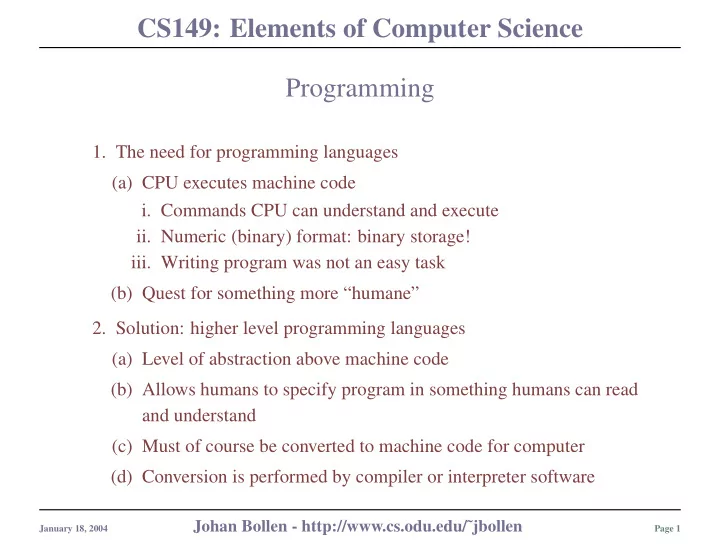
  • 1. The need for programming languages

(a) CPU executes machine code

  • i. Commands CPU can understand and execute
  • ii. Numeric (binary) format: binary storage!
  • iii. Writing program was not an easy task

(b) Quest for something more “humane”

  • 2. Solution: higher level programming languages

(a) Level of abstraction above machine code (b) Allows humans to specify program in something humans can read and understand (c) Must of course be converted to machine code for computer (d) Conversion is performed by compiler or interpreter software

January 18, 2004

Johan Bollen - http://www.cs.odu.edu/˜jbollen

Page 1

slide-2
SLIDE 2

CS149: Elements of Computer Science Programming Languages

January 18, 2004

Johan Bollen - http://www.cs.odu.edu/˜jbollen

Page 2

slide-3
SLIDE 3

CS149: Elements of Computer Science Compiler vs. Interpreter

Compiler:

  • 1. Transform entire program to
  • ne piece of CPU specific ma-

chine code

  • 2. Error?

Change program and compile again.

  • 3. Difference computer: compile

again

  • 4. Languages: C++, Pascal, Java,

Fortran Interpreter:

  • 1. Transform program to machine

code one instruction at a time

  • 2. Error?

Stop program and change.

  • 3. Languages: Basic, Perl

January 18, 2004

Johan Bollen - http://www.cs.odu.edu/˜jbollen

Page 3

slide-4
SLIDE 4

CS149: Elements of Computer Science

January 18, 2004

Johan Bollen - http://www.cs.odu.edu/˜jbollen

Page 4

slide-5
SLIDE 5

CS149: Elements of Computer Science

January 18, 2004

Johan Bollen - http://www.cs.odu.edu/˜jbollen

Page 5

slide-6
SLIDE 6

CS149: Elements of Computer Science Development of Programming Languages

Where do compilers come from?

  • 1. First step: design language x
  • 2. Write Compiler or Interpreter

to transform language x pro- grams to machine language

  • 3. Use Compiler to transform all

programs written in language x to machine language

  • 1. If compiler = program, it can

be written in any language, as long as compiler is available...

  • 2. This means you bootstrap the

development of new languages and compilers from existing

  • nes, starting with machine

code

  • 3. Low-Level

and High-Level languages: closer

  • r

far- ther from machine code or hardware

January 18, 2004

Johan Bollen - http://www.cs.odu.edu/˜jbollen

Page 6

slide-7
SLIDE 7

CS149: Elements of Computer Science Low-level vs. High Level Programming Languages

  • 1. Low Level: close to actual hardware/CPU

(a) Instructions match what machine and CPU can do (b) Extremely tedious (c) Machine code: binary, or hexadecimal (d) Assembly Language

  • 2. High Level: far remove from actual hardware/CPU

(a) Language reflects philosophy of data storage and manipulation (b) Instructions do not match capabilities of specific CPU, but rather general high-level data processing features (c) C, C++, Java, Perl, Python, Delphi, etc.

January 18, 2004

Johan Bollen - http://www.cs.odu.edu/˜jbollen

Page 7

slide-8
SLIDE 8

CS149: Elements of Computer Science Programming Languages

January 18, 2004

Johan Bollen - http://www.cs.odu.edu/˜jbollen

Page 8

slide-9
SLIDE 9

CS149: Elements of Computer Science Some examples Assembly Language:

LD R0, 0A 2 LD R1, 0C 4 ADD R0, R0, R1 6 STO R0, 0E 8 HALT 0A 03 0C 05 0E 08

C++:

int main (void){ int a, b, c; a = 3; b = 5; c= a+b; cout << c; return 0; }

January 18, 2004

Johan Bollen - http://www.cs.odu.edu/˜jbollen

Page 9

slide-10
SLIDE 10

CS149: Elements of Computer Science C and C++ Programming

  • 1. C’s history:

(a) Developed at Bell Labs, 1972 (b) Based on existing BCPL and B (c) Idea: hardware independent programs

  • i. Exchange of hardware independent source code
  • ii. Compiled to fit local hardware
  • iii. Requires local compiler

(d) Standardized in 1989: ANSI C

  • 2. C++: expansion of existing C standard

(a) Object-oriented approach (b) Additional support for data abstraction

January 18, 2004

Johan Bollen - http://www.cs.odu.edu/˜jbollen

Page 10

slide-11
SLIDE 11

CS149: Elements of Computer Science

C++ Compilation Source code to executable:

  • 1. Source code is compiled to Object code
  • 2. Object code: machine code

(a) Incomplete: needs to be linked to libraries (b) Libraries: sets of predefined constant vari- ables and functions (c) Are inserted (loaded) or linked into code

  • 3. Final executable

Linking and Loading:

  • 1. Linking and Loading

are performed auto- matically by g++ com- piler

  • 2. Rationale: re-use and

maintenance of exist- ing, pre-defined mod- ules

January 18, 2004

Johan Bollen - http://www.cs.odu.edu/˜jbollen

Page 11

slide-12
SLIDE 12

CS149: Elements of Computer Science

C++ Compilation: in practical terms

  • 1. Write source

(a) C++ syntax (b) Use any editor (c) save to source code file

  • 2. Compile source code

(a) Use compiler: g++ (b) Errors: back to 1 (c) No errors: executable has been generated

  • 3. Run executable

(a) Do not confuse with source code! (b) Machine-specific! (c) No compilation errors != correct program

January 18, 2004

Johan Bollen - http://www.cs.odu.edu/˜jbollen

Page 12

slide-13
SLIDE 13

CS149: Elements of Computer Science Murphy’s law

Believe me, it applies to software development!

Compile Errors:

  • 1. Error in source code:
  • 2. Syntax: error in actual spelling
  • 3. Structure:

error in program structure

  • 4. Picked out by compiler

Run-Time Errors:

  • 1. Errors in actual execution of

program

  • 2. Example:

(a) Values out of range (b) Memory allocation (c) Validity: is output really what it is supposed to be?

January 18, 2004

Johan Bollen - http://www.cs.odu.edu/˜jbollen

Page 13

slide-14
SLIDE 14

CS149: Elements of Computer Science How to write a program?

It’s all about PROBLEM SOLVING

  • 1. State the problem clearly
  • 2. Describe the input and desired output information
  • 3. Work the problem by hand, check for exceptions
  • 4. Develop a solution and convert it to a computer program
  • 5. Test the solution with a variety of data

The purpose is to decompose a problem into little steps and commands a computer can understand, i.e. rephrase the problem in a sequence of instructions and transformations that correspond to the syntax and semantics of the language you are programming in.

January 18, 2004

Johan Bollen - http://www.cs.odu.edu/˜jbollen

Page 14

slide-15
SLIDE 15

CS149: Elements of Computer Science An example

  • 1. Problem: compute straight line distance between two points in a

plane

  • 2. Input - Output description: blackbox model of program

January 18, 2004

Johan Bollen - http://www.cs.odu.edu/˜jbollen

Page 15

slide-16
SLIDE 16

CS149: Elements of Computer Science Hand Example

Point 1: p1 = (1,3) Point 2: p2 = (4,4) Distance: hypothenusa of right triangle d(p1, p2) =

  • ∆x2 +∆y2

d(p1, p2) = √ 32 +12 = √9+1 d(p1, p2) = 3.16

January 18, 2004

Johan Bollen - http://www.cs.odu.edu/˜jbollen

Page 16

slide-17
SLIDE 17

CS149: Elements of Computer Science Algorithm Development

Decompose problems in small steps that correspond to computer language

  • 1. Ask for x and y coordinates for point 1, x1 and y1
  • 2. Ask for x and y coordinats for point 2, x2 and y2
  • 3. Compute ∆x = x2 −x1 and ∆y = y2 −y1
  • 4. Compute distance, d =
  • ∆x2 +∆y2
  • 5. Print d

January 18, 2004

Johan Bollen - http://www.cs.odu.edu/˜jbollen

Page 17

slide-18
SLIDE 18

CS149: Elements of Computer Science Write and Compile C++ Program:

demo in prog

January 18, 2004

Johan Bollen - http://www.cs.odu.edu/˜jbollen

Page 18

slide-19
SLIDE 19

CS149: Elements of Computer Science Compilation Process

  • 1. Source code: your C++ program

(a) Text file (b) Any editor (Let’s use pico) (c) Adheres to C++ language specifications

  • 2. Compilation:

(a) Production of Executable (b) Transformation of source code to machine code (executable) (c) Executable runs only on specific CPU/machine

  • 3. UNIX commands:

(a) We use g++ (b) Assume your source code file: test.cpp (c) You want executable in file: test (d) Type: g++ -o test test.cpp

January 18, 2004

Johan Bollen - http://www.cs.odu.edu/˜jbollen

Page 19

slide-20
SLIDE 20

CS149: Elements of Computer Science

January 18, 2004

Johan Bollen - http://www.cs.odu.edu/˜jbollen

Page 20

slide-21
SLIDE 21

CS149: Elements of Computer Science C++ Programming

  • 1. Your C++ program must conform to

specific syntax: (a) Every line terminates with semi-colon ’;’ (except include!) (b) Blocks of commands are grouped with { and } (c) Comments are preceded by //, preprocessor directive by #

  • 2. General Structure:

(a) Preprocessor directives:

  • i. Specifies libraries (include

statement)

  • ii. Definition of constants

(b) main function: mother of all command groups and functions

  • i. Variable declaration
  • ii. Commands

January 18, 2004

Johan Bollen - http://www.cs.odu.edu/˜jbollen

Page 21

slide-22
SLIDE 22

CS149: Elements of Computer Science Syntax and structure of C++ programs

January 18, 2004

Johan Bollen - http://www.cs.odu.edu/˜jbollen

Page 22

slide-23
SLIDE 23

CS149: Elements of Computer Science Syntax and structure of C++ programs

/ / p r i n t Hello World message # include<i o s t r e a m> i n t main ( void ){ cout << ” Hello \” World \”\ t !” ; return 0 ; }

Elements in example:

  • 1. Comments, preceeded by //
  • 2. Preprocessor Directives: (include)
  • 3. Main function block: main {···}

(a) Object/Variable declaration (b) Commands

January 18, 2004

Johan Bollen - http://www.cs.odu.edu/˜jbollen

Page 23

slide-24
SLIDE 24

CS149: Elements of Computer Science

/ / r a d i u s . cpp : C a l c u l a t e s r a d i u s from circumference # include<i o s t r e a m . h> # define PI 3 .1 4 1 5 i n t main ( void ){ / / v a r i a b l e d e c l a r a t i o n double d , r ; / / i n p u t circumference cout << ” Circumference ? ” ; cin >> d ; / / c a l c u l a t e r a d i u s r = d / ( 2 ∗ PI ) ; / / output r a d i u s cout << ” Radius = ” << r << endl ; return 0 ; }

January 18, 2004

Johan Bollen - http://www.cs.odu.edu/˜jbollen

Page 24

slide-25
SLIDE 25

CS149: Elements of Computer Science C++ Program structure

  • 1. General Structure:

(a) Preprocessor directives:

  • i. Specifies libraries (include statement)
  • ii. Definition of constants

(b) main function: mother of all command groups and functions

  • i. Variable declaration
  • ii. Commands

January 18, 2004

Johan Bollen - http://www.cs.odu.edu/˜jbollen

Page 25

slide-26
SLIDE 26

CS149: Elements of Computer Science Preprocessor directives

  • 1. include:

(a) Directs compiler to use specified library (b) Common Libraries:

  • i. iostream: input and output (cin, cout)
  • ii. stdlib: memory, random numbers, sort, etc
  • iii. math: mathematical functions

(c) Example: #include<math>

  • 2. define:

(a) Define constant for compiler (b) Way of conveniently defining and labeling constants (c) Example: #define PI 3.1415

January 18, 2004

Johan Bollen - http://www.cs.odu.edu/˜jbollen

Page 26

slide-27
SLIDE 27

CS149: Elements of Computer Science On to main: elements of a C++ program.

  • 1. Comments: mark “ignore” for compiler
  • 2. Two aspects of programming languages:

(a) Variables or Data Objects: store data

  • i. Variable types
  • ii. Constants
  • iii. Declarations

(b) Commands, functions: manipulate data

  • i. Input, output
  • ii. Operators (assignment, addition, subtraction, enz)

January 18, 2004

Johan Bollen - http://www.cs.odu.edu/˜jbollen

Page 27

slide-28
SLIDE 28

CS149: Elements of Computer Science Comments

  • 1. Programs will be read by you and other programmers

(a) Always comment your code (b) Provide concise description of purpose and method (c) Adhere to conventions

  • 2. Comments:

(a) Single-line: preceded by // (b) Multi-line: in between /* ··· */ (c) No spaces between // (d) Don’t forget to terminate /* with */, otherwise everything that follows is comment for compiler

  • 3. Some conventions:

(a) Start code with detailed description (author, date, purpose, etc) (b) intersperse code with comments that apply to line below

January 18, 2004

Johan Bollen - http://www.cs.odu.edu/˜jbollen

Page 28

slide-29
SLIDE 29

CS149: Elements of Computer Science Comments: Example

/∗ ∗∗∗∗∗∗∗∗∗∗∗∗∗∗∗∗∗∗∗∗∗∗∗∗∗∗∗∗∗∗∗∗∗∗∗∗∗∗∗∗∗∗∗∗∗ ∗ Program 2 . 5 : Another HelloWorld ∗ ∗ Author ( s ) : Johan Bollen ∗ ∗ Date : March 17 th , 2 0 0 2 ∗ ∗∗∗∗∗∗∗∗∗∗∗∗∗∗∗∗∗∗∗∗∗∗∗∗∗∗∗∗∗∗∗∗∗∗∗∗∗∗∗∗∗∗∗∗∗∗∗/ # include < i o s t r e a m> i n t main ( void ){ / ∗ out put f o l l o w s ∗ / / ∗ we don ’ t want t h i s next l i n e ! / / cout << ”Goodbye World ! ” << endl ; / / t h i s i s b e t t e r : ∗ / cout << ” Hello World ! ! ” << endl ; return 0 ; }

January 18, 2004

Johan Bollen - http://www.cs.odu.edu/˜jbollen

Page 29