CSC209 Fall 2001 Office hours: - - PowerPoint PPT Presentation

▶
csc209 fall 2001
SMART_READER_LITE
LIVE PREVIEW

CSC209 Fall 2001 Office hours: - - PowerPoint PPT Presentation

CSC209 Fall 2001 Office hours:


slide-1
SLIDE 1

CSC209 Fall 2001 Karen Reid 1

  • ✁
  • ✂
✄
  • ☎
  • ✆
  • Karen Reid

Email : reid150@cs.utoronto.ca Office: BA 4240 Phone: 416-978-7797 Web Page: www.cs.utoronto.ca/~csc150h

  • ✝

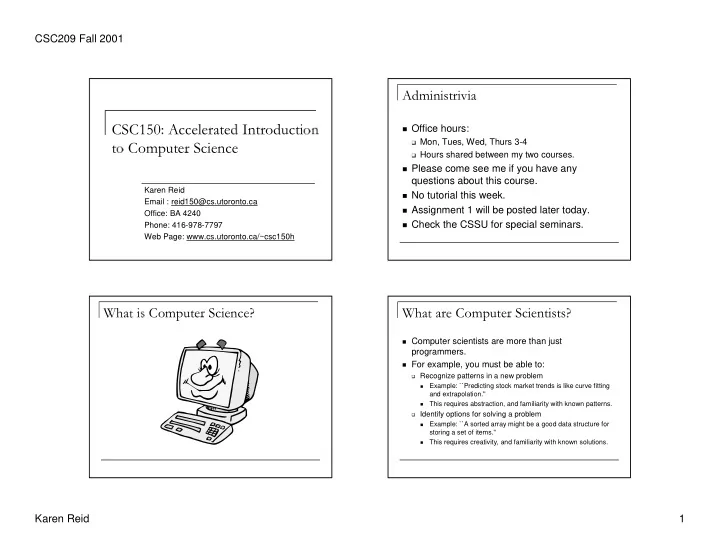
Office hours:

✞

Mon, Tues, Wed, Thurs 3-4

✞

Hours shared between my two courses.

✟

Please come see me if you have any questions about this course.

✟

No tutorial this week.

✟

Assignment 1 will be posted later today.

✟

Check the CSSU for special seminars.

  • ✠
  • ✡
  • ☛
  • ✠
  • ☞
  • ☛
  • ✌
✍

Computer scientists are more than just programmers.

✍

For example, you must be able to:

✎

Recognize patterns in a new problem

✏

Example: ``Predicting stock market trends is like curve fitting and extrapolation.''

✏

This requires abstraction, and familiarity with known patterns.

✑

Identify options for solving a problem

✏

Example: ``A sorted array might be a good data structure for storing a set of items.'‘

✏

This requires creativity, and familiarity with known solutions.

slide-2
SLIDE 2

CSC209 Fall 2001 Karen Reid 2

  • ✁
  • ✂
  • ✄

Weigh options

☎

Example: ``Keeping the array sorted allows faster search, but not keeping it sorted allows faster insertion.''

☎

This requires the ability to analyze potential solutions for correctness and efficiency.

✆

Make an appropriate choice for a given situation

☎

Example: ``Because I expect to do more searching than insertion, a sorted array is better.''

✝

Notice that none of this is about programming.

  • ✞
  • ✞
  • ✟
✠

CSC108 – need no programming background.

✡

teaches objects, classes and methods (functions/procedures)

✡

teaches conditionals, loops (week 7), arrays (~week 9)

✡

teaches searching and sorting

✡

teaches basic inheritance

✠

CSC148 – should have passed CSC108.

✡

should know object oriented programming in Java

✡

loops, conditionals, procedures/functions, parameters, arrays,

✡

searching and sorting.

  • ✞
  • ✞
  • ☛

CSC150 – need good programming skills in a language other than Java.

☞

should know loops, conditionals, procedures/functions, parameters, arrays, searching and sorting in a language like Pascal, Turing, or C.

☞

covers all of the CSC148 material.

☞

covers object oriented programming

✌

classes, objects, methods, inheritance

☞

No Java knowledge is necessary.

  • ✍
  • ✎

Write a program (in your favourite programming language) that reads an array

  • f 20 integers from the keyboard, passes that

array to a procedure or function that sorts its parameter, and then prints the sorted array.

✎

This should take you less than an hour and a half with only occasional uses of a textbook for help.

slide-3
SLIDE 3

CSC209 Fall 2001 Karen Reid 3

  • Weeks 1-3 – Introduction to Java and object
  • riented programming.
  • Weeks 4-13 – CSC148 material
✁

Abstract data types – queues, stacks, interfaces

✁

Java memory model, more on OO model.

✁

Linked Data structures

✁

Design by Contract

✁

Exceptions

✁

Trees

✁

Recursion

✁

Proof methods

✁

Time Analysis

  • ✂
  • ✄
  • ☎

CSC150 – 5 assignments, 4 labs

☎

CSC148 – 4 assignments, 8 labs

☎

CSC150 and CSC148 will share assignment 3 and 4, and the final.

  • ✆
  • ✆
  • ✆
✝

You are probably most familiar with programming, but that is only a small part of the full life cycle of software, which includes:

✞

Specification: stating precisely what the program must do.

✞

Design: deciding how the program will do it --- data structures, algorithms, and software “architecture”.

✞

Implementation (programming): obvious.

✞

Testing: checking that the program meets the specifications.

✞

Release: distribution and installation of the software.

✞

Maintenance: fixing errors, handling new requirements, accommodating resource changes, etc.

✟

(There are many models of how these stages relate and in what

  • rder they should happen.)
  • ✠
  • ✠
✡

There is a tendency to think that programming is the central activity, and that most errors are introduced at that stage.

✡

In fact, errors happen at all stages. The sooner they are found, the cheaper they are to fix

✡

Stage when error is caught and c cost to fix it

☛

design 1.0 units

☛

just before testing 6.5

☛

during testing 15

☛

after release 60--100

slide-4
SLIDE 4

CSC209 Fall 2001 Karen Reid 4

  • ✁

Moral: Pay close attention to design and

  • testing. “The sooner you start coding, the

longer it will take to finish.”

✁

And most of the effort spent on a program is in its maintenance.

✁

Moral: Design, document, and test your code so that it will be easy to maintain.

✁

Pressman, Software Engineering: A Practitioner's Approach, 1992, p. 559.

  • ✂
  • ✄
  • ☎
  • ✄
  • ✂
✆

This course is an introduction to the science of

  • computing. We'll work on the skills you need to be a

computer scientist, able to contribute to all parts of the software lifecycle. This will include:

✆

Specification:

✝

Writing precise specifications.

✆

Design:

✝

Looking at a problem abstractly.

✝

Knowing standard abstractions that have proven useful in computer science, and how to use them.

  • ✂
✂
  • ✄
  • ☎
  • ✄
  • ✝

Some new data structures that offer alternative ways to implement an abstract idea.

✝

Analyzing the efficiency of an algorithm.

✝

Using proofs to establish facts about data structures and algorithms.

✆

Implementation:

✝

Knowing the properties of a good program.

✝

Designing a program to have these properties.

✝

Writing code that uses a new programming technique: recursion

✆

Testing:

✝

Choosing a systematic and thorough set of test cases.

✝

Documenting testing so that it will be convincing.

  • ✞

Working in the PC labs

✟

See course info sheet for information about your account

✟

Change your password ASAP to preserve security

  • f your account.
✟

Never tell anyone your password

✟

You may need to use the PC labs occasionally, so it is worth getting familiar with them early on.

✞

http://www.cdfpc.utoronto.ca

slide-5
SLIDE 5

CSC209 Fall 2001 Karen Reid 5

  • ✁
  • ✂

You may use your own computer to do most of the assignment work for this course.

✂

Java software:

✄

Code Warrior

✄

JDK – at least version 1.3

✄
  • Dr. Java (needs JDK)
✂

Starter code we give you will assume Code Warrior

  • r generic JDK.
✂

We can’t help you with your software on your home machine, and you won’t get an extension because

  • f such problems.
  • ☎

Plagiarism is a kind of fraud, and is taken

  • seriously. Letting someone else use your

work is also an academic offense.

☎

The work you submit must be your own – both the words and the ideas.

  • ✆
  • ☎

You may discuss the assignment with other students to understand what the questions are asking, BUT

✝

You must not take away written notes from such discussions.

✝

You must not look at anyone else’s solution or show anyone your solution.

✝

You must write your solution alone.

  • ✞
✟
  • ✠
  • ☎

Be prepared to prove that the work is your

  • wn:
✝

keep backups, notes, and printouts.

✝

Don’t leave printouts or notes lying around.

☎

If you are having trouble with an assignment, come see me or the TA! Don’t cheat yourself.

☎

Sometimes it is okay to use material from lecture notes or a text book. Be sure to say where you got it from.

slide-6
SLIDE 6

CSC209 Fall 2001 Karen Reid 6

  • ✁
✂
  • ✄

On the other hand you should get to know other CSC150 (and CSC148) students and work together to:

☎

understand course lecture and tutorial material

☎

understand assignment handouts

☎

work through example programs, proof, and analyses.

☎

solve exercises from notes

☎

solve old exam questions

☎

work on the online homework.

☎

study for exams