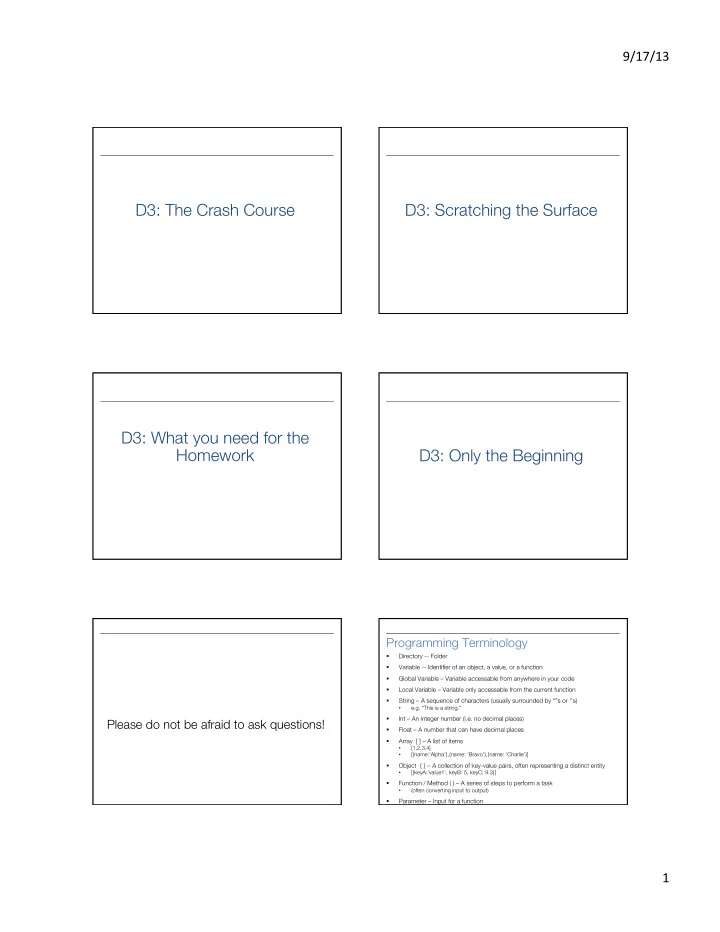
D3: The Crash Course D3: Scratching the Surface D3: What you need - - PDF document

d3 the crash course d3 scratching the surface d3 what you
SMART_READER_LITE
LIVE PREVIEW

D3: The Crash Course D3: Scratching the Surface D3: What you need - - PDF document

9/17/13 D3: The Crash Course D3: Scratching the Surface D3: What you need for the Homework D3: Only the Beginning Programming Terminology Directory -- Folder Variable -- Identifier of an object, a value, or a function Global


slide-1
SLIDE 1

9/17/13 ¡ 1 ¡

D3: The Crash Course D3: Scratching the Surface D3: What you need for the Homework D3: Only the Beginning

Please do not be afraid to ask questions! Programming Terminology

§ Directory -- Folder § Variable -- Identifier of an object, a value, or a function § Global Variable – Variable accessable from anywhere in your code § Local Variable – Variable only accessable from the current function § String – A sequence of characters (usually surrounded by “”s or ‘’s)

  • e.g. “This is a string.”

§ Int – An integer number (i.e. no decimal places) § Float – A number that can have decimal places § Array [ ] – A list of items

  • [1,2,3,4]
  • [{name:‘Alpha’},{name: ‘Bravo’},{name: ‘Charlie’}]

§ Object { } – A collection of key-value pairs, often representing a distinct entity

  • [{keyA:’value1’, keyB: 5, keyC: 9.3}]

§ Function / Method ( ) – A series of steps to perform a task

  • (often converting input to output)

§ Parameter – Input for a function

slide-2
SLIDE 2

9/17/13 ¡ 2 ¡

§ Workspace Setup § Website Directory Structure § Javascript 101-2 § SVG Basics § D3.js Crash Course The Applications I Recommend § Text Editor: Sublime Text 2 § Browser: Chrome § Super-Basic Webserver: Python § Opening the project in Sublime Text § Accessing the Chrome inspector and console § Starting a SimpleHTTPServer Opening a project in Sublime Text § http://www.sublimetext.com/ § File à Open on Mac § File à Open Folder on PC § Select the coffee-vis folder § Click Open Website Directory Structure

§ coffee-vis/

  • index.html

§ coffee-vis/lib/

  • d3.v3.js

§ coffee-vis/js/

  • coffee.js

§ coffee-vis/css/ § coffee-vis/img/

Chrome Inspector and Console § Open the webpage § Right-click on anything § Click inspect this element § Click on the >= button at the very bottom to open the console as well

  • (2nd from the left)
slide-3
SLIDE 3

9/17/13 ¡ 3 ¡

Starting a Local Webserver

§ Unzip the file into your home directory

  • (the folder named after your username)

§ Open either a Terminal (Mac) or Command Prompt (Windows) § Type cd coffee-vis and press enter § Type python -m SimpleHTTPServer 8000 and press enter § Go to your browser and go to http://localhost:8000

How many of you have experience with Javascript? Javascript 101

§ All variables are global unless declared using var

  • x = 300 (global) vs. var x = 300 (local)

§ Semicolons are completely optional § “text” is the same as ‘text’ § JS arrays and objects are almost exactly the same syntax as python’s lists and dicts § object.key is the same as object[‘key’] § Print to the console using console.log( )

Javascript 102: Functional Programming § Javascript is a functional language functional language § Functions are themselves objects! § Functions can be stored as variables § Functions can be passed as parameters § D3 uses these abilities extensively! Array.map( ) § Used for applying a function to each element of an array § The function provided takes one parameter (d):

  • d: a/each data point

§ https://developer.mozilla.org/en-US/docs/Web/JavaScript/Reference/ Global_Objects/Array/map

Array.map( ) § var x = [{val:1},{val:2},{val:3},{val:4}] § var a = x.map(function(d){

return d.val; })

§ a : [1,2,3,4]

slide-4
SLIDE 4

9/17/13 ¡ 4 ¡

MDN § Mozilla Developer Network § https://developer.mozilla.org/en-US/ docs/Web/JavaScript/Reference § (Easier: google <command> mdn) Method Chaining § Programming paradigm where each method returns the object that it was called on § Simply put:

group.attr(“x”,5).attr(“y”,5) is the same as group.attr(“x”,5) group.attr(“y”,5)

SVG BASICS SVG BASICS

How many of you have experience with SVG? How many have experience with 2D computer graphics (such as Java Swing)?

x y

(0,0) (width,height)

slide-5
SLIDE 5

9/17/13 ¡ 5 ¡

SVG Basics § <svg> § <rect> § <g> § <text> (after I’ve talked about D3) <svg> elements

§ Overarching canvas § (optional) Attributes:

  • width
  • Height

§ Create with

  • d3.select(“#vis”).append(“svg:svg”)
  • (we already did this for you)

<circle> elements

§ Attributes:

  • cx (relative to the LEFT of the container)
  • cy (relative to the TOP of the container)
  • r (radius)

§ (optional) Attributes:

  • fill (color)
  • stroke (the width of the stroke)
  • stroke-fill (the color of the stroke)

§ Create with

  • .append(“svg:circle”)

<rect> elements § Attributes:

  • width
  • height
  • x : (relative to the LEFT of the container)
  • y : (relative to the TOP of the container)

§ Create with

  • .append(“svg:rect”)

x y width height (0,0)

  • rigin

But what if we want to move all the rectangles just a smidge?

slide-6
SLIDE 6

9/17/13 ¡ 6 ¡

<g> elements

§ Generic container (Group) element § Attributes

  • transform

§ Create with:

  • var group = vis.append(“svg:g”)

§ Add things to the group with:

  • group.append(“svg:circle”)
  • group.append(“svg:rect”)
  • group.append(“svg:text”)

Transform Property “transform”, “translate(x,y)” .attr(“transform”,“translate(x,y)”) translate(30,20)

30 20

AND NOW D3… AND NOW D3…

D3

§ Grand Reductionist Statements § Loading Data § Enter-Update-Exit Paradigm § Classes § Scales § Axes § Extra Credit: Nesting § Where to go from here

D3 A really powerful for-loop with a ton of helper functions.

slide-7
SLIDE 7

9/17/13 ¡ 7 ¡

D3 § Declarative, domain-specific specification language for visualization. § Translation:

  • Describe the template for what you want
  • Let D3 draw it for you

Loading Data § d3.csv(fileloc,callback)

  • (There are others, but this is what you need

for the HW)

§ fileloc: file location

  • (“data/CoffeeData.csv”)

§ callback: function(rawdata){ } rawdata from a CSV file

name school age Adam GT 18 Barbara Emory 22 Calvin GSU 30

[ { ‘name’: ‘Adam’, ‘school’: ‘GT’, ‘age’: ‘18’ }, { ‘name’: ‘Barbara’, ‘school’: ‘Emory’, ‘age’: ’22’ }, { ‘name’: ‘Calvin’, ‘school’: ‘GSU’, ‘age’: ‘30’ } ]

Problem

rawdata: [ { ‘name’: ‘Adam’, ‘school’: ‘GT’, ‘age’: ‘18’ }, { ‘name’: ‘Barbara’, ‘school’: ‘Emory’, ‘age’: ’22’ }, { ‘name’: ‘Calvin’, ‘school’: ‘GSU’, ‘age’: ‘30’ } ]

§ Ages are Strings, not ints. § We can fix that: for(var d: rawdata){

d = rawdata[d] d.age = +d.age }

Enter-Update-Exit § The most critical facet of how D3 works § If you learn nothing else today, learn the mantra! § “Enter-Update-Exit” “Enter-Update-Exit” Enter-Update-Exit § Pattern:

  • Select a “group” of “elements”
  • Assign data to the group
  • Create new elements for data points that

don’t have them yet

  • Set the attributes of the elements based on

the data

  • Remove elements that don’t have data

anymore

slide-8
SLIDE 8

9/17/13 ¡ 8 ¡

Hardest part of D3 to wrap your head around: You can select groups of elements that DON’T EXIST YET E-U-E Pattern Template

var group = vis.selectAll(“rect”) //or vis.selectAll(“text”)

.data(rawdata) //rawdata must be an array!

group.enter( ).append(“svg:rect”) //ENTER! .attr( ) .attr( ) group //UPDATE! .attr( ) .attr( ) group.exit( ).remove( ) //EXIT!

.enter( ) and .exit( ) § .enter( )

  • New data points

§ .exit( )

  • Old data points

.enter( ) and .exit( ) § .data( [1,2,3,4] ) § .data ( [1,2,3,4,5,6] ) § .data ( [1,2,3] ) //4,5,6 E-U-E Pattern Template

var group = vis.selectAll(“rect”) //or vis.selectAll(“text”)

.data(rawdata) //rawdata must be an array!

group.enter( ).append(“svg:rect”) //ENTER! .attr( ) .attr( ) group //UPDATE! .attr( ) .attr( ) group.exit( ).remove( ) //EXIT!

.attr( ) § The Attribute Method § Sets attributes such as x, y, width, height, and fill § The technical details:

  • rect.attr(“x”, 5)
  • <rect x=“5”></rect>
slide-9
SLIDE 9

9/17/13 ¡ 9 ¡

.attr( ) and Functional Programming

§ [ {size: 10}, {size: 8}, {size: 12.2} ] § .attr(“height”, function(d,i){ return d.size })

  • d: the data point

§ .attr(“x”, function(d,i){ return i*5; })

  • i: the index of the data point

<rect height=“10” x=“5”></rect> <rect height=“8” x=“10”></rect> <rect height=“12.2” x=“15”></rect>

<text> elements <text> elements § I’m going to apologize in advance here for the lousy job the w3c did with the <text> definition. § You’re going to have to just either memorize these things or keep referring back to http://www.w3c.org/TR/SVG/text.html (first Google hit for “svg text”) like I do. <text> elements § Extra Method in D3

  • .text(“Your Text Goes Here”)

§ Attributes

  • x
  • y

§ Styles

  • text-anchor: start, middle, end
  • dominant-baseline: [nothing], hanging,

middle

text-anchor style

This is my line of text.

start end middle

Where is (0,0)?

dominant-baseline style

This is my line of text.

hanging default middle

Where is (0,0)?

slide-10
SLIDE 10

9/17/13 ¡ 10 ¡

<text> example group.append(“svg:text”) .text(function(d){return d.name}) .attr(“x”, function(d,i){return i*5}) .attr(“y”, function(d,i){return height;}) .style(“dominant-baseline”,“hanging”) .style(“text-anchor”, “middle”) § .attr(“x”, 5) is boring § .attr(“x”, function(d,i){ return i*5; }) only works for fixed values § What about values actually based on the DATA? Scales Scales § D3 has many types of scales § I am only going to cover two:

  • Linear Scales
  • Categorical (color) Scales

Linear Scales

§ var xscale = d3.scale.linear( )

  • .domain( [min, max] )
  • .range( [minOut, maxOut] )

§ group.attr(“x”, function(d,i){

  • return xscale(d.size);

})

§ y = mx+b

Min and Max § But how do you figure out the min and max for the domain?

slide-11
SLIDE 11

9/17/13 ¡ 11 ¡

D3 A really powerful for-loop with a ton of helper functions. Min and Max § d3.min( [ ] ) à number § d3.max( [ ] ) à number § d3.extent( [ ] ) à [number,number] Min and Max § d3.min( [ ] ) à number § d3.max( [ ] ) à number § d3.extent( [ ] ) à [number,number] § Hint: All can be combined with

  • .map( function(d){ } ), which returns an [ ]

Linear Scales § You can even keep the same scale, and just update the domain and/or range as necessary § Note: This will not update update the graphics all on its own So what about those colors in the HW? Nominal Scales

§ D3 has built-in color scales!

  • (And they’re easy!)

§ var colorscale = d3.scale.category10( ) § Also available are:

  • category20( )
  • category20b( )
  • category20c( )
  • and more!
slide-12
SLIDE 12

9/17/13 ¡ 12 ¡

Nominal Scales

§ [ {type:‘Bird’},{type:‘Rodent’},{type:‘Bird’} ]

§ var colorscale = d3.scale.category10( ) § .attr(“fill”,function(d,i){

  • return colorscale(d.type)

}

  • <rect fill=“blue”></rect>
  • <rect fill=“orange”></rect>
  • <rect fill=“blue”></rect>

Axes D3 also has visual helper-functions such as super-easy numerical axes! Axes (not ax-es) § yaxisglyph = chart.append(“g”) yaxis = d3.svg.axis( )

.scale( yscale ) //must be a numerical scale .orient( ‘left’ ) //or ‘right’ or ‘top’ or ‘bottom’ .ticks( 6 ) //number of ticks, default is 10

yaxisglyph.call(yaxis) Extra Credit § The method you need is d3.nest( ) § Neither Ramik nor I will not explain it to you beyond that. It’s Extra Credit. Where to get help and/or learn more…

§ http://d3js.org/

  • Tons of examples and basics.

§ https://github.com/mbostock/d3/wiki/API-Reference

  • D3 documentation. Extremely well done.

§ https://github.com/mbostock/d3/wiki/Tutorials

  • List of seemingly ALL the tutorials online

§ The Google/StackOverflow combo

  • (my personal favorite)

§ Chad and Ramik

  • (not John on this one)