Database Management Objectives of Lecture 5 Systems Data - - PowerPoint PPT Presentation

database management objectives of lecture 5 systems
SMART_READER_LITE
LIVE PREVIEW

Database Management Objectives of Lecture 5 Systems Data - - PowerPoint PPT Presentation

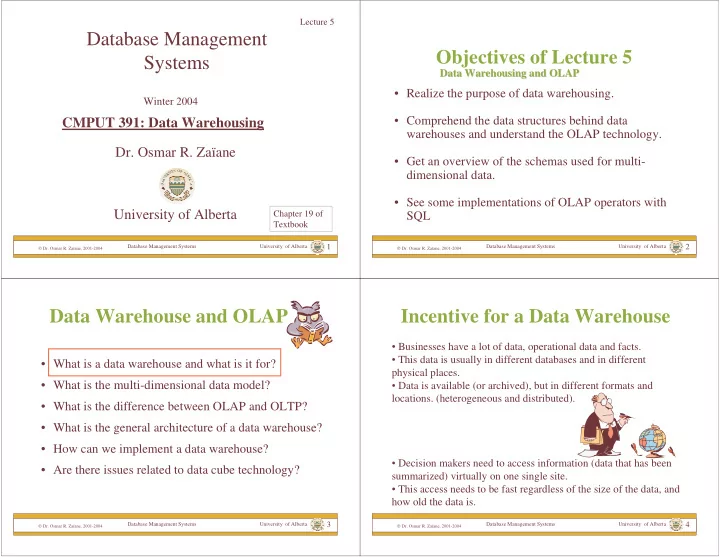
Lecture 5 Database Management Objectives of Lecture 5 Systems Data Warehousing and OLAP Data Warehousing and OLAP Realize the purpose of data warehousing. Winter 2004 Comprehend the data structures behind data CMPUT 391: Data


slide-1
SLIDE 1

Database Management Systems University of Alberta

 Dr. Osmar R. Zaïane, 2001-2004

1

Database Management Systems

  • Dr. Osmar R. Zaïane

University of Alberta

Winter 2004

CMPUT 391: Data Warehousing

Chapter 19 of Textbook Lecture 5

Database Management Systems University of Alberta

 Dr. Osmar R. Zaïane, 2001-2004

2

Objectives of Lecture 5

  • Realize the purpose of data warehousing.
  • Comprehend the data structures behind data

warehouses and understand the OLAP technology.

  • Get an overview of the schemas used for multi-

dimensional data.

  • See some implementations of OLAP operators with

SQL

Data Warehousing and OLAP Data Warehousing and OLAP

Database Management Systems University of Alberta

 Dr. Osmar R. Zaïane, 2001-2004

3

Data Warehouse and OLAP

  • What is a data warehouse and what is it for?
  • What is the multi-dimensional data model?
  • What is the difference between OLAP and OLTP?
  • What is the general architecture of a data warehouse?
  • How can we implement a data warehouse?
  • Are there issues related to data cube technology?

Database Management Systems University of Alberta

 Dr. Osmar R. Zaïane, 2001-2004

4

Incentive for a Data Warehouse

  • Businesses have a lot of data, operational data and facts.
  • This data is usually in different databases and in different

physical places.

  • Data is available (or archived), but in different formats and
  • locations. (heterogeneous and distributed).
  • Decision makers need to access information (data that has been

summarized) virtually on one single site.

  • This access needs to be fast regardless of the size of the data, and

how old the data is.

slide-2
SLIDE 2

Database Management Systems University of Alberta

 Dr. Osmar R. Zaïane, 2001-2004

5

Evolution of Decision Support Systems

1960s 1970s 1980s 1990s Batch and Manual Reporting Terminal-based Decision Support Systems D e s k t

  • p

D a t a A n a l y s i s T

  • l

s Data Warehousing and On-Line Analytical Processing

  • Statistician
  • Computer scientist

Difficult and limited queries highly specific to some distinctive needs

  • Data Analyst

Inflexible and non-integrated tools

  • Executive

Integrated tools Data Mining

  • Data Analyst

Flexible integrated spreadsheets. Slow access to

  • perational data

Database Management Systems University of Alberta

 Dr. Osmar R. Zaïane, 2001-2004

6

What Is Data Warehouse?

  • A data warehouse consolidates different data sources.
  • A data warehouse is a database that is different and maintained

separately from an operational database.

  • A data warehouse combines and merges information in a consistent

database (not necessarily up-to-date) to help decision support.

Decision support systems access data warehouse and do not need to access operational databases do not unnecessarily over-load operational databases.

Database Management Systems University of Alberta

 Dr. Osmar R. Zaïane, 2001-2004

7

Definitions

Data Warehouse is a subject-oriented, integrated, time-variant and non-volatile collection of data in support of management’s decision making process. (W.H. Inmon)

Subject oriented: oriented to the major subject areas of the corporation that have been defined in the data model. Integrated: data collected in a data warehouse originates from different heterogeneous data sources. Time-variant: The dimension “time” is all-pervading in a data warehouse. The data stored is not the current value, but an evolution of the value in time. Non-volatile: update of data does not occur frequently in the data

  • warehouse. The data is loaded and accessed.

Database Management Systems University of Alberta

 Dr. Osmar R. Zaïane, 2001-2004

8

Definitions (con’t)

Data Warehousing is the process of constructing and using data warehouses. A corporate data warehouse collects data about subjects spanning the whole organization. Data Marts are specialized, single-line of business warehouses. They collect data for a department or a specific group of people.

slide-3
SLIDE 3

Database Management Systems University of Alberta

 Dr. Osmar R. Zaïane, 2001-2004

9

Building a Data Warehouse

Corporate data

Data Mart Data Mart Data Mart Data Mart

Corporate Data Warehouse Option 1: Consolidate Data Marts Option 2: Build from scratch

Database Management Systems University of Alberta

 Dr. Osmar R. Zaïane, 2001-2004

10

Data Warehouse and OLAP

  • What is a data warehouse and what is it for?
  • What is the multi-dimensional data model?
  • What is the difference between OLAP and OLTP?
  • What is the general architecture of a data warehouse?
  • How can we implement a data warehouse?
  • Are there issues related to data cube technology?

Database Management Systems University of Alberta

 Dr. Osmar R. Zaïane, 2001-2004

11

Describing the Organization

We sell products in various markets, and we measure our performance over time Business Manager We sell Products in various Markets, and we measure our performance over Time Data Warehouse Designer

Products Markets Time

Database Management Systems University of Alberta

 Dr. Osmar R. Zaïane, 2001-2004

12

Construction of Data Warehouse Based on Multi-dimensional Model

  • Think of it as a cube with labels
  • n each edge of the cube.
  • The cube doesn’t just have 3

dimensions, but may have many dimensions (N).

  • Any point inside the cube is at

the intersection of the coordinates defined by the edge of the cube.

  • A point in the cube may store

values (measurements) relative to the combination of the labeled dimensions.

slide-4
SLIDE 4

Database Management Systems University of Alberta

 Dr. Osmar R. Zaïane, 2001-2004

13

Concept-Hierarchies

Most Dimensions are hierarchical by nature: total orders or partial orders Example: Location(continent country province city) Time(yearquarter(month,week)day)

Dimensions: Product, Region, Time Hierarchical summarization paths Industry Country Year Category Region Quarter Product City Month Week Office Day

Database Management Systems University of Alberta

 Dr. Osmar R. Zaïane, 2001-2004

14

Data Warehouse and OLAP

  • What is a data warehouse and what is it for?
  • What is the multi-dimensional data model?
  • What is the difference between OLAP and OLTP?
  • What is the general architecture of a data warehouse?
  • How can we implement a data warehouse?
  • Are there issues related to data cube technology?

Database Management Systems University of Alberta

 Dr. Osmar R. Zaïane, 2001-2004

15

On-Line Transaction Processing

  • Database management systems are typically used for on-line

transaction processing (OLTP)

  • OLTP applications normally automate clerical data

processing tasks of an organization, like data entry and enquiry, transaction handling, etc. (access, read, update)

  • Database is current, and consistency and recoverability are
  • critical. Records are accessed one at a time.

OLTP operations are structured and repetitive OLTP operations require detailed and up-to-date data OLTP operations are short, atomic and isolated transactions Databases tend to be hundreds of Mb to Gb.

Database Management Systems University of Alberta

 Dr. Osmar R. Zaïane, 2001-2004

16

On-Line Analytical Processing

  • On-line analytical processing (OLAP) is essential for

decision support.

  • OLAP is supported by data warehouses.
  • Data warehouse consolidation of operational databases.
  • The key structure of the data warehouse always contains

some element of time.

  • Owing to the hierarchical nature of the dimensions, OLAP
  • perations view the data flexibly from different perspectives

(different levels of abstractions).

  • OLAP operations:
  • roll-up (increase the level of abstraction)
  • drill-down (decrease the level of abstraction)
  • slice and dice (selection and projection)
  • pivot (re-orient the multi-dimensional view)
  • drill-through (links to the raw data)

DW tend to be in the order of Tb

slide-5
SLIDE 5

Database Management Systems University of Alberta

 Dr. Osmar R. Zaïane, 2001-2004

17

Red Deer Q1 Q2 Q4 Compact Family Minivan. Mid-size

Time (Quarters) Location

(city, AB)

Q3 Edmonton Calgary Lethbridge

Category

Red Deer Jul Sep Compact Family Minivan. Mid-size

Time (Months, Q3) Location

(city, AB)

Category

Aug Edmonton Calgary Lethbridge

Drill down on Q3 Roll-up on Location

Prairies Q1 Q2 Q4 Compact Family Minivan. Mid-size

Time (Quarters) Location

(province, Canada)

Category

Q3 Maritimes Quebec Ontario Western Pr

Data Warehouse OLAP Example

Red Deer Q1 Q2 Q4 Mid-size

Time (Quarters) Location

(city, AB)

Q3 Edmonton Calgary Lethbridge

Category

Slice on Category=mid-size

R e d D e e r Q1 Q2 Q4 Mid-size

Time (Quarters) Location

(city, AB)

Q3 Edmonton Calgary Lethbridge

Category

Pivot

Database Management Systems University of Alberta

 Dr. Osmar R. Zaïane, 2001-2004

18

OLTP vs OLAP

OLTP OLAP users Clerk, IT professional Knowledge worker function day to day operations decision support DB design application-oriented subject-oriented data current, up-to-date detailed, flat relational isolated historical, summarized, multidimensional integrated, consolidated usage repetitive ad-hoc access read/write index/hash on prim. key lots of scans unit of work short, simple transaction complex query # records accessed tens millions #users thousands hundreds DB size 100MB-GB 100GB-TB metric transaction throughput query throughput, response

(Source: JH)

Database Management Systems University of Alberta

 Dr. Osmar R. Zaïane, 2001-2004

19

Why Do We Separate DW From DB?

  • Performance reasons:

– OLAP necessitates special data organization that supports multidimensional views. – OLAP queries would degrade operational DB. – OLAP is read only. – No concurrency control and recovery.

  • Decision support requires historical data.
  • Decision support requires consolidated data.

Database Management Systems University of Alberta

 Dr. Osmar R. Zaïane, 2001-2004

20

Data Warehouse and OLAP

  • What is a data warehouse and what is it for?
  • What is the multi-dimensional data model?
  • What is the difference between OLAP and OLTP?
  • What is the general architecture of a data warehouse?
  • How can we implement a data warehouse?
  • Are there issues related to data cube technology?
slide-6
SLIDE 6

Database Management Systems University of Alberta

 Dr. Osmar R. Zaïane, 2001-2004

21

Three-tier Architecture

Data Warehouse

Extract Transform Load Refresh

metadata

OLAP Server

Analysis Query Reports Data mining

Client Tools Serve

Data Marts

External sources

Data sources

Operational DBs

Monitor & Integrator

Database Management Systems University of Alberta

 Dr. Osmar R. Zaïane, 2001-2004

22

Data Warehouse and OLAP

  • What is a data warehouse and what is it for?
  • What is the multi-dimensional data model?
  • What is the difference between OLAP and OLTP?
  • What is the general architecture of a data warehouse?
  • How can we implement a data warehouse?
  • Are there issues related to data cube technology?
  • Can we mine data warehouses?

Database Management Systems University of Alberta

 Dr. Osmar R. Zaïane, 2001-2004

23

Data Warehouse Design

Most data warehouses use a star schema to represent the multi- dimensional model. Each dimension is represented by a dimension-table that describes it. A fact-table connects to all dimension-tables with a multiple

  • join. Each tuple in the fact-table consists of a pointer to each of

the dimension-tables that provide its multi-dimensional coordinates and stores measures for those coordinates. The links between the fact-table in the centre and the dimension- tables in the extremities form a shape like a star. (Star Schema)

Database Management Systems University of Alberta

 Dr. Osmar R. Zaïane, 2001-2004

24

Example of Star Schema

Day Month Year Date CustId CustName CustCity CustCountry Cust Sales Fact Table Date Product Store Customer unit_sales dollar_sales ProductNo ProdName ProdDesc Category

Product

StoreID City State Country Region

Store

Star schema: A single object (fact table) in the middle connected to a number of objects (dimension tables) Each dimension is represented by one table Un-normalized (introduces redundancy). Normalize dimension tables Snowflake schema

(Source: JH)

slide-7
SLIDE 7

Database Management Systems University of Alberta

 Dr. Osmar R. Zaïane, 2001-2004

25

Example of Snowflake Schema

Date Month Date CustId CustName CustCity CustCountry Cust Sales Fact Table Date Product Store Customer unit_sales dollar_sales ProductNo ProdName ProdDesc Category

Product

Month Year Month Year Year

City State City Country Region Country State Country State StoreID City Store

(Source: JH)

Snowflake schema: Easier to maintain dimension tables when dimension tables are very large (reduces overall space). Star schema: More effective for data cube browsing (less joins): can affect performance.

Database Management Systems University of Alberta

 Dr. Osmar R. Zaïane, 2001-2004

26

Aggregation in Data Warehouses

Drama Comedy Horror

Category Sum

Group By

Sum

Aggregate

Drama Comedy Horror Q4 Q1

By Time By Category Sum

Cross Tab

Q3 Q2 Q1 Q2 R e d D e e r Edmonton Drama Comedy Horror

By Category By Time & Category By Time & City By Category & City By Time By City Sum

The Data Cube and The Sub-Space Aggregates

L e t h b r i d g e Calgary Q3 Q4

Multidimensional view of data in the warehouse: Stress on aggregation of measures by one or more dimensions

Database Management Systems University of Alberta

 Dr. Osmar R. Zaïane, 2001-2004

27

Construction of Multi-dimensional Data Cube

Sum 1999 2000 2002 Sum Drama … ... Sum Comedy

Time City Category

2001 Edmonton Calgary Lethbridge

All Years Drama, Edmonton

Database Management Systems University of Alberta

 Dr. Osmar R. Zaïane, 2001-2004

28

Implementation of the OLAP Server

ROLAP: Relational OLAP - data is stored in tables in relational database or extended-relational databases. They use an RDBMS to manage the warehouse data and aggregations using often a star schema.

  • They support extensions to SQL
  • A cell in the multi-dimensional structure is represented by a tuple.

Advantage: Scalable (no empty cells for sparse cube). Disadvantage: no direct access to cells.

Ex: Microstrategy Metacube (Informix)

slide-8
SLIDE 8

Database Management Systems University of Alberta

 Dr. Osmar R. Zaïane, 2001-2004

29

Implementation of the OLAP Server

MOLAP: Multidimensional OLAP – implements the multidimensional view by storing data in special multidimensional data structures (MDDS) Advantage: Fast indexing to pre-computed aggregations. Only values are stored. Disadvantage: Not very scalable and sparse HOLAP: Hybrid OLAP - combines ROLAP and MOLAP

  • technology. (Scalability of ROLAP and faster computation of MOLAP)

Ex: Essbase of Arbor

Database Management Systems University of Alberta

 Dr. Osmar R. Zaïane, 2001-2004

30

Example of Fact and Dimension tables for ROLAP

  • The dimensions of the fact table are further

described with dimension tables

  • Fact table:

Sales Sales (Market_id, Product_Id, Time_Id, Sales_Amt)

  • Dimension Tables:

Market Market (Market_Id, City, Province, Region) Product Product (Product_Id, Name, Category, Price) Time Time (Time_Id, Week, Month, Quarter)

Database Management Systems University of Alberta

 Dr. Osmar R. Zaïane, 2001-2004

31

Aggregation

  • Many OLAP queries involve aggregation of the

data in the fact table

  • For example, to find the total sales (over time) of

each product in each market, we might use

SELECT S.Market_Id, S.Product_Id, SUM (S.Sales_Amt) FROM Sales Sales S GROUP BY S.Market_Id, S.Product_Id

  • The aggregation is over the entire time dimension

and thus produces a two-dimensional view of the data

Database Management Systems University of Alberta

 Dr. Osmar R. Zaïane, 2001-2004

32

Aggregation over Time

  • The output of the previous query

… … … P5 …

7000 7503

P4 …

3 4503

P3 …

2402 6003

P2 …

1503 3003

P1 M4 M3 M2 M1 SUM(Sales_Amt) Market_Id Product_Id

slide-9
SLIDE 9

Database Management Systems University of Alberta

 Dr. Osmar R. Zaïane, 2001-2004

33

Drilling Down and Rolling Up

  • Some dimension tables form an aggregation hierarchy

Market_Id → City → Province → Region

  • Executing a series of queries that moves down a

hierarchy (e.g., from aggregation over regions to that

  • ver provinces) is called drilling down

– Requires the use of the fact table or information more specific than the requested aggregation (e.g., cities)

  • Executing a series of queries that moves up the hierarchy

(e.g., from provinces to regions) is called rolling up

– Note: In a rollup, coarser aggregations can be computed using prior queries for finer aggregations

Database Management Systems University of Alberta

 Dr. Osmar R. Zaïane, 2001-2004

34

  • Drilling down on market: from Region to Province

Sales Sales (Market_Id, Product_Id, Time_Id, Sales_Amt) Market Market (Market_Id, City, Province, Region)

1.

SELECT S.Product_Id, M.Region, SUM (S.Sales_Amt) FROM Sales Sales S, Market Market M WHERE M.Market_Id = S.Market_Id GROUP BY S.Product_Id, M.Region

2.

SELECT S.Product_Id, M.Province, SUM (S.Sales_Amt) FROM Sales Sales S, Market Market M WHERE M.Market_Id = S.Market_Id GROUP BY S.Product_Id, M.Province,

Drilling Down

Database Management Systems University of Alberta

 Dr. Osmar R. Zaïane, 2001-2004

35

Rolling Up

  • Rolling up on market, from Province to Region

– If we have already created a table, Province_Sales Province_Sales, using

1.

SELECT S.Product_Id, M.Province, SUM (S.Sales_Amt) FROM Sales Sales S, Market Market M WHERE M.Market_Id = S.Market_Id GROUP BY S.Product_Id, M.Province

then we can roll up from there to:

2

  • 2. SELECT

T.Product_Id, M.Region, SUM (T.Sales_Amt) FROM Province_Sales Province_Sales T, Market Market M WHERE M.Province = T.Province GROUP BY T.Product_Id, M.Region

Database Management Systems University of Alberta

 Dr. Osmar R. Zaïane, 2001-2004

36

Pivoting

  • When we view the data as a multi-dimensional

cube and group on a subset of the axes, we are said to be performing a pivot pivot on those axes

– Pivoting on dimensions D1,…,Dk in a data cube D1,…,Dk,Dk+1,…,Dn means that we use GROUP BY A1,…,Ak and aggregate over Ak+1,…An, where Ai is an attribute of the dimension Di – Example: Pivoting on Product Product and Time Time corresponds to grouping on Product_id and Quarter and aggregating Sales_Amt over Market_id:

SELECT S.Product_Id, T.Quarter, SUM (S.Sales_Amt) FROM Sales Sales S, Time Time T WHERE T.Time_Id = S.Time_Id GROUP BY S.Product_Id, T.Quarter Pivot

slide-10
SLIDE 10

Database Management Systems University of Alberta

 Dr. Osmar R. Zaïane, 2001-2004

37

Slicing-and-Dicing

  • When we use WHERE to specify a particular

value for an axis (or several axes), we are performing a slice

– Slicing the data cube in the Time Time dimension (choosing sales only in week 12) then pivoting to Product_id (aggregating over Market_id)

SELECT S.Product_Id, SUM (Sales_Amt) FROM Sales Sales S, Time Time T WHERE T.Time_Id = S.Time_Id AND T.Week = ‘Wk-12’ GROUP BY S. Product_Id

Slice Pivot

Database Management Systems University of Alberta

 Dr. Osmar R. Zaïane, 2001-2004

38

Slicing-and-Dicing

  • Typically slicing and dicing involves several queries to

find the “right slice.”

For instance, change the slice and the axes:

  • Slicing on Time

Time and Market Market dimensions then pivoting to Product_id and Week (in the time dimension) SELECT S.Product_Id, T.Quarter, SUM (Sales_Amt) FROM Sales Sales S, Time Time T WHERE T.Time_Id = S.Time_Id

AND T.Quarter = 4 AND S.Market_id = 12345

GROUP BY S.Product_Id, T.Week

Slice Pivot

Database Management Systems University of Alberta

 Dr. Osmar R. Zaïane, 2001-2004

39

The CUBE Operator

  • To construct the following table, would take 3

queries (next slide) … … … … Total … …

7000 7503

P4 … …

3 4503

P3 … …

2402 6003

P2 … …

1503 3003

P1 Total M3 M2 M1 SUM(Sales_Amt) Market_Id Product_Id

Database Management Systems University of Alberta

 Dr. Osmar R. Zaïane, 2001-2004

40

The Three Queries

  • For the table entries, without the totals (aggregation on time)

SELECT S.Market_Id, S.Product_Id, SUM (S.Sales_Amt) FROM Sales Sales S GROUP BY S.Market_Id, S.Product_Id

  • For the row totals (aggregation on time and supermarkets)

SELECT S.Product_Id, SUM (S.Sales_Amt) FROM Sales Sales S GROUP BY S.Product_Id

  • For the column totals (aggregation on time and products)

SELECT S.Market_Id, SUM (S.Sales) FROM Sales Sales S GROUP BY S.Market_Id

slide-11
SLIDE 11

Database Management Systems University of Alberta

 Dr. Osmar R. Zaïane, 2001-2004

41

Definition of the CUBE Operator

  • Doing these three queries is wasteful

– The first does much of the work of the other two: if we could save that result and aggregate over Market_Id and Product_Id, we could compute the

  • ther queries more efficiently
  • The CUBE clause is part of SQL:1999

– GROUP BY CUBE (v1, v2, …, vn) – Equivalent to a collection of GROUP BYs, one for each of the 2n subsets of v1, v2, …, vn

Database Management Systems University of Alberta

 Dr. Osmar R. Zaïane, 2001-2004

42

Example of CUBE Operator

  • The following query returns all the information

needed to make the previous products/markets table:

SELECT S.Market_Id, S.Product_Id, SUM (S.Sales_Amt) FROM Sales Sales S GROUP BY CUBE (S.Market_Id, S.Product_Id)

Database Management Systems University of Alberta

 Dr. Osmar R. Zaïane, 2001-2004

43

ROLLUP

  • ROLLUP is similar to CUBE except that instead of

aggregating over all subsets of the arguments, it creates subsets moving from right to left

  • GROUP BY ROLLUP (A1,A2,…,An) is a series of

these aggregations:

– GROUP BY A1 ,…, An-1 ,An – GROUP BY A1 ,…, An-1 – … … … – GROUP BY A1, A2 – GROUP BY A1 – No GROUP BY

  • ROLLUP is also in SQL:1999

Database Management Systems University of Alberta

 Dr. Osmar R. Zaïane, 2001-2004

44

Example of ROLLUP Operator

SELECT S.Market_Id, S.Product_Id, SUM (S.Sales_Amt) FROM Sales Sales S GROUP BY ROLLUP (S.Market_Id, S. Product_Id)

– first aggregates with the finest granularity:

GROUP BY S.Market_Id, S.Product_Id

– then with the next level of granularity:

GROUP BY S.Market_Id

– then the grand total is computed with no GROUP BY clause

slide-12
SLIDE 12

Database Management Systems University of Alberta

 Dr. Osmar R. Zaïane, 2001-2004

45

ROLLUP vs. CUBE

  • The same query with CUBE:
  • first aggregates with the finest granularity:

GROUP BY S.Market_Id, S.Product_Id

  • then with the next level of granularity:

GROUP BY S.Market_Id

and

GROUP BY S.Product_Id

  • then the grand total with no GROUP BY

Database Management Systems University of Alberta

 Dr. Osmar R. Zaïane, 2001-2004

46

Materialized Views

The CUBE operator is often used to pre- compute aggregations on all dimensions of a fact table and then save them as a materialized views to speed up future queries

Database Management Systems University of Alberta

 Dr. Osmar R. Zaïane, 2001-2004

47

Data Warehouse and OLAP

  • What is a data warehouse and what is it for?
  • What is the multi-dimensional data model?
  • What is the difference between OLAP and OLTP?
  • What is the general architecture of a data warehouse?
  • How can we implement a data warehouse?
  • Are there issues related to data cube technology?

Database Management Systems University of Alberta

 Dr. Osmar R. Zaïane, 2001-2004

48

Issues

  • Scalability
  • Sparseness
  • Curse of dimensionality
  • Materialization of the multidimensional

data cube (total, virtual, partial)

  • Efficient computation of aggregations
  • Indexing