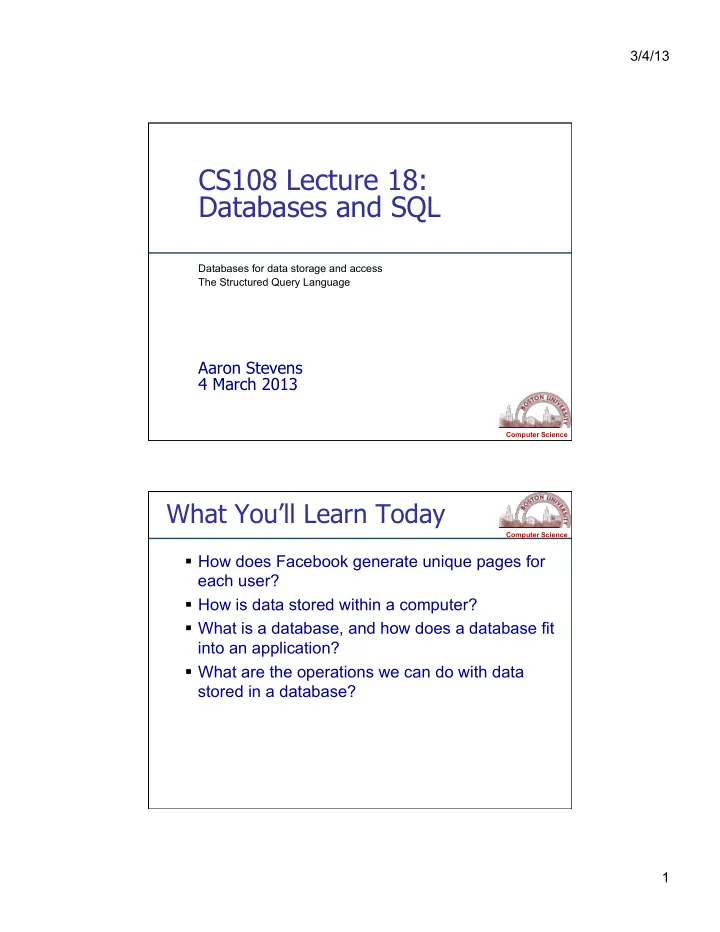
Databases and SQL Databases for data storage and access The - - PDF document

databases and sql
SMART_READER_LITE
LIVE PREVIEW

Databases and SQL Databases for data storage and access The - - PDF document

3/4/13 CS108 Lecture 18: Databases and SQL Databases for data storage and access The Structured Query Language Aaron Stevens 4 March 2013 Computer Science What Youll Learn Today Computer Science How does Facebook generate unique pages


slide-1
SLIDE 1

3/4/13 1

Computer Science

CS108 Lecture 18: Databases and SQL

Databases for data storage and access The Structured Query Language

Aaron Stevens 4 March 2013

Computer Science

What You’ll Learn Today

  • How does Facebook generate unique pages for

each user?

  • How is data stored within a computer?
  • What is a database, and how does a database fit

into an application?

  • What are the operations we can do with data

stored in a database?

slide-2
SLIDE 2

3/4/13 2

Computer Science

Storing Data: Main Memory

Memory is used to store programs and other data that are currently in use.

  • LOAD, STOR operations

Advantage of memory: short access times

  • Read/write times in nanoseconds (10-9 sec)

Disadvantages of memory:

  • relatively expensive ($/byte)
  • “volatile”

Computer Science

Storing Data: Secondary Storage

Secondary storage is used to store data for later use (examples: disks, CD, DVD).

  • Data is written from memory to disk.
  • When needed, data is read back into

memory.

slide-3
SLIDE 3

3/4/13 3

Computer Science

Secondary Storage

Advantages of secondary storage:

  • relatively inexpensive ($/byte)
  • not “volatile”

Disadvantage of secondary storage: long access times

  • Read times in milliseconds (10-3 sec).
  • in 10 ms, a modern CPU can perform millions of operations!

Thus, it's important to minimize the number of times

that the disk is accessed.

Computer Science

What info is on a Facebook profile page? No matter which page you view, it has these same elements… These data are stored in a database table.

Example: Facebook Profile

  • First Name
  • Last Name
  • Email
  • Password
  • Birthday
  • About me
  • Activities
  • Favorite Books
  • Favorite Movies
  • Favorite Music
  • Favorite Quotes
  • Favorite TV shows
slide-4
SLIDE 4

3/4/13 4

Computer Science

What’s a Table?

Each table (sub-collection) is a collection of records, and each record contains fields. Example: a profiles table The primary key is a field which uniquely identifies one record within a table. Consider this URL: http://www.facebook.com/profile.php?id=919184

Computer Science

Primary Key

The Primary Key:

  • uniquely identifies a record within a table
  • is an ideal search key
  • is a way to create relationships between different

tables

Consider this URL again...

http://www.facebook.com/profile.php?id=919184

slide-5
SLIDE 5

3/4/13 5

Computer Science

Example: Status Updates

Not all data fits neatly into the profile

  • table. Consider status updates…

A separate Status table tracks status updates for all users.

  • timestamp, userid, status

Computer Science

Example: Status Table

Each status message is related to exactly one profile by the foreign key (the field called ‘id’). These ids are called a foreign key, because they are primary keys in another table.

slide-6
SLIDE 6

3/4/13 6

Computer Science

Example: Friends

The Facebook “friend” relationship is created by an entry in a friend table. Each record has two user ids: These ids are called a foreign keys, because they are primary keys in another table.

Computer Science

Databases

A database is:

  • a collection of data stored in a way to enable quick

access (by primary key)

  • organized into related sub-collections called tables.

Example: a mini facebook database:

  • A profiles table has records of each user
  • A status table has records of status messages
  • A friends table has records friend relationships

Each table (sub-collection) is organized by records, and each record contains fields.

slide-7
SLIDE 7

3/4/13 7

Computer Science

DBMS

A database is a collection of data (not software). A database management system (DBMS) is the software which manages a database. Functions of a DBMS:

Efficient storage Providing a logical view of data (tables, records) Query processing Transaction management

Computer Science

DBMS

Efficient storage and retrieval. Indexing enables locating a record by unique attribute, called a key.

  • Example: looking up stocks by their symbol.

Logical representation - storage by record.

  • Example: update the record for ID=‘5’.
slide-8
SLIDE 8

3/4/13 8

Computer Science

Query Processing

A query language is used to access and modify the data. SQL (Structured Query Language) is the standard for relational databases.

Many different database vendors support SQL:

  • Oracle, Sybase, IBM DB2, MS SQL Server, MS Access
  • MySQL, SQLite (free/open-source)

Computer Science

Transaction Integrity

A transaction is an atomic sequence of

  • perations that must complete together (or

fail completely) but must not be half-done.

Example: using the bank machine

  • Check available balance, dispense cash, update

balance.

DBMS guarantees transaction integrity:

completion or failure of a the entire sequence

  • f steps that make up a transaction.
slide-9
SLIDE 9

3/4/13 9

Computer Science

Database Applications

End users rarely interact with a database directly. A database-enabled application allows the users to interact with the database without needing to know the query language.

Computer Science

Structured Query Language

You’ll need to know some SQL to write database- enabled applications.

  • independent language -- syntax and semantics.

SQL is comprised of 2 sub-languages:

  • Data Manipulation Language (DML):

SELECT, INSERT, UPDATE, DELETE

  • Data Definition Language (DDL):

CREATE TABLE, DROP TABLE, ALTER TABLE We’ll focus on the DML for interacting with records.

slide-10
SLIDE 10

3/4/13 10

Computer Science

Using sqlClient Program

You may use the sqliteClient.py program to

experiment with SQL statements: http://cs-webapps.bu.edu/cs108/util/sqlClient.py

Computer Science

Example: Mini FB Database

Let’s consider just 2 tables: Notice that these tables share some data:

  • ID is a primary key in profiles, and a foreign key in

status; this enables cross-table relationships.

slide-11
SLIDE 11

3/4/13 11

Computer Science

The SELECT Query

General form:

SELECT <field1>, <fields2>, … FROM <table1>, <table2>, … [WHERE <field>=<value> … ]

The minimal SELECT query requires only a list of fields (or * for all) and a single table. Example:

SELECT * FROM profiles

Computer Science

The SELECT Query (continued)

The SELECT query can specify conditions using the WHERE clause, which creates a more refined result set (e.g. only matching records are returned). Example:

slide-12
SLIDE 12

3/4/13 12

Computer Science

SQL Comparison Operators

SQL WHERE clauses can support all of the usual comparison operations. Here are the SQL comparison operators.

Computer Science

The SELECT Query (continued)

Multiple WHERE criteria can be joined together using the logical operators AND, OR and NOT. Example:

slide-13
SLIDE 13

3/4/13 13

Computer Science

The SELECT Query (continued)

WHERE criteria can use wildcard comparisons as well, using the LIKE clause for near- matches. Example:

Computer Science

The INSERT Query

General form:

INSERT INTO <table> VALUES (<val1>, <val2>,<val3> … )

The INSERT query will insert a record into the table. It requires a list values – one value for each field in the record. Example:

slide-14
SLIDE 14

3/4/13 14

Computer Science

The UPDATE Query

General form:

UPDATE <table> SET <field1>=<value1>, <field2>=<value2> [WHERE <field>=<value>]

Example: Always use a WHERE clause in an UPDATE!

Computer Science

The DELETE Query

General form:

DELETE FROM <table> [WHERE <field>=<value>]

Example: The DELETE query is extremely dangerous. Always verify your criteria before deleting! Always use a WHERE clause in a DELETE!

slide-15
SLIDE 15

3/4/13 15

Computer Science

What You Learned Today

  • Databases persistence versus volatility.
  • DBMS: efficiency, logical view, query

language, and transaction integrity.

  • Structured Query Language
  • SELECT, UPDATE, INSERT, DELETE
  • Constraints with WHERE clause

Computer Science

Next Time: The Python DB API

Python defines a standard API (objects and methods) for interaction with databases.

  • No standard implementation of this interface.
  • 3rd party developers write their own libraries which

conforms to the standard.

We will be using 2 different DMBS in CS108:

  • The SQLite3 DBMS comes standard with Python
  • Free, nothing additional to install
  • We’ll move to the MySQL DBMS for web-application

projects starting in 2 weeks

slide-16
SLIDE 16

3/4/13 16

Computer Science

Using sqliteClient Program

You may use the sqliteClient.py program to experiment with SQL

  • statements. It is accesible here:

http://cs-webapps.bu.edu/cs108/util/sqlClient.py

  • Check your SQL statements against this client to rule out

SQL syntax errors.

  • Then implement the SQL with parameterized data in your

client program.

Computer Science

Announcements and To Do

  • Readings:
  • SQL Tutorial (today) http://www.firstsql.com/tutor.htm
  • Python DBAPI and sqlite3 (for Wednesday)

http://docs.python.org/library/sqlite3.html

slide-17
SLIDE 17

3/4/13 17

Computer Science

Facebook Haiku

Avoiding Facebook Became too much of a chore So I relented

  • Scott M. Sokol

Computer Science

Using Python with MS Access

Should you want to use Python with Microsoft Access, you

will need to download and install 2 components:

1- install Mark Hammond's pywin32-210 for python 2.5 http://starship.python.net/crew/mhammond/win32/Downloads.html 2- download adodbapi.zip from http://adodbapi.sourceforge.net/ Unzip adodbapi.zip into C:\Python25\Lib\site-packages\ This is only available for Windows!