
SLIDE 1
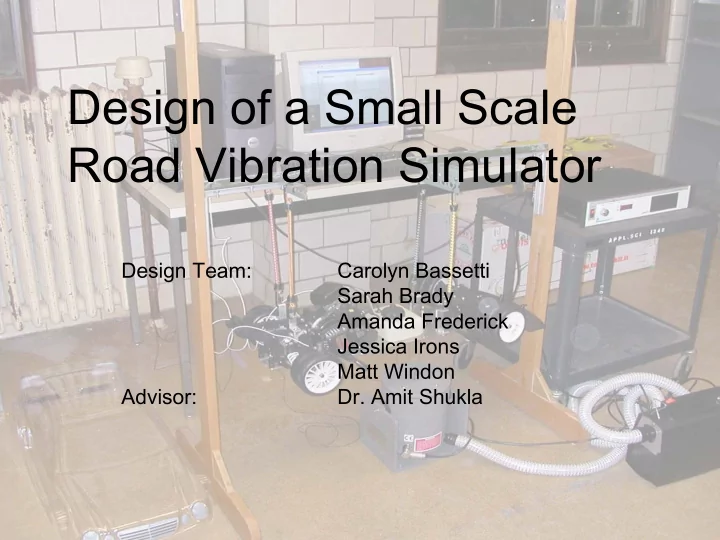
Design of a Small Scale Road Vibration Simulator
Design Team: Carolyn Bassetti Sarah Brady Amanda Frederick Jessica Irons Matt Windon Advisor:
- Dr. Amit Shukla
Design of a Small Scale Road Vibration Simulator Design Team: - - PowerPoint PPT Presentation
Design of a Small Scale Road Vibration Simulator Design Team: Carolyn Bassetti Sarah Brady Amanda Frederick Jessica Irons Matt Windon Advisor: Dr. Amit Shukla Presentation Overview Project Introduction Summary of EGR 448 Work
Design Team: Carolyn Bassetti Sarah Brady Amanda Frederick Jessica Irons Matt Windon Advisor:
Project Introduction Summary of EGR 448 Work Design Progress Hardware, Software, Experiments Feedback and Improvement Supporting Issues Suggested Future Work Measurable Outcome
Problem Statement: Miami
Establishment of Objectives and Criteria
Establishment of Objectives and Criteria
Objective: To design and implement
Establishment of Objectives and Criteria
Constraints: Limited space Limited time Limited funds
Project Deliverables
HARDWARE Researched components (sensor, actuator, system model) Selected components (accelerometers, shaker, 1/5 scale car) Purchased components SOFTWARE Identified necessary capabilities (data acquisition and analysis) Selected software (Matlab) Created overall goal for GUI Created mini GUI components EXPERIMENTS Researched the importance of vibrations in design Developed ideas for 2 laboratory experiments
Experimental Flow and Setup
Proposed Experimental Setup Final Experimental Setup
Graphical User Interface
Matlab File FFTMSPEC Matlab File CommunicationWithHardware Matlab File TFunctionWithHardwareInput Matlab File WorkingWithHardwareGUI Opens lines of communication to allow the computer to receive data from the signal conditioning board Converts the time domain data into the frequency domain relevant to the transfer function by means of the Fourier transform Computes the transfer functions from the frequency domain data Stores user inputs and plots graphs from data collected Matlab File Zoompls Adds mini ‘Zoom’ window GUI to users GUI
Lab 1 and Lab 2 Goals
Lab 1 Goal: Introduce students to
Accelerometer use, actuator use, force
Lab 2 Goal: Analyze changes in system
Using multiple accelerometers and adding
Testing and Evaluation
User Tests Pre-Lab Surveys Immediate On Site Feedback Post-Lab Surveys Lab Reports/Questions Video Evaluation Change lab/safety manuals as per student
Iterative Design Update Process
User Manual, Lab 1, and Lab 2 Flow and Format Criticisms and Remedies
Changed number of accelerometers needed in equipment list to two List number of accelerometers are needed for particular experiment, not how many are available Wrote in procedure to refer to User Manual Add dismantling instructions Added a screenshot picture in the procedure so students know where to look on the computer screen The “active” box and “waveform” pull down in Matlab are hard to find Reworded sections that seemed unclear or wordy Sections of background information are difficult to read Added “s” to designate location on bottom side of chassis for stinger position Mark the location for the stinger attachment on the bottom
Added note saying to plug cords into analog input part analog input Add that the analog input portion of the signal conditioning board is used Added note saying white cords go with larger accelerometers Say which color cords go with which accelerometers Added note in amplifier attachment section to not touch back of amplifier Add warning note saying to not touch the back of the amplifier Added pictures with arrows to relevant parts No pictures or figures Remedy
Selected Survey Questions and Answers
1.
What do you feel is the importance of conducting experiments within a vibrations course?
a.
It can help describe what problems can occur as a result of
You can also see how theory matches up with real results.
2.
Do you feel the background information was too lengthy or insufficient? Was the background information necessary?
a.
The background information is extremely important. This is the first time I have seen any of this equipment and the background information helped me to know how to use it properly.
3.
Was the purpose of the experiment clear?
a.
The experiment was meant to be an introduction to the equipment and the Matlab program. I thought it did a good job of accomplishing this.
Video
GUI Improvements
Improved Accuracy Dynamic range of graphs Windowing
GUI Improvements
Zoom capability
Market Issues
Researched companies who sell
Ensured unique product Reinforced market need Researched other university vibrations
Reinforced educational need
Cost
8,744.00 Total: 707.00 Accessories Kit 341.00 Cooling System 3266.00 Amplifier 3900.00 Shaker 530.00 Car Bill Of Materials [$]
GUI Ergonomics
Simplicity Consistency Immediate Feedback Intuitive
Safety
High voltage electronics Sensitive equipment User manual with extensive safety
Safety notes throughout lab procedure Support structure built by team Steps taken to ensure user safety
Professional Ethics
Appropriately referenced resources Team members carried through their
Adhered to contract signed at the
Documented design process to make
Add additional capabilities added to GUI On/Off Windowing Capability Averaging Capability Create additional lab manuals
Enable experiment to be run from a remote
Project Deliverables
Website
Created website showcasing design project Uploaded lab manuals for other institutions to be
www.users.muohio.edu/bradyse (current) www.users.muohio.edu/shuklaa/vibrations.html
the machine shop and with supplies
structure
them more user friendly and easier to understand
Robert Petrochic, Richard Titas, Andrew Walker–for performing user tests
The Mathworks, Inc. Natick , MA .