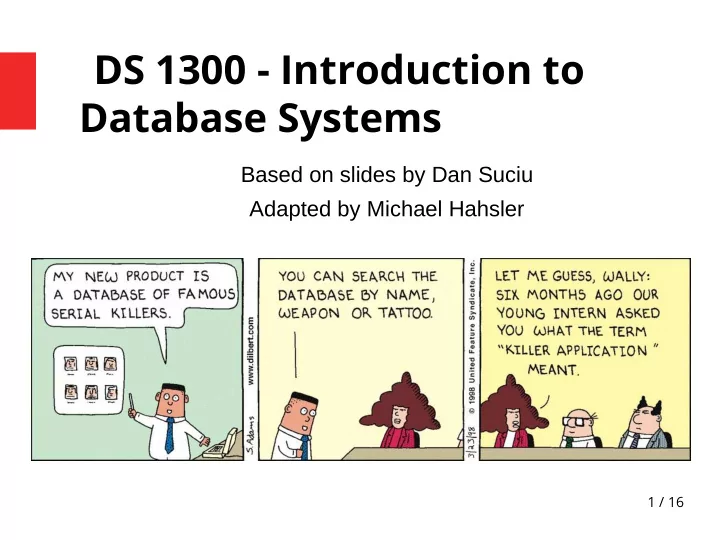
DS 1300 - Introduction to Database Systems Based on slides by Dan - - PowerPoint PPT Presentation

ds 1300 introduction to database systems
SMART_READER_LITE
LIVE PREVIEW

DS 1300 - Introduction to Database Systems Based on slides by Dan - - PowerPoint PPT Presentation

DS 1300 - Introduction to Database Systems Based on slides by Dan Suciu Adapted by Michael Hahsler 1 / 16 Database What is a database? Physical storage: A collection of fjles storing related data. Logical: A collection of tables (or


slide-1
SLIDE 1

1 / 16

DS 1300 - Introduction to Database Systems

Based on slides by Dan Suciu Adapted by Michael Hahsler

slide-2
SLIDE 2

2 / 16

Database

What is a database?

  • Physical storage: A collection of fjles storing related

data.

  • Logical: A collection of tables (or objects).

Examples of databases

  • Accounts database; payroll database; SMU’s students

database; Amazon’s products database; airline reservation database.

slide-3
SLIDE 3

3 / 16

Database Management System

What is a DBMS?

  • A complicated (and often expensive) piece of software typically

running on a large (remote) server written by someone else that allows us to manage effjciently a large database and allows it to persist over long periods of time. Examples of DBMS

  • Commercial: DB2 (IBM), SQL Server (MS), Oracle, Sybase
  • Open Source: MySQL, Postgres, SQLite, …
  • Big Data: often NoSQL like MongoDB, Apache Cassandra, etc.
slide-4
SLIDE 4

4 / 16

Architecture: Using a DMBS

Data files Database server running the DBMS Applications running a client connection (ODBC, JDBC)

“Client-server Architecture”

slide-5
SLIDE 5

5 / 16

Operations: Query/Update

Assume we have a database for movies and actors.

  • Simple query:

– In what year was ‘Star Wars’ produced?

  • Multi-table query:

– Find all movies with ‘Harrison Ford’

(combine actor and movie tables)

  • Complex query:

– For each actor, count her/his movies

  • Updating

– Insert a new movie;

add an actor to a movie; etc

Movies Actors

slide-6
SLIDE 6

6 / 16

Operations: Query/Update

  • Files (e.g., CSV)
  • Spreadsheets
  • DBMS

Simple queries Multi-table queries (maybe) All Updates: generally OK

slide-7
SLIDE 7

7 / 16

Change the Structure of a DB

Add Address to each Actor

  • Files (e.g., CSV)
  • Spreadsheets
  • DBMS

Very hard Yes Yes

slide-8
SLIDE 8

8 / 16

Issue: Concurrent Access

Multiple users access/update the data concurrently

  • What can go wrong?

– Lost update; resulting in inconsistent data

  • How do we protect against that in OS?

– Locks

  • Databases need a similar concept to deal with

concurrent updates.

slide-9
SLIDE 9

9 / 16

Issue: Recover from crashes

  • Transfer $100 from account #4662 to #7199:

X = Read(Accounts, 4662); X.amount = X.amount - 100; Write(Accounts, 4662, X); Y = Read(Accounts, 7199); Y.amount = Y.amount + 100; Write(Accounts, 7199, Y); X = Read(Accounts, 4662); X.amount = X.amount - 100; Write(Accounts, 4662, X); Y = Read(Accounts, 7199); Y.amount = Y.amount + 100; Write(Accounts, 7199, Y);

CRASH !

What is the problem ?

slide-10
SLIDE 10

10 / 16

Concurrency & Recovery: Transactions

  • A transaction = sequence of statements that either all

succeed, or all fail together.

  • E.g., Transfer $100

BEGIN TRANSACTION; UPDATE Accounts SET amount = amount - 100 WHERE number = 4662 UPDATE Accounts SET amount = amount + 100 WHERE number = 7199 COMMIT BEGIN TRANSACTION; UPDATE Accounts SET amount = amount - 100 WHERE number = 4662 UPDATE Accounts SET amount = amount + 100 WHERE number = 7199 COMMIT

slide-11
SLIDE 11

11 / 16

Transactions

Transactions have the ACID properties:

A = atomicity C = consistency I = isolation D = durability Transactions also allow rollbacks (undo).

Transactions are independent All or nothing Valid state to valid state No data loss after commit

slide-12
SLIDE 12

12 / 16

Relational Data Base = Collection of Tables

Actors: Movie_Actors: Movies: id fName lName 15901 Harrison Ford . . . mid Title Year 130128 Star Wars 1977 . . . id mid 15901 130128 . . .

slide-13
SLIDE 13

13 / 16

Create/Store Large Datasets

Use SQL to create and populate tables: CREATE TABLE Actors ( fName CHAR(30), lName CHAR(30), . . . ) CREATE TABLE Actors ( fName CHAR(30), lName CHAR(30), . . . ) INSERT INTO Actors VALUES('Harrison', 'Ford', . . .) INSERT INTO Actors VALUES('Harrison', 'Ford', . . .)

Physical organization of the data is handled by DBMS We focus on modeling the database!

slide-14
SLIDE 14

14 / 16

Querying

  • Find all movies with ‘Harrison Ford’
  • What happens behind the scene ?

– The DBMS uses indices and optimizes automatically the query...

SELECT title FROM Movies, Actors, Movie_Actors WHERE Actors.lname = ‘Ford’ and Actors.fname = ‘Harrison’ and Movies.mid = Movie_Actors.mid and Movie_Actors.id = Actors.id SELECT title FROM Movies, Actors, Movie_Actors WHERE Actors.lname = ‘Ford’ and Actors.fname = ‘Harrison’ and Movies.mid = Movie_Actors.mid and Movie_Actors.id = Actors.id

slide-15
SLIDE 15

15 / 16

Change the Structure of a Table

Add Address to each Actor

ALTER TABLE Actor ADD address CHAR(50) DEFAULT ‘unknown’ ALTER TABLE Actor ADD address CHAR(50) DEFAULT ‘unknown’

slide-16
SLIDE 16

16 / 16

What comes next?

1) Using a DBMS 2) Using SQL to Query Databases 3) Designing a Database