EDA Quick View A new interface for visualizing arousal Elena - - PowerPoint PPT Presentation

eda quick view
SMART_READER_LITE
LIVE PREVIEW

EDA Quick View A new interface for visualizing arousal Elena - - PowerPoint PPT Presentation

EDA Quick View A new interface for visualizing arousal Elena Agapie & Caroline Pires The Problem How to make live arousal data more accessible? Make EDA data intuitive to non- scientists Real time arousal monitoring


slide-1
SLIDE 1

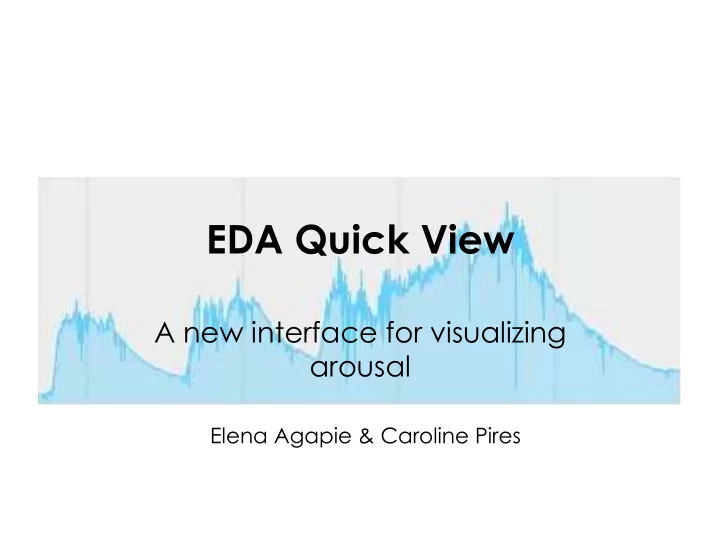
EDA Quick View

A new interface for visualizing arousal

Elena Agapie & Caroline Pires
slide-2
SLIDE 2

The Problem

  • How to make live arousal data more

accessible?

  • Make EDA data intuitive to non-

scientists

  • Real time arousal monitoring
  • Preventing problem behavior in

children

slide-3
SLIDE 3

Electrodermal Activity

  • Measure of skin

conductance

  • Sympathetic ANS

activates

  • Skin becomes more

conductive

slide-4
SLIDE 4

EDA Signal

slide-5
SLIDE 5
slide-6
SLIDE 6

Early Conceptions

  • Goal

– Measure and represent arousal level – Indicate high and low arousal

  • Target user

– Teachers in centers for autism – Children on the spectrum

  • Data

– Difficult to understand – Hard to correlate with visible arousal

slide-7
SLIDE 7

Related Systems

Affectiva Software

slide-8
SLIDE 8

Related Systems

Affectiva Software

slide-9
SLIDE 9

Related Systems

Elliott Hedman et al

slide-10
SLIDE 10

Our Approach

  • Use colors and shapes to represent

arousal level and arousal change

– Basic information – Easy to process – Fast to process

slide-11
SLIDE 11

Circle Scheme

  • Variable #1: diameter of

grey circle

– Represents baseline – Function of history

  • Variable #2: diameter of

red circle

– Represents current arousal – Function of current EDA (perhaps smoothed over some amount of time)

Hyper- aroused Hypo- aroused

slide-12
SLIDE 12

Color Scheme

  • Variable: color

– Function of EDA relative to baseline

Highest relative arousal Lowest relative arousal baseline

slide-13
SLIDE 13

Other designs

  • Images intuitive for children
  • Physical sensor changing state
  • Using directionality to show

increases in arousal

  • Using baselines of signal to

determine arousal level

slide-14
SLIDE 14

Design decisions

  • Focus on direction of the signal

(increasing and decreasing)

  • Use basic shapes and figures: arrows
  • Focus on teachers as a user
slide-15
SLIDE 15

New Design Scheme

  • Signal arousal change rather than

level

  • Eliminates need for baseline*

*sort of.. We’ll get back to this later

slide-16
SLIDE 16

EDA Quick View

.25

slide-17
SLIDE 17

This display changes…

1.2

This shows the raw EDA This symbol shows the recent trend in arousal change A blue dash indicates no Trend toward rising or falling

slide-18
SLIDE 18

This display changes…

1.2

This shows the raw EDA This symbol shows the recent trend in arousal change A pink arrow pointing up indicates arousal is rising

slide-19
SLIDE 19

This display changes…

1.2

This shows the raw EDA This symbol shows the recent trend in arousal change A green arrow pointing down indicates arousal is falling

slide-20
SLIDE 20

This display changes…

1.2

This shows the raw EDA This symbol shows the recent trend in arousal change The arrow can be thick or thin. A thick arrow indicates a rapid change.

slide-21
SLIDE 21

This display changes…

1.2

This shows the raw EDA This symbol shows the recent trend in arousal change When a purple box appears, this means the signal is very jumpy (labile)

slide-22
SLIDE 22

Stabile signal Labile signal

slide-23
SLIDE 23

Lability

  • Frequency of phasic EDA
  • Individuals can be more stabile/

labile

  • Associated with high cognitive load
  • Also stress
slide-24
SLIDE 24

EDA Quick View

.25

slide-25
SLIDE 25

.37

EDA Quick View

slide-26
SLIDE 26

1.54

EDA Quick View

slide-27
SLIDE 27

1.62

EDA Quick View

slide-28
SLIDE 28

1.4

EDA Quick View

slide-29
SLIDE 29

1.4

EDA Quick View

slide-30
SLIDE 30

2.88

EDA Quick View

slide-31
SLIDE 31

.74

EDA Quick View

slide-32
SLIDE 32
  • Information

available:

– Rising or falling – Fast or slow – Stable or labile – Raw EDA

  • Information not

available:

– Context, how current state fits into individual’s history

slide-33
SLIDE 33

Testing with Dot Lucci

Director of Consultation for MGH/YouthCare

  • Former teacher and school psychologist
  • Works with teens with Aspergers
  • Consults on how to make spaces and

systems more compatible

  • Clinical interest in anxiety & relaxation
slide-34
SLIDE 34

Initial Reactions

  • Distracted by graph
  • Hard time remembering significance of

colors

  • Found thick-thin system for arrows non-

intuitive

  • Not complicated, just would take some

time to learn

slide-35
SLIDE 35
  • Need to find a way to capture

gradual change (particularly rise)

– Feature where you can see net change over x amount of time – Allows for “antiseptic bounce”

slide-36
SLIDE 36
  • Interface should be customizable for

user

– Option to hide graph – Graph windowed to different time spans – Option to measure across different time spans

slide-37
SLIDE 37
  • Interface should be customizable for

monitored individual

– Calibrated to kid’s own normal range – Name and photo of child next to display

slide-38
SLIDE 38

.37

Caroline

slide-39
SLIDE 39

Ultimately teacher’s choice how to use the information

  • Match optimal arousal with setting

– Higher for PE – Lower for reading

  • Still need for learning, attention to
  • ther cues
slide-40
SLIDE 40

Other possible ways..

slide-41
SLIDE 41

EDA Quick View

.25

slide-42
SLIDE 42

.37

EDA Quick View

slide-43
SLIDE 43

1.54

EDA Quick View

slide-44
SLIDE 44

1.4

EDA Quick View

slide-45
SLIDE 45

1.4

EDA Quick View

slide-46
SLIDE 46

2.88

EDA Quick View

slide-47
SLIDE 47

.74

EDA Quick View

slide-48
SLIDE 48

Data Processing

Cleaning up the data

slide-49
SLIDE 49

Filtering

33 size filter

slide-50
SLIDE 50

More Filtering

Median filtering

Cleaning up the data

slide-51
SLIDE 51

Curve Fitting - Gaussians

slide-52
SLIDE 52

Curve Fitting - Gaussians

10 minute intervals – 2 Gaussians/interval

slide-53
SLIDE 53

Curve Fitting - Gaussians

40 min of data - Arousal increasing? Decreasing? Constant?

slide-54
SLIDE 54

Curve Fitting - Gaussians

40 min of data - Arousal increasing? Decreasing? Constant?

slide-55
SLIDE 55

Future Work

  • Testing Session with teachers and

parents

  • Next system prototype
  • Reiterating the design process
  • What kind of rises in arousal to focus

in the real setting?

slide-56
SLIDE 56

Thank You

  • Matthew & Roz
  • Dot Lucci
  • Elliott Hedman
  • The Groden Center
  • The rest of our class!