EdShare EPrints Services EdShare EPrints Services > Jisc - - PowerPoint PPT Presentation

edshare eprints services edshare eprints services jisc
SMART_READER_LITE
LIVE PREVIEW

EdShare EPrints Services EdShare EPrints Services > Jisc - - PowerPoint PPT Presentation

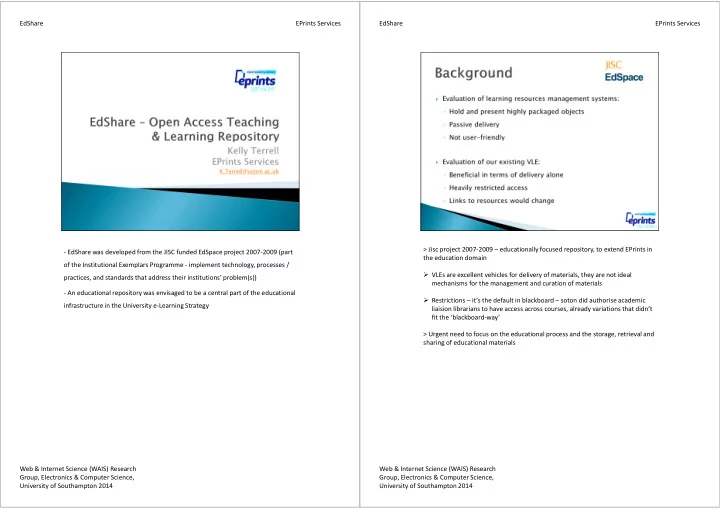
EdShare EPrints Services EdShare EPrints Services > Jisc project 2007-2009 educationally focused repository, to extend EPrints in - EdShare was developed from the JISC funded EdSpace project 2007-2009 (part the education domain of the


slide-1
SLIDE 1
  • EdShare was developed from the JISC funded EdSpace project 2007-2009 (part
  • f the Institutional Exemplars Programme - implement technology, processes /

practices, and standards that address their institutions’ problem(s))

  • An educational repository was envisaged to be a central part of the educational

infrastructure in the University e-Learning Strategy EPrints Services Web & Internet Science (WAIS) Research Group, Electronics & Computer Science, University of Southampton 2014 EdShare > Jisc project 2007-2009 – educationally focused repository, to extend EPrints in the education domain VLEs are excellent vehicles for delivery of materials, they are not ideal mechanisms for the management and curation of materials Restrictions – it’s the default in blackboard – soton did authorise academic liaision librarians to have access across courses, already variations that didn’t fit the ‘blackboard-way’ > Urgent need to focus on the educational process and the storage, retrieval and sharing of educational materials EPrints Services Web & Internet Science (WAIS) Research Group, Electronics & Computer Science, University of Southampton 2014 EdShare

slide-2
SLIDE 2

> Opening access – at appropriate level > Focusing on transferable skills, simple to use interface (not another system, with another load of training) > Project was also about understanding the procedural and culture changes for the institution, building a L&T equivalent of EPrints to institutions to adopt EPrints Services Web & Internet Science (WAIS) Research Group, Electronics & Computer Science, University of Southampton 2014 EdShare Looking at other successful tools/site – what worked well and is popular > Hosting – the content is uploaded and stored – deposit doesn’t usually care or need to worry about it > Organisation – using tags, collections, albums content is arranged – flexibility to suit preferences > Community – Comments, Ratings, accessing user information – contributors are visible to others, networking, feedback EPrints Services Web & Internet Science (WAIS) Research Group, Electronics & Computer Science, University of Southampton 2014 EdShare

slide-3
SLIDE 3

> Simple submission form, through user groups focused down on the essential metadata that needs to be collected > Stores content – depositor doesn’t need to worry about this > Priority is the content which is provided in inline preview – metadata is there but secondary EPrints Services Web & Internet Science (WAIS) Research Group, Electronics & Computer Science, University of Southampton 2014 EdShare Multiple ways of sorting / arranging information so that can be found Flexible, not forced Preference – some may use tags, others may use collections, both EPrints Services Web & Internet Science (WAIS) Research Group, Electronics & Computer Science, University of Southampton 2014 EdShare

slide-4
SLIDE 4

> Contributors have an identity, visible, activity is shared > Log-in and have their own area that they can personalise – feeling of

  • wnership and control over their presence

EPrints Services Web & Internet Science (WAIS) Research Group, Electronics & Computer Science, University of Southampton 2014 EdShare Homepage: it’s heavily customisable Summary Page: http://www.edshare.soton.ac.uk/3628/ or 392 data first previews are generated of many formats – download gets the original If no preview - http://www.edshare.soton.ac.uk/6604/ Previews availability are also based on the "viewing permissions" of the resource – philosophy is open but there are options to restrict commenting / notes feature (depositor notified) tagging - /6151 click on ‘creative commons’ Browse Views User > Expertise > web 2.0 > Dave Millard : emphasis this is picked up from profiles Profiles Public view (showing Dave Millard’s): user controls visibility, admins control layout Private home page: EPrints Services Web & Internet Science (WAIS) Research Group, Electronics & Computer Science, University of Southampton 2014 EdShare

slide-5
SLIDE 5

Manage Resources: Bulk vs single creation Workflow Bookmarks, Saved Search, Admin

  • Preview materials directly in the web browser (including most video, audio and office

documents) removing the need to download them first

  • Publish and share their resources quickly and easily with a simple submission and

lightweight metadata collection

  • Upload any type of file (Video, Audio, Images, Powerpoint, Word, Zip ... anything!)
  • Comment on resources and discuss them with other users
  • Add their own private notes to resources
  • Customise and re-organise the layout of their homepage with content they wish to see
  • Share their profile and repository activity publicly
  • Save their favourite resources as Bookmarks
  • Keep updated about latest additions using RSS Feeds and Email Alerts

EdShare EPrints Services Web & Internet Science (WAIS) Research Group, Electronics & Computer Science, University of Southampton 2014 8 > Avoid making too many mandatory fields – remember what works well on

  • ther sites

> User experience is key: +/- experience can have a ripple effect EPrints Services Web & Internet Science (WAIS) Research Group, Electronics & Computer Science, University of Southampton 2014 EdShare