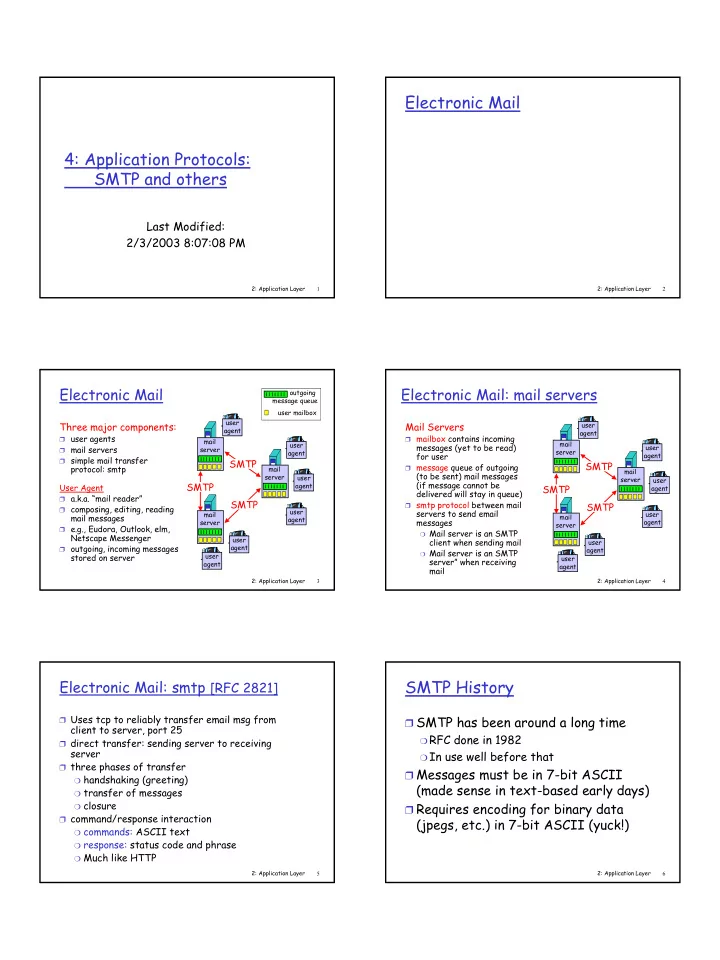
SLIDE 3 2: Application Layer 13
What about sending pictures and other binary data?
❒ Don’t try this by hand ☺ ❒ MIME: multimedia mail extension, RFC 2045, 2056 ❒ additional lines in msg header declare MIME content
type
From: alice@crepes.fr To: bob@hamburger.edu Subject: Picture of yummy crepe. MIME-Version: 1.0 Content-Transfer-Encoding: base64 Content-Type: image/jpeg base64 encoded data ..... ......................... ......base64 encoded data
multimedia data type, subtype, parameter declaration method used to encode data MIME version encoded data
2: Application Layer 14
MIME types: Extensible
Content-Type: type/subtype; parameters Text
❒ example subtypes: plain,
html
Image
❒ example subtypes: jpeg,
gif
Audio
❒ example subtypes: basic
(8-bit mu-law encoded), 32kadpcm (32 kbps coding)
Video
❒ example subtypes: mpeg,
quicktime
Application
❒ other data that must be
processed by reader before “viewable”
❒ example subtypes:
msword, octet-stream
2: Application Layer 15
Multipart Type
From: alice@crepes.fr To: bob@hamburger.edu Subject: Picture of yummy crepe. MIME-Version: 1.0 Content-Type: multipart/mixed; boundary=98766789
Content-Transfer-Encoding: quoted-printable Content-Type: text/plain Dear Bob, Please find a picture of a crepe.
Content-Transfer-Encoding: base64 Content-Type: image/jpeg base64 encoded data ..... ......................... ......base64 encoded data
2: Application Layer 16
Spam/forged mail
❒ “Received:” and “MessageID” headers are
part of the data
❍ Accurate and helpful from legitimate servers
and user agents ❒ Start with a legitimate server you trust
❍ Don’t relay messages from a site outside your
domain to another host outside your domain
❍ Verify the Mail From field (resolvable domain
and matching IP address)
❍ Refuse traffic from known spammers
2: Application Layer 17
Sample Spam
From dogboyseven@aol.com Sat Sep 4 16:55:41 1999 Received: from cs2.CS.Berkeley.EDU (cs2.CS.Berkeley.EDU [169.229.60.56]) by mnemosyne.CS.Berkeley.EDU (8.9.1a/) with ESMTP id QAA20836 for <jnm@mailspool.CS.Berkeley.EDU>; Sat, 4 Sep 1999 16:55:38 -0700 (PDT) Received: from mail.everfaster.com (mail.everfaster.com [197.46.220.4]) by cs2.CS.Berkeley.EDU (8.9.1a/8.6.6.Beta11) with ESMTP id LAA18735 for <jnm@cs.berkeley.edu>; Sat, 4 Sep 1999 16:55:04 -0700 (PDT) Received: from gate.hypermoon.com (pool37.qs4w.longlink.net [217.6.1.7]) by mail.everfaster.com (8.8.7/8.8.7) with SMTP id PAA20074; Sat, 4 Sep 1999 19:54:21 -0400 (EDT) Received: from fritz.hotdogcity.com (fritz.hotdogcity.com [221.88.9.16]) by server.big-hello.com (8.8.8/8.8.8) with SMTP id RAA04617; Sat, 4 Sep 1999 19:53:33 -0400 (EDT) Received: by fritz.hotdogcity.com with Internet Mail Service (5.5.248.0) id Q19G494F; Sat, 4 Sep 1999 19:53:25 -0400 (EDT) Date: Sat, 4 Sep 1999 19:53:23 -0400 (EDT) From: Charles Lewis <clewis@hotmail.com> To: jnm@cs.berkeley.edu Subject: You'll never believe this! Message-ID: <19990904195323.H8159@fritz.hotdogcity.com> Mime-Version: 1.0 Content-Type: text/plain; charset=us-ascii You won't believe this, but some company just paid me to surf the web! Check out...
2: Application Layer 18
Tracking and Reporting Spam
❒ Record IP address of sender and time and
date of message transfer
❒ Spamcop uses a combination of tools like
dig, nslookup and finger to cross-check all the information in an email header and find the email address of the system administrator responsible for the network from which the mail was sent
❒ postmaster@domain or abuse@domain