SLIDE 1 5/21/2015
1
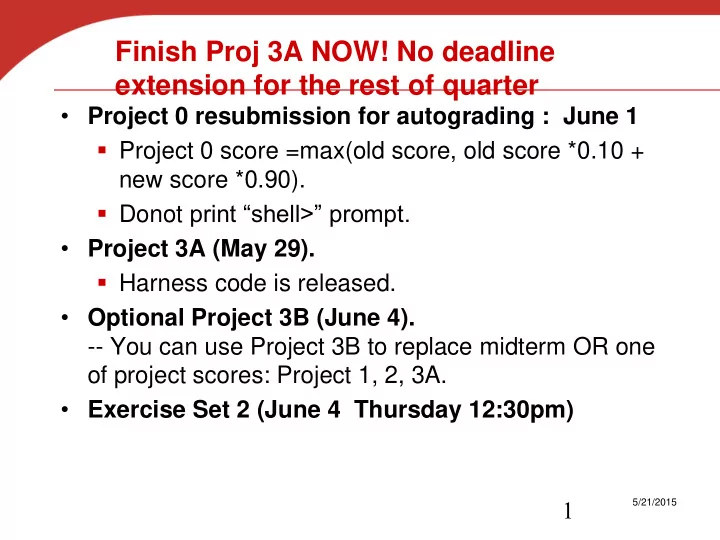
Finish Proj 3A NOW! No deadline extension for the rest of quarter
- Project 0 resubmission for autograding : June 1
- Project 0 score =max(old score, old score *0.10 +
new score *0.90).
- Donot print “shell>” prompt.
- Project 3A (May 29).
- Harness code is released.
- Optional Project 3B (June 4).
- - You can use Project 3B to replace midterm OR one
- f project scores: Project 1, 2, 3A.
- Exercise Set 2 (June 4 Thursday 12:30pm)
SLIDE 2
File Systems
CS170 Fall 2015. T. Yang
SLIDE 3 What to Learn?
- File interface review
- File-System Structure
- File-System Implementation
- Directory Implementation
- Allocation Methods of Disk Space
- Free-Space Management
- Contiguous allocation
- Block-oriented indexing
– Unix inode structure
SLIDE 4 Files
- File concept:
- Contiguous logical address space in a persistent
storage (e.g. disk).
- File structure
- None - sequence of words, bytes
- Simple record structure
– Lines – Fixed length – Variable length
- Complex Structures: Formatted document
- Who decides the structure:
- Operating system
- Program
SLIDE 5 File Attributes
- Name – only information kept in human-readable form
- Identifier – unique tag (number) identifies file within
file system
- Type – needed for systems that support different types
- Location – pointer to file location on device
- Size – current file size
- Protection – controls who can do reading, writing,
executing
- Time, date, and user identification – data for
protection, security, and usage monitoring
- Information about files are kept in the directory
structure, which is maintained on the disk
SLIDE 6 File Operations
- Create
- Open(Fi)
- search the directory structure on disk for entry Fi
- move the content of entry to memory
- Close (Fi) –
- move the content of entry Fi in memory to
directory structure on disk
- Write
- Read
- Reposition within file (e.g. seek)
- Delete
- Truncate
SLIDE 7 Access Methods
read next write next reset
read n write n position to n read next write next rewrite n n = relative block number
SLIDE 8 File System Abstraction
- Directory
- Group of named files or subdirectories
- Mapping from file name to file metadata location
- Path
- String that uniquely identifies file or directory
- Ex: /cse/www/education/courses/cse451/12au
- Links
- Hard link: link from name to metadata location
- Soft link: link from name to alternate name
- Mount
- Mapping from name in one file system to root of another
SLIDE 9 UNIX File System API
- create, link, unlink, createdir, rmdir
- Create file, link to file, remove link
- Create directory, remove directory
- open, close, read, write, seek
- Open/close a file for reading/writing
- Seek resets current position
- fsync
- File modifications can be cached
- fsync forces modifications to disk (like a memory
barrier)
SLIDE 10 File System Interface
- UNIX file open is a Swiss Army knife:
- Open the file, return file descriptor
- Options:
– if file doesn’t exist, return an error – If file doesn’t exist, create file and open it – If file does exist, return an error – If file does exist, open file – If file exists but isn’t empty, nix it then open – If file exists but isn’t empty, return an error – …
SLIDE 11 Example of Linux read, write, and lseek
int main() { int file=0; char buffer[15]; if((file=open("testfile.txt",O_RDONLY)) < -1) return 1; if(read(file,buffer,14) != 14) return 1; printf("%s\n",buffer); if(lseek(file,5,SEEK_SET) < 0) return 1; if(read(file,buffer,19) != 14) return 1; printf("%s\n",buffer); return 0; } $ cat testfile.txt This is a test file $ ./testing This is a test is a test file
SLIDE 12 Protection
- File owner/creator should be able to control:
- what can be done
- by whom
- Types of access
- Read
- Write
- Execute
- Append
- Delete
- List
Example in Linux
SLIDE 13 Access Lists and Groups in Linux
- Mode of access: read, write, execute
- Three classes of users
RWX a) owner access 7 1 1 1 RWX b) group access 6 1 1 0 RWX c) public access 1 0 0 1
- Ask manager to create a group (unique name),
say G, and add some users to the group.
- For a particular file (say game) or
subdirectory, define an appropriate access.
group public chmod 761 game
Attach a group to a file chgrp G game
SLIDE 14
Windows Access-Control List Management
SLIDE 15 Directory Structure
- A collection of nodes containing information
about all files F 1 F 2 F 3 F 4 F n Directory Files Both the directory structure and the files reside on disk Backups of these two structures are kept on tapes
SLIDE 16
A Typical File-system Organization on a Disk Partition
SLIDE 17 Operations Performed on Directory
- Search for a file
- Create a file
- Delete a file
- List a directory
- Rename a file
- Traverse the file system
SLIDE 18 Directory with single-Level or two-level
- A single directory for all users
- Two -level
SLIDE 19
Tree-Structured Directories
SLIDE 20 Directory with acyclic graph structure
- Name Resolution: The process of converting a logical
name into a physical resource (like a file)
- Traverse succession of directories until reach target file
- Global file system: May be spread across the network
SLIDE 21 Building a File System
- File System: Layer of OS that transforms block interface
- f disks (or other block devices) into Files, Directories,
etc.
- File System Components
- Disk Management: collecting disk blocks into files
- Naming: Interface to find files by name, not by blocks
- Protection: Layers to keep data secure
- Reliability/Durability: Keeping of files durable despite
crashes, media failures, attacks, etc
- User vs. System View of a File
- User’s view: Durable Data Structures
- System call interface:
– Collection of Bytes (UNIX)
- System’s view (inside OS):
– Collection of blocks (a block is a logical transfer unit, while a sector is the physical transfer unit on disk) – Block size sector size; in UNIX, block size is 4KB
Kubiatowicz’s cs162 UCB
SLIDE 22 Translating from User to System View
- What happens if user says: give me bytes 2—12?
- Fetch block corresponding to those bytes
- Return just the correct portion of the block
- What about: write bytes 2—12?
- Fetch block
- Modify portion
- Write out Block
- Everything inside File System is in whole size blocks
- For example, getc(), putc() buffers something
like 4096 bytes, even if interface is one byte at a time
- From now on, file is a collection of blocks
File System
Kubiatowicz’s cs162 UCB
SLIDE 23 File System Design
- Data structures
- Directories: file name -> file metadata
– Store directories as files
- File metadata: how to find file data blocks
- Free map: list of free disk blocks
- How do we organize these data structures?
- Device has non-uniform performance
SLIDE 24 Design Challenges
- Index structure
- How do we locate the blocks of a file?
- Index granularity
- What block size do we use?
- Free space
- How do we find unused blocks on disk?
- Locality
- How do we preserve spatial locality?
- Reliability
- What if machine crashes in middle of a file system op?
SLIDE 25 File System Workload
- Studying application workload and characteristics
can help feature prioritization or optimization of design
- What should be considered?
- File sizes
– Are most files small or large? – Which accounts for more total storage: small or large files?
– Small file, large file? – Random access vs sequential access?
SLIDE 26 File System Workload
- File sizes
- Are most files small or large?
– SMALL
- Which accounts for more total storage: small or
large files?
– LARGE
SLIDE 27 File System Workload
- File access
- Are most accesses to small or large files?
- Which accounts for more total I/O bytes: small or
large files?
SLIDE 28 File System Workload
- File access
- Are most accesses to small or large files?
– SMALL
- Which accounts for more total I/O bytes: small or
large files?
– LARGE
SLIDE 29 File System Workload
- How are files used?
- Most files are read/written sequentially
- Some files are read/written randomly
– Ex: database files, swap files
- Some files have a pre-defined size at creation
- Some files start small and grow over time
– Ex: program stdout, system logs
SLIDE 30 Designing the File System: Access Patterns
- Sequential Access: bytes read in order (“give me the next X bytes, then
give me next, etc.”)
- Most of file accesses are of this flavor
- Random Access: read/write element out of middle of array (“give me
bytes i—j”)
- Less frequent, but still important, e.g., mem. page from swap file
- Want this to be fast – don’t want to have to read all bytes to get to the
middle of the file
- Content-based Access: (“find me 100 bytes starting with JOSEPH”)
- Example: employee records – once you find the bytes, increase my
salary by a factor of 2
- Many systems don’t provide this; instead, build DBs on top of disk
access to index content (requires efficient random access)
- A. Joseph UCB CS162. Spr 2014
SLIDE 31 Designing the File System: Usage Patterns
- Most files are small (for example, .login, .c, .java files)
- A few files are big – executables, swap, .jar, core files,
etc.; the .jar is as big as all of your .class files combined
- However, most files are small – .class, .o, .c, .doc, .txt, etc
- Large files use up most of the disk space and bandwidth
to/from disk
- May seem contradictory, but a few enormous files are
equivalent to an immense # of small files
- Although we will use these observations, beware!
- Good idea to look at usage patterns: beat competitors by
- ptimizing for frequent patterns
- Except: changes in performance or cost can alter usage
- patterns. Maybe UNIX has lots of small files because big
files are really inefficient?
- A. Joseph UCB CS162. Spr 2014
SLIDE 32 File System Design
- For small files:
- Small blocks for storage efficiency
- Concurrent ops more efficient than sequential
- Files used together should be stored together
- For large files:
- Storage efficient (large blocks)
- Contiguous allocation for sequential access
- Efficient lookup for random access
- May not know at file creation
- Whether file will become small or large
- Whether file is persistent or temporary
- Whether file will be used sequentially or randomly
SLIDE 33 File System Goals
- Performance and Flexibility
- Maximize sequential performance
- Efficient random access to file
- Easy management of files (growth, truncation, etc)
- Persistence and Reliability
SLIDE 34 File-System Implementation
- Directories and index structure
- Special root block at a specific location contains
the root directory
- Directory structure organizes the files
– Given file name, find a file number – Given a file number which contains the file structure info, locate blocks of this file.
- Per-file File Control Block (FCB) contains many
details about the file
- Called i-node in Linux/Unix
SLIDE 35
A Typical File Control Block
SLIDE 36 Layered File System
- Virtual File Systems (VFS) provide
an object-oriented way of implementing file systems.
- VFS allows the same system call
interface (the API) to be used for different types of file systems.
- The API is to the VFS interface,
rather than any specific type of file system.
SLIDE 37
Schematic View of Virtual File System
SLIDE 38 Directory Implementation
- Linear list of file names with pointer to the data
blocks.
- simple to program
- time-consuming to execute
- Hash Table – linear list with hash data structure.
- decreases directory search time
- collisions – situations where two file names hash
to the same location
SLIDE 39 How do we actually access files?
- All information about a file contained in its file header
- File control block: UNIX calls this an “inode”
– Inodes are global resources identified by index (“inumber”, or inode number)
- Once you load the header structure, all blocks of file are
locatable
- the maximum number of inodes is fixed at file system creation,
limiting the maximum number of files the file system can hold.
- A typical allocation heuristic for inodes in a file system is one
percent of total size.
- The inode number indexes a table of inodes in a known
location on the device
SLIDE 40
i-node number
SLIDE 41 Question: how does the user ask for a particular file?
- One option: user specifies an inode by a number (index).
– Imagine: open(“14553344”)
- Better option: specify by textual name
– Have to map nameinumber
– This is how Apple made its money. Graphical user
- interfaces. Point to a file and click
- A. Joseph UCB CS162. Spr 2014
SLIDE 42
Named Data in a File System
SLIDE 43
Directories Are Files
SLIDE 44
Directory Layout
Directory stored as a file Linear search to find filename (small directories)
SLIDE 45
Large Directories: B Trees
SLIDE 46
Large Directories: Layout
SLIDE 47
Recursive Filename Lookup
SLIDE 48 How many disk accesses to resolve “/my/book/count”?
- Read in file header for root / (fixed spot on disk)
- Read in first data block for root /
- Table of file name/index pairs. Search linearly – ok since
directories typically very small
- Read in file header for “my”
- Read in first data block for “my”; search for “book”
- Read in file header for “book”
- Read in first data block for “book”; search for “count”
- Read in file header for “count”
- Current working directory: Per-address-space pointer to
a directory (inode) used for resolving file names
- Allows user to specify relative filename instead of absolute
path (say CWD=“/my/book” can resolve “count”)
- A. Joseph UCB CS162. Spr 2014
SLIDE 49
- Open system call:
- Resolves file name, finds file control block (inode)
- Makes entries in per-process and system-wide tables
- Returns index (called file descriptor or file handle ) in
- pen-file table
In-Memory File System Structures
SLIDE 50 Open Files
- Several pieces of data are needed to manage
- pen files:
- File pointer: pointer to last read/write location, per
process that has the file open
- File-open count: counter of number of times a file
is open – to allow removal of data from open-file table when last processes closes it
- Disk location of the file: cache of data access
information
- Access rights: per-process access mode
information
- Open file locking is provided by some systems
- Mediates access to a file
SLIDE 51
- Read/write system calls:
- Use file handle (descriptor) to locate inode
- Perform appropriate reads or writes
In-Memory File System Structures
SLIDE 52 Allocation of Disk Blocks
- An allocation method refers to how
disk blocks are allocated for files:
- Contiguous allocation
- Linked allocation
- Indexed allocation
SLIDE 53
Contiguous Allocation of Disk Space
SLIDE 54 Contiguous Allocation
- Each file occupies a set of contiguous blocks on
the disk
- Advantages:
- Simple – only starting location (block #) and
length (number of blocks) are required
- Fast Random access
- Disadvantages:
- Not easy to grow files.
- Waste in space (e.g. external fragmentation)
SLIDE 55 Linked Allocation
- Each file is a linked list of disk blocks:
blocks may be scattered anywhere on the disk.
SLIDE 56 Microsoft File Allocation Table (FAT)
- Linked list index structure
- Simple, easy to implement
- Still widely used (e.g., thumb drives)
- File table:
- Linear map of all blocks on disk
- Each file is a linked list of blocks
SLIDE 57
FAT
SLIDE 58 FAT
- Pros:
- Easy to find free block
- Easy to append to a file
- Easy to delete a file
- Cons:
- Small file access is slow
- Random access is very slow
- Fragmentation
– File blocks for a given file may be scattered – Files in the same directory may be scattered – Problem becomes worse as disk fills
SLIDE 59 One-level Indexed Allocation
- Place all direct data pointers together into the
index block
control block has 32 data block pointers: 128 bytes/block
index table
SLIDE 60
Example of One-level Indexed Allocation
SLIDE 61 One-level Indexed Allocation (Cont.)
- Advantages
- Support random access
- No external fragmentation.
- Disadvantages:
- Space overhead: need 1 block for index table
- Maximum file size?
- Assume each block is 4KB
- index block holds 1024 entries (4B/entry)
- 1024x block size = 4MB
- Maximum fie size for Nachos file system
– 32x128 bytes = 4KB.
SLIDE 62
Two-level Indexed Allocation: Single indrection
Level 1index Indirect pointers index table: Direct pointers File data Maximum size ? 4GB 1K entries 1K entries 4KB data
SLIDE 63 Hybrid multi-level scheme: UNIX file system
- Key idea: efficient for small
files, but still allow big files
- File header contains 13-15
pointers
- called an “inode” in UNIX
- File Header format:
- First 10-12: direct data pointers
- 1 “indirect block”
- 1 “doubly indirect block”
- 1 triple indirect block
SLIDE 64
SLIDE 65 Berkeley UNIX FFS (Fast File System)
- i-node metadata
- File owner, access permissions, access times, …
- Each file block: 4KB
- 15 pointers
- Set of 12 direct data pointers
– With 4KB blocks => max size of 48KB files
– Indirect block: 4KB contains 1K entries data blocks => 4MB (+48KB)
- 1 double indirect pointer
– 1K*1K blocks
- 1 triple indirect pointer
– 1K*1K*1K blocks
4TB + 4GB + 4MB + 48KB
SLIDE 66 Free-Space Management
…
0 1 2 n-1 bit[i] =
0 block[i] free 1 block[i] occupied Block number calculation (number of bits per word) * (number of 0-value words) +
SLIDE 67 Performance Optimization
- Disk cache – separate section of main
memory for frequently used blocks
- Read-ahead (prefetching)– techniques to
- ptimize sequential access
- improve PC performance by dedicating
section of memory as virtual disk, or RAM disk
SLIDE 68
- Q1: True _ False _ inumber is the id of a block
- Q2: True _ False _ inumber is a file description
returned in open system call.
- Q3: True _ False _ Typically, directories are stored as
files
- Q4: True _ False _ With FAT, pointers are maintained
in the data blocks
- Q5: True _ False _ Unix file system is more efficient
than FAT for random access
Question: File Systems
SLIDE 69
- Q1: True _ False _x inumber is the id of a block
- Q2: True _ False _ x inumber is a file description
returned in open system call.
- Q3: True _x False _ Typically, directories are stored as
files
- Q4: True _ False _x With FAT, pointers are maintained
in the data blocks
- Q5: True _x False _ Unix file system is more efficient
than FAT for random access
Question: File Systems
SLIDE 70 Summary
- File access
- sequential random
- File-System Structure
- Layered file system
- Multi-level directory
- Allocation Methods of Disk Space
- Linked allocation
- Contiguous allocation
- Block-oriented indexing and maximum file
size
– One-level vs. multi-level – Unix inode, inumber