FISSEA Security Awareness, Training, and Education Contest - - PowerPoint PPT Presentation

fissea security awareness training and education
SMART_READER_LITE
LIVE PREVIEW

FISSEA Security Awareness, Training, and Education Contest - - PowerPoint PPT Presentation

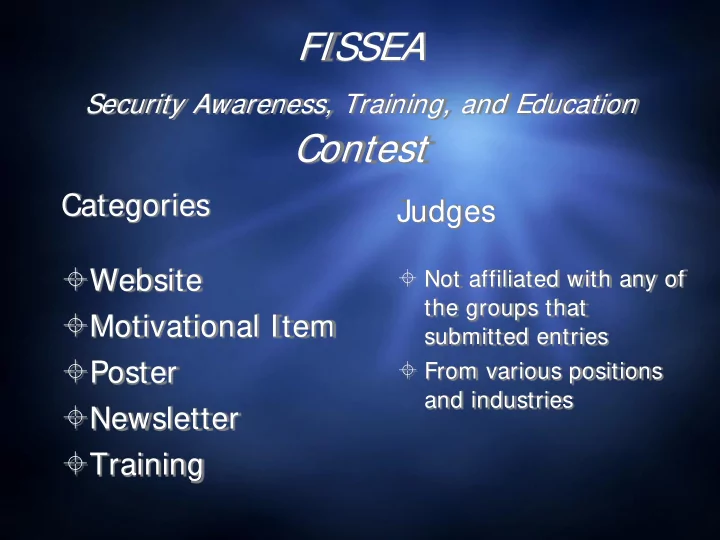
FISSEA Security Awareness, Training, and Education Contest Categories Judges Website Not affiliated with any of the groups that Motivational Item submitted entries Poster From various positions and industries Newsletter


slide-1
SLIDE 1

FISSEA

Security Awareness, Training, and Education

Contest

Categories

Website Motivational Item Poster Newsletter Training

Judges

 Not affiliated with any of

the groups that submitted entries

 From various positions

and industries

slide-2
SLIDE 2

Website Entries (4)

slide-3
SLIDE 3
slide-4
SLIDE 4
slide-5
SLIDE 5
slide-6
SLIDE 6
slide-7
SLIDE 7

Website Winner!

slide-8
SLIDE 8

Sara Fitzgerald and Kimberly Conway Organization: Food & Drug Administration (FDA)

slide-9
SLIDE 9
slide-10
SLIDE 10

Motivational Item Entries (3)

slide-11
SLIDE 11
slide-12
SLIDE 12
slide-13
SLIDE 13
slide-14
SLIDE 14

Motivational Item Winner!

slide-15
SLIDE 15

Jennie Blizzard, Shannon Jones, and Shirley Clement

Organization:

Federal Reserve Bank

slide-16
SLIDE 16
slide-17
SLIDE 17

Poster Entries (14)

slide-18
SLIDE 18
  • Use Wi-Fi Protected Access 2 (WPA2)

instead of WEP (Wired Equivalent Privacy— which can be hacked in minutes). Make sure that the encryption feature is turned on.

  • Consider hiding the identity of your wireless

network by turning off the identifier broadcaster feature of your router.

WOR ORKING FRO ROM H M HOM OME A AND U USING A A H HOM OME-BA BASE SED W WIREL ELESS ESS CO CONNECT ECTION?

  • Change your

router's pre-set password for administration to something only you know. The longer and more complex the password, the tougher it is to crack.

  • Only allow trusted

(e.g, your family) computers to access your network.

slide-19
SLIDE 19
slide-20
SLIDE 20

Vary your passwords

…so they don’t fall like dominoes

Don’t use the same password for multiple accounts! If hackers successfully discover a password, they immediately assume the victim has used the same password for other

  • accounts. Sometimes this allows access to an important account

simply because the same password was also used elsewhere.

slide-21
SLIDE 21
slide-22
SLIDE 22
slide-23
SLIDE 23
slide-24
SLIDE 24
slide-25
SLIDE 25
slide-26
SLIDE 26
slide-27
SLIDE 27
slide-28
SLIDE 28
slide-29
SLIDE 29
slide-30
SLIDE 30
slide-31
SLIDE 31

INFORMATION ASSURANCE

Defenders of the Domain Air Force Certification & Accreditation Program, AFI 33-210 Network Management AFI 33-115 Vol I Licensing Network Users AFI 33-115 Vol II Commanders Guidance and Responsibilities, AFI 33-101 Information Assurance Assessment and Assistance Program, AFI 33-230

Primary Unit IAO is: ***Enter Name & Phone Number*** Alternate Unit IAO is: ***Enter Name & Phone Number*** 440 AW Information Assurance Office – 440aw.ia@us.af.mil Pope Comm Focal Point – Pope.cfp@us.af.mil

Classified Processing AFSSI 7700 AFSSI 7702 AFSSI 7703

Information Assurance (IA) Management AFI 33-200 AFI-33-106 AFI 33-118

ALL Removable Media requires IA approval! No Wireless Keyboards or Mice! Remove Your CAC When You Leave! Protect Personally Identifiable Information (PII)! Protect Classified Signals at All Times!

Feb 2013 440 CF/SCXS

AFI 33-200

Telephone System /Circuits AFI 33-111 AFI 33-116

Frequency Management

Computer Security (COMPUSEC) AFMAN 33-282 Telecommunications Monitoring and Assessment Program, AFI 10-712
slide-32
SLIDE 32

Poster Winner!

slide-33
SLIDE 33

Alexis Benjamin Organization: Department of State, Office of Computer Security

slide-34
SLIDE 34
slide-35
SLIDE 35

Newsletter Entries (6)

slide-36
SLIDE 36
slide-37
SLIDE 37
slide-38
SLIDE 38
slide-39
SLIDE 39
slide-40
SLIDE 40
slide-41
SLIDE 41
slide-42
SLIDE 42

Newsletter Winner!

slide-43
SLIDE 43

Deborah Coleman Organization:

The Department of Education, Office of the Chief Information Officer

slide-44
SLIDE 44
slide-45
SLIDE 45

Training Entries (6)

slide-46
SLIDE 46
slide-47
SLIDE 47

Learner’s Task List At each transition between task groupings, learners receive updates from Jeff. If learners have more points than the adversary, the updates are positive. If not, they are

  • negative. Jeff offers encouragement

throughout to keep learners motivated and engaged. The player’s learning is measured through the completion of the series of tasks structured around a “typical workday” that make up the game. These tasks are divided into four groupings by time of day and environment and cover all information assurance content required and approved by DISA. For each task, the learner completes some combination of activities made up of either a simulation or a mini-game. In simulations, the learners are presented with a scenario in which they must select the best course of action to protect information systems and sensitive information. In mini-games, learners apply information assurance concepts in a fun and interactive context.

slide-48
SLIDE 48
slide-49
SLIDE 49

Storytelling and Scenario-based Examples

49

Transcript

Adam: Ready for coffee? Carlos: Absolutely. I could really use some, this spreadsheet is giving me a

  • headache. I can’t believe how long it’s taking to compile this research.

Adam: Should you lock your computer? Carlos: We’re just heading down the hall. Adam: I know, it’s just the right thing to do. It’s a lot of sensitive information. Narrator: Yvette overheard Adam reminding a coworker to protect Veteran information by locking his computer. How will Yvette pay it forward?

slide-50
SLIDE 50

There are multiple events vying for the learner’s attention. Prioritize and select the most critical issue to act upon, all while keeping an eye on the clock! Study up on the problem by reading the description here.

slide-51
SLIDE 51

Upon completion of this course, Senior Executives and Managers should be able to: explain the importance of IT security; identify the possible impact of a security breach; list their responsibilities as a senior executive or manager; recognize key security acts and legislation that affect the Department’s IA processes; recall crucial federal security standards; identify the purpose and importance of the Authorization & Accreditation (C&A) process; and recount key IT security Department policies, procedures, and training initiatives.

slide-52
SLIDE 52

Training Winner!

slide-53
SLIDE 53

DISA, SAIC, and Carney, Inc. Name of submitter: Carmen Carper

slide-54
SLIDE 54

Learner’s Task List At each transition between task groupings, learners receive updates from Jeff. If learners have more points than the adversary, the updates are positive. If not, they are

  • negative. Jeff offers encouragement

throughout to keep learners motivated and engaged. The player’s learning is measured through the completion of the series of tasks structured around a “typical workday” that make up the game. These tasks are divided into four groupings by time of day and environment and cover all information assurance content required and approved by DISA. For each task, the learner completes some combination of activities made up of either a simulation or a mini-game. In simulations, the learners are presented with a scenario in which they must select the best course of action to protect information systems and sensitive information. In mini-games, learners apply information assurance concepts in a fun and interactive context.

slide-55
SLIDE 55

Peer’s Choice Awards

Part of the Poster Session on Thursday

 Stop by and see all the entries and descriptions

up close

 Vote for your favorites (1 from each category)  Winners will be announced during the closing

session Thursday

 Peer’s Choice Award Winners will be listed along

side the official Contest winners on the FISSEA Website

 No official award certificate…

just bragging rights 

slide-56
SLIDE 56

Thanks to all who submitted entries! A special thanks to our judges!