Flexible Campus VLAN System Flexible Campus VLAN System Based on - - PowerPoint PPT Presentation

flexible campus vlan system flexible campus vlan system
SMART_READER_LITE
LIVE PREVIEW

Flexible Campus VLAN System Flexible Campus VLAN System Based on - - PowerPoint PPT Presentation

Flexible Campus VLAN System Flexible Campus VLAN System Based on OpenFlow Yasuhiro Yamasaki Yoshinori Miyamoto Junichi Yamato * Yasuhiro Yamasaki, Yoshinori Miyamoto, Junichi Yamato , Hideaki Goto, Hideaki Sone Tohoku University, Japan * NEC


slide-1
SLIDE 1

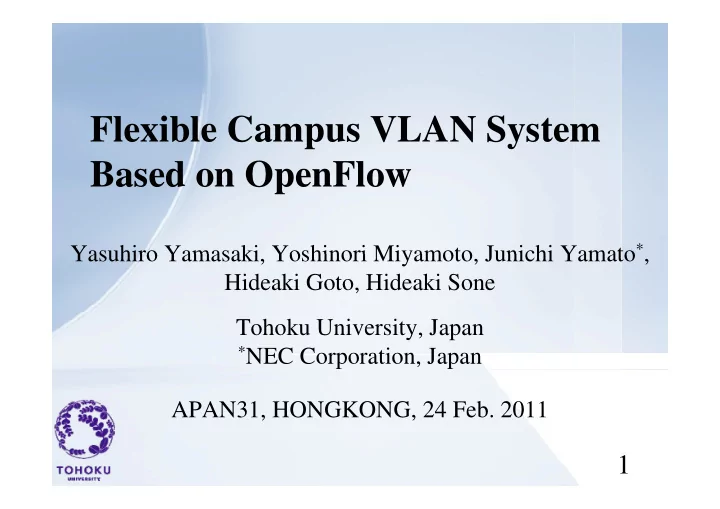
Flexible Campus VLAN System Flexible Campus VLAN System Based on OpenFlow

Yasuhiro Yamasaki Yoshinori Miyamoto Junichi Yamato* Yasuhiro Yamasaki, Yoshinori Miyamoto, Junichi Yamato , Hideaki Goto, Hideaki Sone Tohoku University, Japan

*NEC Corporation, Japan

APAN31, HONGKONG, 24 Feb. 2011

1

slide-2
SLIDE 2

Contents

1 Backgrounds

  • 1. Backgrounds
  • 2. Campus VLAN

p

  • 3. Our Approach

1 OpenFlow overview

  • 1. OpenFlow overview
  • 2. Proposed system
  • 3. Prototype
  • 4. Summary
  • 4. Summary

2

slide-3
SLIDE 3
  • 1. Backgrounds
  • Campus Networks

g

Campus Networks

– Campus network system requires a lot of VLANs

  • for separating the access networks form other networks

p g

  • for realizing a sophisticated access control.
  • Problems of a lot of VLANs

– IEEE802.1Q has some limitations. Th fi i k i l b i – The system configuration work is laborious.

  • Our approach
  • Our approach

– Flexible access management system for campus VLANs based on OpenFlow based on OpenFlow

3

slide-4
SLIDE 4
  • 2. Campus VLAN
  • Using a lot of VLANs in campus networks

p

g p

– Department, Floor , Gest-/home-users and so on

  • For example, roaming system such as eduroam

The number of VLAN is (SSID/AP × Area) – The number of VLAN is (SSID/AP × Area).

University private VLAN[N-1]: University internal user VLAN[A-2]: eduroam home user VLAN[A 3]: eduroam guest user

private network

Gateway

SSID: University VLAN[A-3]: eduroam guest user VLAN[A-4]: Local user etc VLAN[A-1]: University internal user VLAN[A-2]: eduroam home user VLAN[A-3]: eduroam guest user eduroam home user network SSID: eduroam Floor A SSID l l A SSID: University VLAN[A-4]: Local user etc eduroam guest user Floor A SSID: local A …etc SSID: eduroam Floor A SSID: Local A

4

g network …etc

There are some system besides eduroam in campus networks.

slide-5
SLIDE 5
  • 2. Campus VLAN
  • Packets are forwarded based on VLAN tag

p

Packets are forwarded based on VLAN tag

– Each network must be set to each VLAN configuration. – Each special field such as VLAN tag is necessary in the header of packet.

VLAN VLAN VLAN VLAN

Setting

VLAN Config VLAN Config VLAN Config VLAN Config

tag tag tag tag Add Ch k Ch k Ch k

5

Add tag Check tag Check tag Check tag

slide-6
SLIDE 6
  • 2. Campus VLAN / Problems
  • IEEE802 1Q has some limitations

p

IEEE802.1Q has some limitations.

– ID field of VLAN is 12bits (= 4096 ID) – It is difficult to manage multi stacked VLAN g

  • The system configuration work is laborious.

y g

– It is necessary to set configuration to all network nodes

It is difficult to manage the network i l f VLAN d i h d using a lot of VLANs and many switch nodes 6

slide-7
SLIDE 7

3.1 OpenFlow overview

  • Network node: dumb but fast

p

Network node: dumb but fast

  • Control server: intelligent as is expected

New Function C fi ti

Control

Configuration

New Function New Function

F di Control F di Control F di F di OpenFlow protocol

New Function Configuration New Function Configuration

Forwarding Forwarding Forwarding Forwarding

Normal network OpenFlow

7

Normal network OpenFlow

difficult easy

slide-8
SLIDE 8

3.2 Proposed system

  • The access management function(AMF) equal with

p y

The system configuration becomes lighter

g ( ) q authentication VLAN is added to OpenFlow Controller

  • Group IDs are only used in OpenFlow Controller

i i i i

The system configuration becomes lighter The number of ID isn’t restricted

– No special field is necessary in the header of packets

P

Basic functionNew function (AMF) Dst check Accept

Authentication Radius Tree

The number of ID isn t restricted

GID-DB

Path cal QoS etc

Src check Dst check Accept

  • r

reject User-DB

Authentication MAC/GID OpenFlow Controller

Network OS

Radius OpenFlow Network

8

OpenFlow Network

slide-9
SLIDE 9

3.3 Prototype yp

Flexible Access Management System

NEC’s OpenFlow Controller + Access management function FreeRadius2.1.9 + Reporting function DHCP DHCP AT-TQ2403 GID=D User (GID=A) GID=B GID=C

reject accept

C S GID=A NEC’s OpenFlow Switch (1Gbps×24ports+10Gbps×2ports)

9

Contents Server No special field is necessary in the header of packets

slide-10
SLIDE 10

3.3 Prototype

  • Information of DB in our OpenFlow controller

yp

Information of DB in our OpenFlow controller

10

slide-11
SLIDE 11
  • 4. Summary
  • Our system : Flexible access management system

y

Our system : Flexible access management system

– Approach

  • Based on OpenFlow architecture

Based on OpenFlow architecture

  • OpenFlow controller judges communication access from

GID of src-/dst-address

– Benefit

  • The number of ID isn’t restricted

Th fi i b li h

  • The system configuration becomes lighter

– Prototype

  • Some performance measurement
  • Some performance measurement

– Future works

  • Experiments in actual campus network
  • Experiments in actual campus network

11

slide-12
SLIDE 12

Th k f ki d i Thank you for your kind attention.

12

slide-13
SLIDE 13

Flow table of OpenFlow p Rule Action Stats

Packet/Byte counters

1. Forward packet to port 2. Encapsulate and forward to controller 3. Drop packet 4. Send to normal processing pipeline Switch port Src MAC Dst MAC Ether Type VLAN Src IP Dst IP Protocol Type Src Port Dst Port

13