Getting Useful Ship Design 13290 Evening Creek Drive South, Suite - - PowerPoint PPT Presentation

getting useful ship design
SMART_READER_LITE
LIVE PREVIEW

Getting Useful Ship Design 13290 Evening Creek Drive South, Suite - - PowerPoint PPT Presentation

Getting Useful Ship Design 13290 Evening Creek Drive South, Suite 250 San Diego, CA 92128 T 858.480.2000 Data for Analysis F 858.792.8932 www.ata-e.com Prepared for: Prepared by: Date: NSRP 2015 Kurt Knutson December 3, 2015 San Diego


slide-1
SLIDE 1

Date: Prepared by: Prepared for:

13290 Evening Creek Drive South, Suite 250 San Diego, CA 92128 T 858.480.2000 F 858.792.8932 www.ata-e.com

Kurt Knutson ATA Engineering, Inc. NSRP 2015 San Diego December 3, 2015
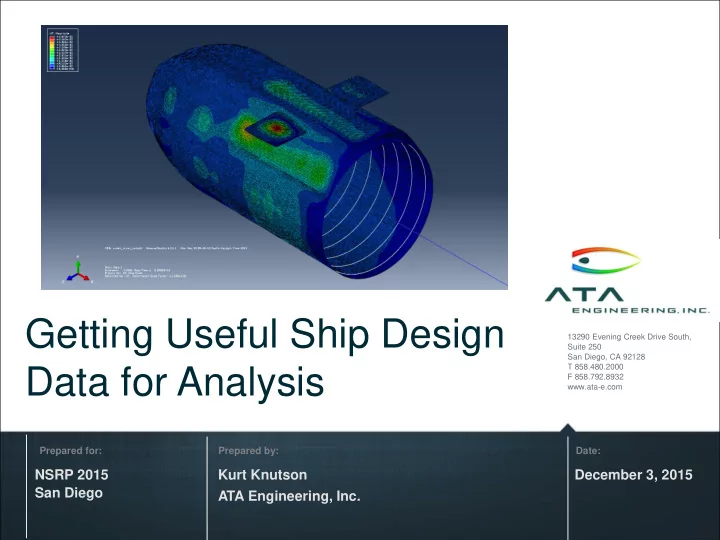
Getting Useful Ship Design Data for Analysis

slide-2
SLIDE 2

2

Agenda

Introduction to ATA Engineering Example challenges with getting data for analysis Five annotated examples for discussion

slide-3
SLIDE 3

3

ATA Has More Than 35 Years Providing High-Value Engineering Services

slide-4
SLIDE 4

4

ATA Has Performed SBIR Projects With Multiple Navy Commands

NAVSEA MARCORSYSCOM SSP NAVAIR

N091-052: Automated Transition Of Product Model Data For Ship Design N141-082: Toolset For Nonlinear Prediction Of Woven Ceramic Matrix Composite Material Performance

Image Credit : US Navy 140602-N-ZZ999-202

N142-088: High Efficiency Insulating Barrier for Expeditionary Shelters N108-025: Strain Sensor Calibration

  • f Fleet Aircraft

Image Credit : US Navy 150725-N-IP531-086

slide-5
SLIDE 5

5

Post-Damage Kinematic Simulations for Operational Effectiveness Evaluations

Technology Explanation

  • Use FE modeling approach to simulate post-damage

kinematic response of a complex mechanism (submarine hatch)

  • Continued validation of the methods will be

accomplished through a series of increasingly complex mechanism tests

  • Implementing artificial neural networks (ANNs) as

fast-running surrogates for FEA

Contract Details Product Benefits & Applications

  • Reduce reliance on UNDEX testing and allow

engineers to evaluate a multitude of postevent mechanical scenarios for hull, equipment, machinery, and platform damage

  • Using independent domains for structural and

contact regions enable more control of mesh fidelity for each region

  • Applicable for wide range of industries/Abaqus users

to enable more efficient simulations Topic No. N141-032 Phase II (2016-17) ATA PI

  • V. Harris

Contract No. N00024-14- P-4521 Agency Navy Directorate NAVSEA TPOC Randall Goodnight (NSWCCD)

Image credit: US Navy 090109-N-1255R-098

slide-6
SLIDE 6

6

ATA has Worked with Navy and Industry to Automate the Translation of Ship Product Model Data

  • NAVSEA SBIR, Contract Number N00024-11-C-4112, Topic N091-052.

Phase II / Option 2 PoP Ended 2/13/2013

  • ATA developed ShipPDXTM software under this contract

– Flexible framework for mapping data among multiple design systems – Expandable methods for data extraction from source, insertion into target

  • ATA continues to invest internal research and development into its concepts

and capabilities :

– Read additional data from ShipConstructor – Write piping and structure data to ShipConstructor

  • Technologies to translate Ship Design data can also help make

useful data available to analysis codes

slide-7
SLIDE 7

7

Getting Useful Data for Analysis Presents Many Challenges

[1] Cannot get useful geometry for a ship product (deck, bulkhead, foundation, etc.) from design to analysis [2] Can get geometry, but not attributes / properties [3] Must identify materials & associate to all analysis items [4] Hard to get connection details – e.g. welds & bolted joints [5] Get mass properties into analysis code [6] Valuable data available in legacy design & solver formats – how to use them? [7] Software not integrated (design/analysis, vendor/supplier, multiple analysis tools)

slide-8
SLIDE 8

8

[1] Cannot Get Useful Geometry for a Ship Product from Design to Analysis

  • Geometry as modeled for design can be hard to use for analysis –

parts don’t connect – gaps and overlapping surfaces

  • Hard to get connected midsurfaces or connected beam centerlines
  • Too many holes or other cut details included in geometry
  • Weld locations and connection details undefined in geometry
  • Design tool is not set up for easy export of surface or solid geometry

to analysis tools

  • Geometry is lost in translation – tolerances or other errors
  • Curved surfaces don’t transfer properly
  • Need to add auxiliary geometry or data for model or boundary

conditions – waterlines for example

  • Configuration of the ship needed for analysis
slide-9
SLIDE 9

9

Example 1: Get Shell or Beam Model of Complex Foundation – Past NSRP example

Source: Improved Methods for the Generation of Full-Ship Simulation Models, NSRPComplex_Foundation.stp

Challenge: Need a useful shell or beam model. Need to take maximum advantage of work already done by CAD modelers.

slide-10
SLIDE 10

10

Example 1: Geometry Flaws & Design Details Hard To Handle Automatically

Gaps Between Parts Overlapping Surfaces Or Bodies Design data translated from STEP Does not have useful beam centerlines or midsurfaces – lots of abstraction needed. What are the weld details? Connection points? Can be challenging to automate

slide-11
SLIDE 11

11

Example 1: Midsurfaces Generated Automatically Using Femap

  • Representative midsurfaces automatically generated
  • Still need cleanup to extend and join them for a connected shell model

Femap command: Geometry, Midsurfaces, Automatic Midsurfaces CAD as imported

slide-12
SLIDE 12

12

Example 1: Many Possible Methods and Automations Could Improve the Process

  • Model or extract useful analysis geometry as part of the design tool

process?

  • Improved analysis tools for beam center line abstraction?
  • Improved analysis automation tools for beam generation from design

data?

  • Midsurfacing works well for complex foundation example in Femap

but some efforts are required to connect and stitch and handle

  • verlapping – tools exist to help the analyst but not automatic –

increased automation?

  • Check NSRP Panel Project – Femap Shipbuilder Toolbox NSRP

Joint Panel Meeting, September 10, 2013

  • Check Femap Meshing Toolbox which has picked up several

enhancements

slide-13
SLIDE 13

13

Example 1: Use the Femap Meshing Toolbox to Extend Gaps or Align Midsurfaces

slide-14
SLIDE 14

14

Example 1: Generate Beam Centerlines

Use the “CG of Surface” method to generate beam centerlines quick

  • n stiffeners… then

consolidate the lines Future automation: Loop over all parts to attempt to identify beam cross sections and extract centerlines

slide-15
SLIDE 15

15

Example 2: Data in ShipConstructor – Analyze in FEMAP / Nastran

(ATA renderings

  • f fictitious ship

/Releasable)

ShipConstructor Planar Group Model Type ShipPDX-Assigned ESWBS Number Arbitrary 000 - GENERAL GUIDANCE Curved 111 - SHELL PLATING Deck 130 - HULL DECKS Frame 117 - TRANSVERSE FRAMING LngBhd 121 - LONGITUDINAL STRUCTURAL BLKHDS

slide-16
SLIDE 16

16

Example 2: Can Export Geometry from ShipConstructor Drawing to FEMAP…

No direct method known to get identifier & attribute data from ShipConstructor to FEMAP or other analysis tools Use some existing translation methods to make one?

Can get volume geometry from STEP data but not body or part identifiers or attributes to relate to design data

slide-17
SLIDE 17

17

Example 3: Revisiting Legacy Model – Existing Sub Analysis

Source: Abaqus model, http://www.isetools.org/eb-cgi-bin/yabb2_ISE/YaBB.pl?num=1380626708 Simulation_Models.zip

Reuse data from an existing analysis model for a new design or analysis interest Image shows results from .odb file in Abaqus CAE

slide-18
SLIDE 18

18

Example 3: Legacy FEM Found – No CAD, Incomplete, but Shell Elements Exist

  • Abaqus model is

undex_driver_xpl.inp

  • Beam Section

properties are missing from input files – appear to have been in “include” files whose type (.bsp) was not included in project archive

  • Shell regions are

available (shown) – how can we use them?

slide-19
SLIDE 19

19

Example 3: Generate Geometry From Legacy FEM in FEMAP – Process

  • 1. Obtained the surface elements from the Abaqus .odb file

and exported those to Nastran

  • 2. Automatically generated groups using FEMAP

commands for grouping elements – utilized the option to break on > 20 degrees to insure that separate groups are obtained for different plate parts

  • 3. For large angle curved surfaces and cylinders, further

manually broke up the groups to get <90-degree arcs

  • 4. Wrote a macro to generate surfaces for each of the

groups using “Geometry, surface, face from mesh”

slide-20
SLIDE 20

20

Example 3, Step 2: Auto-Generate Groups in Femap

Select Entire Mesh

slide-21
SLIDE 21

21

Example 3, Step 4: Run Femap Macro to Generate Surfaces from Element Groups

First make sure surfaces are <90-degree arcs and are not non-manifold

slide-22
SLIDE 22

22

Example 3: Generate CAD Geometry From Legacy FEM Shell Elements

slide-23
SLIDE 23

23

Example 3: Generated Nose Dome Geometry Can Be Used for New Mesh

  • Geometry generated from legacy FEM

is quite accurate. Could be re-meshed for new FEM.

  • Technique may be especially useful for

getting geometry from design codes that don’t export CAD surfaces, but do export surface meshes.

slide-24
SLIDE 24

24

Example 4: Get Auxiliary Data to Analysis Codes – Ideas

1) Get mass and other property data from components to analysis codes for comparison to modeled regions 2) Get geometry with unique identifiers to analysis code for comparisons

  • Use the unique identifiers to verify or check material or other data

useful for analysis

  • See Example 2

3) Get weld connection details to the analyst

  • Analysts really need it
  • Currently really hard for them to get it
slide-25
SLIDE 25

25

Example 5: Get FE Data to Exodus II for Advanced Solvers

  • Get advanced solver input and data from

commercial tools to Exodus:

  • Navy Enhanced Sierra Mechanics tool suite (NESM)

uses Exodus II for input

  • Cubit (for example) can read some element types from

Nastran or Abaqus and write Exodus

  • Is there current interest in getting FE data more

directly to Exodus for ship analysis?

slide-26
SLIDE 26

26

Example 5: Generation of Exodus File

Cubit can import some mesh types from Nastran and Abaqus and can Export Exodus files….

slide-27
SLIDE 27

27

Conclusions

There are lots of challenges to get useful ship design data for analysis. Some annotated examples have been discussed for further possible exploration or development. In addition to automation of the transition of product model data, ATA is interested in helping with methods, software, and skills that could help our maritime customers use valuable design and legacy model data to perform simulation early in design cycles. Future Work Ideas: Acquiring useful design data for analysis Translate geometry and data from ShipConstructor to Femap Methods of modeling midsurfaces and beam centerlines as part of the design for ease of use Further automation to help with shell and beam modeling Getting advanced solver specific FE format - Translate to Exodus

slide-28
SLIDE 28

28

High-Value Test- and Analysis-Driven Mechanical Engineering Design Solutions

Visit us at www.ata-e.com to see how we can help you meet your services needs. Visit us at www.ata-plmsoftware.com to see how we can help you meet your software needs. And connect with us on LinkedIn.

slide-29
SLIDE 29

UNCLASSIFIED UNCLASSIFIED Distribution A: Unlimited 29

Automating the Transition of Product Model Data

CONCEPT DESCRIPTION/REQUIREMENT

Requirement/CAPABILITY GAP: Navy needs access to ship design data to allow analysis of conceptual and preliminary design and for logistical support of as-built designs. To date Navy has had limited success getting as-designed ship configuration into LEAPS. Current methods are manual, extremely time consuming and error prone. DELIVERABLE: Specification of required data entity support (to/from LEAPS); prototype translator software “ShipPDX™”; validated test database; business plan for implementation, support, and maintenance. OBJECTIVE: Near term: develop methods and tools to enable delivery of ship product model data to the Navy. Long term: enable sharing of product model data among shipyards and with Navy during all phases of ship’s life cycle. TRANSITION(S): Following successful demonstration of prototype ShipPDX software, transition to licensed software and implementation of business plan for support, maintenance and customized implementation services.

CONTACTS FUNDING SUMMARY ($K)

Tech Sponsor: NSWC – CD (Elizabeth Madden) Tech Transition POR/Path: DON must specify TPOC: Mr. Ben Kassel TPOC email: Ben.Kassel@navy.mil TWH: none Contractor: ATA Engineering, Inc. Contractor POC: Mr. Gregory W. Antal Contractor email: greg.antal@ata-e.com

SBIR Topic Number: N091-052 Phase II Opt 2 PoP Ended: 2/13/2013

FY 09 FY 10 FY 11 FY 12 FY 13 FY 14 Phase I / Opt 70 30 Phase II 300 Phase II Opt 1 300 Phase II Opt 2 150 CPP TBD Phase III TBD TOTAL 70 30 300 300 150

PLM Systems, Ship Design Tools, Databases, Text Files ShipPDX™ software: Ship Product Data Exchange Modular Architecture. Incrementally create/read LEAPS database.

Related Project