GitHub Provider The GitHub provider is used to interact with GitHub - - PDF document

github provider
SMART_READER_LITE
LIVE PREVIEW

GitHub Provider The GitHub provider is used to interact with GitHub - - PDF document

GitHub Provider The GitHub provider is used to interact with GitHub organization resources. The provider allows you to manage your GitHub organization's members and teams easily. It needs to be congured with the proper credentials before it


slide-1
SLIDE 1

GitHub Provider

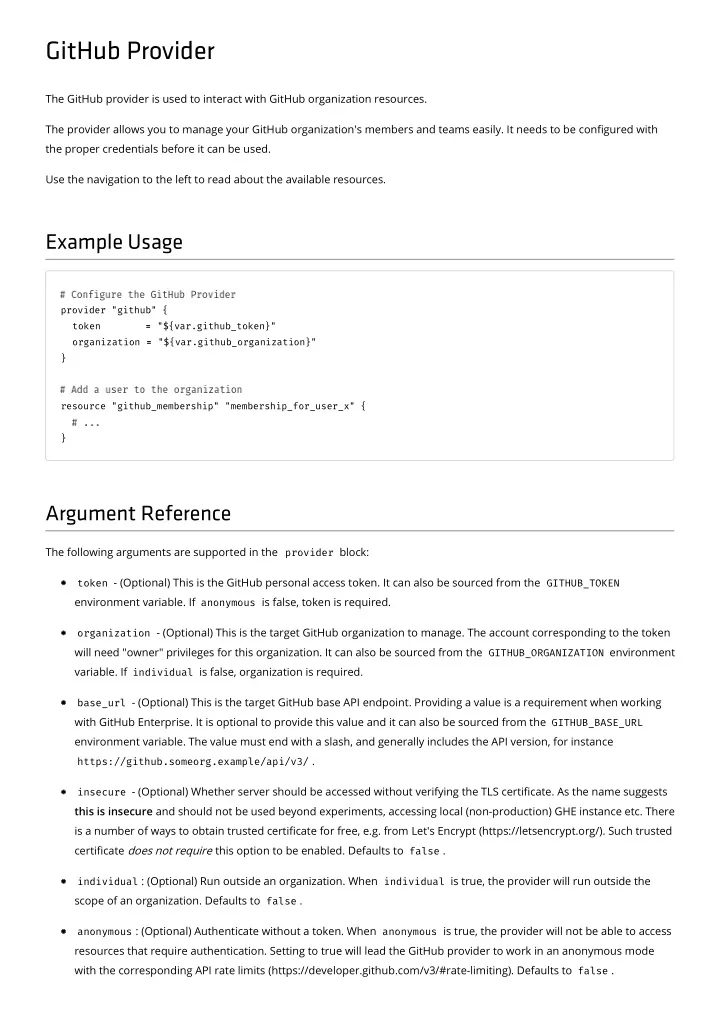
The GitHub provider is used to interact with GitHub organization resources. The provider allows you to manage your GitHub organization's members and teams easily. It needs to be congured with the proper credentials before it can be used. Use the navigation to the left to read about the available resources.

Example Usage

provider "github" { token = = "${var.github_token}"

  • rganization =

= "${var.github_organization}" } resource "github_membership" "membership_for_user_x" { }

Argument Reference

The following arguments are supported in the provider block:

token - (Optional) This is the GitHub personal access token. It can also be sourced from the GITHUB_TOKEN

environment variable. If anonymous is false, token is required.

  • rganization - (Optional) This is the target GitHub organization to manage. The account corresponding to the token

will need "owner" privileges for this organization. It can also be sourced from the GITHUB_ORGANIZATION environment

  • variable. If individual is false, organization is required.

base_url - (Optional) This is the target GitHub base API endpoint. Providing a value is a requirement when working

with GitHub Enterprise. It is optional to provide this value and it can also be sourced from the GITHUB_BASE_URL environment variable. The value must end with a slash, and generally includes the API version, for instance

https://github.someorg.example/api/v3/ . insecure - (Optional) Whether server should be accessed without verifying the TLS certicate. As the name suggests

this is insecure and should not be used beyond experiments, accessing local (non-production) GHE instance etc. There is a number of ways to obtain trusted certicate for free, e.g. from Let's Encrypt (https://letsencrypt.org/). Such trusted certicate does not require this option to be enabled. Defaults to false .

individual : (Optional) Run outside an organization. When individual is true, the provider will run outside the

scope of an organization. Defaults to false .

anonymous : (Optional) Authenticate without a token. When anonymous is true, the provider will not be able to access

resources that require authentication. Setting to true will lead the GitHub provider to work in an anonymous mode with the corresponding API rate limits (https://developer.github.com/v3/#rate-limiting). Defaults to false .

slide-2
SLIDE 2
slide-3
SLIDE 3

github_collaborators

Use this data source to retrieve the collaborators for a given repository.

Example Usage

data "github_collaborators" "test" {

  • wner =

= "example_owner" repository = = "example_repository" }

Arguments Reference

  • wner - (Required) The organization that owns the repository.

repository - (Required) The name of the repository. affiliation - (Optional) Filter collaborators returned by their aliation. Can be one of: outside , direct , all .

Defaults to all .

Attributes Reference

collaborator - An Array of GitHub collaborators. Each collaborator block consists of the elds documented

below. The collaborator block consists of:

login - The collaborator's login. id - The id of the collaborator. url - The github api url for the collaborator. html_url - The github html url for the collaborator. followers_url - The github api url for the collaborator's followers. following_url - The github api url for those following the collaborator. gists_url - The github api url for the collaborator's gists. starred_url - The github api url for the collaborator's starred repositories. subscriptions_url - The github api url for the collaborator's subscribed repositories.

  • rganizations_url - The github api url for the collaborator's organizations.

repos_url - The github api url for the collaborator's repositories.

slide-4
SLIDE 4

events_url - The github api url for the collaborator's events. received_events_url - The github api url for the collaborator's received events. type - The type of the collaborator (ex. User ). site_admin - Whether the user is a GitHub admin. permission - The permission of the collaborator.

slide-5
SLIDE 5

github_ip_ranges

Use this data source to retrieve information about a GitHub's IP addresses.

Example Usage

data "github_ip_ranges" "test" {}

Attributes Reference

hooks - An Array of IP addresses in CIDR format specifying the addresses that incoming service hooks will originate

from.

git - An Array of IP addresses in CIDR format specifying the Git servers. pages - An Array of IP addresses in CIDR format specifying the A records for GitHub Pages. importer - An Array of IP addresses in CIDR format specifying the A records for GitHub Importer.

slide-6
SLIDE 6

github_repositories

Note: The data source will return a maximum of 1000 repositories as documented in ocial API docs (https://developer.github.com/v3/search/#about-the-search-api). Use this data source to retrieve a list of GitHub repositories using a search query.

Example Usage

data "github_repositories" "example" { query = = "org:hashicorp language:Go" }

Argument Reference

The following arguments are supported:

query - (Required) Search query. See documentation for the search syntax

(https://help.github.com/articles/understanding-the-search-syntax/).

sort - (Optional) Sorts the repositories returned by the specied attribute. Valid values include stars , fork , and updated . Defaults to updated .

Attributes Reference

full_names - A list of full names of found repositories (e.g. hashicorp/terraform ) names - A list of found repository names (e.g. terraform )

slide-7
SLIDE 7

github_repository

Use this data source to retrieve information about a GitHub repository.

Example Usage

data "github_repository" "example" { full_name = = "hashicorp/terraform" }

Argument Reference

The following arguments are supported:

name - (Optional) The name of the repository. full_name - (Optional) Full name of the repository (in org/name format).

Attributes Reference

description - A description of the repository. homepage_url - URL of a page describing the project. private - Whether the repository is private. has_issues - Whether the repository has GitHub Issues enabled. has_projects - Whether the repository has the GitHub Projects enabled. has_wiki - Whether the repository has the GitHub Wiki enabled. allow_merge_commit - Whether the repository allows merge commits. allow_squash_merge - Whether the repository allows squash merges. allow_rebase_merge - Whether the repository allows rebase merges. has_downloads - Whether the repository has Downloads feature enabled. default_branch - The name of the default branch of the repository. archived - Whether the repository is archived. topics - The list of topics of the repository. html_url - URL to the repository on the web. ssh_clone_url - URL that can be provided to git clone to clone the repository via SSH.

slide-8
SLIDE 8

http_clone_url - URL that can be provided to git clone to clone the repository via HTTPS. git_clone_url - URL that can be provided to git clone to clone the repository anonymously via the git protocol. svn_url - URL that can be provided to svn checkout to check out the repository via GitHub's Subversion protocol

emulation.

slide-9
SLIDE 9

github_team

Use this data source to retrieve information about a GitHub team.

Example Usage

data "github_team" "example" { slug = = "example" }

Argument Reference

slug - (Required) The team slug.

Attributes Reference

id - the ID of the team. name - the team's full name. description - the team's description. privacy - the team's privacy type. permission - the team's permission level. members - List of team members

slide-10
SLIDE 10

github_user

Use this data source to retrieve information about a GitHub user.

Example Usage

data "github_user" "example" { username = = "example" }

Argument Reference

username - (Required) The username.

Attributes Reference

login - the user's login. avatar_url - the user's avatar URL. gravatar_id - the user's gravatar ID. site_admin - whether the user is a GitHub admin. name - the user's full name. company - the user's company name. blog - the user's blog location. location - the user's location. email - the user's email. gpg_keys - list of user's GPG keys ssh_keys - list of user's SSH keys bio - the user's bio. public_repos - the number of public repositories. public_gists - the number of public gists. followers - the number of followers. following - the number of following users. created_at - the creation date.

slide-11
SLIDE 11

updated_at - the update date.

slide-12
SLIDE 12

github_branch_protection

Protects a GitHub branch. This resource allows you to congure branch protection for repositories in your organization. When applied, the branch will be protected from forced pushes and deletion. Additional constraints, such as required status checks or restrictions on users and teams, can also be congured.

Example Usage

resource "github_branch_protection" "example" { repository = = "${github_repository.example.name}" branch = = "master" enforce_admins = = true true required_status_checks { strict = = false false contexts = = ["ci/travis"] } required_pull_request_reviews { dismiss_stale_reviews = = true true dismissal_users = = ["foo-user"] dismissal_teams = = ["${github_team.example.slug}", "${github_team.second.slug}"] } restrictions { users = = ["foo-user"] teams = = ["${github_team.example.slug}"] } } resource "github_team" "example" { name = = "Example Name" } resource "github_team_repository" "example" { team_id = = "${github_team.example.id}" repository = = "${github_repository.example.name}" permission = = "pull" }

Argument Reference

The following arguments are supported:

repository - (Required) The GitHub repository name.

slide-13
SLIDE 13

branch - (Required) The Git branch to protect. enforce_admins - (Optional) Boolean, setting this to true enforces status checks for repository administrators. require_signed_commits - (Optional) Boolean, setting this to true requires all commits to be signed with GPG. required_status_checks - (Optional) Enforce restrictions for required status checks. See Required Status Checks

below for details.

required_pull_request_reviews - (Optional) Enforce restrictions for pull request reviews. See Required Pull

Request Reviews below for details.

restrictions - (Optional) Enforce restrictions for the users and teams that may push to the branch. See Restrictions

below for details.

Required Status Checks

required_status_checks supports the following arguments: strict : (Optional) Require branches to be up to date before merging. Defaults to false . contexts : (Optional) The list of status checks to require in order to merge into this branch. No status checks are

required by default.

Required Pull Request Reviews

required_pull_request_reviews supports the following arguments: dismiss_stale_reviews : (Optional) Dismiss approved reviews automatically when a new commit is pushed. Defaults

to false .

dismissal_users : (Optional) The list of user logins with dismissal access dismissal_teams : (Optional) The list of team slugs with dismissal access. Always use slug of the team, not its

  • name. Each team already has to have access to the repository.

require_code_owner_reviews : (Optional) Require an approved review in pull requests including les with a

designated code owner. Defaults to false .

required_approving_review_count : (Optional) Require x number of approvals to satisfy branch protection

  • requirements. If this is specied it must be a number between 1-6. This requirement matches Github's API, see the

upstream documentation (https://developer.github.com/v3/repos/branches/#parameters-1) for more information.

Restrictions

restrictions supports the following arguments: users : (Optional) The list of user logins with push access. teams : (Optional) The list of team slugs with push access. Always use slug of the team, not its name. Each team

already has to have access to the repository.

restrictions is only available for organization-owned repositories.

slide-14
SLIDE 14

Import

GitHub Branch Protection can be imported using an id made up of repository:branch , e.g.

$ terraform import github_branch_protection.terraform terraform:master

slide-15
SLIDE 15

github_issue_label

Provides a GitHub issue label resource. This resource allows you to create and manage issue labels within your GitHub organization. Issue labels are keyed o of their "name", so pre-existing issue labels result in a 422 HTTP error if they exist outside of

  • Terraform. Normally this would not be an issue, except new repositories are created with a "default" set of labels, and those

labels easily conict with custom ones. This resource will rst check if the label exists, and then issue an update, otherwise it will create.

Example Usage

resource "github_issue_label" "test_repo" { repository = = "test-repo" name = = "Urgent" color = = "FF0000" }

Argument Reference

The following arguments are supported:

repository - (Required) The GitHub repository name - (Required) The name of the label. color - (Required) A 6 character hex code, without the leading #, identifying the color of the label. description - (Optional) A short description of the label. url - (Computed) The URL to the issue label

Import

GitHub Issue Labels can be imported using an id made up of repository:name , e.g.

$ terraform import github_issue_label.panic_label terraform:panic

slide-16
SLIDE 16

github_membership

Provides a GitHub membership resource. This resource allows you to add/remove users from your organization. When applied, an invitation will be sent to the user to become part of the organization. When destroyed, either the invitation will be cancelled or the user will be removed.

Example Usage

resource "github_membership" "membership_for_some_user" { username = = "SomeUser" role = = "member" }

Argument Reference

The following arguments are supported:

username - (Required) The user to add to the organization. role - (Optional) The role of the user within the organization. Must be one of member or admin . Defaults to member .

Import

GitHub Membership can be imported using an id made up of organization:username , e.g.

$ terraform import github_membership.member hashicorp:someuser

slide-17
SLIDE 17

github_organization_block

This resource allows you to create and manage blocks for GitHub organizations.

Example Usage

resource "github_organization_block" "example" { username = = "paultyng" }

Argument Reference

The following arguments are supported:

username - (Required) The name of the user to block.

slide-18
SLIDE 18

github_organization_project

This resource allows you to create and manage projects for GitHub organization.

Example Usage

resource "github_organization_project" "project" { name = = "A Organization Project" body = = "This is a organization project." }

Argument Reference

The following arguments are supported:

name - (Required) The name of the project. body - (Optional) The body of the project.

Attributes Reference

The following additional attributes are exported:

url - URL of the project

slide-19
SLIDE 19

github_organization_webhook

This resource allows you to create and manage webhooks for GitHub organization.

Example Usage

resource "github_organization_webhook" "foo" { name = = "web" configuration { url = = "https://google.de/" content_type = = "form" insecure_ssl = = false false } active = = false false events = = ["issues"] }

Argument Reference

The following arguments are supported:

events - (Required) A list of events which should trigger the webhook. See a list of available events

(https://developer.github.com/v3/activity/events/types/)

configuration - (Required) key/value pair of conguration for this webhook. Available keys are url , content_type , secret and insecure_ssl . active - (Optional) Indicate of the webhook should receive events. Defaults to true . name - (Optional) The type of the webhook. web is the default and the only option.

Attributes Reference

The following additional attributes are exported:

url - URL of the webhook

slide-20
SLIDE 20

github_project_column

This resource allows you to create and manage columns for GitHub projects.

Example Usage

resource "github_organization_project" "project" { name = = "A Organization Project" body = = "This is an organization project." } resource "github_project_column" "column" { project_id = = "${github_organization_project.project.id}" name = = "a column" }

Argument Reference

The following arguments are supported:

project_id - (Required) The id of an existing project that the column will be created in. name - (Required) The name of the column.

slide-21
SLIDE 21

github_repository_collaborator

Provides a GitHub repository collaborator resource. This resource allows you to add/remove collaborators from repositories in your organization. Collaborators can have explicit (and diering levels of) read, write, or administrator access to specic repositories in your organization, without giving the user full organization membership. When applied, an invitation will be sent to the user to become a collaborator on a repository. When destroyed, either the invitation will be cancelled or the collaborator will be removed from the repository. Further documentation on GitHub collaborators: Adding outside collaborators to repositories in your organization (https://help.github.com/articles/adding-outside- collaborators-to-repositories-in-your-organization/) Converting an organization member to an outside collaborator (https://help.github.com/articles/converting-an-

  • rganization-member-to-an-outside-collaborator/)

Example Usage

resource "github_repository_collaborator" "a_repo_collaborator" { repository = = "our-cool-repo" username = = "SomeUser" permission = = "admin" }

Argument Reference

The following arguments are supported:

repository - (Required) The GitHub repository username - (Required) The user to add to the repository as a collaborator. permission - (Optional) The permission of the outside collaborator for the repository. Must be one of pull , push ,

  • r admin . Defaults to push .

Attribute Reference

In addition to the above arguments, the following attributes are exported:

invitation_id - ID of the invitation to be used in github_user_invitation_accepter

(/docs/providers/github/r/user_invitation_accepter.html)

slide-22
SLIDE 22

Import

GitHub Repository Collaborators can be imported using an id made up of repository:username , e.g.

$ terraform import github_repository_collaborator.collaborator terraform:someuser

slide-23
SLIDE 23

github_repository_deploy_key

Provides a GitHub repository deploy key resource. A deploy key is an SSH key that is stored on your server and grants access to a single GitHub repository. This key is attached directly to the repository instead of to a personal user account. This resource allows you to add/remove repository deploy keys. Further documentation on GitHub repository deploy keys: - About deploy keys (https://developer.github.com/guides/managing-deploy-keys/#deploy-keys)

Example Usage

resource "github_repository_deploy_key" "example_repository_deploy_key" { title = = "Repository test key" repository = = "test-repo" key = = "ssh-rsa AAA..." read_only = = "false" }

Argument Reference

The following arguments are supported:

key - (Required) A ssh key. read_only - (Required) A boolean qualifying the key to be either read only or read/write. repository - (Required) Name of the GitHub repository. title - (Required) A title.

Changing any of the elds forces re-creating the resource.

Import

Repository deploy keys can be imported using a colon-separated pair of repository name and GitHub's key id. The latter can be obtained by GitHub's SDKs and API.

$ terraform import github_repository_deploy_key.foo test-repo:23824728

slide-24
SLIDE 24

github_repository

This resource allows you to create and manage repositories within your GitHub organization. This resource cannot currently be used to manage personal repositories, outside of organizations.

Example Usage

resource "github_repository" "example" { name = = "example" description = = "My awesome codebase" private private = = true true }

Argument Reference

The following arguments are supported:

name - (Required) The name of the repository. description - (Optional) A description of the repository. homepage_url - (Optional) URL of a page describing the project. private - (Optional) Set to true to create a private repository. Repositories are created as public (e.g. open source)

by default.

has_issues - (Optional) Set to true to enable the GitHub Issues features on the repository. has_projects - (Optional) Set to true to enable the GitHub Projects features on the repository. Per the github

documentation (https://developer.github.com/v3/repos/#create) when in an organization that has disabled repository projects it will default to false and will otherwise default to true . If you specify true when it has been disabled it will return an error.

has_wiki - (Optional) Set to true to enable the GitHub Wiki features on the repository. allow_merge_commit - (Optional) Set to false to disable merge commits on the repository. allow_squash_merge - (Optional) Set to false to disable squash merges on the repository. allow_rebase_merge - (Optional) Set to false to disable rebase merges on the repository. has_downloads - (Optional) Set to true to enable the (deprecated) downloads features on the repository. auto_init - (Optional) Set to true to produce an initial commit in the repository. gitignore_template - (Optional) Use the name of the template (https://github.com/github/gitignore) without the

  • extension. For example, "Haskell".
slide-25
SLIDE 25

license_template - (Optional) Use the name of the template

(https://github.com/github/choosealicense.com/tree/gh-pages/_licenses) without the extension. For example, "mit" or "mpl-2.0".

default_branch - (Optional) The name of the default branch of the repository. NOTE: This can only be set after a

repository has already been created, and after a correct reference has been created for the target branch inside the

  • repository. This means a user will have to omit this parameter from the initial repository creation and create the target

branch inside of the repository prior to setting this attribute.

archived - (Optional) Species if the repository should be archived. Defaults to false . topics - (Optional) The list of topics of the repository.

NOTE Currently, the API does not support unarchiving.

Attributes Reference

The following additional attributes are exported:

full_name - A string of the form "orgname/reponame". html_url - URL to the repository on the web. ssh_clone_url - URL that can be provided to git clone to clone the repository via SSH. http_clone_url - URL that can be provided to git clone to clone the repository via HTTPS. git_clone_url - URL that can be provided to git clone to clone the repository anonymously via the git protocol. svn_url - URL that can be provided to svn checkout to check out the repository via GitHub's Subversion protocol

emulation.

Import

Repositories can be imported using the name , e.g.

$ terraform import github_repository.terraform terraform

slide-26
SLIDE 26

github_repository_project

This resource allows you to create and manage projects for GitHub repository.

Example Usage

resource "github_repository" "example" { name = = "example" description = = "My awesome codebase" has_projects = = true true } resource "github_repository_project" "project" { name = = "A Repository Project" repository = = "${github_repository.example.name}" body = = "This is a repository project." }

Argument Reference

The following arguments are supported:

name - (Required) The name of the project. repository - (Required) The repository of the project. body - (Optional) The body of the project.

Attributes Reference

The following additional attributes are exported:

url - URL of the project

slide-27
SLIDE 27

github_repository_webhook

This resource allows you to create and manage webhooks for repositories within your GitHub organization. This resource cannot currently be used to manage webhooks for personal repositories, outside of organizations.

Example Usage

resource "github_repository" "repo" { name = = "foo" description = = "Terraform acceptance tests" homepage_url = = "http://example.com/" private private = = false false } resource "github_repository_webhook" "foo" { repository = = "${github_repository.repo.name}" name = = "web" configuration { url = = "https://google.de/" content_type = = "form" insecure_ssl = = false false } active = = false false events = = ["issues"] }

Argument Reference

The following arguments are supported:

repository - (Required) The repository of the webhook. events - (Required) A list of events which should trigger the webhook. See a list of available events

(https://developer.github.com/v3/activity/events/types/).

configuration - (Required) key/value pair of conguration for this webhook. Available keys are url , content_type , secret and insecure_ssl . secret is the shared secret, see API documentation

(https://developer.github.com/v3/repos/hooks/#create-a-hook).

active - (Optional) Indicate of the webhook should receive events. Defaults to true . name - (Optional) The type of the webhook. web is the default and the only option.

slide-28
SLIDE 28

Attributes Reference

The following additional attributes are exported:

url - URL of the webhook

Import

Repository Webhooks can be imported using the name of the repository, combined with the id of the webhook, separated by a / character. The id of the webhook can be found in the URL of the webhook. For example:

"https://github.com/foo-org/foo-repo/settings/hooks/14711452" .

Importing uses the name of the repository, as well as the ID of the webhook, e.g.

$ terraform import github_repository_webhook.terraform terraform/11235813

If secret is populated in the webhook's conguration, the value will be imported as "********".

slide-29
SLIDE 29

github_team

Provides a GitHub team resource. This resource allows you to add/remove teams from your organization. When applied, a new team will be created. When destroyed, that team will be removed.

Example Usage

resource "github_team" "some_team" { name = = "some-team" description = = "Some cool team" privacy = = "closed" }

Argument Reference

The following arguments are supported:

name - (Required) The name of the team. description - (Optional) A description of the team. privacy - (Optional) The level of privacy for the team. Must be one of secret or closed . Defaults to secret . parent_team_id - (Optional) The ID of the parent team, if this is a nested team. ldap_dn - (Optional) The LDAP Distinguished Name of the group where membership will be synchronized. Only

available in GitHub Enterprise.

Attributes Reference

The following attributes are exported:

id - The ID of the created team. slug - The slug of the created team, which may or may not dier from name , depending on whether name contains

"URL-unsafe" characters. Useful when referencing the team in github_branch_protection (/docs/providers/github/r/branch_protection.html).

Import

GitHub Teams can be imported using the github team Id e.g.

slide-30
SLIDE 30

$ terraform import github_team.core 1234567

slide-31
SLIDE 31

github_team_membership

Provides a GitHub team membership resource. This resource allows you to add/remove users from teams in your organization. When applied, the user will be added to the

  • team. If the user hasn't accepted their invitation to the organization, they won't be part of the team until they do. When

destroyed, the user will be removed from the team.

Example Usage

resource "github_membership" "membership_for_some_user" { username = = "SomeUser" role = = "member" } resource "github_team" "some_team" { name = = "SomeTeam" description = = "Some cool team" } resource "github_team_membership" "some_team_membership" { team_id = = "${github_team.some_team.id}" username = = "SomeUser" role = = "member" }

Argument Reference

The following arguments are supported:

team_id - (Required) The GitHub team id username - (Required) The user to add to the team. role - (Optional) The role of the user within the team. Must be one of member or maintainer . Defaults to member .

Import

GitHub Team Membership can be imported using an id made up of teamid:username , e.g.

$ terraform import github_team_membership.member 1234567:someuser

slide-32
SLIDE 32

github_team_repository

This resource manages relationships between teams and repositories in your GitHub organization. Creating this resource grants a particular team permissions on a particular repository. The repository and the team must both belong to the same organization on GitHub. This resource does not actually create any repositories; to do that, see github_repository (/docs/providers/github/r/repository.html).

Example Usage

resource "github_team" "some_team" { name = = "SomeTeam" description = = "Some cool team" } resource "github_repository" "some_repo" { name = = "some-repo" } resource "github_team_repository" "some_team_repo" { team_id = = "${github_team.some_team.id}" repository = = "${github_repository.some_repo.name}" permission = = "pull" }

Argument Reference

The following arguments are supported:

team_id - (Required) The GitHub team id repository - (Required) The repository to add to the team. permission - (Optional) The permissions of team members regarding the repository. Must be one of pull , push , or admin . Defaults to pull .

Import

GitHub Team Repository can be imported using an id made up of teamid:repository , e.g.

$ terraform import github_team_repository.terraform_repo 1234567:terraform

slide-33
SLIDE 33

github_user_gpg_key

Provides a GitHub user's GPG key resource. This resource allows you to add/remove GPG keys from your user account.

Example Usage

resource "github_user_gpg_key" "example" { armored_public_key = = "-----BEGIN PGP PUBLIC KEY BLOCK-----\n...\n-----END PGP PUBLIC KEY BLOCK-----" }

Argument Reference

The following arguments are supported:

armored_public_key - (Required) Your public GPG key, generated in ASCII-armored format. See Generating a new

GPG key (https://help.github.com/articles/generating-a-new-gpg-key/) for help on creating a GPG key.

Attributes Reference

The following attributes are exported:

id - The GitHub ID of the GPG key, e.g. 401586 key_id - The key ID of the GPG key, e.g. 3262EFF25BA0D270

Import

GPG keys are not importable due to the fact that API (https://developer.github.com/v3/users/gpg_keys/#gpg-keys) does not return previously uploaded GPG key.

slide-34
SLIDE 34

github_user_invitation_accepter

Provides a resource to manage GitHub repository collaborator invitations.

Example Usage

resource "github_repository" "example" { name = = "example-repo" } resource "github_repository_collaborator" "example" { repository = = "${github_repository.example.name}" username = = "example-username" permission = = "push" } provider "github" { alias alias = = "invitee" token = = "${var.invitee_token}" } resource "github_user_invitation_accepter" "example" { provider = = "github.invitee" invitation_id = = "${github_repository_collaborator.example.invitation_id}" }

Argument Reference

The following arguments are supported:

invitation_id - (Required) ID of the invitation to accept

slide-35
SLIDE 35

github_user_ssh_key

Provides a GitHub user's SSH key resource. This resource allows you to add/remove SSH keys from your user account.

Example Usage

resource "github_user_ssh_key" "example" { title = = "example title" key = = "${file("~ ~/.ssh/id_rsa.pub pub")}" }

Argument Reference

The following arguments are supported:

title - (Required) A descriptive name for the new key. e.g. Personal MacBook Air key - (Required) The public SSH key to add to your GitHub account.

Attributes Reference

The following attributes are exported:

id - The ID of the SSH key url - The URL of the SSH key

Import

SSH keys can be imported using the their ID e.g.

$ terraform import github_user_ssh_key.example 1234567