Gnu common lisp (gcl) Well spend the first half of the course - - PowerPoint PPT Presentation

gnu common lisp gcl
SMART_READER_LITE
LIVE PREVIEW

Gnu common lisp (gcl) Well spend the first half of the course - - PowerPoint PPT Presentation

Gnu common lisp (gcl) Well spend the first half of the course examining common lisp in detail, Ive posted a ton of code and discussion at csci.viu.ca/~wesselsd/courses/csci330/code/lisp/ Will use the gcl interpretter, /usr/bin/gcl


slide-1
SLIDE 1

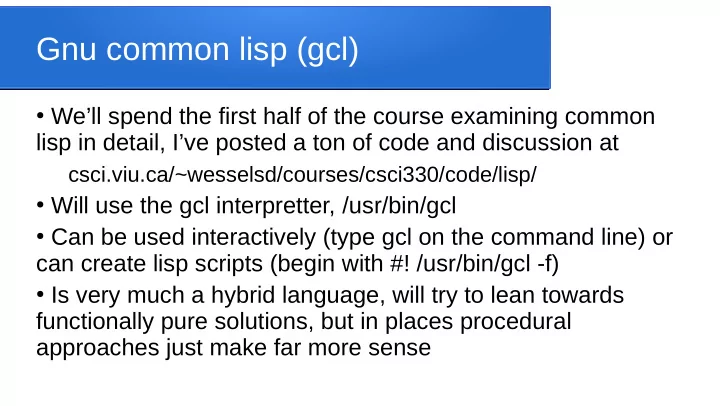
Gnu common lisp (gcl)

  • We’ll spend the first half of the course examining common

lisp in detail, I’ve posted a ton of code and discussion at csci.viu.ca/~wesselsd/courses/csci330/code/lisp/

  • Will use the gcl interpretter, /usr/bin/gcl
  • Can be used interactively (type gcl on the command line) or

can create lisp scripts (begin with #! /usr/bin/gcl -f)

  • Is very much a hybrid language, will try to lean towards

functionally pure solutions, but in places procedural approaches just make far more sense

slide-2
SLIDE 2

A few basics for common lisp

  • Everything is a function, even “procedural” actions like

declaring a variable:

(defvar x 10) ; defines x, initializes to 10 ; single-line comments, to the right of semi-colon

  • The name of the function is the first thing inside the

brackets, e.g. (sqrt 67.6) would be like C-style sqrt(67.5)

  • Functions always return a value (default is nil)
slide-3
SLIDE 3

Using the interpretter

  • Start the interpretter by typing gcl on linux command line
  • When it is waiting for you to enter a function call, it will show

the > as a prompt

  • When you type in a function call, it will run the function and

display the returned result then give you another prompt e.g. >(sqrt 25) 25 >

slide-4
SLIDE 4

Working in the interpretter

  • Run the quit function to exit back to linux, i.e. (quit)
  • If a function call crashes, it will print an error message, give

you some numeric choices, and give a nested prompt like >>

  • Look for the one with the message “Return to top level” and

enter its number (typically 1) to get back to normal

  • You can load a file full of function definitions using

(load “filename”)

slide-5
SLIDE 5

Functions and parameters

  • Note that things like + and – are functions, called like other

functions, e.g. (+ 10 25) will return 35, (- 6 2) will return 4

  • Some functions can accept as many parameters as you

like, e.g. (+ 5 10 3 1) will return 19

  • You can compose function calls as deeply nested as you

like, e.g. (+ (* 5 3) (- 10 1)) would give 24

slide-6
SLIDE 6

Input using the (read) function

  • (read) waits for the user to type in something, reads and

returns it, can enter type the lisp interpretter recognizes:

  • 75.5 would be recognized as the floating point value
  • 112 would be recognized as the integer value
  • “foo” would be recognized as the text string foo
  • foo would be treated as a symbol (identifier)
  • (10 20 30) would be treated as a list of 10 20 30
  • t is the boolean value true, nil is treated as false
  • #\f represents the character f
slide-7
SLIDE 7

More experimentation

  • (+ (read) (read)) would wait for the user to type in two

values, add them together, and return the result

  • You’ll get a crash if you try to use invalid data types for an
  • peration (e.g. if you try to use + on text)
  • There are lots of built in data types and functions for each,

we’ll explore at least some of them in the next few weeks

slide-8
SLIDE 8

Basic operators

  • The common math functions are + - / * min max mod log

sqrt sin cos tan floor ceiling random etc, (expt x y) is used to raise x to the power y

  • The comparison operators are < <= > >= = /=
  • Checking equality is a little tricky because of the possibility
  • f things being of different types, e.g. (= x y) crashes if one
  • f them is non-numeric
slide-9
SLIDE 9

Equality checking

  • (equal x y) does structural comparison to see if the contents

are equivalent (e.g. two different lists but with matching internal values)

  • (equalp x y) checks for equivalence (e.g. 3 and 3.0)
  • (eql x y) checks if they both refer to the same exact item, or

if one is a variable, one is a literal, and their values match

  • (eq x y) checks if they both refer to the same exact item
slide-10
SLIDE 10

String operations

  • Many many string functions are available, including:
  • (length s) returns the length (in characters)
  • (elt str i) returns the ith character of str
  • (concatenate ‘string s1 s2) returns a string with the

contents of s1 followed by s2

  • (string< s1 s2) is s1 ‘alphabetically’ < s2 (and similarly

string<=, string>, etc)

slide-11
SLIDE 11

Character operations

  • (char-upcase c) returns uppercase equivalent (-downcase

for lowercase)

  • #\c is used to represent the character literal c
  • (char-code c) returns the ascii for the character
  • (code-char n) returns the character whose ascii is n
  • (char< c1 c2) is c1 alphabetically < c2? (and similarly for

char<=, char>, etc)

  • Special chars: #\Backspace, #\Space, #\Return, #\Tab
slide-12
SLIDE 12

Symbols

  • Symbols are essentially identifiers, e.g. x
  • we can check if something “is” an identifier using symbolp
  • we can pass symbols as parameters, e.g. (foo ‘x)
  • We can see if a symbol is in use with (boundp x), which

returns true if we’ve defined a variable x or (fboundp x) which returns true if we’ve defined a function named x

  • Later we’ll associate and use properties we can associate

with symbols

slide-13
SLIDE 13

Creating and setting variables

  • The defvar function is used to declare and initialize a

(more-or-less) global variable

(defvar x “foo”) (defvar y 104)

  • The setf function is used to change a variable value

(actually also declares the variable if we didn’t defvar it)

(setf x 23.5)

  • Note that variable types are dynamic, not fixed
  • Of course, variables are not “pure” in a FP view
slide-14
SLIDE 14

Constants

  • We can also create/initialize constants, e.g.
  • (defconstant Pi 3.14)
  • Many data types have pre-defined constants representing

things like the maximum value, precision, etc

  • e.g. most-positive-double-float (biggest real), most-

positive-fixnum (biggest int), most-negative-fixnum, etc

slide-15
SLIDE 15

Output with format function

  • The format function is used to display output
  • E.g. to display “blah blah blah” and a newline (~%) we

would use (format t “blah blah blah~%”)

  • Format returns nil when used like this
  • To insert a variable value into a string for display, we use ~A

as a placeholder (like %d or %f in C++ printfs) and put the actual value to use as an extra parameter, e.g.

(format t “the value of x is: ~A~%” x) (format t “x is: ~A, y is ~A~%” x y)

slide-16
SLIDE 16

Building strings with format

  • We can get format to build and return a string instead of

displaying it, done by using nil instead of t as the first parameter, e.g. suppose x contains value 10:

(format nil “we are working with value ~A” x)

  • Would create and return the string

“we are working with value 10”

slide-17
SLIDE 17

Creating/using executable scripts

  • You can put lisp code in a file with a .cl extension and run it

from the command line, but the first line of the file must be

#! /usr/bin/gcl -f

  • Remember to make the file executable with chmod, e.g.

chmod u+x filename.cl

  • Then run it much like other executables:

./filename.cl

  • One file can load code from another (like a #include):

(load “filename”)