how it actually is Color is continuous Visible light is in the - - PDF document

how it actually is
SMART_READER_LITE
LIVE PREVIEW

how it actually is Color is continuous Visible light is in the - - PDF document

2/20/2014 Pictures, Pixels, and Colors CSCI-1101B 2/20/14 Reading: Introduction to Computing and Programming in Python: A Multimedia Approach Chapter 3: Modifying Pictures using Loops We perceive light different from how it actually is


slide-1
SLIDE 1

2/20/2014 1

Reading:

Introduction to Computing and Programming in Python: A Multimedia Approach Chapter 3: Modifying Pictures using Loops

CSCI-1101B 2/20/14

Pictures, Pixels, and Colors

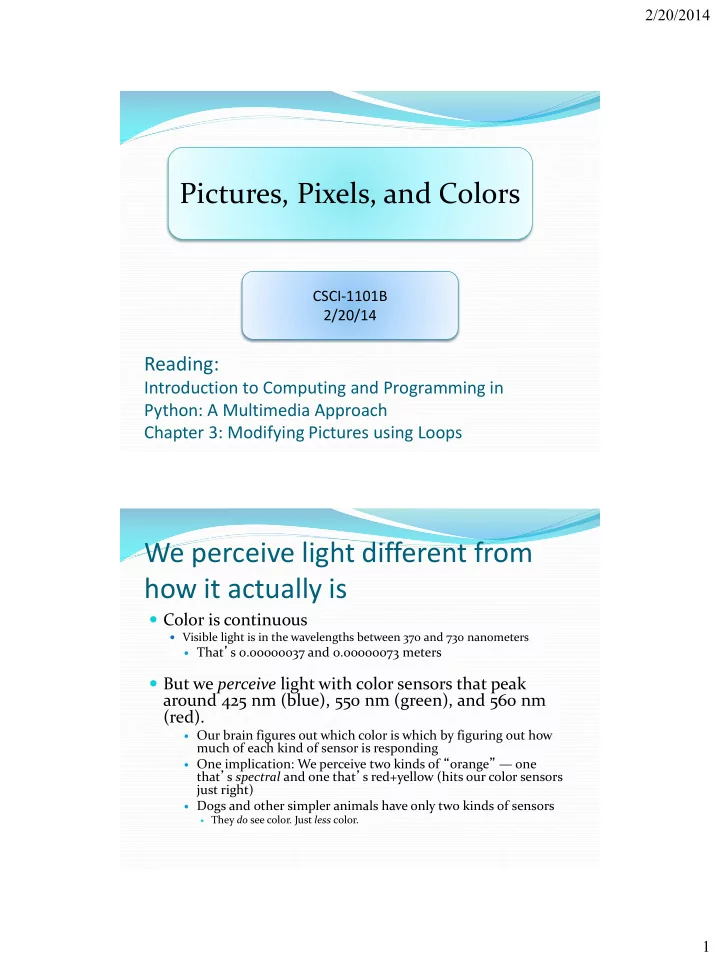
We perceive light different from how it actually is

 Color is continuous

 Visible light is in the wavelengths between 370 and 730 nanometers

 That’s 0.00000037 and 0.00000073 meters

 But we perceive light with color sensors that peak

around 425 nm (blue), 550 nm (green), and 560 nm (red).

 Our brain figures out which color is which by figuring out how

much of each kind of sensor is responding

 One implication: We perceive two kinds of “orange” — one

that’s spectral and one that’s red+yellow (hits our color sensors just right)

 Dogs and other simpler animals have only two kinds of sensors

 They do see color. Just less color.

slide-2
SLIDE 2

2/20/2014 2

Luminance vs. Color

 We perceive borders of

things, motion, depth via luminance

 Luminance is not the amount of

light, but our perception of the amount of light.

 We see blue as “darker” than red,

even if same amount of light.

 Much of our luminance

perception is based on comparison to backgrounds, not raw values.

Luminance is actually color blind. Completely different part of the brain does luminance vs. color.

Digitizing pictures as bunches of little dots or “Pixels”

 We digitize pictures into lots of little dots  Enough dots and it looks like a continuous whole to

  • ur eye

 Our eye has limited resolution  Our background/depth acuity is particulary low

 Each picture element is referred to as a pixel

slide-3
SLIDE 3

2/20/2014 3

Pixel objects

 Pixels are picture

elements

 Each pixel object knows

its color

 It also knows where it is

in its picture

When we zoom the picture to 500%, we can see individual pixels.

New!!!

A Picture is a matrix of pixels

 It’s not a continuous line

  • f elements, that is, a
  • ne-dimensional array

 A picture has two

dimensions: Width and Height

 We need a two-

dimensional array: a matrix

slide-4
SLIDE 4

2/20/2014 4

Referencing a matrix

 We talk about positions

in a matrix as (x,y), or (horizontal, vertical)

 Element (1,0) in the

matrix at left is the value 12

 Element (0,2) is 6

Encoding color

 Each pixel encodes color at that position in the

picture

 Lots of encodings for color

 Printers use CMYK: Cyan, Magenta, Yellow, and blacK.  Others use HSB for Hue, Saturation, and Brightness (also called

HSV for Hue, Saturation, and Value)

 We’ll use the most common for computers

 RGB: Red, Green, Blue

slide-5
SLIDE 5

2/20/2014 5

Encoding RGB

 Each component color (red,

green, and blue) is encoded as a single byte

 Colors go from (0,0,0) to

(255,255,255)

 If all three components are the

same, the color is in greyscale

 (200,200,200) at (3,1)  (0,0,0) (at position (3,0) in example)

is black

 (255,255,255) is white

How much can we encode in 8 bits?

 Let’s walk it through.

 If we have one bit, we can represent two patterns:

0 and 1.

 If we have two bits, we can represent four patterns:

00, 01, 10, and 11.

 If we have three bits, we can represent eight patterns: 000, 001, 010, 011, 100,

101, 110, 111

 General rule: In n bits, we can have 2n patterns

 In 8 bits, we can have 28 patterns, or 256  If we make one pattern 0, then the highest value we can represent is 28-1, or

255

slide-6
SLIDE 6

2/20/2014 6

Is that enough?

 We’re representing color in 24 (3 * 8) bits.

 That’s 16,777,216 (224) possible colors  Our eye can discern millions of colors, so it’s probably

pretty close  Some graphics systems support 32 bits per pixel

 May be more pixels for color, or an additional 8 bits to

represent 256 levels of transparency

Size of images

320 x 240 image 640 x 480 image 1024 x 768 monitor 24 bit color 230,400 bytes 921,600 bytes 2,359,296 bytes 32 bit color 307,200 bytes 1,228,800 bytes 3,145,728 bytes

slide-7
SLIDE 7

2/20/2014 7

Decomposition of a picture

Picture Pixel Color

show repaint getPixel getPixels getWidth getHeight writePictureTo getRed, getGreen, getBlue setRed, setGreen, setBlue getColor setColor getX, getY makeColor pickAColor makeDarker, makeLighter

Reminder: Manipulating Pictures

>>> file = pickAFile() >>> print file /Users/yourName/mediasources/barbara.jpg >>> picture = makePicture(file) # picture is a picture object >>> show(picture) >>> print picture Picture, filename /Users/yourName/mediasources/barbara.jpg height 294 width 222

slide-8
SLIDE 8

2/20/2014 8

What is a “picture object”?

 An “encoding” that represents an image

 Knows its height and width  Knows its filename  Knows its window if it’s opened (via show and repainted

with repaint)

Manipulating pixels

>>> pixel=getPixel(picture,1,1) >>> print pixel Pixel, color=color r=168 g=131 b=105 >>> pixels=getPixels(picture) >>> print pixels[0] Pixel, color=color r=168 g=131 b=105

getPixel(picture,x,y) gets a single pixel. getPixels(picture) gets all of them in an array. (Square brackets is a standard array reference notation—which we’ll generally not use.)

slide-9
SLIDE 9

2/20/2014 9

What can we do with a pixel?

  • getRed, getGreen, and getBlue are functions that

take a pixel as input and return a value between 0 and 255

  • setRed, setGreen, and setBlue are functions that

take a pixel as input and a value between 0 and 255

We can also get, set, and make Colors

 getColor takes a pixel as input and returns a Color

  • bject with the color at that pixel

 setColor takes a pixel as input and a Color, then sets

the pixel to that color

 makeColor takes red, green, and blue values (in that

  • rder) between 0 and 255, and returns a Color object

 pickAColor lets you use a color chooser and returns the

chosen color

 We also have functions that can makeLighter and

makeDarker an input color

slide-10
SLIDE 10

2/20/2014 10

Distance between colors?

 Sometimes you need to, e.g., when deciding if something

is a “close enough” match

 How do we measure distance?

 Pretend it’s cartesian coordinate system  Distance between two points:  Distance between two colors:

Demo: pixels and colors (continued from previous slides)

>>> print getRed(pixel) 168 >>> setRed(pixel,255) >>> print getRed(pixel) 255 >>> color=getColor(pixel) >>> print color color r=255 g=131 b=105 >>> setColor(pixel,color) >>> newColor=makeColor(0,100,0) >>> print newColor color r=0 g=100 b=0 >>> setColor(pixel,newColor) >>> print getColor(pixel) color r=0 g=100 b=0 >>> print color color r=81 g=63 b=51 >>> print newcolor color r=255 g=51 b=51 >>> print distance(color,newcolor) 174.41330224498358 >>> print color color r=168 g=131 b=105 >>> print makeDarker(color) color r=117 g=91 b=73 >>> print color color r=117 g=91 b=73 >>> newcolor=pickAColor() >>> print newcolor color r=255 g=51 b=51

slide-11
SLIDE 11

2/20/2014 11

We can change pixels directly…

>>> file="/Users/yourName/mediasources/barbara.jpg" >>> pict=makePicture(file) >>> show(pict) >>> setColor(getPixel(pict,10,100),yellow) >>> setColor(getPixel(pict,11,100),yellow) >>> setColor(getPixel(pict,12,100),yellow) >>> setColor(getPixel(pict,13,100),yellow) >>> repaint(pict)

But that’s really dull and boring to change each pixel at a time… Isn’t there a better way?

Use a loop! Our first picture program

#Take a picture object as parameter #Make every pixel 50% less red def decreaseRed(picture): for p in getPixels(picture):

  • riginalRed=getRed(p)

setRed(p, originalRed*0.5)

Used like this: >>> file="/Users/yourName/mediasources/barbara.jpg" >>> picture=makePicture(file) >>> show(picture) >>> decreaseRed(picture) >>> repaint(picture)

You can also write a function pixelDemo() with these lines there New!

slide-12
SLIDE 12

2/20/2014 12

Converting to greyscale

 We know that if red=green=blue, we get grey

But what value do we set all three to?

 What we need is a value representing the darkness of the color,

the luminance

 There are lots of ways of getting it, but one way that works

reasonably well is dirt simple—simply take the average:

Converting to greyscale

def greyScale(picture): for p in getPixels(picture): intensity = (getRed(p)+getGreen(p)+getBlue(p))/3 setColor(p,makeColor(intensity,intensity,intensity))

slide-13
SLIDE 13

2/20/2014 13

Can we get back again? Nope

 We’ve lost information

 We no longer know what the ratios are between the reds,

the greens, and the blues

 We no longer know any particular value.

Lab Assignment 3 (due on Friday 11:59pm): Replace one color by another

 Let the “user” select a picture file using pickAFile()  Create a picture object for that picture file  Show the picture  Let the user choose a color x using pickAColor()  Let the user choose another color y using pickAColor()  Now, for every pixel having a color close to x, you need to change its color to y. To do this: For each pixel of that picture object,

 Calculate the distance of that pixel’s color from color x  If the distance is less than a threshold of 50 (or any other number of your

choice)

 Replace the color of that pixel by color y

 Repaint the picture

slide-14
SLIDE 14

2/20/2014 14

Class participation homework

 Code the sunset program from Ch 3  Code the lightening and darkening programs from Ch

3

 Print out these codes and submit on Tuesday (in class)