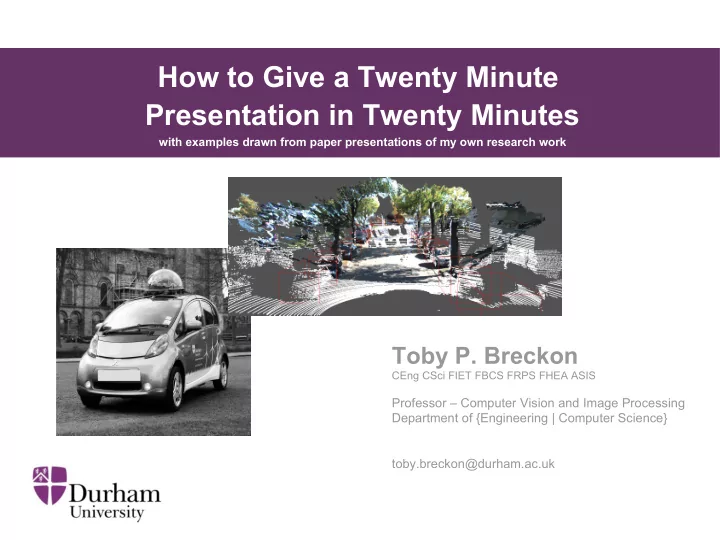
How to Give a Twenty Minute Presentation in Twenty Minutes with - - PowerPoint PPT Presentation

how to give a twenty minute presentation in twenty minutes
SMART_READER_LITE
LIVE PREVIEW

How to Give a Twenty Minute Presentation in Twenty Minutes with - - PowerPoint PPT Presentation

How to Give a Twenty Minute Presentation in Twenty Minutes with examples drawn from paper presentations of my own research work Toby P. Breckon CEng CSci FIET FBCS FRPS FHEA ASIS Professor Computer Vision and Image Processing Department of


slide-1
SLIDE 1

Toby P. Breckon

CEng CSci FIET FBCS FRPS FHEA ASIS

Professor – Computer Vision and Image Processing Department of {Engineering | Computer Science} toby.breckon@durham.ac.uk

Key Research areas: Image Processing, Computer Vision, Machine Learning

How to Give a Twenty Minute Presentation in Twenty Minutes

with examples drawn from paper presentations of my own research work

slide-2
SLIDE 2
  • A. Author, Toby P. Breckon, B. Author

School of Basket-Weaving University of Poppleton, UK person.name@institution.place

< USE PAPER TITLE IN FULL SO AS NOT TO CONFUSE PEOPLE >

with perhaps some clever and witty shorter strap-line if you must

Some eye catching images that make people want to stay in the session to hear your talk and another ….

People may be coming and going from parallel sessions – help them be sure they are in the right place Authors in order, who presenting (bold) and where + contact. That is all.

University Logo

slide-3
SLIDE 3

S : 3

This talk about talks ….

  • 3 sets of inter-leaved slides

(slides look like )

– example content

(illustrative only)

– presentation - “how-to” tips – presentation – best avoided

slide-4
SLIDE 4

S : 4

From an

  • n-board camera ...

….. we can perform real-time analysis of the road environment as we drive.

[ video ]

slide-5
SLIDE 5

S : 5

… so that worked then

Now : (a) I have everyone's attention (b) everyone is clear on what I am talking about (c) (hopefully) everyone is now interested enough to pay attention the rest of the story

slide-6
SLIDE 6

S : 6

What I did back there ...

  • Like a “magician in reverse” - reveal the finale

... before the “nuts and bolts”.

  • Top Tip: a simple illustrative example up-front to

grab peoples attention, get everyone on- board with the story and break the ice use images and/or video animations – not text, graphs or equations (as they have the opposite effect).

slide-7
SLIDE 7

S : 7

What I avoided ….

  • Launching straight into a literature review of

“prior work on ...”

  • Starting with some really dull “Overview of

my talk” slide …. dull, dull, dull !

  • Some convoluted, time wasting story of

where Durham is …. (no one cares, they are here to hear the science!)

slide-8
SLIDE 8

S : 8

Motivation ...

Modern vehicles contain a range of dynamics tunable to the road environment ….

Source: <INSERT URL> (fair use)

slide-9
SLIDE 9

S : 9

Motivation ...

… both {on | off } road and specific driving environments

Source: <INSERT URL> (fair use)

slide-10
SLIDE 10

S : 10

Automatic Environment Classification

forward facing

  • n-board

camera

?

Motorway/Highway Urban Trunk Road Off-road

Source: <INSERT URL> (fair use)

slide-11
SLIDE 11

S : 11

What I did back there ...

  • Re-enforced the key message:

What is the problem you are trying to solve and why is it important?

  • Ensured (again) I take the audience with me in the

story/journey

  • Top tip: for illustrative images use google search but always acknowledge source

Source: images.google.co.uk

slide-12
SLIDE 12

S : 12

What I avoided ….

  • Leaving all/some thinking “yes, but why do

this ?”

  • Losing people with too much technical detail

to early on one slide / diagram

  • Mis-judging the audience by using very

specific jargon to the problem domain….

www.fsaesim.com

slide-13
SLIDE 13

S : 13

Do judge your audience ..

  • Specialists in the topic ?

e.g. sensor systems and algorithms for cars

  • Specialists in the domain ?

e.g. sensor systems and algorithms

  • Specialists in the subject ?

e.g. engineers or computer scientists

  • Professional Non-Specialists ….

e.g. physicists / psychologists / medics

  • Non-specialists (i.e. generalists)

e.g. public / open day visitors / school children

  • Top tip: practice presentation using a set of

peers at the same level as intended audience

“the RGB pixel values from the off-side drive cam ….” “the colour information from the camera ….”

Adjustment of language and slide content to meet appropriate level

slide-14
SLIDE 14

S : 14

No really do pre-judge your audience ...

  • Above all – it helps get them all on-board

This makes all the difference in the world. Who am I speaking to ? - that is the question.

(remember cross-disciplinary, cross-cultural and international aspects)

  • For example … a recent talk I gave over in

Physics started as follows ...

slide-15
SLIDE 15

S : 15

Image Understanding ...

  • “What does it mean, to see?

The plain man's answer (and Aristotle's, too) would be, to know what is where by looking.”

slide-16
SLIDE 16

S : 16

Automating Image Understanding ...

Source: http://chenlab.ece.cornell.edu/projects/FECCM/

slide-17
SLIDE 17

S : 17

Automotive Visual Sensing

… and our work specifically looks at

slide-18
SLIDE 18

S : 18

i.e. more general introduction is used for a more general (scientific) audience pre-judge your audience ...

slide-19
SLIDE 19

S : 19

Snazzy images of your kit in B/W work well – take some on that camera you carry with you always!

slide-20
SLIDE 20

S : 20

Prior Work

  • Road Environment Classification

– Combined Colour & Texture Features – Neural Network Classification – Near Real-time Performance [Tang / Breckon, 2011]

  • Urban Traffic Scene Understanding

– Texture Classification & Scene Object Labelling – Urban scene focussed, different task [Ess et al., 2009]

slide-21
SLIDE 21

S : 21

What I did back there ...

  • Simple lead in to cover prior literature
  • 2-3 most relevant examples with illustrations
  • Close off quickly with referral back to paper

What I avoided ….

  • Top tip: 2-3 most relevant or 1 from each inter-disciplinary topic only
  • Long and (talk) time-wasting review

– people are here to see your work!

slide-22
SLIDE 22

S : 22

Outline Pipe-line

Feature Detection Feature Representation Classification

slide-23
SLIDE 23

S : 23

Feature Detection Feature Representation Classification

Approach

[Tang / Breckon, 2011]

Colour / Texture 136D combined Neural Network

  • colour histogram

colour/texture

  • GLCM texture features

feature vector

  • single Gabor Filter response
  • Hough-based line count

[Tang / Breckon, 2011]

slide-24
SLIDE 24

S : 24

Feature Detection Feature Representation Classification

Proposed Approach

Colour / Texture 136D combined Neural Network

  • colour histogram

colour/texture

  • GLCM texture features

feature vector

  • single Gabor Filter response
  • Hough-based line count

Multiple Gabor Filter Histogram of Filter Decision Forest Responses Response Magnitude [Tang / Breckon, 2011] [Mioulet et al., 2013]

slide-25
SLIDE 25

S : 25

Proposed Approach

Multiple Gabor Filter Histogram of Filter Decision Forest Responses Response Magnitude

Key issue: speed vs. granularity

[Mioulet et al., 2013]

Feature Detection Feature Representation Classification

slide-26
SLIDE 26

S : 26

What I did back there ...

  • Gave a clear outline of my approach first

– with no maths – with no graphs

  • Clearly explained how my approach differs

from prior work

  • Built up diagrams aimed at different auidence

levels (the first of which is very simple)

slide-27
SLIDE 27

S : 27

Details …..

  • < delve into this as much as time now allows >
slide-28
SLIDE 28

S : 28

What to please avoid ….

  • Over use of equations that no-one (at your

audience level) will understand

  • Over use of complex graphs or tables

without clear signposts to help the audience

  • Too much text.
slide-29
SLIDE 29

S : 29

– Find “hyperplane” via computational optimization

Penalty term > 0 for each “wrong side of the boundary” case

Some details …..

(illustrative only)

slide-30
SLIDE 30

S : 30

Considering Range Accuracy

Some details …..

(illustrative only)

slide-31
SLIDE 31

S : 31

  • training via Cross-validation

– large dataset – parameter exploration

  • Low Gabor feature Quantization

= optimal performance N = 5 → classification in

  • Outperforms [ Tang / Breckon, 2011 ]

Evaluation

(illustrative only)

slide-32
SLIDE 32

S : 32

Qualitative Quantitative

Some more results …..

(illustrative only)

[ video ]

slide-33
SLIDE 33

S : 33

What I did back there ...

  • Gave a supported outline of my detailed

approach second

– with clear sign-posts / break-down of the maths – with clear sign-posts on the graphs

  • Clearly explained my results with sign-posts
  • f what to look at

– ideally quantitative + qualitative

(audience dependent)

– how it outperforms prior work [Author, year]

slide-34
SLIDE 34

S : 34

Presentation Basics

  • Do not read all the text exactly off the slide

… every single last word of it including really long sentences like this one ….

  • Instead …use headings

– add emphasis – use italics + bold

slide-35
SLIDE 35

Do not ….

  • Use a wacky, detailed slide template.
  • Weird templates mean content is lost.

BUT DO HAVE SLIDE NUMBERS : 35 (helps with questions, later)

slide-36
SLIDE 36

Do not ….

  • use wacky slide transitions also
  • … the audience will just feel sea sick!

+ wastes time

S : 36

slide-37
SLIDE 37

S : 37

Simple is beautiful. Less text (on slides) , more words (from your mouth)

slide-38
SLIDE 38

S : 38

But please do ….

  • Use images ….
  • Examples (google images!)
  • Side by side comparisons
  • Highlights
  • Use video examples

screen capture software to produce “canned demos”

  • Arrange windows appropriately

Edit videos to show highlights exact clip – avoid long lead in

  • Linux: screenrecorder + openshot (editing)
  • Windows: camstudio + virtualdub (dated)
  • Test your technology – powerpoint /

PDF / libreoffice / vlc

Simplest option – url click to unlisted youtube video

[Sokalski/Breckon, 2010]

[Katramados/Breckon, 2011]

[Kundegorski / Breckon et al. '14]

[ video ]

slide-39
SLIDE 39

S : 39

Conclusion

Re-emphasis message: results re-state advance in state of art Overall: 15 – 17 minutes talk ** 2-3 minutes of questions

(** I have 18 “content” slides in this presentation – including the physics intro repeat slides, this is probably too much)

slide-40
SLIDE 40

…. and that is how to Give a Twenty Minute Presentation in Twenty Minutes

Any questions ?

http://www.durham.ac.uk/toby.breckon : toby.breckon@durham.ac.uk

Acknowledgements:

(for examples used in these slides)

slide-41
SLIDE 41

…. < link or repeat title / key message

  • f paper somehow >

Any questions ?

http://www.durham.ac.uk/toby.breckon : toby.breckon@durham.ac.uk

Acknowledgements:

(for examples used in these slides)

Images show key result / concept in summary and another …. Or perhaps even have a video playing on loop!

Acknowledgements at end (only) to save time – not in intro. Use logos. This slide does say “now for questions please” but also makes full use of the time / space to continue to get the message across to anyone who missed it (or fell asleep) And re-remind them who you are and where you are from! - perhaps link to on-line results also

slide-42
SLIDE 42

S : 42

< extra slide title > ….

Performance (accuracy)

  • how well do “we know what is where by looking” ?

Speed (real-time ?)

  • how quickly can “we know what is where by looking” ?

SWaP (Size,Weight & Power) / Cost

  • the engineering cost of

“knowing what is where by looking” ?

Anticipate obvious questions and have specific

  • r general extra slides ready

to help support your answers.