Instagram 101: Reaching New Audiences & Marketing for NPOs By - - PowerPoint PPT Presentation

instagram 101 reaching new audiences marketing for npos
SMART_READER_LITE
LIVE PREVIEW

Instagram 101: Reaching New Audiences & Marketing for NPOs By - - PowerPoint PPT Presentation

Instagram 101: Reaching New Audiences & Marketing for NPOs By Katie Mabry van Dieren of The Strawberry Swing, Troost Market Collective, Craft Show CEO, et al. Nonprofits can leverage Instagram to share their mission, advocate for


slide-1
SLIDE 1

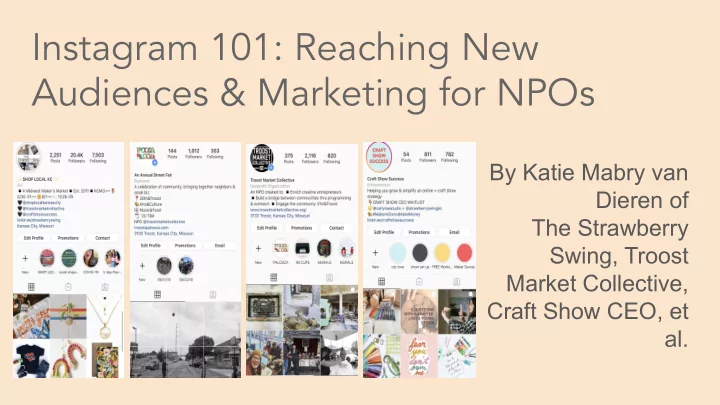
Instagram 101: Reaching New Audiences & Marketing for NPOs

By Katie Mabry van Dieren of The Strawberry Swing, Troost Market Collective, Craft Show CEO, et al.

slide-2
SLIDE 2

Nonprofits can leverage Instagram to share their mission, advocate for support, solicit donations, and show impact using

  • ne of the most visceral and powerful mediums out there:

visual media. Instagram is a storytelling goldmine. As they say, a picture is worth a thousand words.

slide-3
SLIDE 3

INSTAGRAM FAQS:

From Hootsuite.com

slide-4
SLIDE 4
slide-5
SLIDE 5
slide-6
SLIDE 6
slide-7
SLIDE 7
slide-8
SLIDE 8

GETTING STARTED:

Make your profile a “Business Profile”

  • This allows you to see impressions, engagements and

reach.

  • Social Media Examiner has a great post about how to set

this up: Social Media Examiner.

  • You can select Non Profit and it will be displayed on the

profile.

  • Description for Bio can only be 150 characters.
  • Make sure your profile is PUBLIC.
slide-9
SLIDE 9

INSTAGRAM TIPS:

  • 1. Only can insert ONE LINK in Bio so use it wisely
  • OR-

Utilize Linkt.ree and have many different links

  • The link in your bio is where you will point people in

your posts, so make sure it’s utilized correctly.

slide-10
SLIDE 10
  • 2. Use a branded hashtag and other hashtags (use

5-11 total)

  • Branded hashtags encourage tagging and sharing.
  • Can be a slogan or brief description of what your

NPO stands for and also use popular and niche tags. Example: Arts KC uses #unleashtheartskc

INSTAGRAM TIPS:

slide-11
SLIDE 11
  • 3. Don’t forget to use Stories
  • If you are looking to boost engagement, look no

further than Instagram stories.

  • Capture the “behind-the-scenes”, volunteers,

programming, events, etc. and add stickers/GIFS.

  • Save them to your Highlights after to

commemorate the moments.

INSTAGRAM TIPS:

slide-12
SLIDE 12

INSTAGRAM TIPS:

  • 4. Actively engage with other accounts
  • Follow, like and comment on accounts.
  • Reply when someone comments on your photos
  • r stories.
  • Interact with your followers by posting

questions, calls to actions, etc.

slide-13
SLIDE 13
  • 5. Analytics - Use them!
  • They come with your account and are free to view.
  • Allows you to know when your followers are most

active and which posts grab the most attention.

  • Allows you to understand the demographics of your

followers.

INSTAGRAM TIPS:

slide-14
SLIDE 14

FOLLOW ALONG!

Click the pics: