
SLIDE 1
1
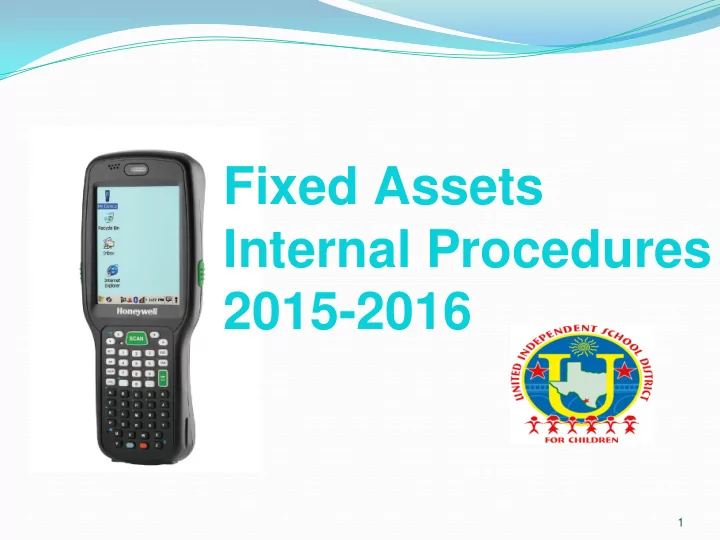
Internal Procedures 2015-2016 1 Account Coding OVERVIEW Texas - - PowerPoint PPT Presentation
Fixed Assets Internal Procedures 2015-2016 1 Account Coding OVERVIEW Texas Education Agency Financial Accountability Resource Guide requires that Texas Schools account for fixed assets. This includes Land, Furniture, buildings, improvements
1
2
OVERVIEW Texas Education Agency Financial Accountability Resource Guide requires that Texas Schools account for fixed assets. This includes Land, Furniture, buildings, improvements and equipment. Capital Outlays purchases classified:
a)
Items with unit cost over $ 5,000
b)
Tagged and controlled through the annual inventory process
c)
Listed in Fixed Assets Subsidiary Ledger - 663X’s objective code
d)
Accounted for in the General Fixed Assets Account Group
e)
Audited by the Internal and External Auditors
a)
Items with unit cost over $500 less than $ 5,000
b)
Tagged and controlled through the annual inventory process
c)
Listed in Fixed Assets Subsidiary Ledger – 664X’s objective code
d)
Include computing equipment with a unit cost of $.01 cents less than $ 5,000
e)
Audited by District’s Internal Auditors
Units Cost $ 5,000 or more Examples include:
a)
6631 (vehicles)
b)
6635 (Data processing Equipment)
c)
6639 (all other equipment not classified elsewhere) Unit Costs Less $ 5,000 and Electronics Examples include:
a)
Computer Equipment (monitor, printer, CPUs, Smartboards, IPAD’s, Notepads, or the like, Elmos (Document Cameras), etc.)- (6645)
b)
Video Processing Equipment (camcorders, LED Flat Panels, Video Projectors, (6649) Unit Costs more than $500 less than $5,000 Examples Include:
a)
Secondary Musical Instruments (6649)
b)
Secondary Athletic Equipment (6649)
c)
Machinery/ Tools (6649)
d)
Furniture (6649)
3
under account code 6645/6635
Switches, Charging Carts, Servers, Catalyst, Routers
Tablets, Ipads, Ipods, Chrome Books
Projectors, Eikis, Elmos, Cameras, Smartboards
under account code 6649/6639
machines, waterboys
Washers, Dryers
Stripper, Floor Buffer, Scrubber
utility trailer, loaders
4
All equipment shall follow the purchasing process and be delivered to the Central Warehouse for tagging. Under special circumstances, Purchasing may arrange items to be deliver to the user site. If authorized, Fixed Assets should be NOTIFIED IMMEDIATELY by the campus/department to coordinate the tagging of these items. A copy of the purchase order will be required. A check request and receipt will be required if the items were purchased with Student Activity funds. Information can be emailed to Daisy Almanza at dalmanza@uisd.net
5
6
▪ General Fund ▪ Federal Funds
7
8
Note:
If “Transfer” is selected, remember to fill out the section below listed as “For Transfers Only.”
Highlighted cells need to be typed.
Instructions:
signatures
fixedassetsform@uisd.net
9
An automated message will be received by the sender stating the following:
Your request has been received and is currently under review. Should we have any questions, we will be contacting you via e-mail or to your office extension. Transfer and Disposal requests may take a maximum of two weeks to be processed. Remember to have someone available at the time of pick up to verify that all items were disposed or transferred properly. See ‘NOTE’ section on the Transfer-Disposal form for more information. Please submit a new form if additional items need to be Disposed or Transferred.
10
Once a CONTROL NUMBER has been assigned to the Transfer/Disposal request, the inventory will be moved by the Fixed Assets Department in our Inventory Accounting
actual physical pickup of the assets. Make sure that someone from your Campus/Department is available at the time of pickup to verify that all items were disposed/transferred properly. Remember to retain a copy of the request for your records. Note: Requests may take up to two weeks to be processed.
11
Items that were not made available during the scheduled picked up, incorrectly listed, and/or not on the form will require a new
fixedassetsform@uisd.net
Reminder: The Fixed Assets Department does not accept Han Handwritte dwritten or Faxed Transfer/Disposal forms.
12
Best Practices
transfer/disposal forms that exceed 10 assets
not forget to add the department or school where the item is being transferred.
signatures before you scan and email your form
completed Transfer/Disposal forms to your Fixed Assets Liaison and retain a copy for your own records
13
component of the administrators end-of-year evaluation.
principal/administrator.
keeping a strict account of all the fixed assets at the campus and of approving the Transfer/Disposal forms.
14
Michael Barron Supervisor of Support Services E-mail: mbarron@uisd.net Phone: (956) 473-7968 Mauro Juarez Supervisor of Shipping & Receiving E-mail: mauroj@uisd.net Phone: (956) 473-7977
Support Service Dept. Fax (956) 473-7982
15
Support Services responsibility is to ensure the physical movement of the Fixed Asset items:
16
property
member of the Superintendent’s staff
tagged and placed on the campus/department Fixed Assets Inventory.
Daisy Almanza at dalmanza@uisd.net Examples of items to be tagged are: Computers, (Monitors/CPUs), printers, IPADS, Note pads, scanners, or the like.
17
▪
Report it to supervisor
▪
Report to UISD Police Dept. (956-473-6361) Operated 24 hours a day
info:
a) Date reported to Police b) Investigation number (if available from Police Dept.) c) Description of stolen item(s) d) Model, tag, and serial number (if available) e) Replacement Cost
Note: Remember to also email the loss group on any police reports filed
in the campus/department inventory.
18
The manual, forms, and presentation can be found
19
20
Hector G. Cavazos, Director of Fixed Assets E-mail: hcavazos@uisd.net Phone: (956) 473-7991 Daisy Almanza, Fixed Assets Accountant E-mail: dalmanza@uisd.net Phone: (956) 473-7943 Mario Gonzalez Fixed Assets Officer E-mail: mgonzalez3@uisd.net Phone: (956) 473-7936 Humberto Reyes, Fixed Assets Clerk E-mail: hreyes@uisd.net Phone: (956) 473-7988 Armando Torres, Fixed Assets Officer E-mail: atorre41@uisd.net Phone: (956) 473-7990 Kayla Rodriguez, Fixed Assets Clerk E-mail: krodriguez@uisd.net Phone: (956) 473-7989 Lauren Villarreal, Fixed Assets Clerk lecavazos@uisd.net Phone (956) 473-8008
21