Intr Introduction t oduction to St o Stanf anfor ord' d's s - - PDF document

intr introduction t oduction to st o stanf anfor ord d s
SMART_READER_LITE
LIVE PREVIEW

Intr Introduction t oduction to St o Stanf anfor ord' d's s - - PDF document

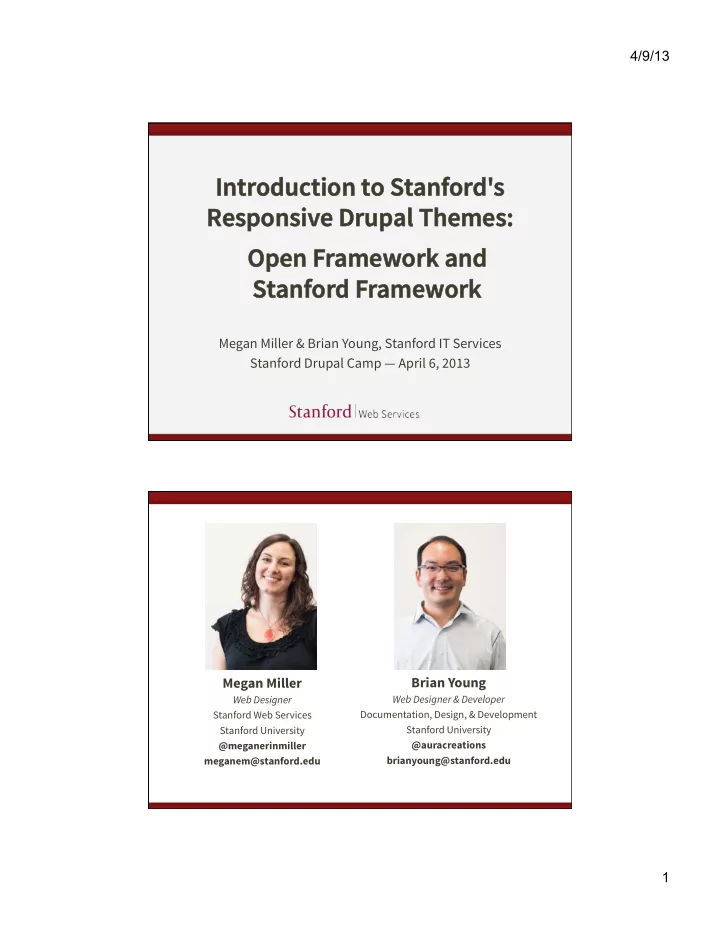
4/9/13 Intr Introduction t oduction to St o Stanf anfor ord' d's s Responsiv esponsive Drup e Drupal Themes: al Themes: Open F Open Framew amework and ork and St Stanf anfor ord F d Framew amework ork Megan Miller & Brian


slide-1
SLIDE 1

4/9/13 1

Intr Introduction t

  • duction to St
  • Stanf

anfor

  • rd'

d's s Responsiv esponsive Drup e Drupal Themes: al Themes:

Megan Miller & Brian Young, Stanford IT Services Stanford Drupal Camp — April 6, 2013

Open F Open Framew amework and

  • rk and

St Stanf anfor

  • rd F

d Framew amework

  • rk

Brian Young

Web Designer & Developer Documentation, Design, & Development Stanford University @auracreations brianyoung@stanford.edu

Megan Miller

Web Designer Stanford Web Services Stanford University @meganerinmiller meganem@stanford.edu

slide-2
SLIDE 2

4/9/13 2

Drupal at Stanford

There are several ways to have a Drupal website at Stanford.

  • AFS

http://afs.stanford.edu

  • Collaboration Tools Installer

http://tools.stanford.edu

  • Stanford Sites

http://sites.stanford.edu

Centralized Tools and Resources

slide-3
SLIDE 3

4/9/13 3

Centralized Tools and Resources

  • Technical training
  • Self-help web services and documentation
  • Stanford Sites hosting service
  • Stanford-specific Drupal features
  • Drupal themes
  • And much more.

What is a Drupal theme?

The look and feel

  • f your site.

The “Skin.” The design, separate from content.

slide-4
SLIDE 4

4/9/13 4

Our themes are:

  • Centrally maintained
  • Accessible
  • Standards compliant
  • Mobile responsive
  • Stanford branded

We want to make it easy.

slide-5
SLIDE 5

4/9/13 5

In this talk, we will cover:

  • What we mean by responsive
  • How we developed our themes
  • How our theme stack is structured
  • Which theme is right for you
  • How to create a subtheme

What is Responsive Web Design?

slide-6
SLIDE 6

4/9/13 6

Back in the day... But now...

Source: http://mobiforge.com/developing/story/device-diversity and http://jquerymobile.com

an explosion of devices!

slide-7
SLIDE 7

4/9/13 7

Device diversity

We can't predict the device of the future. How can we know what size of device we are designing for?

"Mobile" Trends

35% of American adults own

a smartphone

25% of smartphone users say

they only use their phone to browse the web

Source: Pew Internet & American Life Project – http://www.pewinternet.org/Reports/2011/Smartphones.aspx

slide-8
SLIDE 8

4/9/13 8

In an ideal world...

A custom experience for every device.

We go responsive.

same content reused for each screen size

Sparkbox website at different browser sizes (from http://mediaqueri.es)

slide-9
SLIDE 9

4/9/13 9

"Responsive"

A design that responds to the size of the browser or device.

Microsof website at different browser sizes (from http://mediaqueri.es)

"Design"

We mostly mean layout when referring to "design" in RWD.

slide-10
SLIDE 10

4/9/13 10

A single code base

Creating one website, and displaying it in different ways.

Atlanta Ballet website at different browser sizes (from http://mediaqueri.es)

Embrace Flexibility

RWD is a philosophy and a practice. By embracing the inherent flexibility of the web, we can design for the future.

slide-11
SLIDE 11

4/9/13 11

How do you implement Responsive Web Design? Flexible Grid-Based Layout Flexible Images and Media Media Queries

slide-12
SLIDE 12

4/9/13 12

Flexible Grid

Express your layout proportionally. Be flexible — not pixel-perfect.

25% 50% 25%

Flexible Media

Flexible containers constrain proportions of images and media by using max-­‑width:100%; ¡

image fills width

  • f container
slide-13
SLIDE 13

4/9/13 13

Media Queries

Detect your device screen width, then load different styles.

@media ¡screen ¡and ¡(max-­‑width: ¡480px) ¡{ ¡

.mything ¡{ ¡ width:100%; ¡ } ¡

} ¡ @media ¡screen ¡and ¡(max-­‑width: ¡1200px) ¡{ ¡

.mything ¡{ ¡ width:30%; ¡ } ¡

} ¡

What should you consider when designing responsive websites?

slide-14
SLIDE 14

4/9/13 14

Responsive Layouts

Are about preserving content hierarchy and legibility.

Content Hierarchy

What content is most important? Give it emphasis through size and

  • rder.
slide-15
SLIDE 15

4/9/13 15

Preserve Content Hierarchy

On small devices, what shows up first?

Legibility

Legibility of text, but also "legibility"

  • f micro-layouts.
slide-16
SLIDE 16

4/9/13 16

Preserve legibility

Don't let things get too squished or stretched! normal squished

Preserve legibility

A good solution: normal image on top

slide-17
SLIDE 17

4/9/13 17

Preserve legibility

An even better solution... Build a responsive theme that never requires a drastic size adjustment of micro-layouts.

desktop size... ~ same size on mobile!

Preserve legibility

The holy grail?

desktop size... ~ same size on mobile!

slide-18
SLIDE 18

4/9/13 18

"Content First"

Considering preservation of content hierarchy and legibility as a top priority.

How we developed our themes

slide-19
SLIDE 19

4/9/13 19

We surveyed lots of sites at Stanford

slide-20
SLIDE 20

4/9/13 20

We started with content

We developed a "layout library" — sets of common layouts that we needed to support.

slide-21
SLIDE 21

4/9/13 21

Homepage layouts Landing page layouts

slide-22
SLIDE 22

4/9/13 22

Subpage layouts Articulating responsive behavior

We created a set of responsive flow wireframes.

slide-23
SLIDE 23

4/9/13 23

One and two sidebars No sidebars

slide-24
SLIDE 24

4/9/13 24

Content area blocks

This is complicated!

Can we find a way to support all this sophisticated behavior in a theme? Can we make it easy to implement for site builders and content creators?

slide-25
SLIDE 25

4/9/13 25

Our Solution

Open Framework uses new responsive block regions to add sophisticated responsive behaviors in an easy-to-use fashion. Blocks and regions are native to Drupal, so we capitalized on that.

Sophisticated responsive behaviors

Open Framework provides support for two conflicting responsive patterns:

  • Row preference
  • Column preference
slide-26
SLIDE 26

4/9/13 26

Row Preference

Row preference forces elements to bump other elements down when the screen gets smaller. We call these "flow" regions.

Column Preference

Column preference forces elements to stack side-by-side in columns. We call these "stacked" regions.

slide-27
SLIDE 27

4/9/13 27

A combination approach

Through a combination

  • f stacked and flow

region behaviors, we can create complex layouts that respond well at every breakpoint.

New responsive regions

New set of responsive regions that support "flow" and "stacked" behavior. Content placed in specific block regions will respond based on that region’s pre-defined behavior.

slide-28
SLIDE 28

4/9/13 28

Drupal-specific styles support

Open Framework takes the basics of Twitter Bootstrap and adds in Drupal-friendly, semantic styles. Some examples: ¡ ¡ ¡.more-­‑link ¡ ¡ ¡ ¡.descriptor ¡ ¡ ¡ ¡.border-­‑simple ¡

Support for common micro-layouts

We have developed a set of styles and implementation strategies for common micro- layouts we refer to as "postcard" layouts.

slide-29
SLIDE 29

4/9/13 29

Support for common micro-layouts

We have developed a set of styles and implementation strategies for common micro- layouts we refer to as "postcard" layouts.

<div ¡class="postcard-­‑left"> ¡ ¡<div>left</div> ¡ ¡<div>right</div> ¡ </div> ¡

.postcard-left .po .post stcar ard-right d-right .po .post stcar ard-le d-lef-wr

  • wrap

ap .po .post stcar ard-right d-right-wr

  • wrap

ap

slide-30
SLIDE 30

4/9/13 30

A truly Drupal style guide

Open Framework has a sortable style guide.

Let's take a look...

http://openframework.stanford.edu

slide-31
SLIDE 31

4/9/13 31

The Stanford Theme Stack Stanford’s Drupal Themes

slide-32
SLIDE 32

4/9/13 32

More code at the bottom Subthemes at the top

slide-33
SLIDE 33

4/9/13 33

Each theme builds on the themes below. This allows for interchangeability and easy subtheming.

slide-34
SLIDE 34

4/9/13 34

  • Base styles
  • Responsive behaviors

Note: This is NOT a Drupal theme! Just a CSS/Javascript framework.

Twitter Bootstrap Open Framework

  • Additional base styles
  • Drupal block regions
  • Theme pre-processors

All the stuff you need to get started.

slide-35
SLIDE 35

4/9/13 35

Stanford Framework

  • Stanford brand bars
  • Stanford styles

(colors and fonts)

  • Site title theme options

that follow identity guidelines

Sub-themes

  • Stanford Modern
  • Stanford Jordan
  • Stanford Wilbur

These provide unique, fully-developed designs.

slide-36
SLIDE 36

4/9/13 36

Which theme is right for you?

Schools, departments, and other official groups requiring Stanford branding on your Drupal site:

  • Can request use of Stanford-branded themes,

such as Stanford Modern, Wilbur, or Jordan

  • Can request Stanford Framework as a base

theme on which to build your own subtheme

Which theme is right for you?

Other university organizations, such as a student groups, or an individual looking to create a personal website:

  • Can use Stanford Basic or Open Framework
  • Can use Open Framework as a base theme
  • n which to build a subtheme
slide-37
SLIDE 37

4/9/13 37

When/Where can I get my theme?

For Drupal 7 sites:

  • Open Framework, Stanford Framework,

Stanford Modern, Jordan, and Wilbur will be available starting end of March 2013

  • Stanford Basic is available now on Stanford

Sites or Collaboration Tools Installer

When/Where can I get my theme?

For Drupal 6 sites:

  • Stanford departments and official groups can

request to use Stanford Modern via HelpSU

slide-38
SLIDE 38

4/9/13 38

Site Building with Open Framework (and its subthemes) Modules that play nice

  • Block Class
  • Views
  • BEAN
  • Context
  • CSS Injector
slide-39
SLIDE 39

4/9/13 39

OFW styled with CSS Injector Making your own subtheme

slide-40
SLIDE 40

4/9/13 40

When CSS Injector isn’t enough…

Create your own subtheme!

Note: If you are on Stanford Sites, you cannot create and use subthemes, only use CSS Injector.

First, choose a base theme

Choose whether you want to start with: Stanford Framework

  • r

Open Framework

Use Stanford Framework for any Stanford-branded themes.

slide-41
SLIDE 41

4/9/13 41

Create your subtheme

Copy the subtheme_kit folder from Open Framework. Follow the instructions in the README.txt to rename your subtheme and require the appropriate base theme (Open Framework or Stanford Framework).

Create your subtheme

slide-42
SLIDE 42

4/9/13 42

Create your subtheme

Edit the CSS, or go even further adding custom template files, or change block regions. Do not edit the code of your base theme! Instead, build off of it, and override when necessary.

Connect with us

http://openframework.stanford.edu http://swsblog.stanford.edu Join our announcement list:

  • penframework-join@lists.stanford.edu

Megan Miller – meganem@stanford.edu Brian Young – brianyoung@stanford.edu

slide-43
SLIDE 43

4/9/13 43

Questions?