Introduction to Functional Programming Slides by Koen Claessen and - PowerPoint PPT Presentation
Introduction to Functional Programming Slides by Koen Claessen and Emil Axelsson Programming Exciting subject at the heart of computing Never programmed? Learn to make the computer obey you! Programmed before? Lucky you! Your
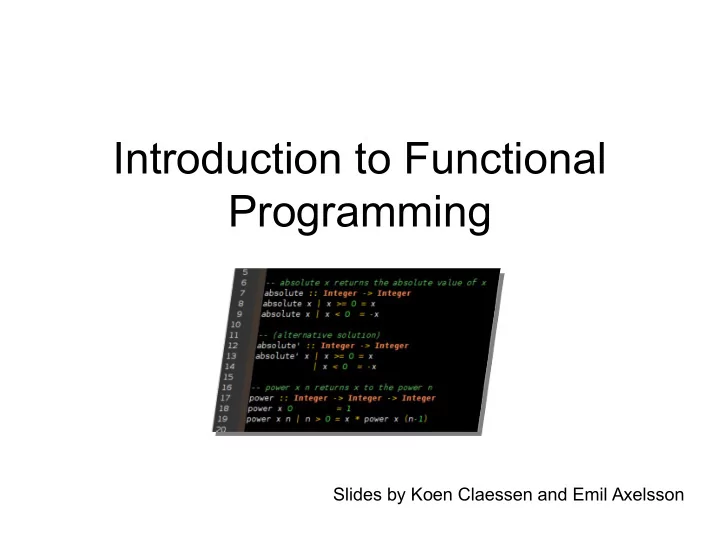
Introduction to Functional Programming Slides by Koen Claessen and Emil Axelsson
Programming • Exciting subject at the heart of computing • Never programmed? – Learn to make the computer obey you! • Programmed before? – Lucky you! Your knowledge will help a lot... – ...as you learn a completely new way to program • Everyone will learn a great deal from this course!
Goal of the Course • Start from the basics • Learn to write small-to-medium sized programs in Haskell • Introduce basic concepts of computer science
Do not break the flow ! The Flow You prepare in advance I explain in lecture Tuesdays,Fridays You learn with exercises Mondays You put to practice with lab assignments Submit end of each week
Exercise Sessions • Mondays – Group rooms • Come prepared • Work on exercises together • Discuss and get help from tutor – Personal help • Make sure you understand this week’s things before you leave
Lab Assignments • General information http://www.cse.chalmers.se/edu/course/TDA555/labs.html • Start working on lab when you have understood the matter • Submit end of each week even this week!
Getting Help • Weekly group sessions – Personal help to understand material • Lab supervision – Specific questions about programming assignment at hand • Discussion forum – General questions, worries, discussions – Finding lab partners
Assessment • Written exam (4.5 credits) – Consists of small programming problems to solve on paper – You need Haskell “in your fingers” • Course work (3 credits) – Complete all labs successfully
A Risk • 8 weeks is a short time to learn programming • So the course is fast paced – Each week we learn a lot – Catching up again is hard • So do keep up! – Read the material for each week – Make sure you can solve the problems – Go to the weekly exercise sessions – From the beginning
Course Homepage The course homepage will have ALL up-to- date information relevant for the course – Schedule and slides – Lab assignments Or go via the – Exercises student portal – Last-minute changes – (etc.) http://www.cse.chalmers.se/edu/course/TDA555/
Software Software = Programs + Data
Software = Programs + Data • Data is any kind of storable information, e.g: – numbers, letters, email messages – maps, video clips – mouse clicks, programs • Programs compute new data from old data: – A computer game computes a sequence of screen images from a sequence of mouse clicks – vasttrafik.se computes an optimal route given a source and destination bus stop
Building Software Systems • A large system may contain many millions of lines of code • Software systems are among the most complex artefacts ever made by humans • Systems are built by combining existing components as far as possible. Volvo buys engines Facebook buys video from Mitsubishi. player from Adobe
Programming Languages • Programs are written in programming languages • There are hundreds of different programming languages, each with their strengths and weaknesses • A large system will often contain components in many different languages
which language should we teach? Programming Languages Scheme C Lisp BASIC C++ Haskell Java C# ML Python JavaScript csh Curry Perl O’CaML bash Erlang Ruby Prolog Lustre Mercury PostScript VHDL Esterel PDF SQL Verilog
Programming Language Features dynamically pure typed functions higher-order statically type functions typed inference real-time immutable datastructures polymorphism overloading concurrency high distribution parameterized lazy performance types virtual Java machine reflection type object compiler classes interpreter oriented meta- programming unification Haskell backtracking C
Teaching Programming • Give you a broad basis – Easy to learn more programming languages – Easy to adapt to new programming languages • Haskell is defining state-of-the-art in programming language development – Appreciate differences between languages – Become a better programmer!
“Functional Programming” • Functions are the basic building blocks of programs • Functions are used to compose these building blocks into larger programs • A (pure) function computes results from arguments – consistently the same
Industrial Uses of Functional Languages Hafnium (automatic Intel (microprocessor verification) transformation tools) Hewlett Packard (telecom event Shop.com (e-commerce) correlation) Motorola (test generation) Ericsson (telecommunications) Thompson (radar tracking) Jeppesen (air-crew scheduling) Microsoft (F#) Facebook (chat engine) Jasper (hardware verification) Credit Suisse (finance) Barclays Capital (finance) And many more!
Computer Sweden, 2010
Why Haskell? • Haskell is a very high-level language (many details taken care of automatically). • Haskell is expressive and concise (can achieve a lot with a little effort). • Haskell is good at handling complex data and combining components. • Haskell is not a particularly high-performance language (prioritise programmer-time over computer-time).
Cases and recursion
Example: The squaring function • Example: a function to compute -- sq x returns the square of x sq :: Integer -> Integer sq x = x * x
Evaluating Functions • To evaluate sq 5: – Use the definition —substitute 5 for x throughout • sq 5 = 5 * 5 – Continue evaluating expressions • sq 5 = 25 • Just like working out mathematics on paper sq x = x * x
Example: Absolute Value • Find the absolute value of a number -- absolute x returns the absolute value of x absolute :: Integer -> Integer absolute x = undefined
Example: Absolute Value • Find the absolute value of a number Programs must often • Two cases! choose between – If x is positive, result is x alternatives – If x is negative, result is -x -- absolute x returns the absolute value of x absolute :: Integer -> Integer Think of the cases! absolute x | x > 0 = undefined These are guards absolute x | x < 0 = undefined
Example: Absolute Value • Find the absolute value of a number • Two cases! – If x is positive, result is x – If x is negative, result is -x -- absolute x returns the absolute value of x absolute :: Integer -> Integer Fill in the result in absolute x | x > 0 = x each case absolute x | x < 0 = -x
Example: Absolute Value • Find the absolute value of a number • Correct the code -- absolute x returns the absolute value of x absolute :: Integer -> Integer >= is greater than absolute x | x >= 0 = x or equal, ¸ absolute x | x < 0 = -x
Evaluating Guards • Evaluate absolute (-5) – We have two equations to use! – Substitute • absolute (-5) | -5 >= 0 = -5 • absolute (-5) | -5 < 0 = -(-5) absolute x | x >= 0 = x absolute x | x < 0 = -x
Evaluating Guards • Evaluate absolute (-5) – We have two equations to use! Discard this – Evaluate the guards equation • absolute (-5) | False = -5 • absolute (-5) | True = -(-5) Keep this one absolute x | x >= 0 = x absolute x | x < 0 = -x
Evaluating Guards • Evaluate absolute (-5) – We have two equations to use! – Erase the True guard • absolute (-5) = -(-5) absolute x | x >= 0 = x absolute x | x < 0 = -x
Evaluating Guards • Evaluate absolute (-5) – We have two equations to use! – Compute the result • absolute (-5) = 5 absolute x | x >= 0 = x absolute x | x < 0 = -x
Notation • We can abbreviate repeated left hand sides absolute x | x >= 0 = x absolute x | x >= 0 = x absolute x | x < 0 = -x | x < 0 = -x • Haskell also has if then else absolute x = if x >= 0 then x else -x
Example: Computing Powers • Compute (without using built-in x^n)
Example: Computing Powers • Compute (without using built-in x^n) • Name the function power
Example: Computing Powers • Compute (without using built-in x^n) • Name the inputs power x n = undefined
Example: Computing Powers • Compute (without using built-in x^n) • Write a comment -- power x n returns x to the power n power x n = undefined
Example: Computing Powers • Compute (without using built-in x^n) • Write a type signature -- power x n returns x to the power n power :: Integer -> Integer -> Integer power x n = undefined
How to Compute power? • We cannot write – power x n = x * … * x n times
A Table of Powers n power x n 0 1 1 x 2 x*x 3 x*x*x x n = x · x ( n -1) • Each row is x* the previous one • Define (power x n) to compute the nth row
A Definition? power x n = x * power x (n-1) • Testing: Main> power 2 2 ERROR - stack overflow Why?
A Definition? power x n | n > 0 = x * power x (n-1) • Testing: Main> power 2 2 Program error: pattern match failure: power 2 0
A Definition? First row of the table power x 0 = 1 power x n | n > 0 = x * power x (n-1) • Testing: Main> power 2 2 4 The BASE CASE
Recommend
More recommend
Explore More Topics
Stay informed with curated content and fresh updates.