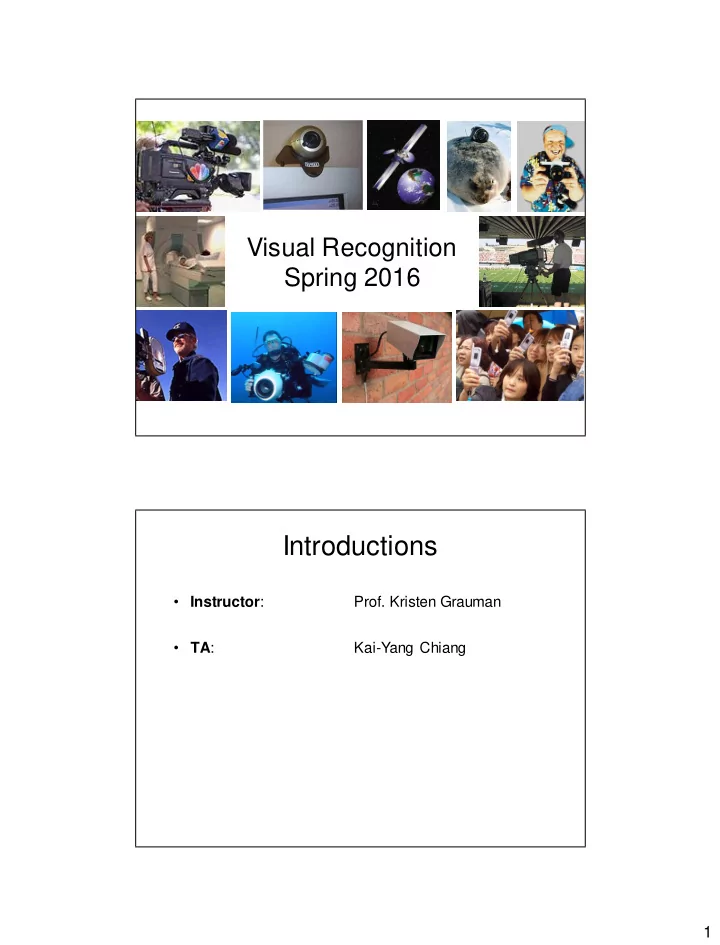
Introductions Instructor : Prof. Kristen Grauman TA : Kai-Yang - - PDF document

introductions
SMART_READER_LITE
LIVE PREVIEW

Introductions Instructor : Prof. Kristen Grauman TA : Kai-Yang - - PDF document

Visual Recognition Spring 2016 Introductions Instructor : Prof. Kristen Grauman TA : Kai-Yang Chiang 1 Today Course overview Requirements, logistics What is computer vision? Done? 2 Computer Vision Automatic


slide-1
SLIDE 1

1

Visual Recognition Spring 2016

Introductions

  • Instructor:
  • Prof. Kristen Grauman
  • TA:

Kai-Yang Chiang

slide-2
SLIDE 2

2

Today

  • Course overview
  • Requirements, logistics

What is computer vision?

Done?

slide-3
SLIDE 3

3

Computer Vision

  • Automatic understanding of images and video
  • 1. Computing properties of the 3D world from visual

data (measurement)

  • 1. Vision for measurement

Real-time stereo Structure from motion

NASA Mars Rover

Tracking

Demirdjian et al. Snavely et al. Wang et al.

slide-4
SLIDE 4

4

Computer Vision

  • Automatic understanding of images and video
  • 1. Computing properties of the 3D world from visual

data (measurement)

  • 2. Algorithms and representations to allow a machine

to recognize objects, people, scenes, and

  • activities. (perception and interpretation)

sky water Ferris wheel amusement park Cedar Point 12 E tree tree tree carousel deck people waiting in line ride ride ride umbrellas pedestrians maxair bench tree Lake Erie people sitting on ride

Objects Activities Scenes Locations Text / writing Faces Gestures Motions Emotions…

The Wicked Twister

  • 2. Vision for perception, interpretation
slide-5
SLIDE 5

5

Computer Vision

  • Automatic understanding of images and video
  • 1. Computing properties of the 3D world from visual

data (measurement)

  • 2. Algorithms and representations to allow a machine

to recognize objects, people, scenes, and

  • activities. (perception and interpretation)
  • 3. Algorithms to mine, search, and interact with visual

data (search and organization)

  • 3. Visual search, organization

Image or video archives Query Relevant content

slide-6
SLIDE 6

6

Computer Vision

  • Automatic understanding of images and video
  • 1. Computing properties of the 3D world from visual

data (measurement)

  • 2. Algorithms and representations to allow a machine

to recognize objects, people, scenes, and

  • activities. (perception and interpretation)
  • 3. Algorithms to mine, search, and interact with visual

data (search and organization)

Course focus

Related disciplines

Cognitive science Algorithms Image processing Artificial intelligence Graphics Machine learning

Computer vision

slide-7
SLIDE 7

7

Vision and graphics

Model Images

Vision Graphics

Inverse problems: analysis and synthesis.

  • L. G. Roberts, Machine Perception
  • f Three Dimensional Solids,

Ph.D. thesis, MIT Department of Electrical Engineering, 1963.

Visual data in 1963

slide-8
SLIDE 8

8

Personal photo albums Surveillance and security Movies, news, sports Medical and scientific images Slide credit; L. Lazebnik

Visual data in 2016 Why recognition?

– Recognition a fundamental part of perception

  • e.g., robots, autonomous agents

– Organize and give access to visual content

  • Connect to information
  • Detect trends and themes
  • Why now?
slide-9
SLIDE 9

9

Faces

Setting camera focus via face detection Camera waits for everyone to smile to take a photo [Canon]

http://www.darpa.mil/grandchallenge/galler y .asp

Autonomous agents able to detect objects

slide-10
SLIDE 10

10

Posing visual queries

Kooaba, Bay & Quack et al. Y eh et al., MIT Belhumeur et al.

Finding visually similar objects

slide-11
SLIDE 11

11

Exploring community photo collections

Snav ely et al. Simon & Seitz

Discovering visual patterns

Siv ic & Zisserman Lee & Grauman Wang et al.

Objects Actions Categories

slide-12
SLIDE 12

12

Auto-annotation

Gammeter et al.

  • T. Berg et al.

Video-based interfaces

Human joystick, NewsBreaker Live Assistive technology systems Camera Mouse, Boston College Microsoft Kinect

slide-13
SLIDE 13

13

What else?

Obstacles?

slide-14
SLIDE 14

14

What the computer gets Why is vision difficult?

  • Ill-posed problem: real world much more

complex than what we can measure in images – 3D  2D

  • Impossible to literally “invert” image formation

process

slide-15
SLIDE 15

15

Challenges: many nuisance parameters

Illumination Object pose Clutter Viewpoint Intra-class appearance Occlusions

Challenges: intra-class variation

slide credit: Fei-Fei, Fergus & Torralba

slide-16
SLIDE 16

16

Challenges: importance of context

Video credit: Rob Fergus and Antonio Torralba

Challenges: importance of context

Video credit: Rob Fergus and Antonio Torralba

slide-17
SLIDE 17

17

Challenges: importance of context

slide credit: Fei-Fei, Fergus & Torralba

Challenges: complexity

  • Millions of pixels in an image
  • 30,000 human recognizable object categories
  • 30+ degrees of freedom in the pose of articulated
  • bjects (humans)
  • Billions of images online
  • 144K hours of new video on YouTube daily
  • About half of the cerebral cortex in primates is

devoted to processing visual information [Felleman and van Essen 1991]

slide-18
SLIDE 18

18

Progress charted by datasets

COIL Roberts 1963

1996 1963 …

INRIA Pedestrians UIUC Cars MIT-CMU Faces

2000

Progress charted by datasets

1996 1963 …

slide-19
SLIDE 19

19

Caltech-256 Caltech-101 MSRC 21 Objects

2000 2005

Progress charted by datasets

1996 1963 …

Faces in the Wild 80M Tiny Images Birds-200 PASCAL VOC ImageNet

2000 2005 2007 2008 2013

Progress charted by datasets

1996 1963 …

slide-20
SLIDE 20

20

Expanding horizons: large-scale recognition Expanding horizons: captioning

https://pdollar.wordpress.com/2015/01/21/image-captioning/

slide-21
SLIDE 21

21

Expanding horizons: vision for autonomous vehicles

KITTI dataset – Andreas Geiger et al.

Expanding horizons: interactive visual search

WhittleSearch – Adriana Kovashka et al.

slide-22
SLIDE 22

22

Expanding horizons: first-person vision

Activities of Daily Living – Hamed Pirsiavash et al.

This course

  • Focus on current research in

– Object recognition and categorization – Image/video retrieval, annotation – Some activity recognition

  • High-level vision and learning problems,

innovative applications.

slide-23
SLIDE 23

23

Goals

  • Understand current approaches
  • Analyze
  • Identify interesting research questions

Expectations

  • Discussionswill center on recent papers in

the field – Paper reviews each week

  • Student presentations

– Papers – Experiment

  • 2 implementation assignments
  • Project

Workload is fairly high

slide-24
SLIDE 24

24

Prerequisites

  • Courses in:

– Computer vision – Machine learning

  • Ability to analyze high-level conference

papers

Paper reviews & discussion pts

  • Each week, review two of the assigned papers.
  • Separately, summarize some “discussion

points”

  • Post each separately to Piazza following

instructions on course “requirements” page.

  • Skip reviews the week(s) you are presenting.
slide-25
SLIDE 25

25

Paper review guidelines

  • Brief (2-3 sentences) summary
  • Main contribution
  • Strengths? Weaknesses?
  • How convincing are the experiments?

Suggestions to improve them?

  • Extensions? What’s inspiring?
  • Additional comments, unclear points
  • Relationships observed between the papers

we are reading

Discussion point guidelines

  • ~2-3 sentences per reviewed paper
  • Recap of salient parts of your reviews

– Key observations, lingering questions, interesting connections, etc.

  • Will be shared to our class via Piazza
  • Discussion points required for each class

session (due 8 pm Tues)

  • All encouraged to browse and post before

and after class

slide-26
SLIDE 26

26

Paper presentation guidelines

  • Read the selected paper
  • Well-organized talk, about 15 minutes
  • What to cover?

– Problem overview, motivation – Algorithm explanation, technical details – Any commonalities, important differences between techniques covered in the papers. – Demos, videos, other visuals etc. from authors

  • See handout and class webpage for more

details.

Experiment guidelines

  • Implement/download code for a main idea in the

paper and show us toy examples:

– Experiment with different types of (mini) training/testing data sets – Evaluate sensitivity to important parameter settings – Show (on a small scale) an example to analyze a strength/weakness of the approach

  • Present in class – about 20 minutes.
  • Share links to any tools or data.
slide-27
SLIDE 27

27

Timetable for presenters

  • For papers or experiments, by the

Wednesday the week before your presentation is scheduled:

– Email draft slides to me, and schedule a time to meet, do dry run, discuss. – Hard deadline: 5 points per day late

  • See course webpage for examples of good

reviews, presentations.

Projects

Possibilities: – Extend a technique studied in class – Analysis and empirical evaluation of an existing technique – Comparison between two approaches – Design and evaluate a novel approach – Thorough survey / review paper

  • Work in pairs, except for survey.
slide-28
SLIDE 28

28

Grades

  • Grades will be determined as follows:

– 25% participation (includes attendance, in-class discussions, paper reviews) – 15% coding assignments – 35% presentations (includes drafts submitted

  • ne week prior, and in-class presentation)

– 25% final project (includes proposal, draft, presentation, final paper)

Miscellaneous

  • Feedback welcome and useful!
  • Slides, announcements via class website
  • Discussion including assignment questions on

Piazza

  • No laptops, phones, etc. open in class please.
slide-29
SLIDE 29

29

Syllabus tour

  • The core

– Instance recognition – Category recognition – Mid-level representations – Object detection

  • Advanced topics

– Great outdoors – Social signals – Noticing and remembering – Low-supervision learning – 3d scenes and objects – Recognition in action – Attributes and parts – Language and vision

slide-30
SLIDE 30

30

Instance recognition

Local invariant features, detection and description Matching models to images Indexing specific objects with bag-of-words descriptors

Category recognition

Recognition as an image classification problem Discriminative methods Image descriptors Convolutional neural networks Large-scale image collections

slide-31
SLIDE 31

31

Mid-level representations

Segmentation Category-independent region ranking Surface estimation

Object detection

Localizing objects within an image Efficient search Part-based models Semantic segmentation Voting Context

slide-32
SLIDE 32

32

Syllabus tour

  • The core

– Instance recognition – Category recognition – Mid-level representations – Object detection

  • Advanced topics

– Great outdoors – Social signals – Noticing and remembering – Low-supervision learning – 3d scenes and objects – Recognition in action – Attributes and parts – Language and vision

Great outdoors

  • Linking and visualizing multi-view data from tourist photos
  • Image-based geolocalization
  • Natural scene text detection
  • Discovering correlated non-visual properties in street-side imagery
slide-33
SLIDE 33

33

Social signals

  • Cues from people in images: body pose,

social groups and roles, attention, gaze following, scene structure

Noticing and remembering

  • Predicting what gets noticed or remembered in

images and video. Saliency, importance, memorability, photography biases.

slide-34
SLIDE 34

34

Low-supervision learning

  • Feature learning, semantics learning. Leveraging free or

nearly free cues for supervision. Internet data, video, egomotion, context...

3d scenes and objects

  • 3d structure (single views, panoramas, RGBD) and

scene layout for visual recognition

slide-35
SLIDE 35

35

Recognition in action

  • Learning how to move for recognition,

manipulation. 3D objects and the next best view.

Attributes and parts

Beyond naming object by category, we should be able to describe their properties, or use descriptions to understand novel objects.

slide-36
SLIDE 36

36

Language and vision

  • Image-word embeddings, question

answering, captioning.

Not covered

  • Low-level image processing
  • Basic machine learning methods
  • I will assume you already know these, or are

willing to pick them up on your own.

slide-37
SLIDE 37

37

Coming up

  • Do reading and paper reviews/discussion

point posts for weeks 1 and 2

– Instance recognition – Category recognition

  • No class next week