ITERATION (REPETITION OF CODE, OR LOOPING) Fundamentals of Computer - - PowerPoint PPT Presentation

iteration repetition of code or looping
SMART_READER_LITE
LIVE PREVIEW

ITERATION (REPETITION OF CODE, OR LOOPING) Fundamentals of Computer - - PowerPoint PPT Presentation

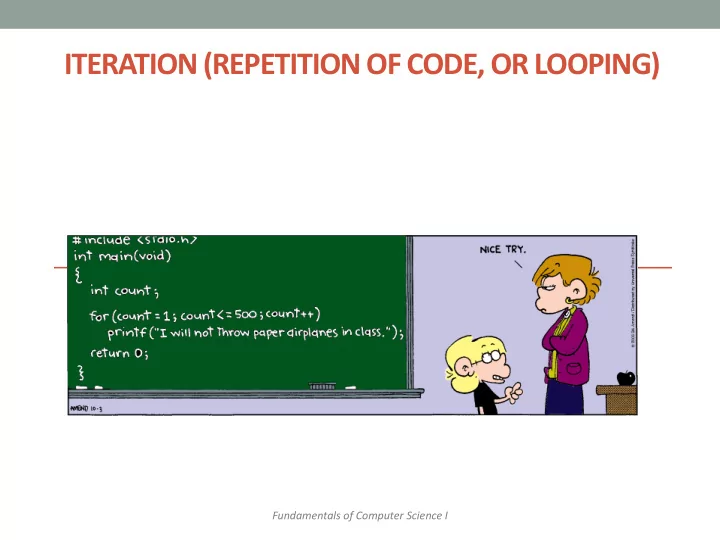
ITERATION (REPETITION OF CODE, OR LOOPING) Fundamentals of Computer Science I Outline Loop Statements Types of Loops while do while Programming with Loops Java Loop Statements A portion of a program that repeats a


slide-1
SLIDE 1

ITERATION (REPETITION OF CODE, OR LOOPING)

Fundamentals of Computer Science I
slide-2
SLIDE 2

Outline

  • Loop Statements
  • Types of Loops
  • while
  • do while
  • Programming with Loops
slide-3
SLIDE 3

Java Loop Statements

  • A portion of a program that repeats a statement or

a group of statements is called a loop.

  • The statement or group of statements to be

repeated is called the body of the loop.

  • For example, a loop could be used to compute grades for

each student in a class.

  • There must be a means of exiting the loop.
slide-4
SLIDE 4

while Loop

  • while loop: common way to repeat code
  • Evaluate a boolean expression
  • If true, do a block a code
  • Go back to start of while loop
  • If false, skip over block

4

while (expression) { statement1; statement2; … } while (expression) statement1;

while loop with multiple statements in a {} block while loop with a single statement

slide-5
SLIDE 5

while Loop Example 1

  • Print out summations, 0 + 1 + 2 + … + N

5

public class Summation { public static void main(String [] args) { int limit = Integer.parseInt(args[0]); int i = 1; long sum = 0; while (i <= limit) { sum += i; System.out.println("sum 0..." + i + " = " + sum); i++; } } }

% java Summation 4 sum 0...1 = 1 sum 0...2 = 3 sum 0...3 = 6 sum 0...4 = 10

slide-6
SLIDE 6

while Loop Example 2

  • Print powers of 2 up to but not including limit

6

public class Powers2 { public static void main(String [] args) { int limit = Integer.parseInt(args[0]); long total = 1; while (total < limit) { System.out.println(total); total = total * 2; } } }

% java Powers2 16 1 2 4 8

slide-7
SLIDE 7

while Loop

7

while (expression) { statement1; statement2; } while (expression); { statement1; statement2; }

This semicolon is the entire body of the while loop! Almost never what you want.

slide-8
SLIDE 8

while Loop

8

while (expression) { statement1; statement2; } while (expression) statement1; statement2;

Only statement1 considered inside the while loop. Java doesn't care about indentation. But I do (and so does your TA).

slide-9
SLIDE 9

The while Statement

  • Syntax

while (Boolean_Expression) Body_Statement

  • r

while (Boolean_Expression) { First_Statement Second_Statement … }

slide-10
SLIDE 10

The while Statement

  • Semantics of the while statement
slide-11
SLIDE 11

do while loop

  • do while loop
  • Always executes loop body at least once
  • Do a block a code
  • Evaluate a boolean expression
  • If expression true, do block again

11

do { statement1; statement2; … } while (condition);

do while needs this semicolon!

http://www.bhmpics.com/view- do_while_loop_for_life-1600x1200.html

slide-12
SLIDE 12

do while Example

  • Pick random points in [0, 1)
  • Stop when we draw one in interval [left, right]

12

public class PickPoints { public static void main(String[] args) { double left = Double.parseDouble(args[0]); double right = Double.parseDouble(args[1]); double point = 0.0; int count = 0; do { point = Math.random(); count++; } while ((point < left) || (point > right)); System.out.println(count + " random draws"); } }

slide-13
SLIDE 13

do while Example Runs

  • Infinite loop: possible for all loop types Eclipse, hit the

red stop button

  • Command line, hit ctrl-c

13

% java DrawPoints 0.1 0.2 9 random draws % java DrawPoints 0.1 0.2 2 random draws % java DrawPoints 0.1 0.11 74 random draws % java DrawPoints 0.1 0.2 198 random draws % java DrawPoints -0.2 -0.1 (never terminates!) % java DrawPoints 0.2 0.1 (never terminates!)

slide-14
SLIDE 14

The do-while Statement

  • First, the loop body is executed.
  • Then the boolean expression is checked.
  • As long as it is true, the loop is executed again.
  • If it is false, the loop is exited.
  • Equivalent while statement

Statement(s)_S1 while (Boolean_Condition) Statement(s)_S1

slide-15
SLIDE 15

The do-while Statement

  • The Semantics of the do-while Statement
slide-16
SLIDE 16

The Loop Body

  • To design the loop body, write out the actions the

code must accomplish.

  • Then look for a repeated pattern.
  • The repeated pattern will form the body of the loop.
  • Some actions may need to be done after the pattern stops

repeating.

slide-17
SLIDE 17

Initializing Statements

  • Some variables need to have a value before the

loop begins.

  • Sometimes this is determined by what is supposed to happen after
  • ne loop iteration.
  • Often variables have an initial value of zero or one, but not always.
  • Other variables get values only while the loop is

iterating.

slide-18
SLIDE 18

The break Statement in Loops

  • A break statement can be used to end a loop

immediately.

  • The break statement ends only the innermost

loop or switch statement that contains the break statement.

  • break statements make loops more difficult to

understand.

  • Use break statements sparingly (if ever).
slide-19
SLIDE 19

The break Statement in Loops

  • Program fragment, ending a loop with a break

statement

slide-20
SLIDE 20

The continue Statement in Loops

  • A continue statement
  • Ends current loop iteration
  • Begins the next one
  • Like a break statement, avoid using this
  • Introduce unneeded complications
slide-21
SLIDE 21

Infinite Loops

  • A loop which repeats without ever ending is called

an infinite loop.

  • If the controlling boolean expression never

becomes false, a while loop or a do-while loop will repeat without ending.

slide-22
SLIDE 22

Summary

  • Loop Statements
  • Types of Loops
  • while
  • do while
  • Programming with Loops
slide-23
SLIDE 23

Your Turn

  • Write a while loop that generates a random number

between 0.0 and 100.0 as a test score. The loop ends when a random number is generated that is a passing grade or better (70.0). After the loop completes, print out the score to the screen.

  • Name your program RandomGrade.java and submit it to

the Activity02 dropbox on Moodle. 1 point for turning something in, 2 points for turning in something that is correct.