Java Loops (Java: An Eventful Approach, Ch 7 and 13), 6 November - - PDF document

java loops
SMART_READER_LITE
LIVE PREVIEW

Java Loops (Java: An Eventful Approach, Ch 7 and 13), 6 November - - PDF document

11/6/2012 CS 120 Lecture 16 Java Loops (Java: An Eventful Approach, Ch 7 and 13), 6 November 2012 Slides Credit: Bruce, Danyluk and Murtagh Programs Involving Repetition Drawing Grass Drawing grids Printing marks on a ruler


slide-1
SLIDE 1

11/6/2012 1

Java Loops

(Java: An Eventful Approach, Ch 7 and 13),

Slides Credit: Bruce, Danyluk and Murtagh

CS 120 Lecture 16

6 November 2012

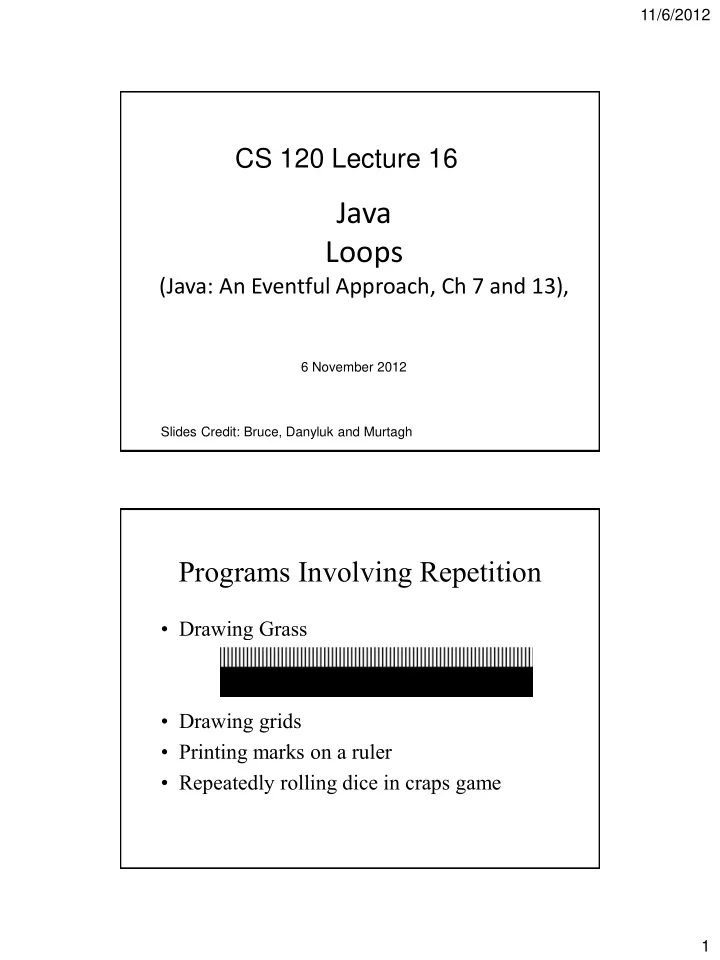
Programs Involving Repetition

  • Drawing Grass
  • Drawing grids
  • Printing marks on a ruler
  • Repeatedly rolling dice in craps game
slide-2
SLIDE 2

11/6/2012 2

public void begin() { // add the blades of grass new Line(0, GRASS_TOP, 0, GROUND_LINE, canvas); new Line(4, GRASS_TOP, 4, GROUND_LINE, canvas); new Line(8, GRASS_TOP, 8, GROUND_LINE, canvas); new Line(12, GRASS_TOP, 12, GROUND_LINE, canvas); new Line(16, GRASS_TOP, 16, GROUND_LINE, canvas); … }

Recognizing a Pattern Making a Pattern Explicit

// add the blades of grass bladePosition = 0; new Line(bladePosition, GRASS_TOP, bladePosition, GROUND_LINE, canvas); bladePosition = bladePosition + GRASS_SPACING; new Line(bladePosition, GRASS_TOP, bladePosition, GROUND_LINE, canvas); bladePosition = bladePosition + GRASS_SPACING; new Line(bladePosition, GRASS_TOP, bladePosition, GROUND_LINE, canvas); bladePosition = bladePosition + GRASS_SPACING;

slide-3
SLIDE 3

11/6/2012 3

Eliminating Code Repetition

private int bladePosition=0; public void onMouseClick(Location point) { // grow a blade of grass with each mouse click if (bladePosition < canvas.getWidth()) { new Line(bladePosition, GRASS_TOP, bladePosition, GROUND_LINE, canvas); bladePosition = bladePosition + GRASS_SPACING; } }

  • First approach tedious for programmer
  • Second approach tedious for user

The while Loop (Indefinite loop)

  • A control construct for specifying repetition
  • General Structure:

while (condition) { //Statements to be repeated }

slide-4
SLIDE 4

11/6/2012 4

Drawing Grass with while

public void begin() { // add the blades of grass double bladePosition = 0; while ( bladePosition < canvas.getWidth() ) { new Line(bladePosition,GRASS_TOP, bladePosition,GROUND_LINE, canvas); bladePosition = bladePosition + GRASS_SPACING; } } while (verticalCorner.getX() < canvas.getWidth() || horizontalCorner.getY() < canvas.getHeight() ) {

new FilledRect(verticalCorner, 5, canvas.getHeight(), canvas); new FilledRect(horizontalCorner, canvas.getWidth(), 5, canvas); verticalCorner.translate(10, 0); horizontalCorner.translate(0, 10); }

Drawing a Grid

slide-5
SLIDE 5

11/6/2012 5

The Counting while loop

  • Counting up

int i=initialValue; while(i<endValue){ //statements to be repeated i++; }

Drawing a Number of Bricks

  • Might want to draw exactly 10 bricks

private static final int BRICKS_TOTAL=10; int brickPosition=0; int brickCount=0; while ( brickCount < BRICKS_TOTAL ) { new FilledRect(brickPosition, BRICK_TOP, BRICK_WIDTH, BRICK_HEIGHT, canvas); brickPosition = brickPosition + BRICK_WIDTH + BRICK_SPACING; brickCount++; }

slide-6
SLIDE 6

11/6/2012 6

  • Suppose we want to draw a brick wall

Use a while loop to draw each row of the wall int level = 0; while ( level < WALL_HEIGHT) { …//draw one row of bricks brickY = brickY + BRICK_HEIGHT; level ++; }

slide-7
SLIDE 7

11/6/2012 7

  • Already know how to draw a row of bricks
  • Nest 1 while loop inside another

while (condition1) { //moves to draw a row of bricks while (condition2) { //draws one row of bricks } }

Putting Things Together

int level = 0; double brickY = WALL_Y; while ( level < WALL_HEIGHT ) { brickInLevel = 0; brickX = WALL_X; //draw one row of bricks while ( brickInLevel < WALL_WIDTH ) { new FilledRect ( brickX, brickY, BRICK_WIDTH, BRICK_HEIGHT, canvas); brickX = brickX + BRICK_WIDTH+1; brickInLevel ++; } brickY = brickY – BRICK_HEIGHT-1; level ++; }

slide-8
SLIDE 8

11/6/2012 8

Making Code Simple and Clear

No

if ( box.contains(point)) { //do nothing } else { counter ++; }

Yes

If ( !box.contains (point) ) { counter++; }

  • Avoid empty if-parts

if ( box.contains (point) ) { boxGrabbed = true; } else { boxGrabbed = false; } if ( boxGrabbed == true ) { … }

boxGrabbed = box.contains.(point); if (boxGrabbed) { … }

  • Use Boolean expressions in assignments
  • Don’t use true or false in conditionals
slide-9
SLIDE 9

11/6/2012 9

Simplifying Code with DeMorgan’s Laws

  • DeMorgan’s Laws

! ( A && B ) = !A || !B ! ( A || B ) = !A && !B

Applying DeMorgan’s Laws

  • Simplify: !( x < 0 || x >= 100 )

using !( A || B ) = !A && !B

!( x < 0 ) && !( x >= 100 ) ( x >= 0 ) && ( x < 100 )

slide-10
SLIDE 10

11/6/2012 10

Curly Braces

Curly braces bracketing multiple lines of code are necessary

if ( targetContains(pt) ) { if ( targetContains (pt) ) target.hide(); target.hide(); score++; score++; } In the second version, score is updated despite the conditional

Curly Braces

A single line of code runs the same with and without curly braces

if ( temperature >= 100 ) { display.setText("Water is in a gaseous phase"); }

is the same as

if ( temperature >= 100 ) display.setText("Water is in a gaseous phase");

slide-11
SLIDE 11

11/6/2012 11

Curly Braces

Which interpretation is correct?

if ( temperature >= 80 ) if (raining) display.setText(“Bring an Umbrella"); else display.setText(“T-shirt Weather"); if ( temperature >= 80 ) if (raining) display.setText(“Bring an Umbrella"); else // WRONG!! This else matches the nearest if display.setText(“Bring a coat!"); This is called the “Dangling else” problem. http://en.wikipedia.org/wiki/Dangling_else

Recognizing Patterns

  • Counting: continually updating a value by a

fixed amount

  • Counting raindrops

int dropCount = 0; //Raindrop counter while (dropCount < MAX) { new Raindrop(…); dropCount++; }

slide-12
SLIDE 12

11/6/2012 12

Counting Bricks

while ( count < TOTAL ) { new Brick(…); count++; }

The Counting while Loop

int i = initialValue; // initialize while (i < stopVal) { // test ... // do stuff i++; // increment } “Counter-Controlled Loop Pattern”

slide-13
SLIDE 13

11/6/2012 13

The for loop (Definite Loop)

  • Especially useful for counting
  • Ex:

for ( int i=initialVal; //initialize i<stopVal; //test i++;) { //increment … //do stuff }

Counting Raindrops with for Loop

for (int dropCount = 0; dropCount <MAX; dropCount++) { new Raindrop (…); }

slide-14
SLIDE 14

11/6/2012 14

More General Start and End Points

  • Loops can take whatever starting point, end

point, and increment

Ex: for (int i=23; i <= 1728; i=i+591;){ //do stuff }

  • But one should avoid using a double for any
  • f the three values

Counting Backwards with for Loop

Ex: Printing a countdown for (int count = 10; count >= 1; count--) { System.out.println(count); }

slide-15
SLIDE 15

11/6/2012 15

Update Values

  • Can increment loop index by any value
  • Ex: Drawing grass blades

for (int pos = 0; pos < WIDTH; pos = pos + GAP) { new Line (pos, TOP, pos, GROUND, canvas); }

General Syntax of for Loop

  • for (initialization; condition; update) {

//Do something } Initialization: gen’ly creates a counting variable Condition: a boolean expression to stop the loop Updating: updates the variable created

slide-16
SLIDE 16

11/6/2012 16

Nested Loops

  • Any loop body can contain another loop

Ex: for ( … ) { while (…) { while (…) { for(…) { } } } }

The do while Loop

  • Syntax:

do { <code to repeat> } while (<condition>) (see Craps Example online)

slide-17
SLIDE 17

11/6/2012 17

do while Loop vs while Loop

  • do while

– Condition checked at the end – Loop body executed at least once

  • while

– Condition checked at the beginning – Loop body may never execute

Avoiding Loop Errors

  • Easier to find errors if you know where to

look

  • Common loop errors include:
  • Off by 1 in counting loops
  • Infinite loops
slide-18
SLIDE 18

11/6/2012 18

Off by one errors

Suppose we want to run a for loop 5 times:

The left hand version will run it 6 times, not 5. for(int i=0;i<=5; i++){ } for(int i=0;i<5;i++) { }

Infinite Loops

Ex: while ( count< TOTAL ) { new Brick (…); } Since value of count is not updated, the condition in while will stay true forever.

slide-19
SLIDE 19

11/6/2012 19

Student To Do’s

  • HW07

– Exercise 5.8.2 (DNA Generator) – Exercise 5.8.3 (Morse Code) – Due Monday 11/12 by 11:59pm

  • Read Java: An Eventful Approach

– Ch. 7 and 13 (Today)

37